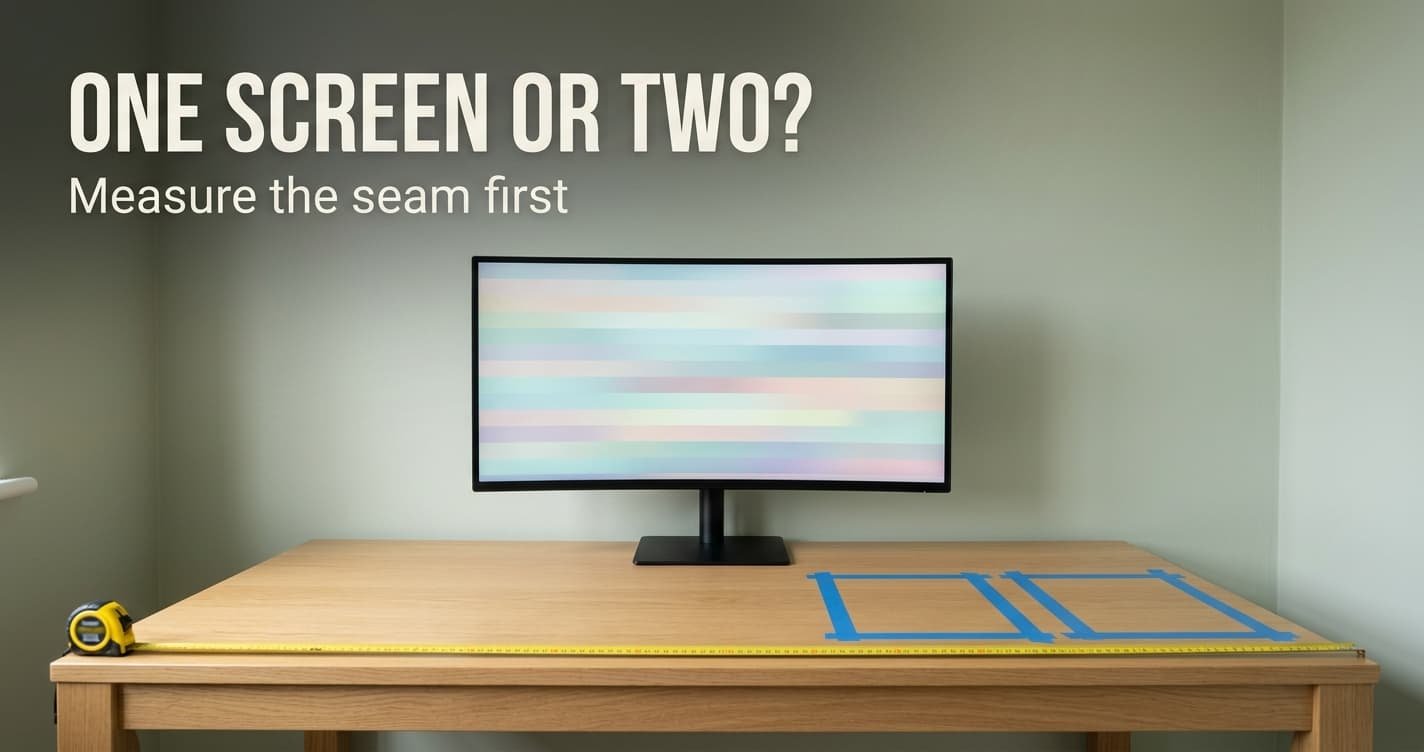
The common complaint after buying two screens is that a seam now runs through the one document that matters most. Choosing a large monitor or two smaller ones comes down to that seam, the physical gap where two frames meet. Take the large monitor when your widest single item must stay in one piece. Take two smaller ones when your work divides into separate things that each fit on a screen.
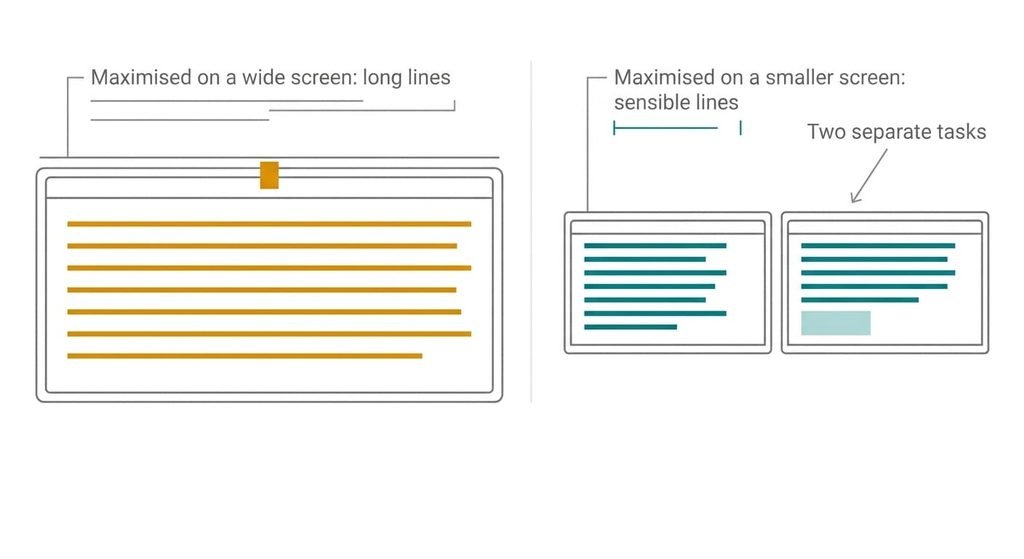
There is a second half to the question, because a very wide screen brings its own trouble. Every maximised window stretches across it, and a page of text spread over that width becomes hard to follow.
The one property that decides a large monitor or two smaller ones
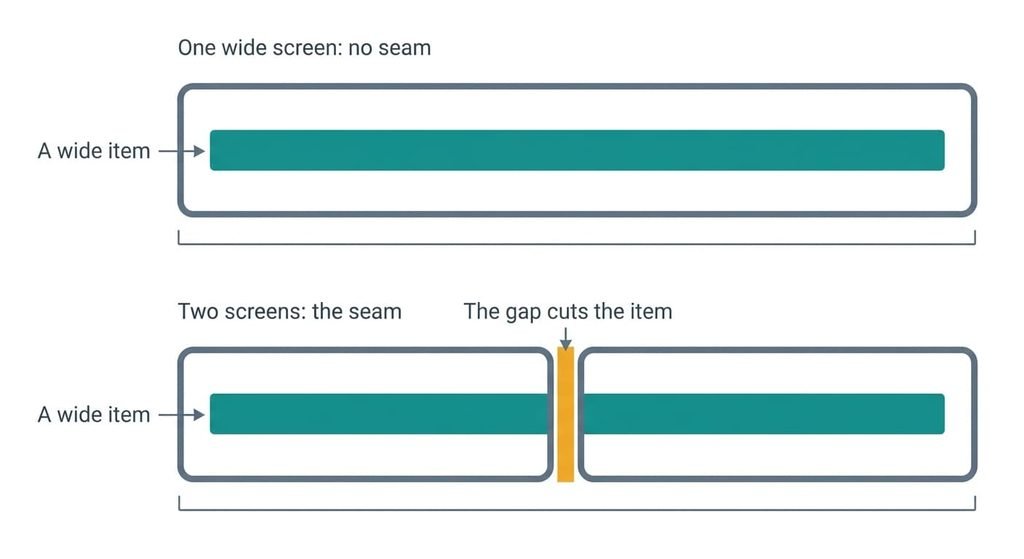
A large monitor has no seam, and two smaller ones always have one. The computer treats a pair as one continuous picture, but your eye sees two lit areas with two frames between them. Lay a ruler across the join on a pair you already own and read the gap. That gap sets how much of a crossing item is cut by a bar, and anything that lives wholly on one screen never meets it.
The useful question concerns which of your items cross the join, because total area says little. Take a pair of 22-inch screens, each about 49 cm wide. Any item that needs more than 49 cm of width at a readable size will straddle the join. A single 34-inch ultrawide, about 80 cm across, raises that threshold to 80.
A pair often offers more area for less money and still handles a wide spreadsheet worse than one wide panel. Most people choose on area, which I’d call the wrong property. To find your own number, open your widest item at the size you read it and measure it with a ruler. That figure sits on your desk rather than in my view, and it settles the whole matter.
Everything else in this article hangs from that one gap.
Two smaller monitors or one large, side by side
| Property | One large monitor | Two smaller monitors |
|---|---|---|
| An item wider than one smaller screen | Sits unbroken across the panel | Is cut by the two frames at the join, whatever the software does |
| A maximised window | Fills a very wide surface, so text lines run long and the eye loses its place | Fills one screen at a sensible size |
| When one panel develops a fault | Everything goes dark at once, with nothing left to work on | The other screen still works, so you keep a reduced workspace |
| Parts that can differ | None, since there is one panel | Colour and apparent text size between two separate units |
| Desk footprint | One stand with one centre | Two stands (the join or one screen sits in front of you) |
| Ports used on the computer | One | Two, so check what your computer offers |
| Setup effort | Almost none | A map of the arrangement and matched text size |
Row two is the surprise. A large screen makes the maximise button worse, so many owners end up snapping windows into halves and thirds by hand, which rebuilds two screens in software. It leaves out the second panel that would have kept working through a fault, and it adds a snapping habit you must keep up every day.
Where one large monitor wins
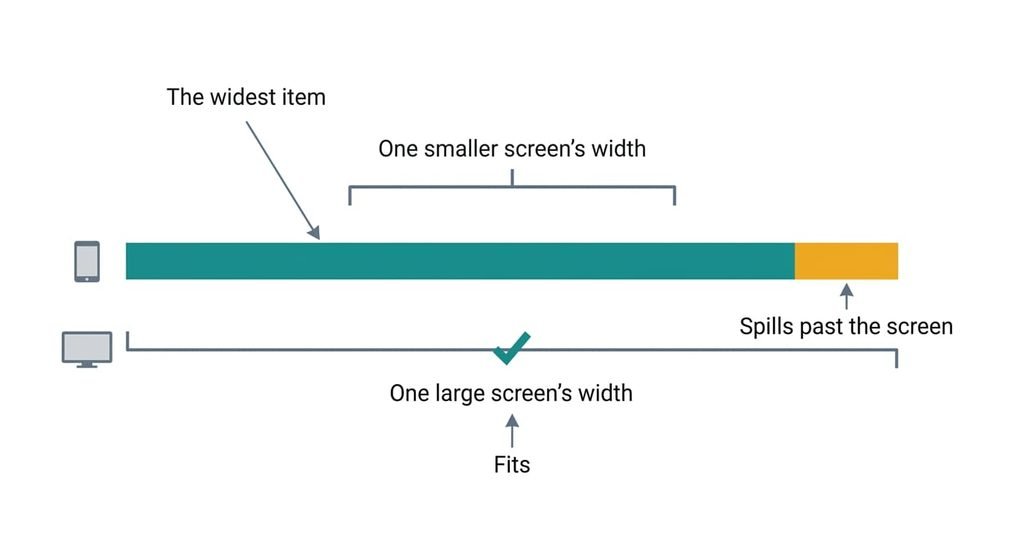
A large monitor wins on anything wider than a smaller screen can hold. Spreadsheet columns stay in one piece, and so does a timeline or a long drawing. Two documents side by side also work well, because the snapped halves meet without a frame between them.
It wins for an unglamorous reason too: there is one of everything. One stand and one power lead carry the whole setup. There is one set of controls and one scale setting, so nothing needs matching. No arrangement has to be drawn, and the cursor never meets a join. Brightness and colour are identical across the whole surface as well. A single panel also has a single centre, so the screen you look at most sits straight in front of you.
The costs are plain. A fault darkens the whole workspace at once. The maximise button makes lines long, so you will want snapping to carve the surface into sensible windows. A wide panel also needs desk width, and its stand wants a clear patch to match.
Where two smaller monitors win
In the choice of a large monitor or two smaller ones, the pair wins when your work divides into separate things. A video call on one screen and a document on the other never fight over space. A maximised window fills one screen only, so text stays at a sensible line length with no snapping at all. One of the pair can also turn on its side on a pivoting stand, which lets a long document fit its height.
There is a reliability gain too. If one panel fails, the other still holds your email and calendar while you sort out the fault. A single large panel offers no such fallback.
The unglamorous reason is a screen you already own. A spare monitor in a cupboard turns one screen into a pair for nothing, and a matching size makes the pair easier to live with. Buying two screens of different sizes and ages is where colour and apparent text size start to differ. The costs follow: a second stand and a second connection, plus a join that cuts through anything crossing it.
When neither is right
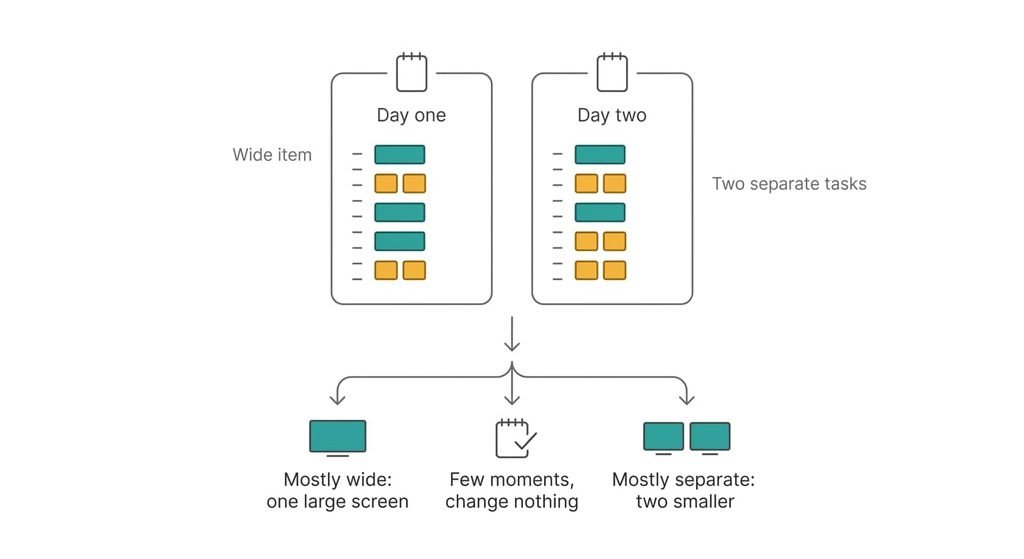
Count the moments before buying anything. For two working days, note each time you wanted two things in view and couldn’t. Write each one down as it happens, because a tally is only as good as your memory on a busy day. If the tally stays small, the problem is arrangement. Window snapping or a second virtual desktop on the screen you have may remove it.
If the tally keeps growing, it also shows which kind of moment you had. A wide item and two separate tasks point different ways, so the notes answer the question above without a purchase. As a cheap trial, keep the reference window snapped to one half of the screen and the working window on the other, then see whether the tally shrinks.
A laptop’s own screen is also a second screen already. Beside a single monitor it handles the chat window or a reference page at no cost.
Neither option pays for itself where the problem was never space.
How to decide in thirty seconds
Choosing a large monitor or two smaller ones takes one measurement. If the widest item you use won’t fit one smaller screen at a readable size, take the large monitor. If your work splits into separate things that each fit on one screen, take two smaller ones.
Check the desk before the choice. A pair of 22-inch screens needs roughly 100 cm of clear width with their frames, and a 34-inch ultrawide needs about 80 cm. Measure your free width and rule out whichever option doesn’t fit. A tape measure and ten minutes beat an evening of comparing specifications. Then measure your widest item against the screen width: if it’s under 49 cm, a smaller screen holds it.
Total area is the wrong property to buy on. The seam decides. A large monitor removes it where one wide item matters, while a pair earns its join when your work splits and a fault must leave something working. Measure the gap on a pair if you can, and measure your widest item before you shop. The ruler settles what a catalogue can’t.
Questions readers keep asking
Is it harder to set up two smaller monitors than one large one?
A little, yes. Two screens mean two connections, a map of how they sit side by side and matching text size between them. A single large monitor has none of that to arrange. Plan about twenty minutes for a pair and a few minutes for one panel.
What happens if one of two monitors fails?
The other keeps working. Your email and a document stay in reach while you sort out the fault. A single large monitor takes the whole workspace down. That is the main reliability gain of a pair. A shared cable or dock can still darken both together.
Which suits a small home desk: a large monitor or two smaller ones?
For a large monitor or two smaller ones, measure the free width first. A pair of 22-inch screens needs about 100 cm. A 34-inch ultrawide needs about 80 cm. On a desk under 100 cm, the single wide panel usually fits and the pair doesn’t. Turning one smaller screen upright narrows the pair, though it limits what that screen suits.