Video calls genuinely transmit far less raw data than your camera actually captures – compression is the specific process that makes this possible, reducing video data considerably before it travels across the internet, which is why understanding this process explains both why video calls generally work at all given typical everyday internet speeds, and why quality sometimes noticeably degrades under specific conditions.
The short answer, and what it leaves out
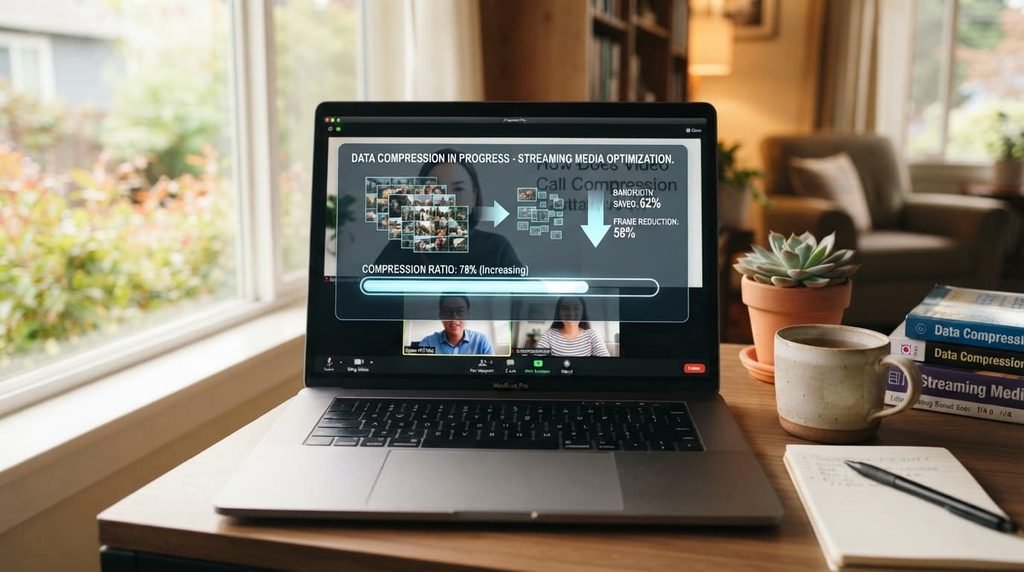
Video call compression genuinely works by identifying and removing redundant or less noticeable visual information from each frame before transmission, then reconstructing an approximation of the original image on the receiving end, rather than transmitting every single pixel of raw camera data continuously.
What that leaves out is why this specific approach is necessary at all – raw, uncompressed video data would require dramatically more bandwidth than most typical internet connections actually provide, meaning compression isn’t simply an optional quality choice but a genuinely necessary step making real-time video communication practically possible over typical connections at all.
How it actually works, step by step
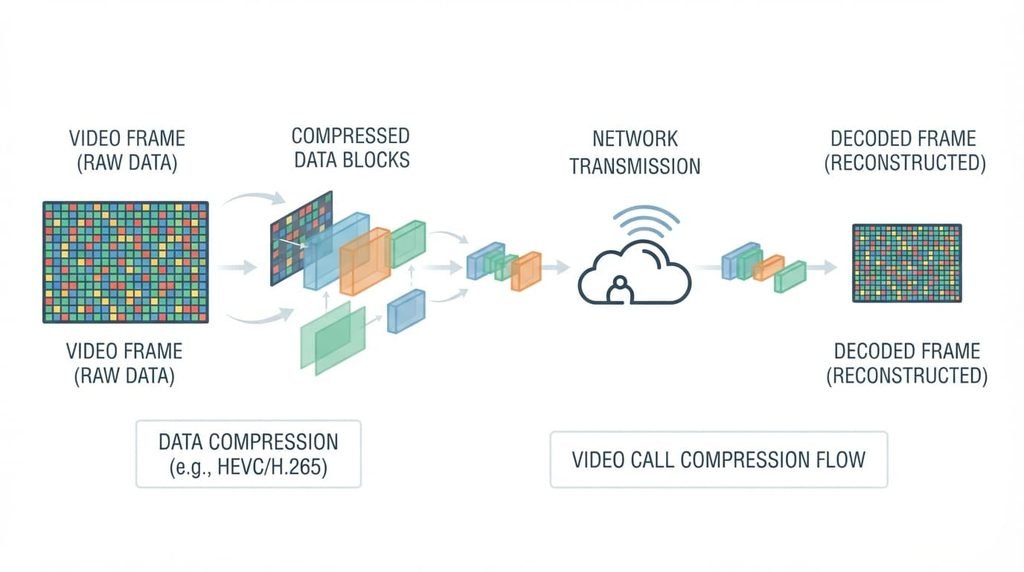
When your camera captures each video frame, compression software first analyses that frame for genuinely redundant information – areas of consistent colour, minimal change between consecutive frames – since removing this redundant data provides the most significant size reduction without meaningfully affecting perceived visual quality.
The software then encodes the remaining, genuinely necessary visual information into a considerably more compact data format, prioritising information your eye is more sensitive to – sharp edges, motion, facial detail specifically – over information that’s less noticeable when reduced, such as subtle colour gradations in a blurred background.
This compressed data then travels across the internet to the receiving device, where decompression software reconstructs an approximation of the original video from this reduced data, filling in omitted detail through prediction based on surrounding visual information, producing a result that appears close to the original despite containing considerably less actual data than the raw capture.

Why audio compression works somewhat differently
Audio data genuinely compresses through a genuinely related but distinct process, since human hearing has meaningfully different sensitivities than human vision does – certain specific frequency ranges matter considerably more for speech intelligibility specifically, allowing audio compression to remove less perceptually important frequency information while genuinely preserving what’s actually necessary for clear, understandable speech throughout a call.
This is genuinely part of why audio often remains considerably clearer than video during a connection genuinely struggling with limited bandwidth, since many video call systems specifically prioritise audio data over video data, given how much more disruptive lost or garbled audio genuinely is to real communication compared to a temporarily reduced video quality during those same difficult connection conditions.
The analogy, and where it breaks
Video compression is sometimes compared to summarising a long book rather than reproducing every single word – you capture the essential content while omitting details that don’t meaningfully change overall understanding.
The analogy holds for the core principle of removing less essential information while preserving what matters most for overall comprehension. It breaks because a book summary is created once by genuine human judgment about what matters, while video compression happens continuously and automatically through mathematical prediction about what visual information your eye is likely to notice, a fundamentally different process happening many times per second rather than as a single deliberate editorial choice.
What this does not explain
The compression explanation clarifies why video calls work over typical internet connections, but it doesn’t explain or address every video quality factor – your device’s own processing capacity for handling compression and decompression in real time also genuinely affects final quality, independent of how efficient the compression method itself actually is.
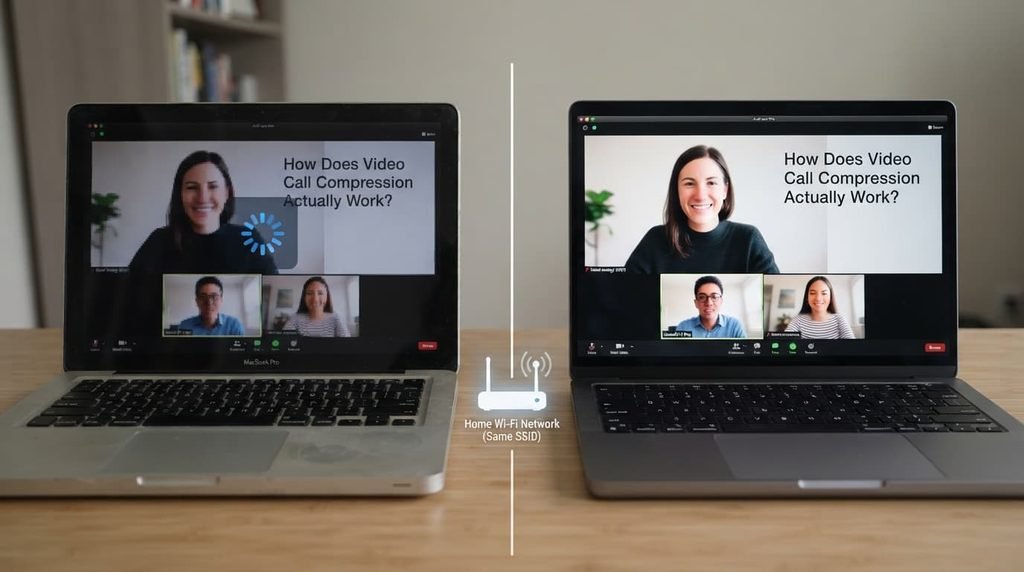
It also doesn’t explain why video quality sometimes adjusts automatically during a call, since many video call systems dynamically increase or decrease compression levels in response to real-time connection conditions, meaning the compression level itself isn’t fixed throughout a single call but adjusts continuously based on genuinely changing circumstances.
What people get wrong about it
The belief that video call quality issues always indicate a genuine internet speed problem specifically. This forms because compression and bandwidth are related concepts, but compression efficiency, your device’s processing capacity, and the specific call platform’s own technical implementation all genuinely affect final quality independently of raw internet speed alone.
The belief that higher resolution always means proportionally more actual data being transmitted. While higher resolution does generally require more data, compression efficiency varies considerably by content type specifically – a mostly static scene compresses more efficiently than one with considerable movement, meaning two calls at the identical resolution can require meaningfully different actual bandwidth depending on what’s actually being shown.
Where the popular explanation oversimplifies
Advice describing video call quality as simply “how fast your internet is” glosses over the meaningful difference between raw connection speed and the considerably more complex combination of compression efficiency, device processing capacity, and dynamic adjustment that actually determines your genuine experienced quality during any specific call.
This distinction matters practically: understanding that compression actively adapts to changing conditions, rather than working from one fixed method throughout an entire call, helps explain why the same internet connection can produce noticeably different video quality across different calls, or even at different points within the same single call.
Video compression works by continuously and dynamically removing redundant visual information based on real-time conditions, not through one fixed method applied uniformly throughout a call – which is why quality can vary meaningfully even on an unchanged internet connection. Understanding it as an adaptive, ongoing process rather than a fixed technical specification is the detail most explanations skip, and it’s the one that actually explains why video call quality behaves the way it genuinely does.
Questions readers keep asking
Does using a higher-resolution camera always produce a better final video call image?
Not necessarily proportionally at all – compression still genuinely applies regardless of your camera’s own original resolution, meaning the receiving end’s actual experienced final quality depends just as much on compression and connection conditions as on your camera’s raw starting resolution itself.
Why does video quality sometimes drop specifically during movement, even on a stable connection?
Genuine movement requires considerably more data to compress efficiently than a static scene typically does, since compression relies partly on similarity between consecutive frames, meaning genuine movement reduces that similarity and can trigger more aggressive compression or a temporary quality reduction specifically to maintain the call’s real-time continuity throughout.
Does compression genuinely affect how natural voices sound during a call?
To some genuine degree, yes – aggressive audio compression under genuinely difficult connection conditions can occasionally introduce a subtly artificial or slightly muffled quality to voices, though modern compression methods are generally quite effective overall at preserving natural-sounding speech even under meaningfully constrained bandwidth conditions throughout a call.
Is there a way to manually control compression settings during a video call?
Most consumer video call platforms genuinely handle compression fully automatically without any direct manual control, though some do offer basic quality presets that indirectly influence how aggressively compression gets applied, providing indirect rather than genuinely granular direct control over this specific underlying technical process.