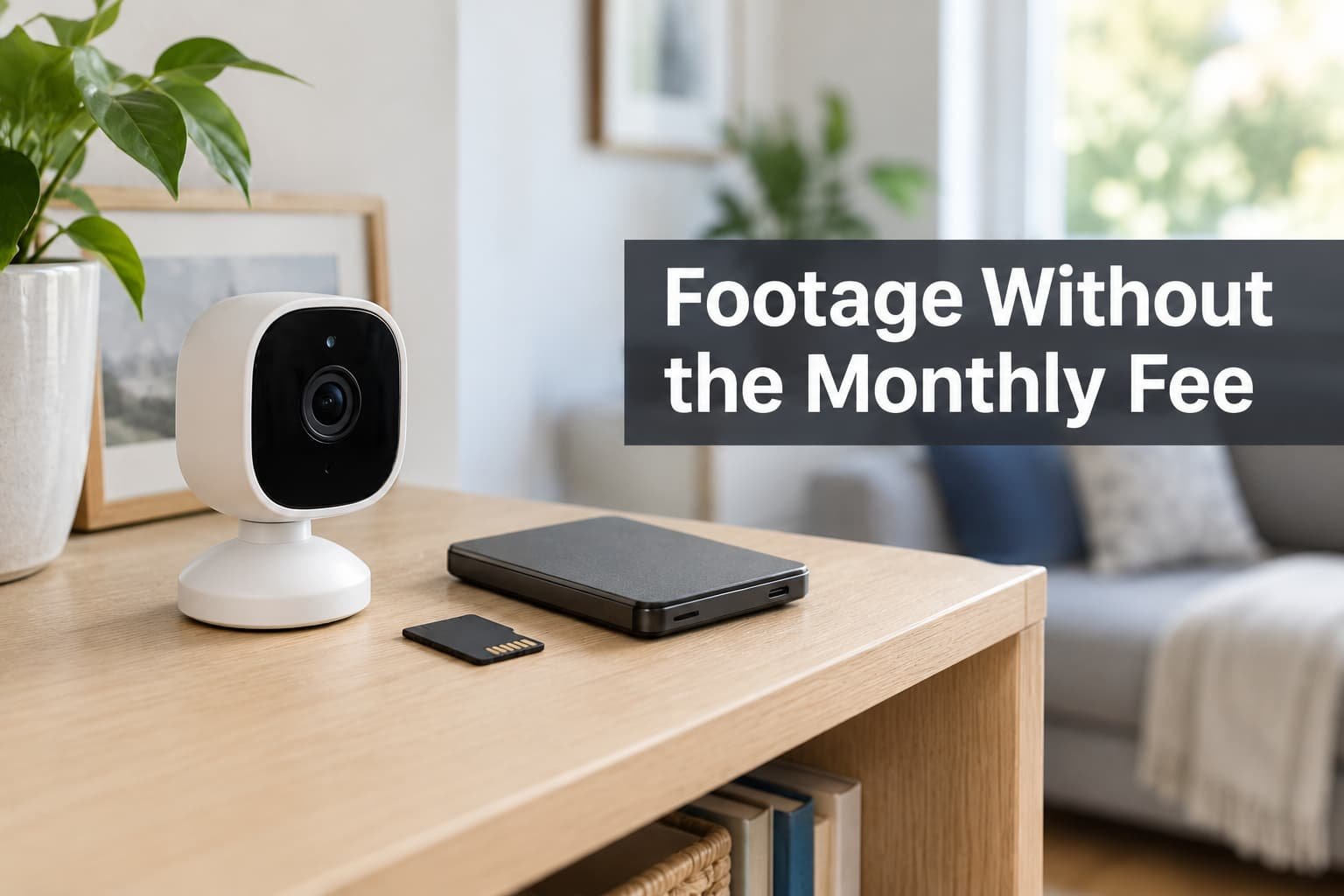
Most owners resent paying every month for clips they open twice a year. The resentment is fair, yet the plan sells one thing you’d miss once it’s gone. Before you weigh cloud subscriptions for security camera footage against anything cheaper, name that feature. It is the distance between the lens and the only copy of what it saw.
The reader pictured here lives in the UK with three cameras and a home broadband line. Nothing below names a plan or a fee, because both change without notice. Recording rates and line speeds are assumed round figures.
What leaves with you when you cancel
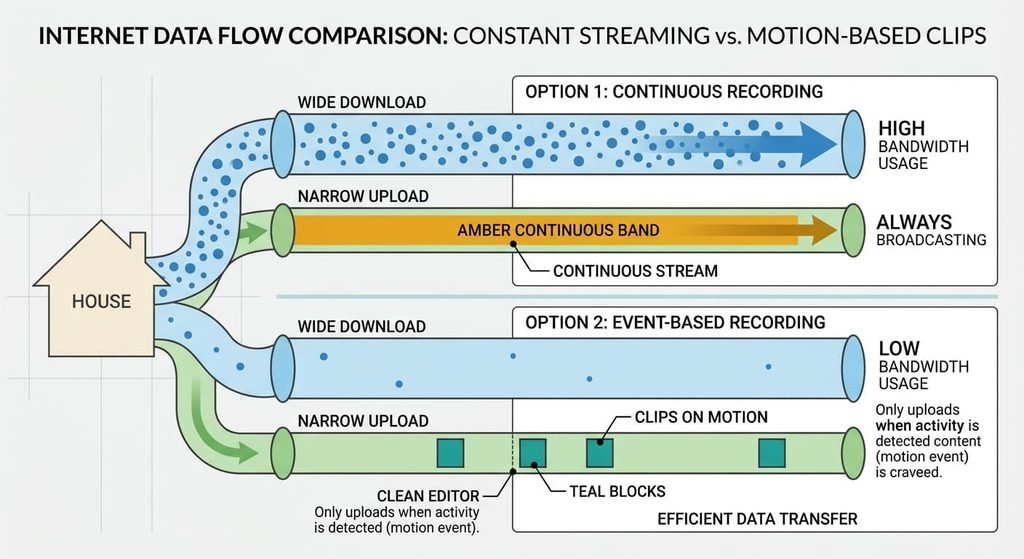
A subscription does four jobs. The first is uploading clips over your broadband line to a server. A rolling window of days is the second, so old clips age out on a schedule. Third comes a relay that lets your phone watch from anywhere. Last, the plan holds a copy outside your home.
Home lines are lopsided. Downloads run far faster than uploads, because the line was built for people who receive more than they send. Say your upload speed is 20 Mbit/s. One camera streaming all day at 4 Mbit/s would hold a fifth of it permanently, and three would take 60%. That is why plans upload short clips on motion and leave the rest on the camera.
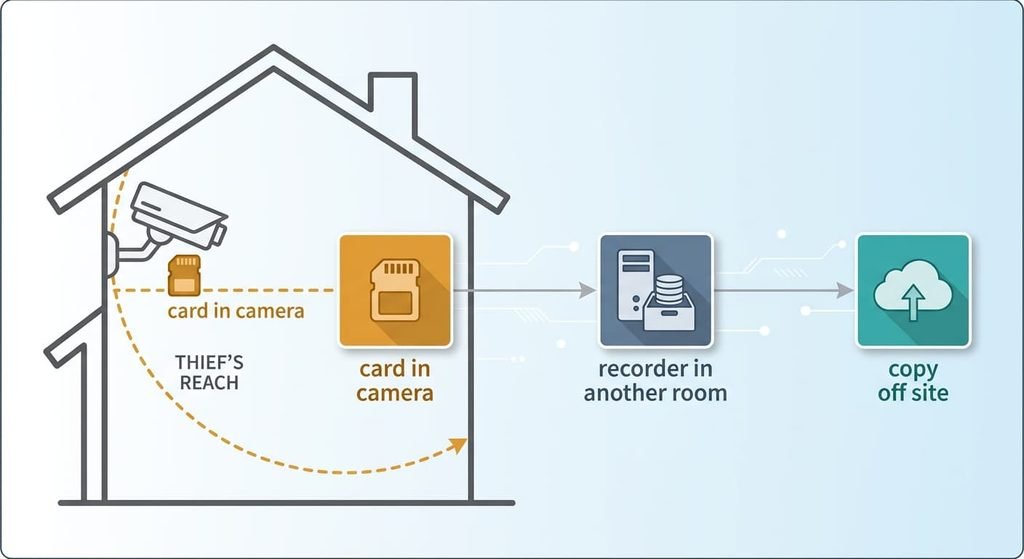
Retention and relay both have local replacements. If you weigh cloud subscriptions for security camera footage against local storage, the fourth job decides the matter. What no alternative recreates cheaply is a copy that sits beyond a thief’s reach.
A cancelled plan takes that distance with it.
Three alternatives to cloud subscriptions for security camera footage
1. A memory card inside the camera. That makes it the money route: the outlay is one card per camera and nothing recurring. It suits a single camera in a home that’s occupied most days. The trade-off is distance, which is zero, since whoever lifts the camera lifts the footage. At 4 Mbit/s a card of 128 GB fills in about three days of continuous recording, so set the camera to record on motion. At 40 clips of 20 seconds a day, the same card lasts most of a year. Pick a card built for endurance, because ordinary ones wear out under constant use. Clips land on the card and play back through the app. It fails silently when a worn card stops accepting data, so play one recent clip each month.
2. A recorder in your home. That makes it the effort route: a small box with a disk collects each camera’s stream over your own network, using a standard streaming protocol that many cameras support. It suits three or more cameras, ideally on cable. The trade-off is set-up time and disk size. Three cameras recording all day for 14 days make about 1.8 TB, so you’d buy a 4 TB disk or switch to motion-only recording, which needs under 20 GB. It fails when the box sits in plain view, because a thief who takes it takes the lot. Put it in a different room from every lens.
3. Motion clips copied to storage you rent or run. That makes it the feature-loss route: the recorder or camera sends each clip to a space elsewhere, such as an online space or a relative’s drive. It suits owners who want the off-site copy without the plan. You give up round-the-clock recording and the app’s scrolling timeline. Forty clips a day is 0.4 GB, or 3,200 Mbit, and at 20 Mbit/s that’s 160 seconds of upload. The clips land as plain files in folders you name. It fails when the line is cut or the power is, since a clip can’t leave a house that is offline.
Month three after dropping cloud subscriptions for camera footage
Leaving swaps one scrolling timeline for a hunt across places. In the first week you check the new setup daily. By month three a question such as what happened on Tuesday at ten past two means knowing which camera took it. You then need the right card or disk, and after that the right folder. Three cameras at 40 clips each make 120 clips a day and 840 a week. Without a naming habit, that pile can’t be searched by eye. I’d settle on one rule before the first clip: date, camera, then time in the file name. Put the monthly playback test on the first Sunday, so it happens before anything has gone wrong. Pick one clip at random and play it from the card or disk itself. A recorder that has quietly stopped writing for three weeks shows up in that check and nowhere else. The cloud timeline did that watching for you.
How to switch without losing a clip
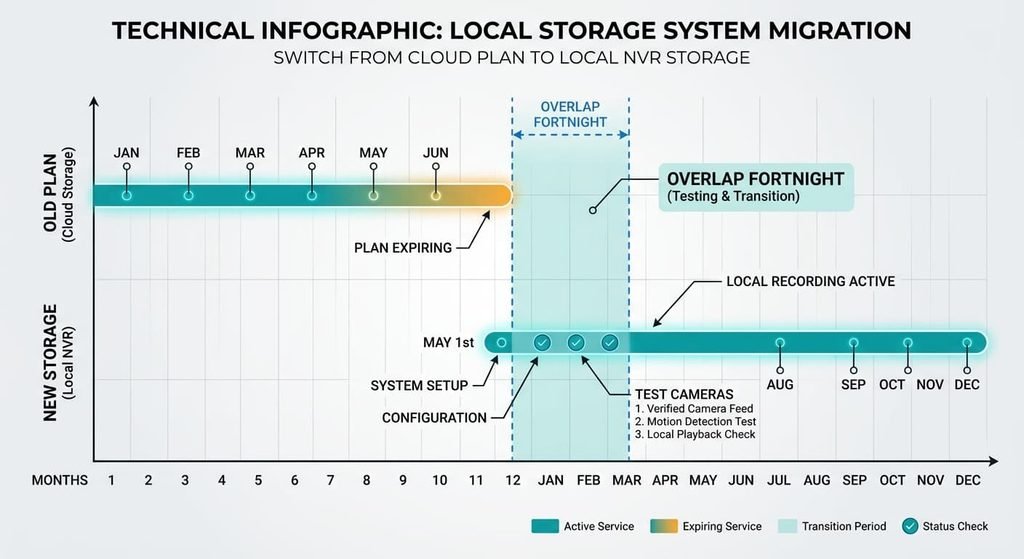
Begin by saving every clip you may still need, using the steps in the last section. Set up the replacement while the plan is still paid for, and run both in parallel for a fortnight. During that time, walk past each camera once and check that its clip appears in the new place within a minute. Next, choose the recording mode. Then set the retention window you decided on. Motion-only for 14 days is a sensible start. Test one failure on purpose by switching the router off for ten minutes, then see which cameras kept their clips and which dropped them. A camera that loses clips during an outage needs a bigger buffer or a cable. Once every camera has passed, cancel the plan. Then write the date in your calendar. Cloud subscriptions for security camera footage bill by the period, so a fortnight of overlap costs little.
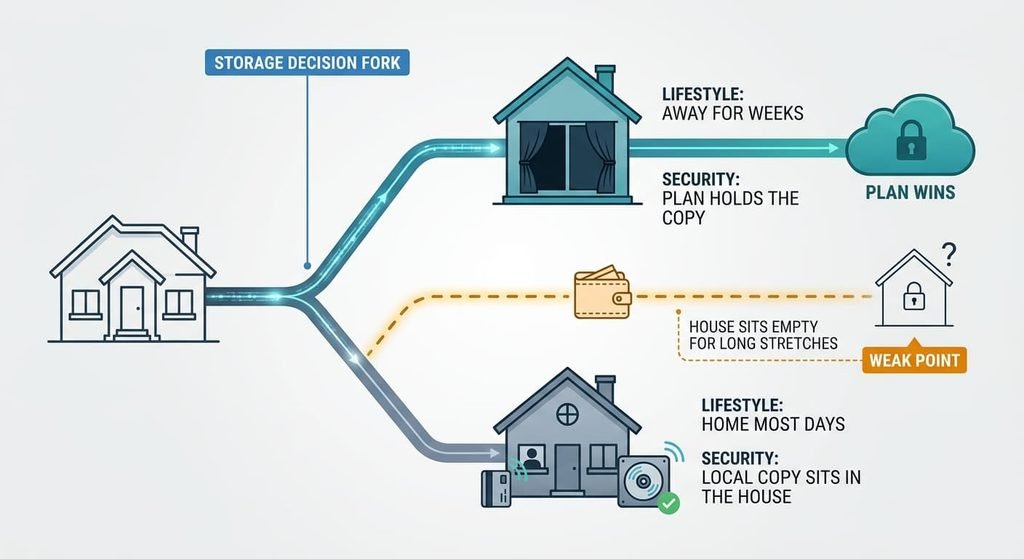
When the subscription should stay
Staying makes sense when the footage is your only record of an empty home. Take someone who’s away for weeks at a time. A card or a recorder in that house holds its clips among the belongings a thief would grab, and nobody is there to notice the camera has gone. A plan that stores clips elsewhere answers that case in a way nothing in the house can.
Stay too if there’s nowhere to hide a recorder. A line that drops often is another reason. So is an unwillingness to spend an evening on set-up, since a neglected local setup protects less than a plan does. A split also works. Keep the plan for the front-door camera and move the indoor ones to local storage, which lets you test the new routine on cameras that matter less.
Here the subscription is allowed to win.
The export to make before you cancel
Save every clip you might need as a file you hold. Open the app’s list of saved events and read what the service says about how long clips survive cancellation, because some plans remove them straight away. Download each clip as a video file, then play it on a computer that doesn’t have the camera app installed. A clip that opens there is yours. Name each file with its date and camera, then the time. Keep two copies on separate drives. Thirty clips of 20 seconds at 4 Mbit/s come to about 300 MB, so space is no obstacle. Leave any clip you may show the police untouched, and work on copies.
Distance is what the plan sells, so measure it for each lens before you decide. Ask how far the only copy sits from a thief’s hand. If the answer is a few centimetres, the alternatives to cloud subscriptions for security camera footage above all need a second copy somewhere else.
Questions readers keep asking
Can saved clips be moved out of the cloud before cancelling?
Yes, if the app lets you download them as video files. Do it before the plan ends, since some services remove stored clips once billing stops. Play each downloaded file on a computer without the app to confirm it opens, and keep a second copy on a separate drive.
Is local storage cheaper than a subscription?
Usually over a year or two. A card or disk is a one-off outlay, while a plan bills every period. Add the time you’ll spend on set-up and checks, which is the real cost. Compare one year of your current bill with a card or disk sized as above.
Is it worth switching with only one camera?
Often, if the home is occupied most days. A single camera needs only a card and a monthly playback check. Stay with the plan when you’re away for weeks, because a card in the camera is lost if the camera is. Decide by asking how far the only copy sits from the lens.