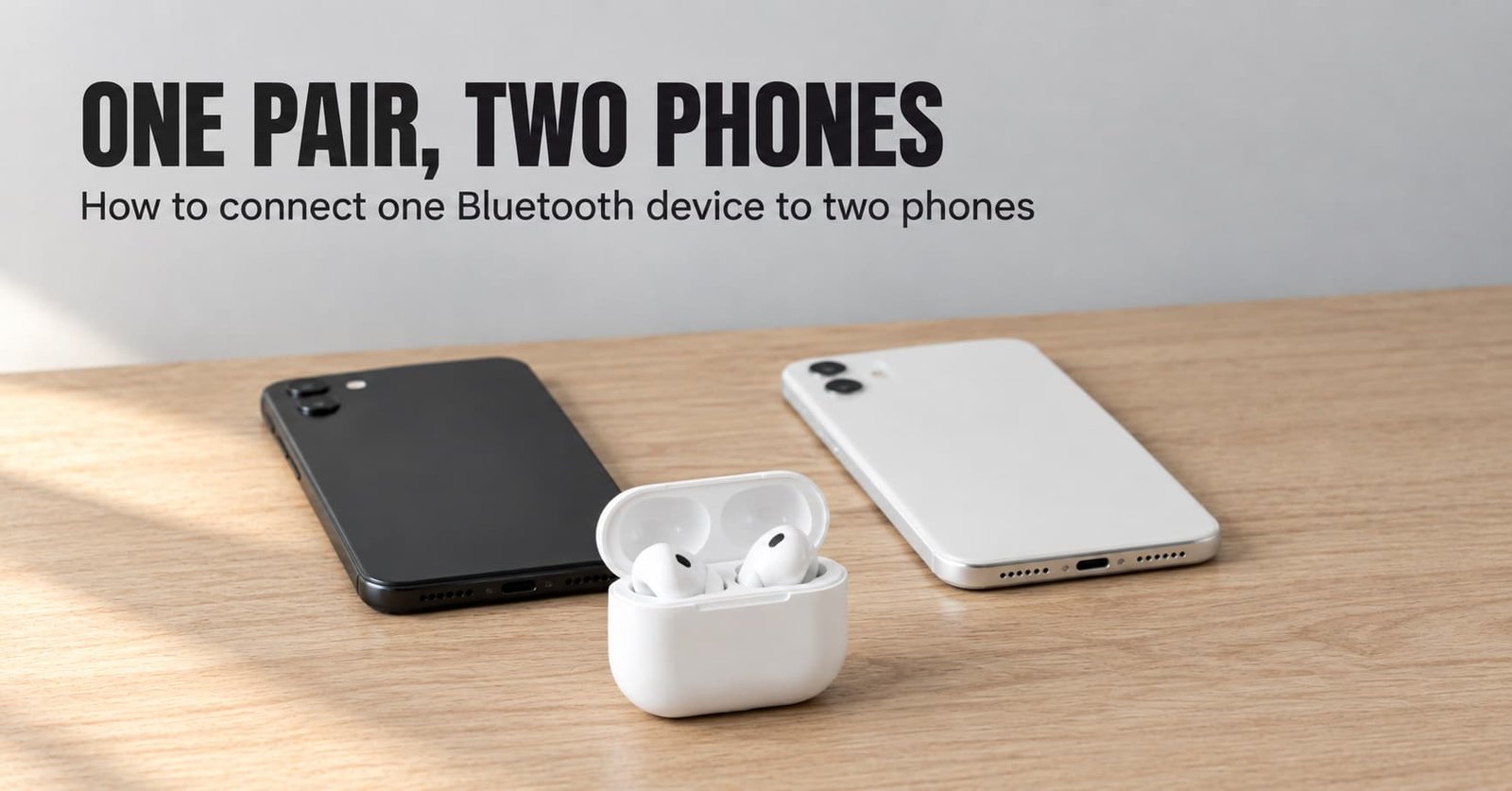
The small indicator on most earbud cases changes its blink pattern when the earbuds are ready to pair, and you’ll watch it twice here. By the end you’ll connect one Bluetooth device to two phones. Both stay connected, and either can take a call. It takes about fifteen minutes, and the last five go on checks rather than steps.
One decision shapes the whole procedure: whether your accessory can keep two links open together, a feature usually called multipoint. This guide assumes it can, and the next section shows how to confirm that before you pair anything. It assumes two ordinary phones.
Before you connect one Bluetooth device to two phones
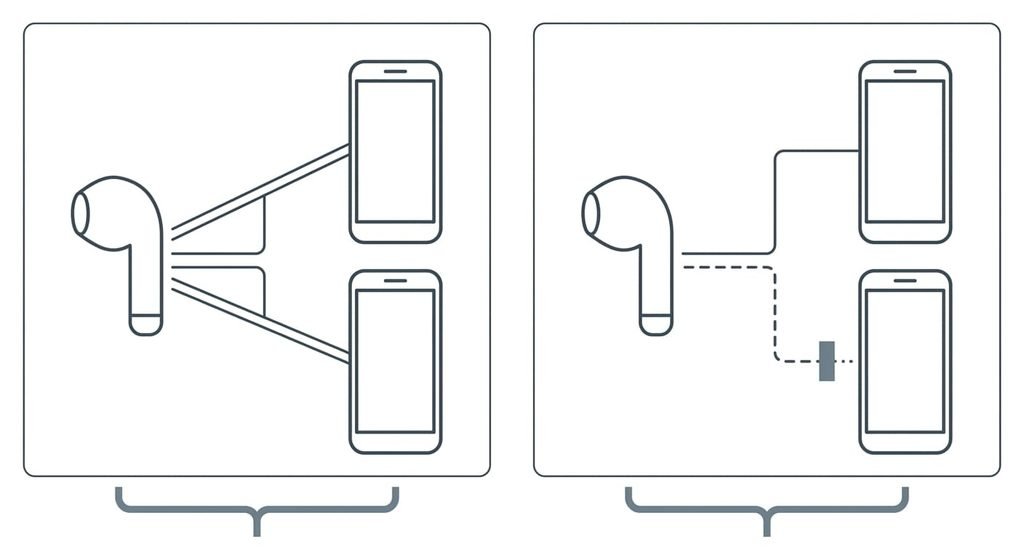
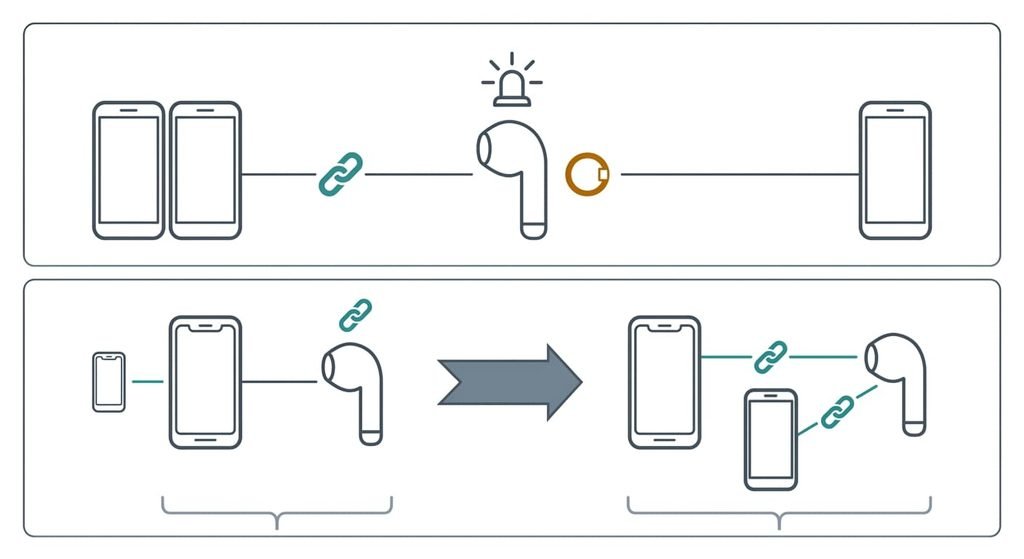
Confirm in the maker’s documentation that the accessory keeps two links open together, because this is the prerequisite people skip and regret. Without it, a second phone either pushes the first one out or is refused, and no setting on either phone changes that. Look for the word multipoint, or for wording such as dual connection. If you find none, stop here. This procedure can’t help, and every switch between phones needs a manual reconnect.
Four more preparations come first. Charge the accessory, so a long pairing session doesn’t end halfway through. Both phones need Bluetooth switched on and their screens awake, so neither drops the request. Decide which phone is your main one, because step 4 treats the two differently. Finally, find out whether the accessory has a companion app, since the two-link setting sometimes lives there.
The manual takes a minute and saves the rest of the quarter hour.
Check the accessory’s limit on remembered devices too, because step 3 depends on it. If the list is full, free a slot now by forgetting a device you no longer use with the accessory. Forgetting erases that device’s pairing, so choose one you won’t miss.
How to connect a Bluetooth device to two phones, step by step
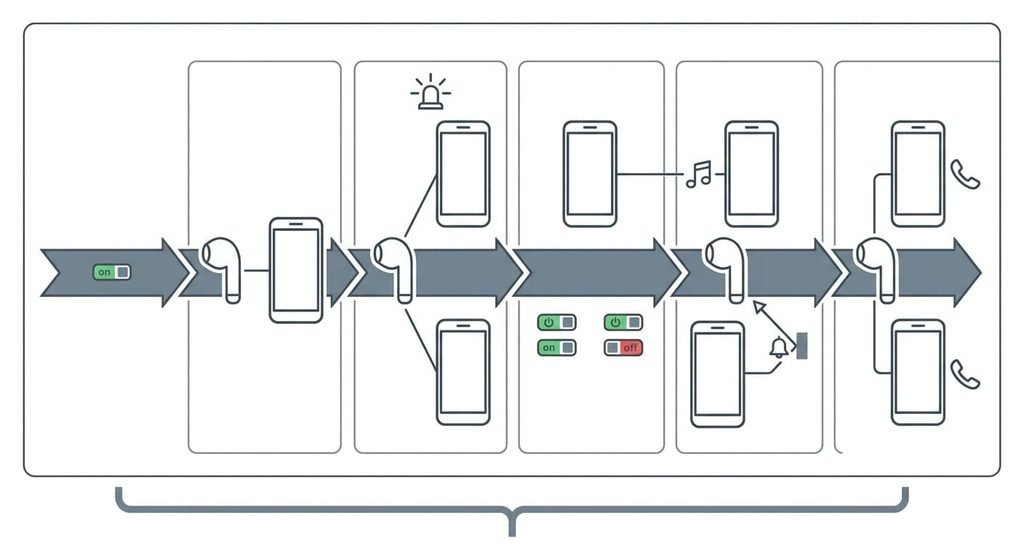
1. Switch the two-link feature on. Look in the companion app or the instructions for the setting that allows two connections together, since some accessories ship with it off. A single-link accessory refuses the second phone however well you pair it. Success looks like the app or the instructions showing the setting as on.
2. Pair the first phone. Put the accessory into pairing mode by looking for the indicator pattern the instructions describe, usually a repeated blink, then choose it on the first phone’s Bluetooth list. One phone first gives you a clean base to build on. It has worked once sound from that phone plays through the accessory.
3. Pair the second phone while the first stays connected. Put the accessory into pairing mode again, because a connected accessory usually leaves it, and choose it on the second phone. If the accessory’s list of remembered devices is full, adding this phone removes the oldest entry, so note which device that is first. The sign of success is the accessory appearing on the second phone’s list and reporting connected.
4. Choose what each phone may send. Open the accessory’s entry on each phone and find the two switches for call audio and media audio. Leave both on for your main phone. On the second phone, switch media audio off. Keep call audio on, so a notification sound from that phone can’t grab the accessory in the middle of your music. Confirm it by checking that each entry shows the switches as you set them.
5. Prove the music stays put. Start music on the main phone, then make the second phone play a notification sound. The music should carry on. This confirms step 4 and shows the accessory isn’t handing the stream to the quieter phone. It has worked when nothing interrupts the music.
6. Take a call on each phone. Ring the main phone from another line while music plays, answer from the accessory’s own control and end the call. Repeat for the second phone. Calls use a separate audio path from music, so each phone needs its own proof. Success looks like the accessory signalling every call while you answer without touching a phone.
Check it actually worked
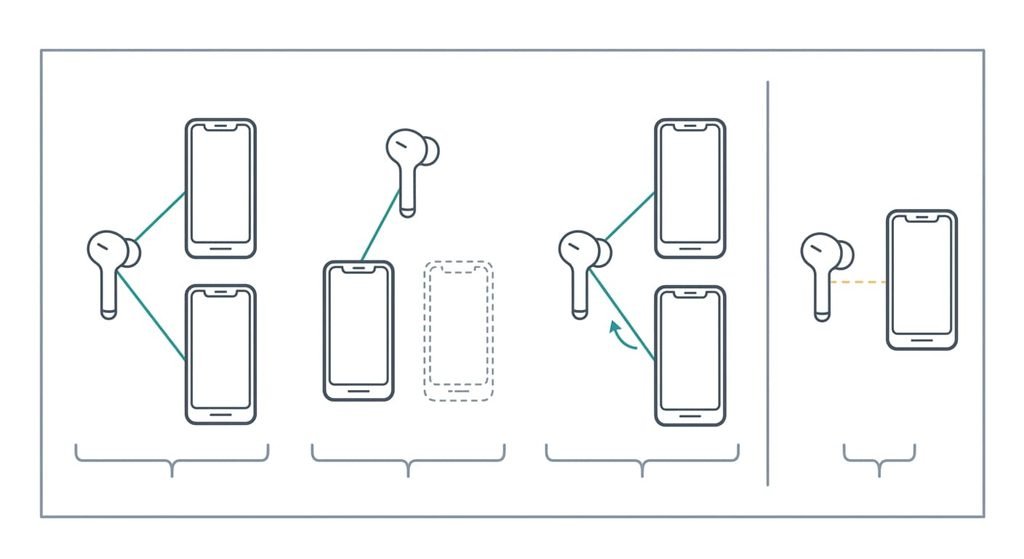
The test is to switch Bluetooth off on the main phone, wait ten seconds, then switch it on again and leave the accessory alone. It checks the finished state, which is the point if you want to connect one Bluetooth device to two phones in daily use. A pass looks like this: the main phone reconnects within moments without a tap, and the second phone stays connected throughout. Both phones then list the accessory as connected at the same time.
A partial pass happens often. The main phone reconnects only after you choose the accessory by hand. That means the accessory accepted a second phone yet isn’t keeping two links alive, so go back to step 1 and look for a second setting. Check the same thing in reverse by switching Bluetooth off on the second phone.
If a step did not work
If the second phone connects and the first one drops, the accessory is keeping a single link. Step 1 is either missing or the hardware lacks the feature, and in the second case no phone setting fixes it. Choose which phone to keep connected and switch by hand.
If the second phone never shows the accessory, pairing mode has probably ended. A connected accessory leaves it, and many time out after a few minutes. Start step 3 again, and check that the accessory’s list isn’t full. When you connect one Bluetooth device to two phones, this is the most common stall.
If calls ring on one phone only, check the call audio switch in the other phone’s entry. Some accessories also give call audio to whichever phone connected first. The maker’s documentation says whether yours does, since I can’t see that from here.
The step not worth taking
Pairing both phones in the same minute to save time appears in many quick guides. It saves about two minutes and costs more later. With the accessory in pairing mode, whichever phone completes first claims the slot, and the second can end up half bonded: it lists the accessory while the accessory has no record of it. Then you can’t tell which step failed.
One phone at a time gives each pairing its own confirmation, and step 3 exists for that reason. If you did pair both at once and one phone misbehaves, forget the accessory on that phone and pair it again on its own. That erases that phone’s pairing record and nothing else on either device.
The extra two minutes buy a procedure you can debug.
I’d also skip the idea that more apps are needed. Two phones and the accessory’s own controls cover everything above.
Both phones stay connected and each can take a call, with music staying on the main one. The check that proves it is switching Bluetooth off and on at the main phone while the second stays connected. If the accessory reconnects by itself, you have managed to connect one Bluetooth device to two phones. If it waits for a tap, go back to step 1. Keep a note of the step 4 switches, because a phone update can reset them.
Questions readers keep asking
How quick is it to connect a Bluetooth device to two phones?
About fifteen minutes. Checking the maker’s documentation and switching on the two-link setting take most of the first five. Each pairing takes a couple of minutes, and the three tests at the end take the rest. A second round is quicker because you already know which switches to look for.
Will pairing a second phone erase the first?
Not on an accessory that keeps two links open, where both phones stay. The exception is a full list of remembered devices, where the oldest entry is replaced. On a single-link accessory the first phone disconnects but remains paired, and it reconnects once you release the other.
Can the two phones be different makes?
Yes, because the accessory talks to each phone through the same standard connection. The switch names and menus differ from one phone to the other, so match each description in the steps rather than a label. Only the accessory’s own two-link support decides whether it works.