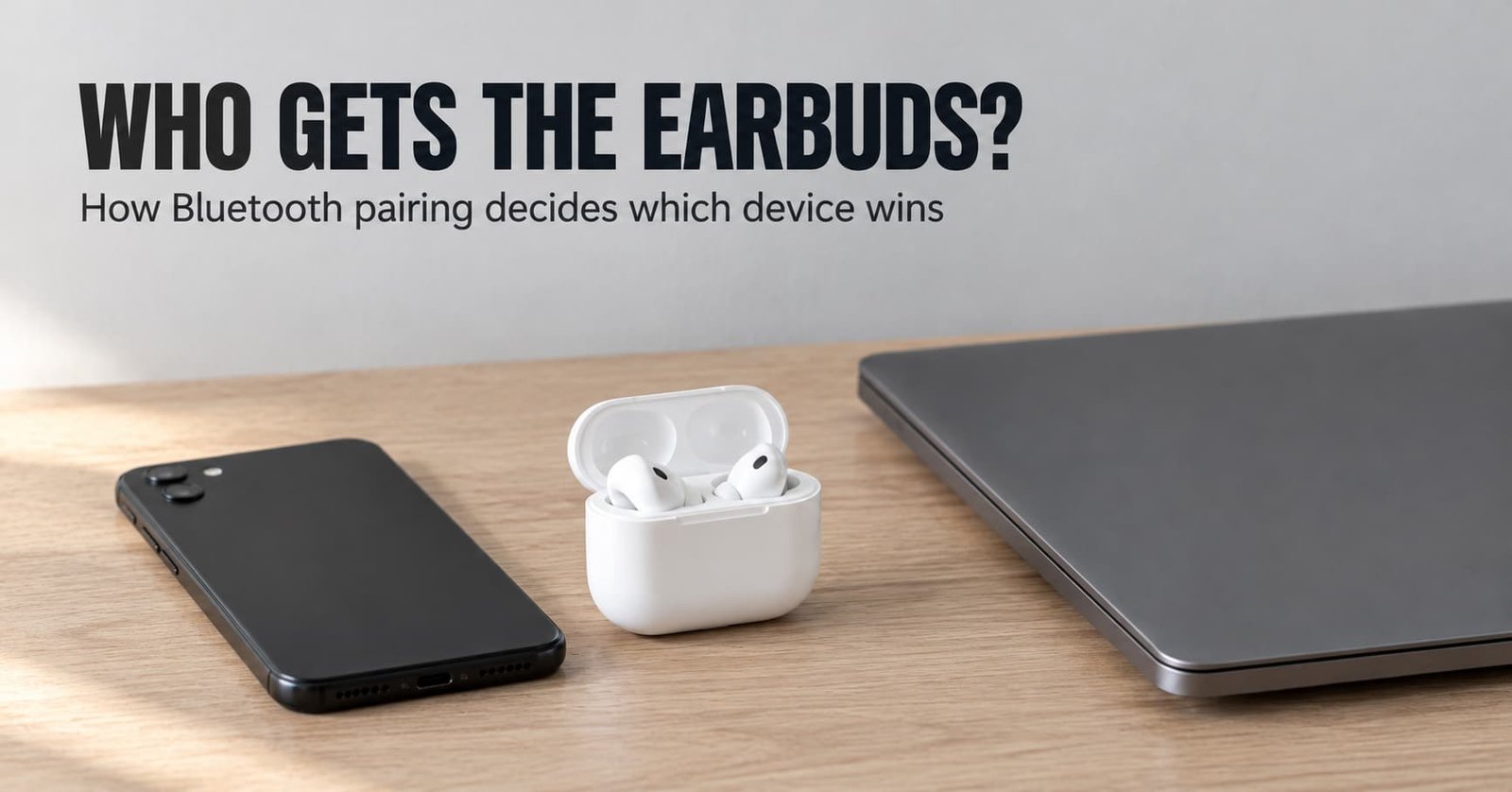
The first known device to finish a connection wins the accessory, and pairing only decides who may try. Does Bluetooth pairing decide which device wins, then? It sets the guest list and says nothing about the order. The order comes from the accessory’s firmware (the software inside it) and from whichever device reaches it first. A phone and a laptop can both be on the list, and only one of them gets the sound.
The sections below follow one pair of earbuds from the lid of its case opening to the first sound. Limits and wrong beliefs come after that, along with a rule for deciding whether any of this matters to you.
So how does Bluetooth pairing decide which device wins, in short?
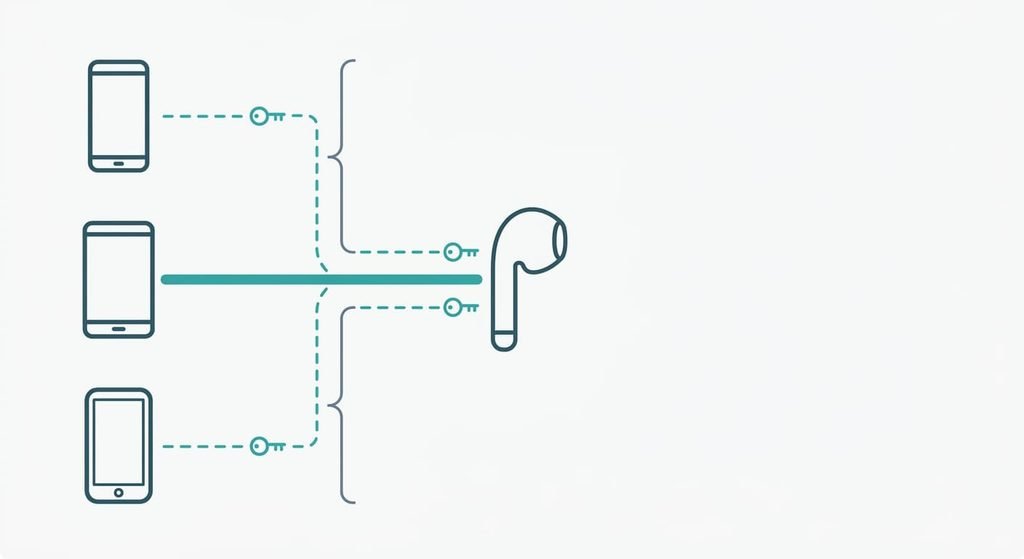
Pairing stores a shared secret on both devices, and that secret only proves a device is allowed to connect, so the winner is whichever allowed device completes a connection first. Engineers call the secret a link key and call storing it bonding. After bonding, either device can start a connection later without any action from you. Each has to prove it still holds the key before the other accepts the link.
The accessory also keeps a list of the devices it is bonded to. The list has an order, and the order is a maker’s choice, since the standard doesn’t fix one. Many accessories try the most recently used device first. That is a habit of the firmware and no requirement.
Three details sit outside that short answer. Signal strength plays no part in the choice, so the nearest device has no advantage. A bonded device you’ve forgotten about can still answer, because a radio left on keeps listening. And some accessories hold two links at once, so winning can mean something looser than owning the accessory.
How Bluetooth pairing decides which device wins, step by step
Take earbuds bonded to a phone and a laptop. You used the laptop last, and now you lift the earbuds out of their case.
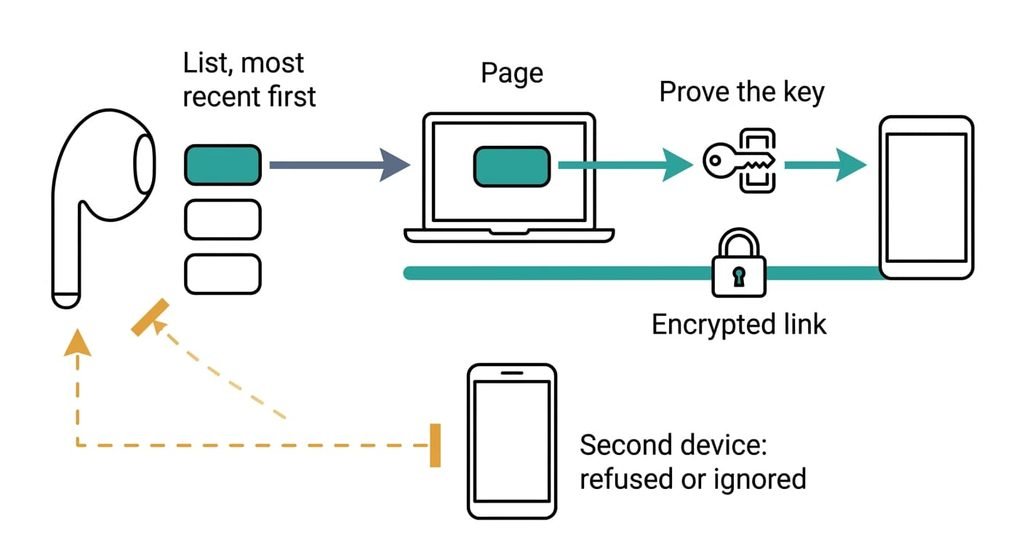
To begin, the earbuds read their list of bonded devices on waking. Most makers put the device used most recently at the top, so the laptop sits first.
Second, the earbuds page the laptop. Paging is a short call sent out on the radio that asks one named device to answer. A laptop that is awake answers within moments. One asleep with its lid shut may or may not, depending on whether its radio keeps listening. In a typical design the earbuds wait a few seconds for a reply, then move down the list. If the whole list stays silent, they stop trying. They wait for you.
Third, the two devices prove they share the key. Each sends the other a random challenge and answers by computing a reply from the stored key. A device that lacks the key can’t reply correctly. You type no code at this step, and none appears on screen.
Fourth, the link switches to encrypted. The audio connection forms on top of it, and the laptop becomes the audio source. All of this takes a few seconds in a typical case.
Meanwhile your phone, awake in your pocket, tries to reach the earbuds. Most earbuds already hold their one audio link. They refuse the request or ignore it, and the phone reports a failed connection or retries quietly. The earbuds answered the first device they reached. Had the phone paged them a moment earlier, it would have won instead, because nothing else in the sequence ranks one device above another.
To take them back, release the earbuds from the laptop by disconnecting there or switching its radio off. Then connect from the phone. The earbuds are free to be paged, the phone becomes the most recent device, and next time the phone sits first on the list.
The key analogy, and where it breaks
A car with three keys shows most of this. Every key opens the car, and only one driver can start the engine at a time. Each key proves permission, and nothing in the key chooses who sits down first. That’s the part of the picture worth keeping.
Two points break the picture. A keyed car never lets a second driver cut in, while an accessory that holds two links will let a second device play audio, and the one that starts sound last may take the stream. The other break is that keys sit in your pocket and never expire. A bond is a record kept inside the accessory too, and the accessory can drop it.

What pairing does not do
Pairing doesn’t connect anything.
It runs once, and every later connection is a separate event that can fail alone. A bond lets a device ask, and it never guarantees that the accessory will answer. Does Bluetooth pairing decide which device wins when two bonded phones are in range? Neither the key nor the list says. Only the order of arrival does.
Pairing also sets no priority. The list of bonded devices is a set of permissions, and the accessory’s reconnect order is a separate rule. The list has a fixed size too, so on a full list a new bond pushes the oldest one out. You’d have to pair a pushed-out device again. Nor does pairing record which device you prefer. Only the accessory’s list tracks use, and it tracks nothing else.
An accessory in pairing mode accepts any device that completes the steps, and some ask for no confirmation. How an accessory behaves there depends on its design.
What people get wrong about it
The nearest device wins. This belief formed because the phone in your hand is usually also the one you used last, and the two causes look the same. The standard doesn’t rank by distance, so a laptop asleep in a bag across the room can still answer first.
Paired and connected are the same state. They are different states, and many settings screens list both in one place under one word. A device on the paired list holds a permission. A connected device holds a link.
Does Bluetooth pairing decide which device wins after a fresh pairing? The newest bond often connects first, because pairing ends with a connection. That’s where the belief comes from. The next morning’s order follows use. A bond made last week loses to a device used today.
I’d also say automatic switching belongs to the accessory’s firmware and not to Bluetooth. That is why identical earbuds can behave differently on two phones.
How to tell whether this applies to you
Count the bonded devices with their radios on and in range of the accessory. If two or more are, expect a race. Whichever sits first on the accessory’s list or reaches it first takes the link. Earbuds shared by a phone and a laptop are the common case. Whether your accessory holds two links at once is something its documentation answers, since I can’t see it from here.
With one device, there’s nothing to race.
If a race is the cause, switch off the radio on the device you aren’t using. Only one pager remains, and the choice is made for you.
Does Bluetooth pairing decide which device wins? Pairing grants permission, the accessory’s list sets the order, and the first allowed device to connect holds the link. Remember one limit: a bond never guarantees an answer, and a link can be released and retaken at any moment. Count the devices with radios on and in range before you blame the accessory, because that count shows whether a race is even possible in your home. Nothing else about the pairing step shapes this choice.
Questions readers keep asking
Can another phone take over your Bluetooth earbuds?
Only if the earbuds are free or hold two links. A pair already connected to your phone usually refuses a second device until you disconnect. A device bonded earlier can reconnect the moment the link is released, which is why a forgotten tablet sometimes takes over.
Does it matter which Bluetooth device connects first?
Only if two or more bonded devices have their radios on near the accessory. With a single device nothing competes. With several, the first to connect holds the accessory’s audio link. The others wait or fail until it lets go. Switching off the radio on the spare devices ends the race.
Is Bluetooth pairing the same as connecting?
Pairing stores a shared key once, so the two devices can trust each other later. Connecting happens every time you use the accessory, and it uses that key to prove identity first. A device can be paired and yet disconnected, and that is the usual state.