The camera with the biggest resolution on its box is often the one that fails to name a face at your door. What decides it is pixels per metre at the doorstep, a figure that falls as the lens widens. In choosing a home security camera you can trust, work that number out first. Then check the night picture and the sign-in, and read the update promise.
The sums assume a UK house, a visitor who stands 2 m from the lens and a gate 6 m away. Neither models nor costs appear, because optics outlast both. Each figure can be recomputed on a calculator.
What makes a home security camera you can really trust
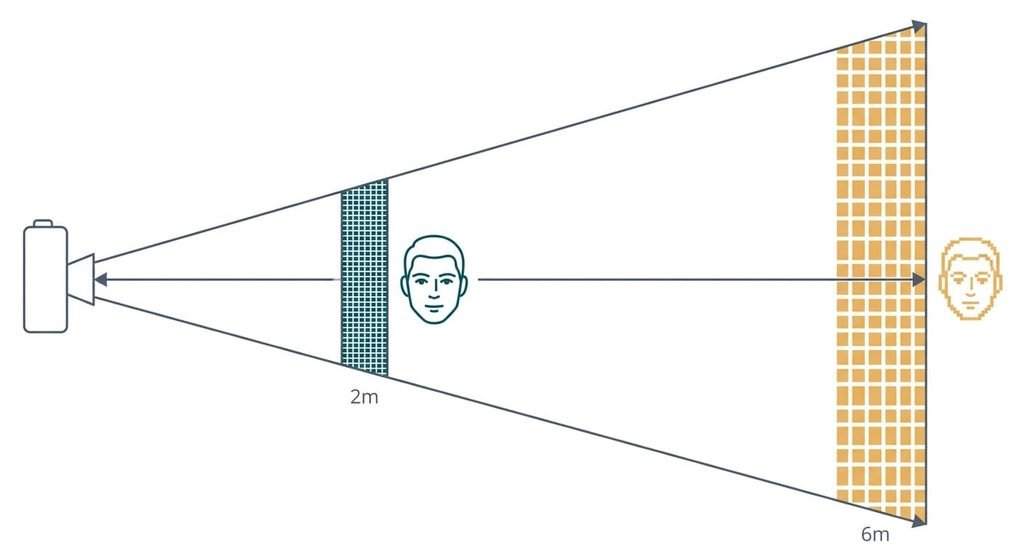
How many pixels land on a face at the distance where it stands is the answer. A camera spreads its pixels across whatever the lens covers, so the wider the view, the thinner the pixels. The width covered at distance d is 2 × d × tan(half the viewing angle).
Take a 110° lens and an image 1,920 pixels wide. At 2 m the view spans 5.7 m, which gives 336 pixels per metre, so a 15 cm face is 50 pixels wide. At 6 m it covers 17.1 m, which gives 112 pixels per metre and a face of 17 pixels. A width of 2,560 pixels lifts those to 67 and 22.
A common target for identifying a face is 250 pixels per metre. The 1,920 camera reaches it out to 2.7 m, and the 2,560 camera to 3.6 m. Narrowing the lens from 110° to 80° does more than that jump: the range becomes 4.6 m, which is 70% farther. That is why a home security camera you can trust is judged by range and not by the box.
What to look for in a home security camera you can trust, in order
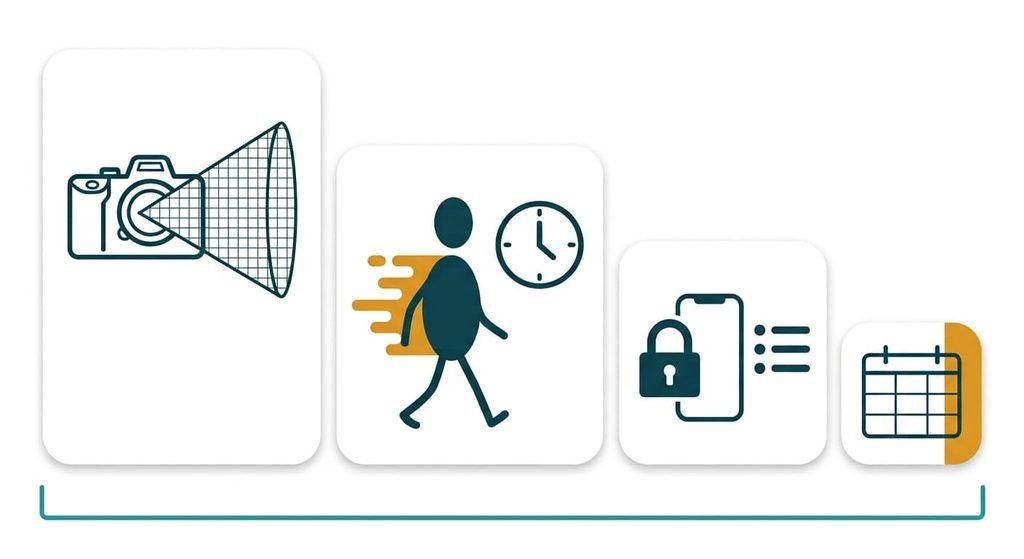
1. Pixels per metre at the doorstep. Divide the image width in pixels by 500 times the tangent of half the viewing angle. The answer is the distance in metres where a face still gets 250 pixels per metre. Day to day, it decides whether a courier gets named or only seen. A camera fixed beside the door sees callers at one to two metres, while one over the drive sees them at 5 m or more. Compare the answer with where visitors stand at your door. If it falls short, the clip proves a visit and not who made it.
2. Shutter time at night, which most buyers never check. Faces move at about 1.2 m/s on a walk, and at night the camera lengthens each exposure to collect light. Smear equals speed times time. At 1/25 s that’s 4.8 cm, a third of a 15 cm face, and at 1/100 s it’s 1.2 cm. Spec sheets rarely print it, so pause a sample night clip on someone walking and look at the edge of the face. Test with the lights as you’d really have them, since a porch light shortens the exposure. Skip any camera whose smear passes a fifth of the face’s width.
3. A second sign-in step and a list of signed-in devices. Your footage sits behind one account, and a reused password is the usual way in. The support pages should explain a code from your phone and a log of sign-ins. A second step takes about ten seconds on each new phone, which is a small price. If the pages say nothing of it, the doorstep is watchable by anyone holding the password.
4. A written update period. A camera is a small computer on your network, and makers close weaknesses with updates. Look for a stated period and what happens when it ends. A missing period means you should assume none, and a camera that still works will carry its faults forward. Write the date down, because it sets when you replace the camera.
What the box oversells
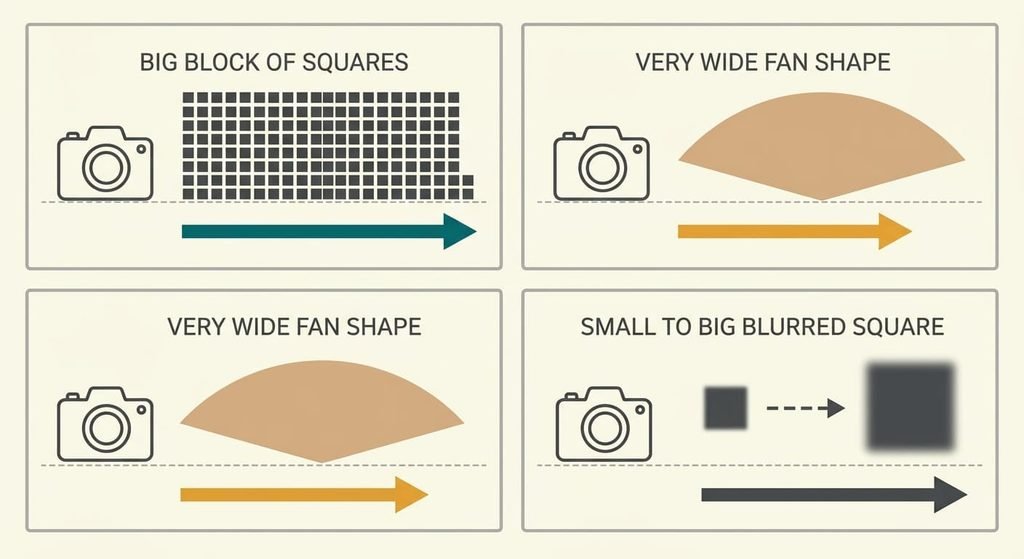
Spec pages lead with three claims. The headline resolution comes first. It counts pixels, and at 6 m those pixels are spread over 17 m of scene. The sheet rarely says how far those pixels reach, which is the figure you need. It’s promoted since a single figure is simple to compare, and moving from 1,920 to 2,560 pixels buys a third more range.
The widest viewing angle comes second. It shows more of the garden, so it sells well. A wide angle also bends straight lines and shrinks faces near the edge. At 130° the same 1,920 pixels reach the target only to 1.8 m, against 2.7 m at 110°.
Digital zoom comes third. It enlarges pixels that already exist and adds none, so a 2× zoom of the 1,920 image holds 960 pixels of the scene. The sums show each of these three working against range and not for it. I’d ignore every label with “ultra” in it.
Which criteria move for which house
For a home security camera you can trust, a terraced house with a door on the pavement puts visitors about 1 m from the lens. A visitor that close fills the frame. Framing the door and the step matters more than pixels. Every modern camera clears that test there. Rank the shutter and the sign-in first, since those separate good from poor.
A detached house with a 12 m drive makes criterion one the whole job. Walk the drive with a tape and write down the distances before you compare any lens. One lens can’t cover the door and the gate, so use a narrow lens at the gate and a wide one at the door.
A rented flat should lift the update period and the account steps. Both follow you when you move, and neither needs a drill.
What to walk away from
Walk away from a camera whose app offers no second sign-in step.
No later setting adds that step.
The same goes for an app that can’t show which devices hold a sign-in, since you can’t tell who else is watching. Check both before you buy. Ask the seller in writing if a page is silent, since neither is yours to fix. Skip a camera that gives no update period. A camera that never mentions updates leaves you no date to plan around, and its lens may be fine long after its software stops being safe to leave on your network. Skip any camera whose night clips smear every face on a walk, because no setting restores what the shutter lost. A camera with a fine lens and a weak account is worse than a plain one with a strong account, since the better picture is easier for a stranger to watch.
The two-minute check before you commit
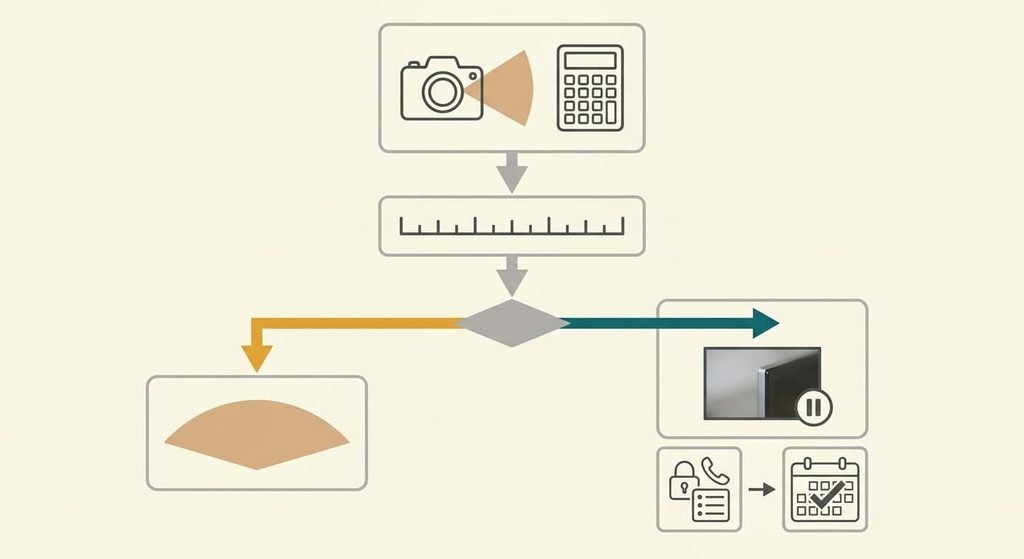
Take the resolution and the viewing angle from the specification page, then divide the pixels by 500 times the tangent of half the angle. Compare the answer with the distance where a visitor stands at your door. Then find a night clip of someone walking and pause it. A sharp face edge passes. Next, open the support pages. Look for a second sign-in step and a list of devices. Last, find the stated update period. Write the four answers down, one line each, before you compare two cameras. The whole check takes two minutes with the product page open and a calculator.
Choose the range for your doorstep first. Then check the night and the sign-in, and read the update promise. A camera that fails the sign-in or the update test is out whatever its picture, because neither can be fixed later. A home security camera you can trust is the one you can prove would name your visitor.
Questions readers keep asking
What resolution does a front door camera need?
Enough pixels for the distance, with no fixed number. At a 110° angle, 1,920 pixels reach the identification target at about 2.7 m and 2,560 at about 3.6 m. If visitors stand 2 m away, either works. A 12 m drive also needs a tighter lens.
Does paying more for a front door camera ever make sense?
Pay for what moves the four checks. A narrower lens and a faster night exposure do, and so does a firm update promise. Extra pixels beyond the range you need add cost and little else. Compare cameras on range, since the megapixel count hides the lens.
How long will a security camera stay trustworthy?
Only as long as the maker keeps patching and your sign-in stays protected. The hardware usually outlasts the support. Check the stated update period before buying, then note when it ends. Plan the replacement for that date rather than waiting for a failure.