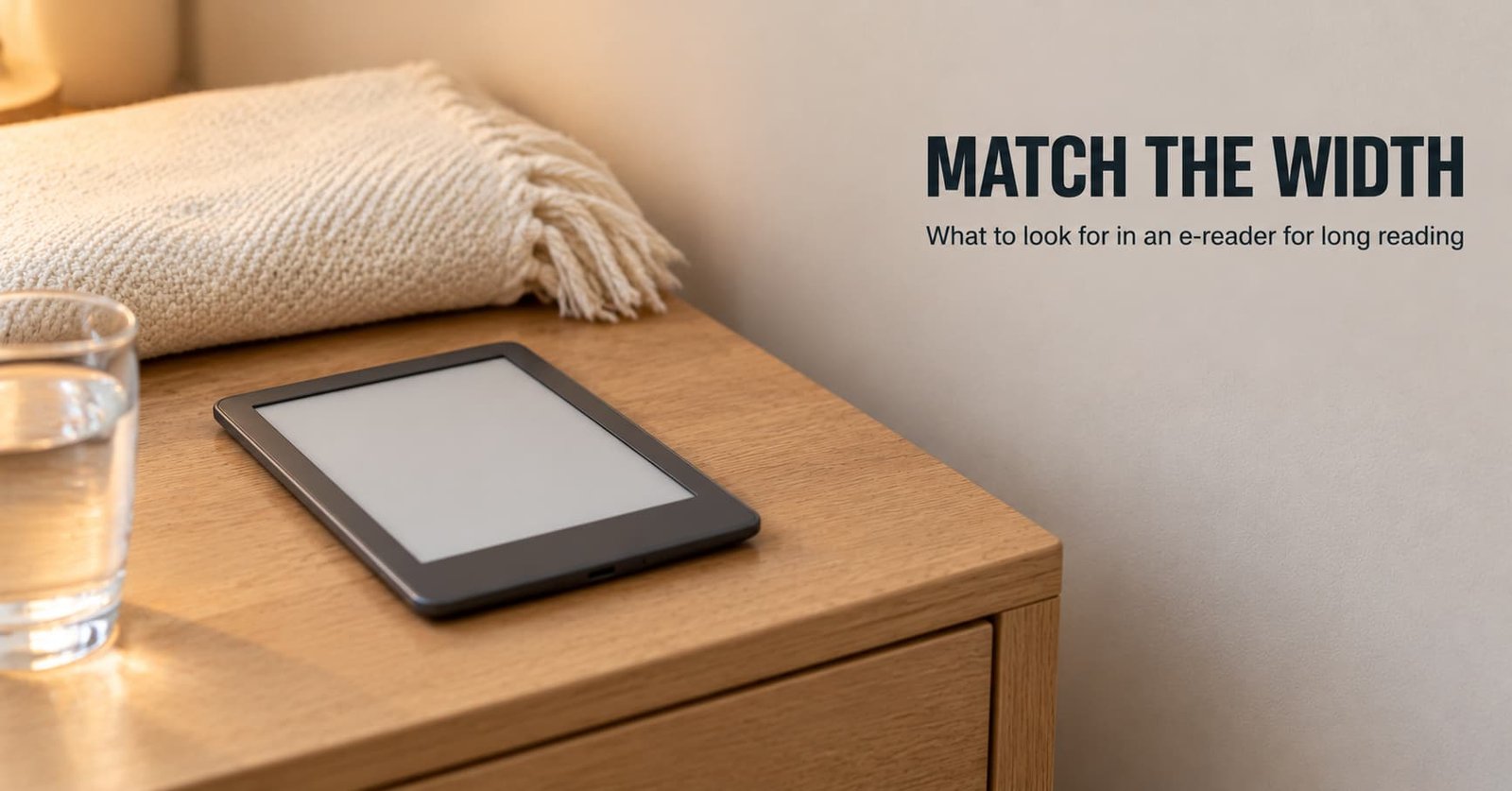
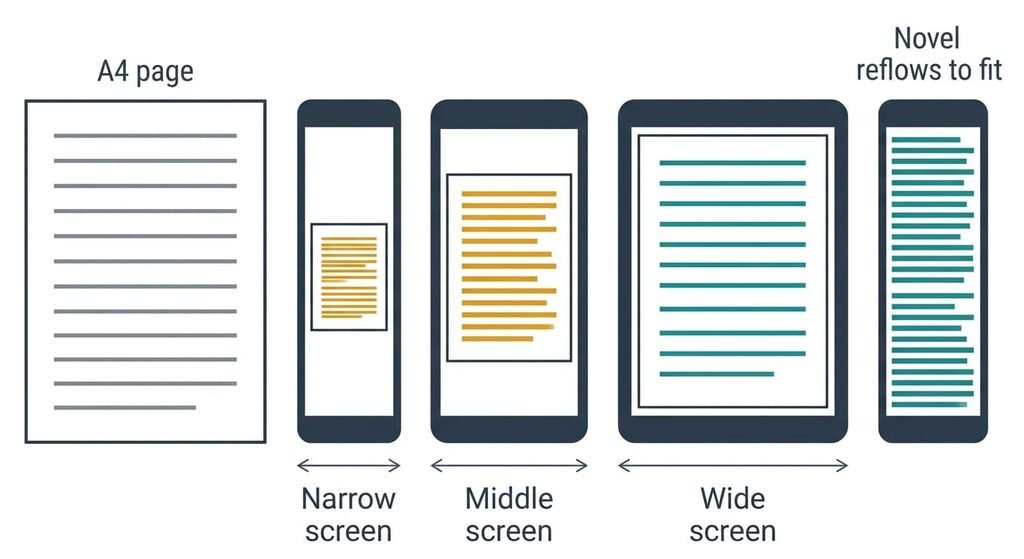
A 6-inch e-reader screen is about 9 cm wide, and an A4 page is 21 cm wide. That ratio comes first when you’re choosing an e-reader for long reading. Novels reflow to fit any screen, and documents don’t. A reader of fiction can use a pocket-sized screen. Anyone working through A4 files needs the larger class.
The sums assume the United Kingdom and a reader who sits down for an hour at a time, mostly in bed. No model names or prices appear, since both change faster than the physics does. Everything below is arithmetic you can repeat.
Which screen size decides an e-reader for long sessions
The width of the screen against the width of what you read is the answer. A book is stored as flowing text, so you set the letter size and the lines rewrap. A PDF is a fixed image of a page. The device can only shrink the whole sheet until its width fits the screen.
Take a 3:4 screen and an A4 page trimmed to an 18 cm text block. A 6-inch screen is 9.1 cm wide, so the page shrinks to 51% and 11 point type lands at 5.6 point. A 7-inch screen is 10.7 cm wide, which gives 59% and 6.5 point. At 10 inches the screen is 15.2 cm wide, giving 85% and 9.3 point. Below roughly 8 point you must zoom and pan, and one page turns into a dozen stops.
Reflowing text fits any screen; a fixed page fits only a big one.
The size question is therefore a question about files. A novel gains nothing from the extra weight of the larger class.
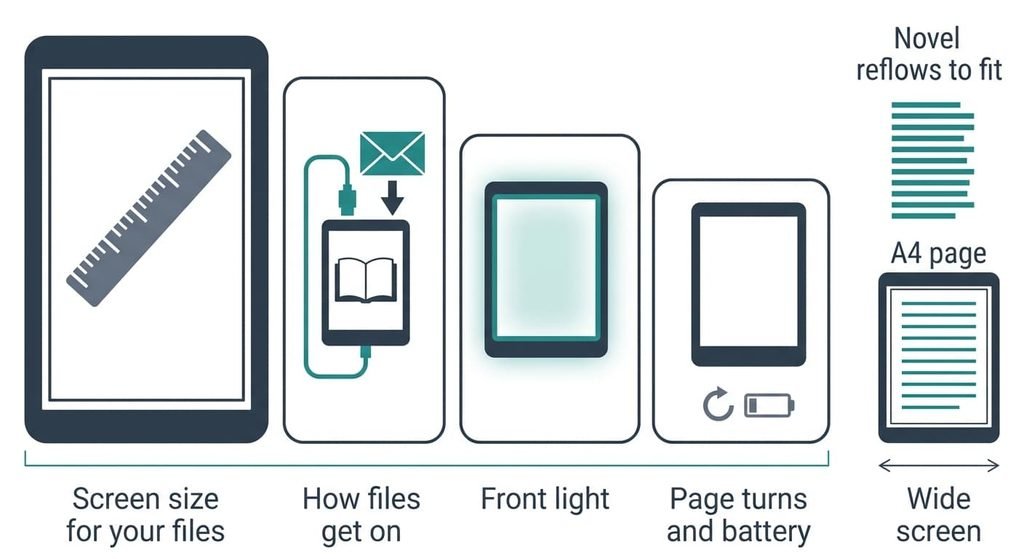
What to look for in an e-reader for long reading, in order
1. Screen size matched to your heaviest files. This is the display’s diagonal, which sets its width. In daily use a novel looks the same on both classes, while a lecture PDF is either readable or a chore. Divide the screen width in centimetres by 18 and multiply by 11 to get the printed size in points. Aim for 8 or more on your heaviest file. A 7-inch screen is the middle case, where the answer turns on your files. A wrong choice leaves you carrying a device that can’t show your documents, and you’ll reach for the laptop.
2. How files get onto it. This covers the formats it opens and if it takes files you own without a store account. Few buyers check it. Daily, it decides whether your loans and your purchases share one shelf. The product page should name an open reflowable format and plain PDF, and say how files arrive by cable or e-mail. Lending apps need support for their own file type, so confirm that before you pay. Get it wrong and your books sit behind one account.
3. The front light and its evenness. E-paper reflects light instead of making it, so a light along the edge shines across the page. At night you notice whether the tone is even. Look at photos of the screen in a dark room at its lowest setting, and look for a warm-to-cool control. A bright patch near one edge shows on every evening and the brightness slider can’t remove it.
4. Page-turn behaviour and what drains the battery. The screen holds an image with no power. Only page turns and the light draw on the pack, and hours switched on cost nothing. Watch how often the screen flashes fully clear to remove ghost images. A battery claim in weeks should state its daily reading time and light level. Without those, a figure means little. It’s also worth knowing that a flash every few pages will wear on you.
What does not matter as much as they tell you
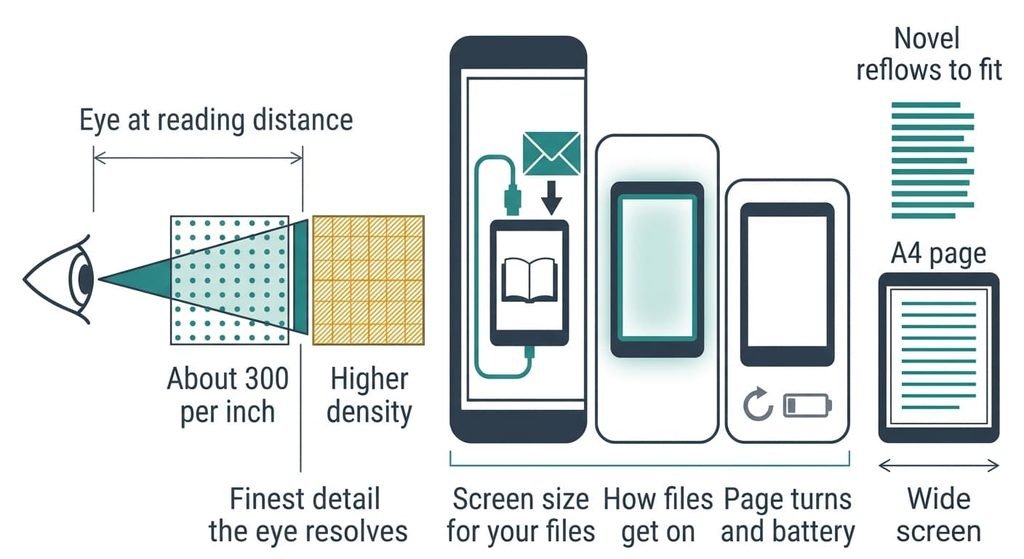
Spec sheets for an e-reader for long reading lead with big numbers. Pixel density above about 300 per inch comes first. At a reading distance of 30 cm, a pixel at 300 per inch is 0.085 mm wide and spans about one minute of arc, which is roughly the finest detail ordinary vision resolves. Higher figures add little you can see. They’re promoted because a larger number is cheap to print and easy to compare.
Storage capacity comes second. A novel is usually a megabyte or two, so 1 GB holds about 500 of them. Only illustrated or scanned books come close to filling the space. Capacity is promoted because memory is cheap to add.
The processor named on the box comes third. Page-turn time is set mostly by how fast the screen can redraw its pigments, and a faster chip can’t speed that up. It matters for opening a large PDF and for little else. I’d ignore every processor claim.
Matching the order to your reading
The right pick of an e-reader for long reading shifts with the reader. Someone who reads mostly novels on trains and in bed can drop the first criterion and lift the third. A pocket-sized screen suits that reader, and an uneven light would show every night. That reader holds it in one hand, so low weight is a feature.
A reader of reports or scanned scores should rank size first and turn behaviour next. Long PDFs are where slow turns and full-screen flashes pile up.
A household that borrows from a library or shares one device should rank file routes first. Loans and shared accounts depend on it more than on anything printed on the screen. Ask each person which formats their books use.
What to walk away from
Drop a device that can’t take your own files without a store account. Nothing you do later adds that route back, because only the maker can open it. Your purchases and your downloads then live behind one login. If the shop closes or the login lapses, the shelf goes with it. If the file section of the product page talks only about the store, assume the door is shut.
A small screen has no place on your list if half your reading is A4 documents. Zooming and panning turn each page into a dozen stops, and you’ll stop reading them.
Software can’t widen a screen.
Skip a model with no front light if you read in bed. A lamp across the room throws a glare on the page, and moving the lamp every chapter ends the habit. The light is cheap to include and impossible to add later.
The two-minute check before you commit
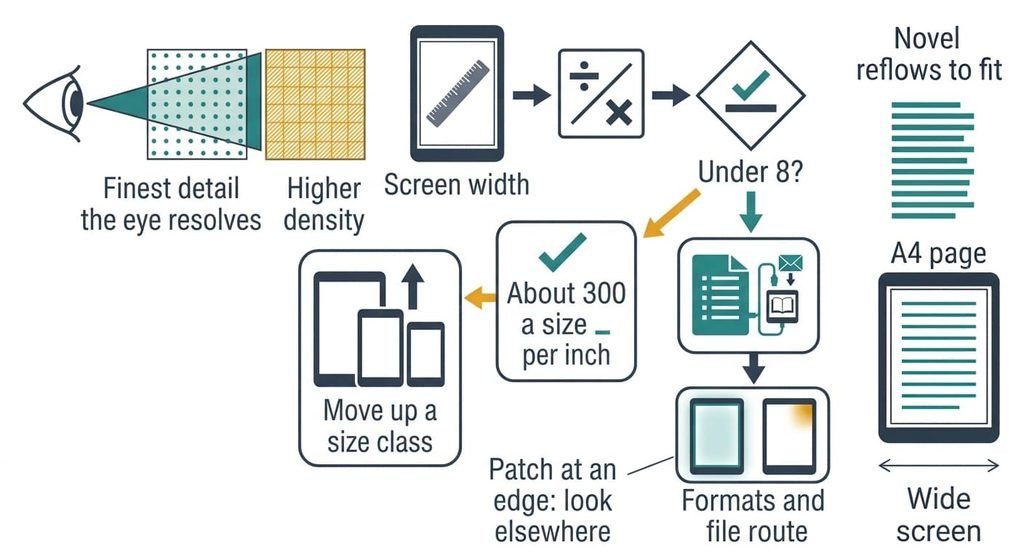
Begin with the screen width in centimetres, then divide it by 18 and multiply by 11. A result below 8 for your heaviest file means moving up a size class. Open the specifications next and find the list of formats. It should name an open reflowable format and plain PDF, and say how files arrive without a store account. Then find photos of the screen in a dark room at its lowest light setting. An even tone passes. A bright patch at one edge sends you elsewhere. The check works on an e-reader for long reading of any size class. Last, ask what the battery claim assumes about daily reading time.
Choose the screen width for your files first, then check how files get onto the device. A bright patch or a closed shelf ends the search, since neither can be changed afterwards. A device that suits a novelist suits nobody who reads reports, so decide which reader you are before you compare anything else.
Questions readers keep asking
What screen size is best for reading PDFs on an e-reader?
The 10-inch class is the practical floor for A4 documents. It shows 11 point type at about 9.3 point, which reads without zooming. A 6-inch screen shows the same page at about 5.6 point. Readers of scanned papers should also check that the device can crop margins.
Is a larger e-reader worth paying more for?
Only if documents make up a large share of your reading. A larger screen costs more to buy and more to carry. For novels it adds weight and nothing you can read better. Work out the printed size of your heaviest file, then buy the width that file needs.
How long will an e-reader stay useful?
The reflective screen ages slowly, and a battery that holds its charge lasts for years. A closed shelf is what ends its working life. A device that opens plain files and open book formats can outlast the shop that sold it. Check the file list before you check anything else.