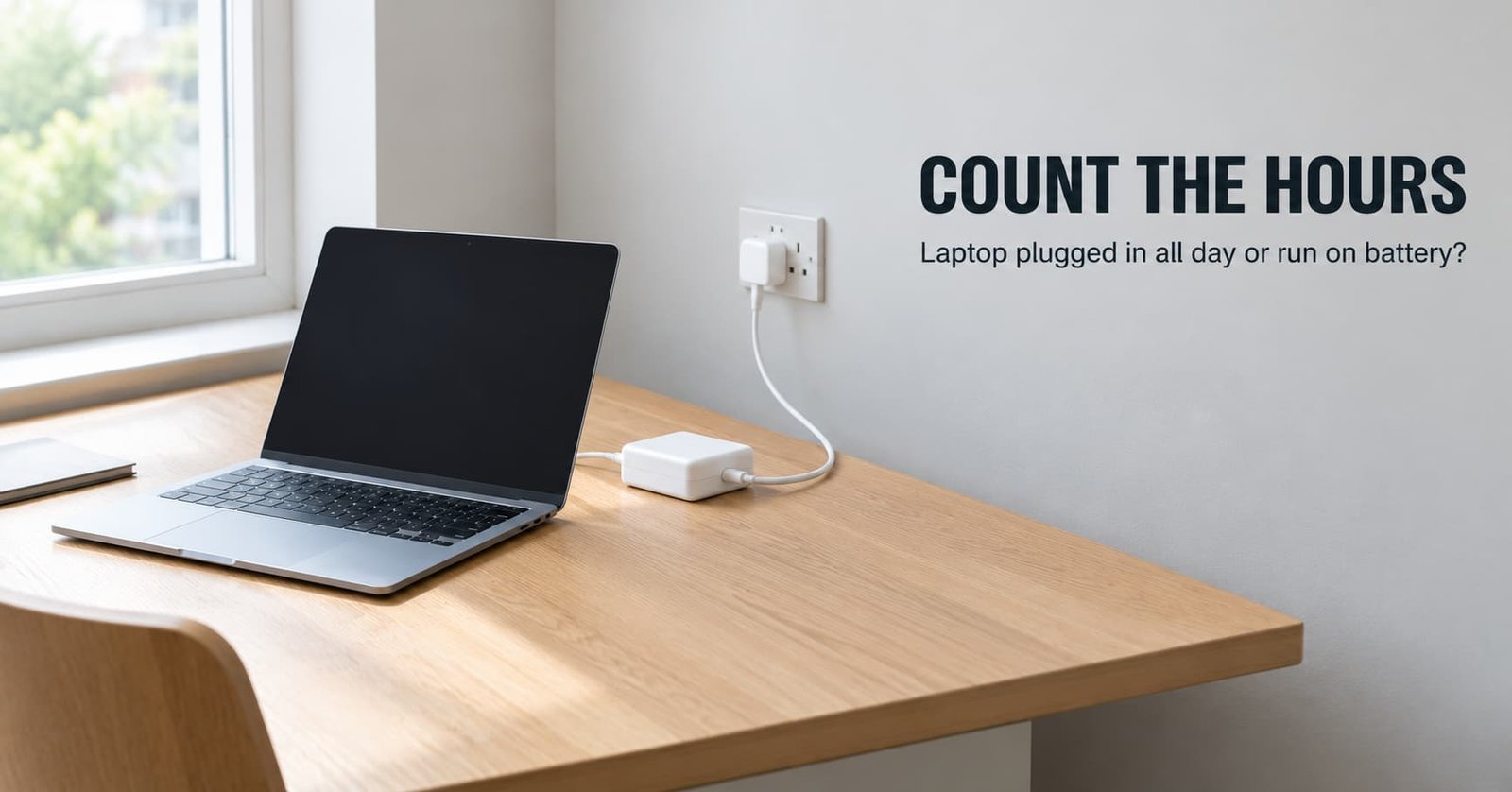
Does a laptop plugged in all day wear its battery out faster than one that runs on it? That turns on one count: the hours a day the pack would supply the machine. Leave it plugged in when that count is small, and run it on battery when the laptop travels most days.
The sums use an invented pack that runs a light day for eight hours, so the figures come out round. They assume the United Kingdom, and the location matters little here. Your laptop’s own settings change the details, and the mechanics hold for any lithium pack. Brands and prices stay out, since both go stale.
The one property that decides plugged in or on battery
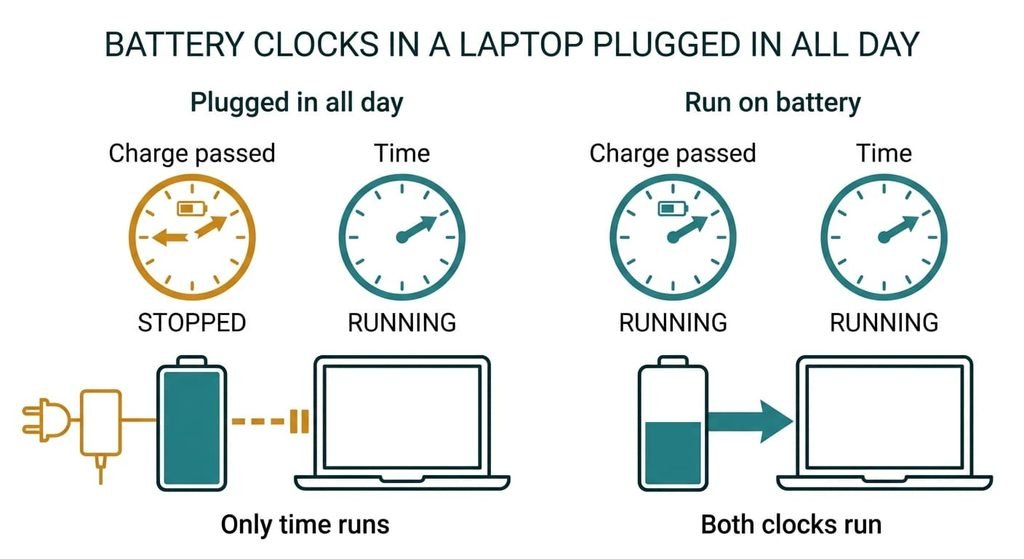
The hours a day the pack would actually supply the laptop settle it. A battery ages on two clocks. One tallies the charge passed through the cells. The other follows elapsed time, and it runs faster while the pack sits full and warm.
The pack has two clocks, and you choose which one runs.
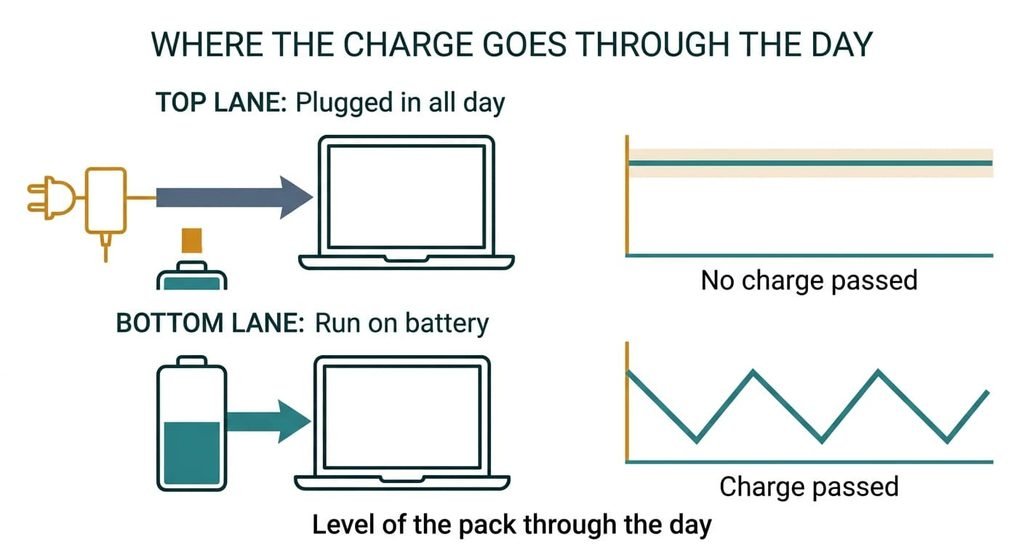
Plugging in all day stops the first clock, since the adapter carries the load and the pack passes nothing. The second clock keeps running, and it has no tidy unit, so count hours instead. A laptop on the adapter 22 hours a day spends about 8,000 of the year’s 8,760 hours near full, and that total is the whole bill for the plugged-in habit. Battery use runs both clocks. The first has a plain unit, the equivalent full cycle, which is your hours on battery divided by the pack’s full runtime. On the invented pack, two hours a working day is a quarter of a cycle. Over 230 days that’s 57.5, so about 58 cycles a year. Six hours a day gives 172.5, and a pack drained flat every day passes 365. I’d stop asking which habit is kinder and start counting hours.
Laptop plugged in all day or on battery, head to head
| Question | Plugged in all day | Run on battery |
|---|---|---|
| Charge passed through the pack | None while the adapter carries the load | One cycle for each full runtime of use |
| Level of the pack for most hours | Near full, or at the stop point the system holds for hours at a time | Swinging between full and low, as the working day uses it |
| A brief mains drop | The pack takes over with no gap | Already running on the pack |
| What the gauge meets | Rarely a low reading, so its estimate of the pack’s real capacity can go stale | Regular lows that let it measure the pack again |
| What ages the pack | Time spent full and warm | That time plus the charge passed |
| Effort | None, or one setting | A socket in reach by evening |
| What it can’t do | Spare the pack its hours near full | Avoid cycles |
Row four surprises people most, since a pack that never runs low never gives the gauge a chance to measure again. The percentage can then drift from the real charge, and the first long stretch away from a socket ends sooner than the display promised, usually on the day you needed it most.
Where a laptop plugged in for the day wins
It wins at a desk. A laptop beside a socket from morning to evening passes no charge, so only the time clock runs. Below full, a stop point, where the machine offers one, slows that clock further. A machine parked on a shelf as a family terminal belongs here too, since it never moves.
It wins for the unglamorous reason of nothing to remember. There’s no evening routine and no hunt for the adapter before a meeting, and no pack found flat on a Monday. A habit you keep outlasts a perfect one you abandon.
It also wins when the mains drops for a moment. The pack takes over in the same instant, so the laptop rides out the blip with no restart. That covers a blink and nothing longer, since a pack holds only hours of light use.
Many laptops hold back processor speed on battery to stretch the runtime. A long export or a video render therefore finishes sooner on the adapter.
Where running on battery wins
It wins for any laptop that moves. A machine that spends part of the day on a train or in meetings will use its pack whatever the habit says. The real choice is then whether to top up at every chance, and the sums say a quarter-cycle a day is cheap.
It wins on honesty. A laptop plugged in all day never meets its low end, so you learn the real runtime on the first trip away from a socket and not at your desk. A pack used a little every day also keeps its gauge calibrated, so the percentage means what it says.
It wins when the adapter lead is the awkward part: a long run to the nearest outlet, or a hotel desk with no free one. The pack then costs a few cycles and buys freedom of position. That’s a fair trade when a day’s work happens in three different rooms.
It suits a household that shares one laptop between rooms, too. The machine goes where people sit, and nobody carries the adapter.
When neither is right
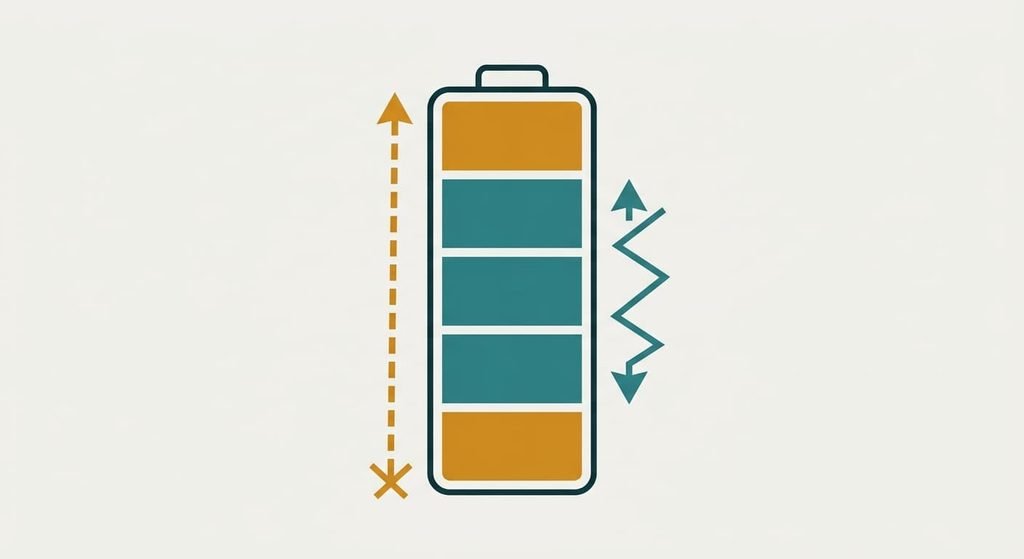
A laptop plugged in all day and one drained each evening both miss a pack you want to last for years of daily use. A third option exists: a middle band, roughly a third to four-fifths of the pack. Cells usually face less stress near the centre of their range than at either end, so shallow swings wear them less per hour of battery use. The band changes the load on each cycle and leaves the count alone. That’s a working rule that varies with cell design.
The price is attention.
You plug in near a third and unplug near four-fifths. A stop point, where the system has one, can end the charge at that level. Then plug in near a third. Skip the monthly drain to empty that some old advice still recommends. At best it recalibrates the gauge, and it spends a full cycle to do so, which is the very cost you were avoiding.
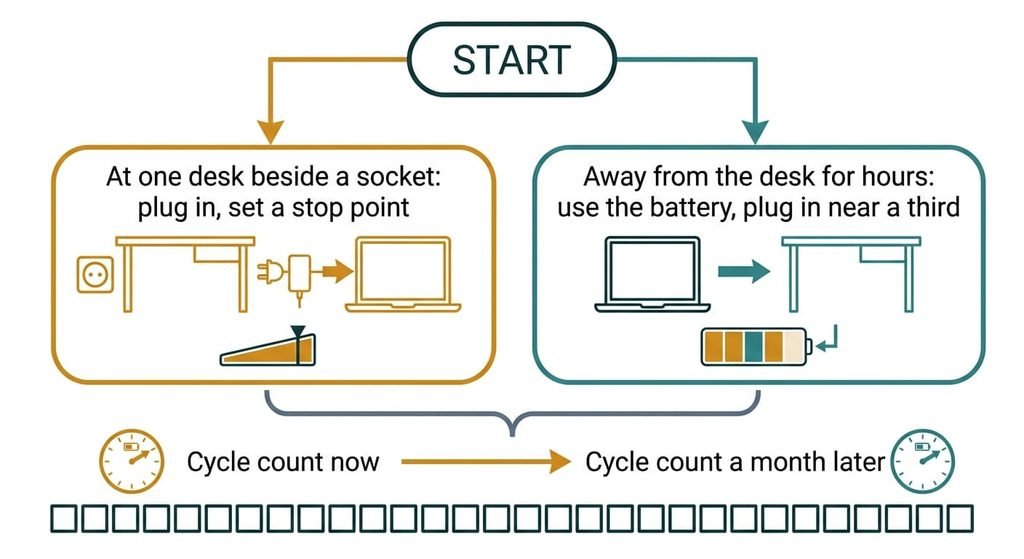
How to decide in thirty seconds
If the laptop sits at one desk beside a socket, leave it plugged in and set a stop point below full where the machine offers one. If it leaves the desk for hours at a time, run it on battery when you need to and plug in near a third.
To check which describes you, note the cycle count where your system reports one, then note it again in a month. Divide the difference by 30 for cycles a day. Under a quarter suits a laptop plugged in all day. If yours reports nothing, count your battery hours. Divide them by the full runtime. Whether your machine honours a stop point is hidden from here, and its manual says.
Hours on battery set the cost. A desk laptop on the adapter stops the cycle count and leaves time to do the ageing, so a stop point helps. A laptop that travels spends cycles, and a middle band keeps the bill low. Count your battery hours first, then copy whichever habit fits. A guess about your day will mislead you faster than a week of notes.
Questions readers keep asking
Does leaving a laptop plugged in all day damage the battery?
It ages the pack slowly and doesn’t overcharge it. The charger stops at full and tops up in small steps. Hours near full and warmth still wear the cells over years. A stop point below full reduces that wear. Expect a gradual fade in runtime.
Should you pay to replace a battery after years on the adapter?
Only if you want to leave the desk. A pack worn by years near full still carries a desk laptop through a mains flicker, which is all that job asks. Replace it when the runtime no longer covers your longest stretch away from a socket, since that’s the day the loss shows.
Which is better for a laptop with the lid closed on an external monitor?
The adapter suits it, since that’s a desk job. The catch is warmth: many designs vent through the base or the keyboard side, so a shut lid can trap heat and speed the time clock. Leave a gap for air, and set a stop point if the machine has one.