You type “ger” at the close of a message, and the phone quietly turns it into “get”. How does autocorrect decide what you meant, when it can’t see your thumbs or hear your plans? Behind the screen, it scores a handful of candidate words against two questions: how likely was this slip, and how likely is each word after the one before it. The word with the best combined score wins, but only when it beats the runner-up by a wide margin. Treat the numbers below as assumed illustrations, since real keyboards don’t publish theirs.
How does autocorrect decide what you meant: the short answer
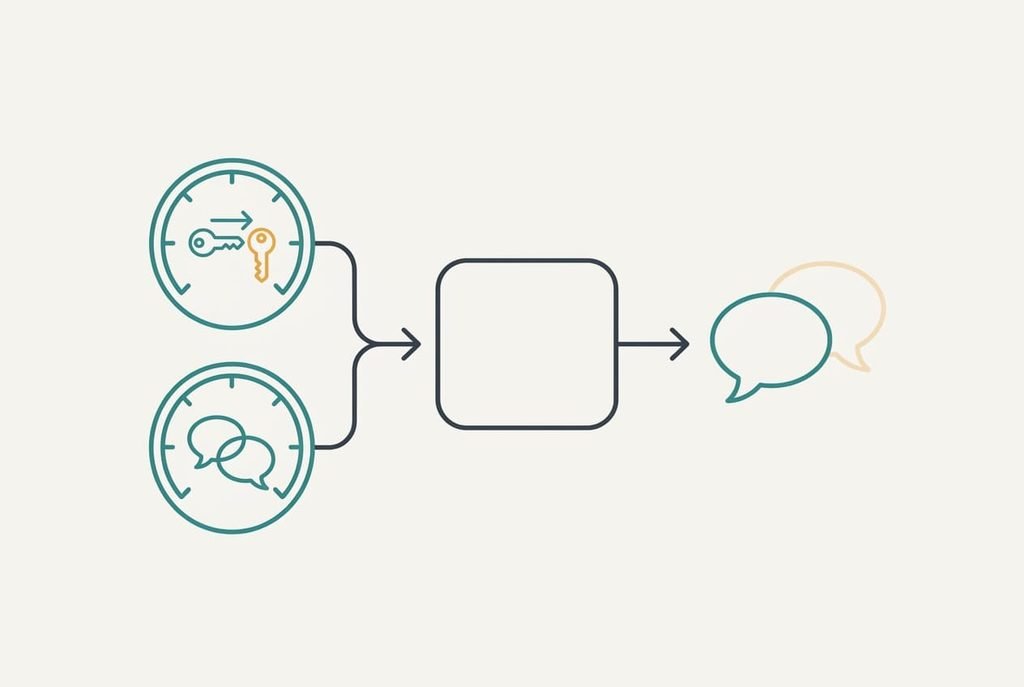
Autocorrect picks the candidate whose typing slip and surrounding words together look most probable, and it swaps that candidate in only when the lead is clear. Two ingredients do the work. One is a model of how fingers slip: a neighbouring key is a likelier mistake than a distant one, and a swapped pair of letters is likelier than a missing letter. A model of language supplies the other, recording how often one word follows another. Neither ingredient is enough alone, because a slip model can’t tell “get” from “her” and a language model can’t see what your thumb did.
The short answer leaves several things out. Where the models come from is one: large collections of text the maker trained them on, topped up with your own typing history. Another is the dictionary, since it’s only a list of allowed outputs. Third comes the plainest fact: nothing here involves understanding. The system has never known what a meeting is. It has only counted which words tend to sit near the word “meeting”.
One typo traced: how autocorrect decides what you meant
Take the sentence “ring me when you ger there”. The first trigger is the space key, because the word is only finished once you press it. Why does autocorrect decide what you meant at that moment and not letter by letter? Because a half-typed word is ambiguous, and a finished one can be scored.
Step zero happens earlier, while you type. Each tap lands on a spot and not on a letter, so a tap near the border of two keys is stored as a spread. Assume the third letter of “ger” is recorded as 60% R and 40% T, which is why T stays a live option.
Step one lists candidates. Any word one edit away from “ger” qualifies: “get”, “her”, “gear” and a few rarer ones. On a standard layout R sits beside T. G sits beside H. So “get” and “her” are each a single neighbouring-key slip. “Gear” needs an inserted letter.
Step two scores the slip. The example assumes a neighbouring-key swap has a probability of 0.04 and an inserted letter 0.01.
Step three scores the context. After “when you”, assume “get” has a probability of 0.12, “her” has 0.01 and “gear” has 0.0005.
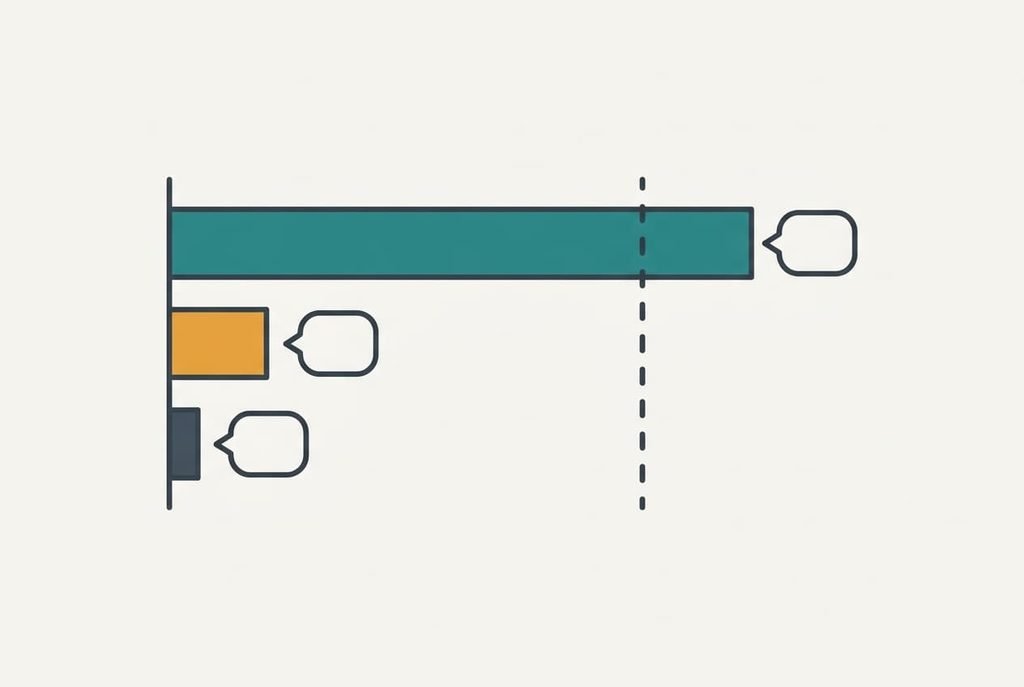
Step four multiplies each pair. “Get” scores 0.04 × 0.12 = 0.0048. “Her” scores 0.04 × 0.01 = 0.0004. “Gear” scores 0.01 × 0.0005 = 0.000005. The winner leads the runner-up by 12 times.
Step five applies the cut-off. Assume the keyboard replaces a word only when the lead is at least 10 times. Twelve passes, so “get” replaces “ger”. With a lead of 8 times, the typed word would have stayed as you wrote it, and you’d see only a suggestion strip.
Tap backspace straight afterwards and the original returns. The example assumes the keyboard logs that rejection and trims the lead it would give “get” next time by a tenth.
The whole contest takes a few milliseconds.
A clerk with a smudged address
Picture a sorting clerk handed a letter whose street name is smudged. The town and postcode are clear, and only a few streets in that postcode could fit the smudge. The clerk picks the most plausible one and sends the letter on. If two streets look equally likely, the letter goes to a hold tray.
The picture fits the cut-off rule well. It breaks in one place that matters. A clerk can ring the sender, or knock on the door and ask. Autocorrect has no sender to ask, so it can’t confirm a guess before acting, and a brand-new street that exists only in your life, such as a friend’s unusual surname, is simply invisible to it.
What autocorrect cannot know
Does autocorrect decide what you meant by reading your intent? No, and it never knows what you meant, only which guess is the likeliest. That gap produces every odd correction you’ve screenshotted.
A name outside the dictionary scores badly against every common word, so a common word wins. Slang that appeared last month has no counts yet. A slip that spells another real word, such as “form” for “from”, passes the dictionary filter untouched, and only a strong language signal can catch it.
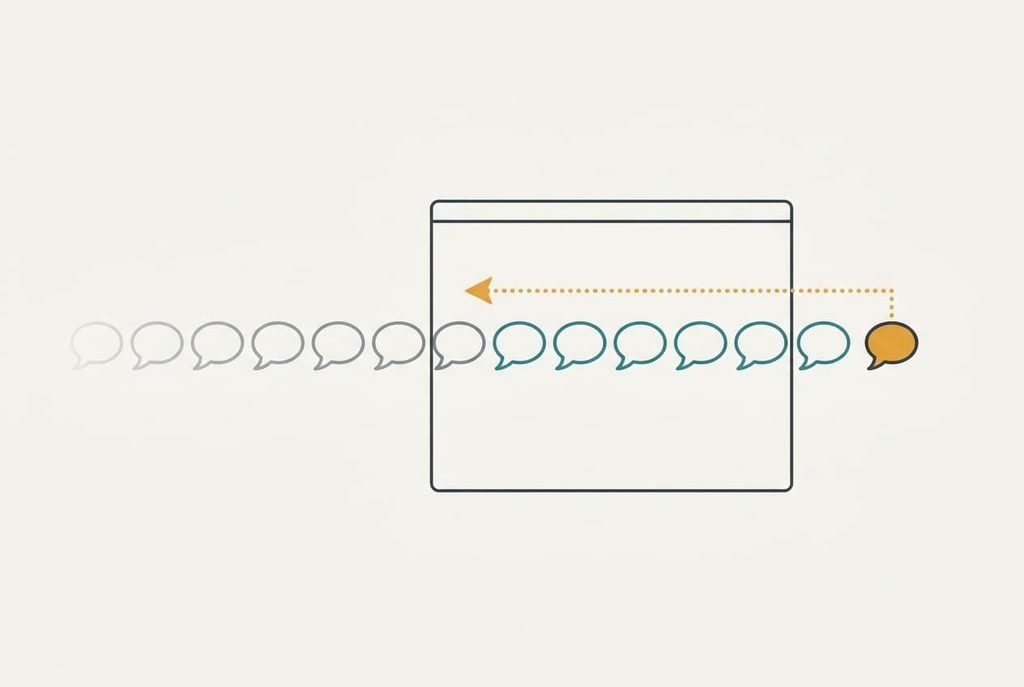
The system also sees a narrow window, usually the last few words. A joke whose setup came three sentences earlier is out of reach.
The cut-off itself is a trade. Lower it to 5 times and the keyboard catches more slips, though it also swaps more words you meant to keep. Raise it to 20 times and fewer wrong swaps happen, but “ger” would then sit uncorrected. No setting is free, and the maker’s choice is a guess about what annoys people least.
Three beliefs that don’t hold
Belief one: autocorrect only checks a dictionary. It formed because older spell checkers did exactly that, underlining anything absent from a word list. Today’s keyboards use the list as a filter and the language model as the judge, which is why a word can be spelled right and still get replaced.
Belief two: the same typo always gets the same correction. It formed because common words repeat so often that we see one fix again and again. Yet “ger” after “tell” gives “her” a far bigger context score than “get”, so the same three letters can resolve differently.
Context decides, and the letters only propose.
Belief three says one undo teaches the keyboard for good. It formed because a repeated correction feels like memory, yet the example assumes each undo nudges a word’s count only slightly. Three or four undos are needed before behaviour visibly changes, so add a stubborn name to your list once.
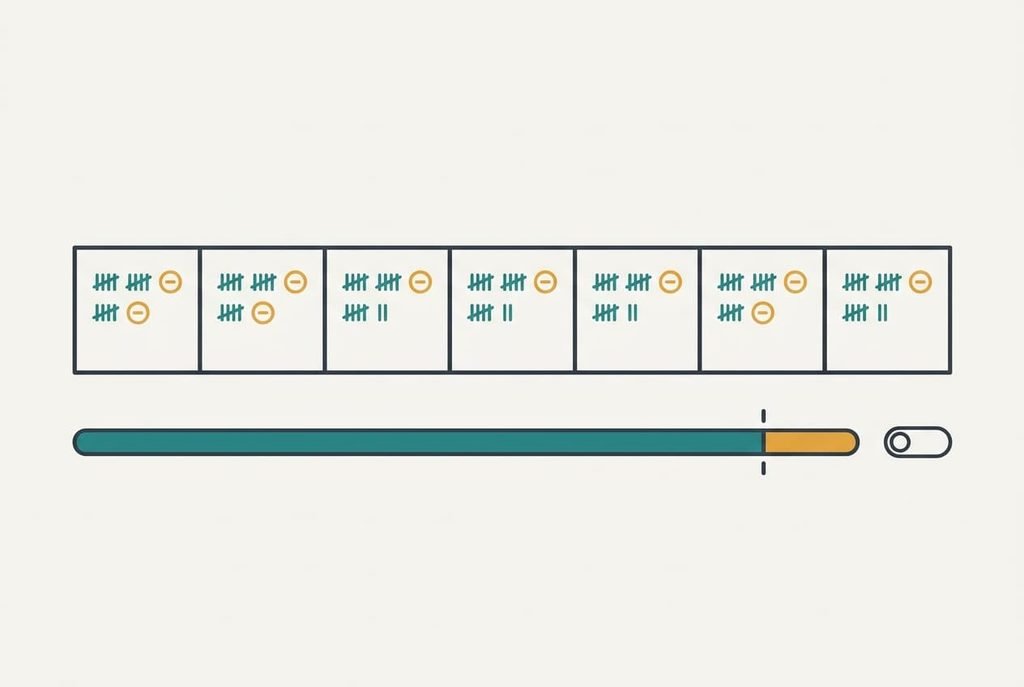
A rule for when to keep it on
Keep a tally for seven days, with one mark per automatic correction and a ring round each one you undo. Say you collect 40 marks and 6 rings, which is 15%. If you undo fewer than 1 in 10 automatic corrections, leave replacement on, and if you undo more, switch to suggestions only. The 15% case fails the bar, so that person should move to suggestions only and keep the strip for the rare real slip. Add the names and terms you type often to the personal list, which gives them a context score of their own and stops them losing to common words.
Does autocorrect decide what you meant well enough to trust unchecked? For ordinary texts, mostly. It stumbles on names. Code and mixed languages trip it too, so read anything important once before you press send, especially a message with a name or a number in it. The rule costs a week of mild attention, and you can rerun it whenever your typing habits change. It pays you back every day afterwards, in cleaner messages.
Questions readers keep asking
Can autocorrect change a word that was already correct?
Yes, when the correct word is rare in context and a common neighbour scores far higher. A surname or a technical term is the usual victim. One undo tap restores your version, and adding the word to the personal list stops the repeat.
Do I need autocorrect if I type carefully?
Probably not as a replacement tool. Careful typists see few slips, so most corrections are false alarms. Keep the suggestion strip, which costs nothing when you ignore it, and switch automatic replacement off if you undo more than 1 correction in 10.
How is autocorrect different from predictive text?
Predictive text guesses the next word before you type it, using only the language model. Autocorrect repairs the word you did type, using the slip model as well. Both lean on the same word counts, which is why they often agree and sometimes fail together.