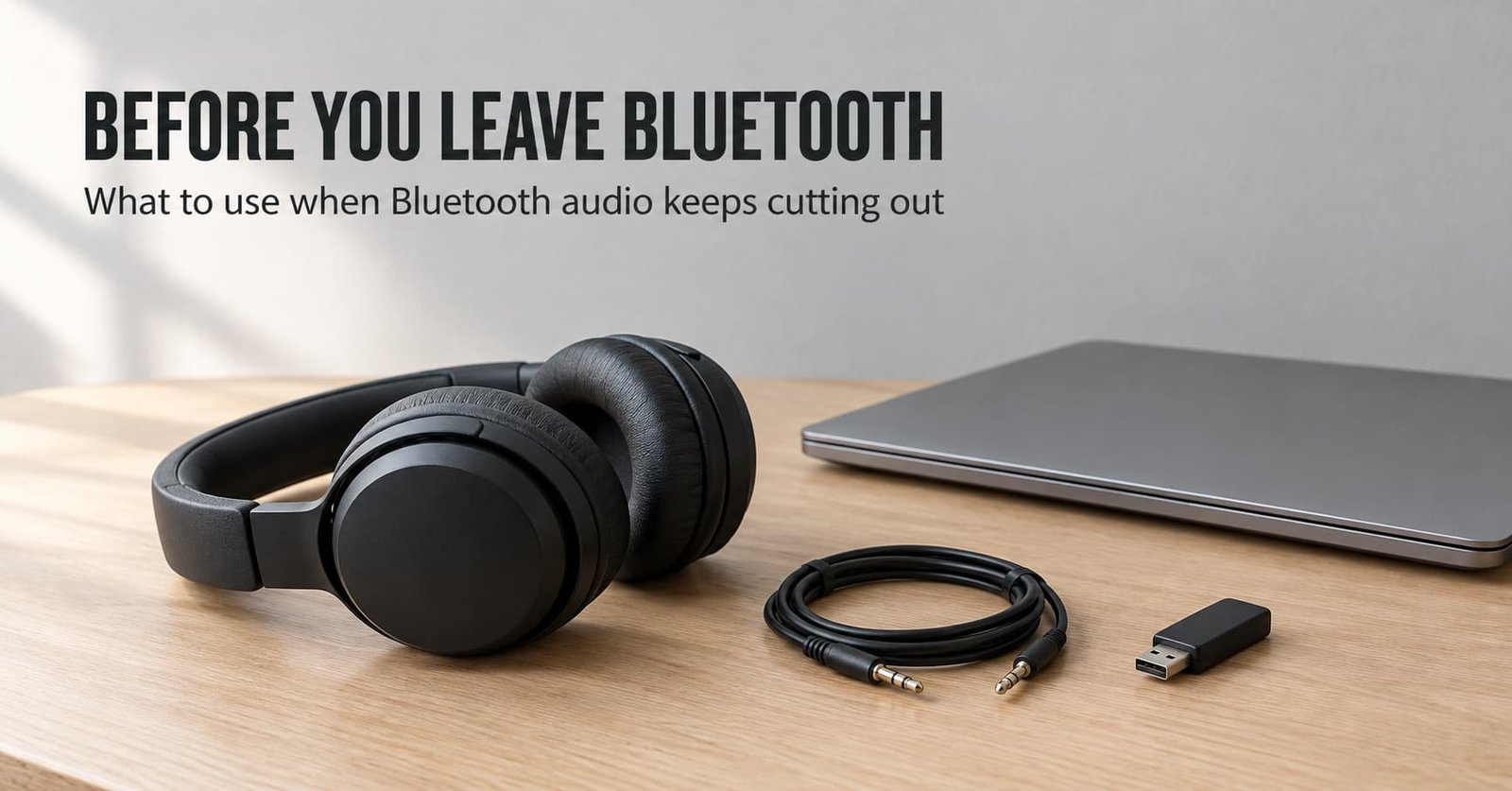
Many people give up on Bluetooth after the third cut-out in a week. Each one lasts a second or two, yet three in a week is enough to start the search. When Bluetooth audio keeps cutting out, there are three realistic exits, and each costs something different. Leaving pays only if you can live without the controls and the microphone.
It is written for a listener in the United Kingdom who uses one headset or speaker with a phone and a laptop. No product is named here and no price is quoted, since both date within a season. The counts used are rules of thumb and not measurements.
What has to survive when audio keeps cutting out over Bluetooth
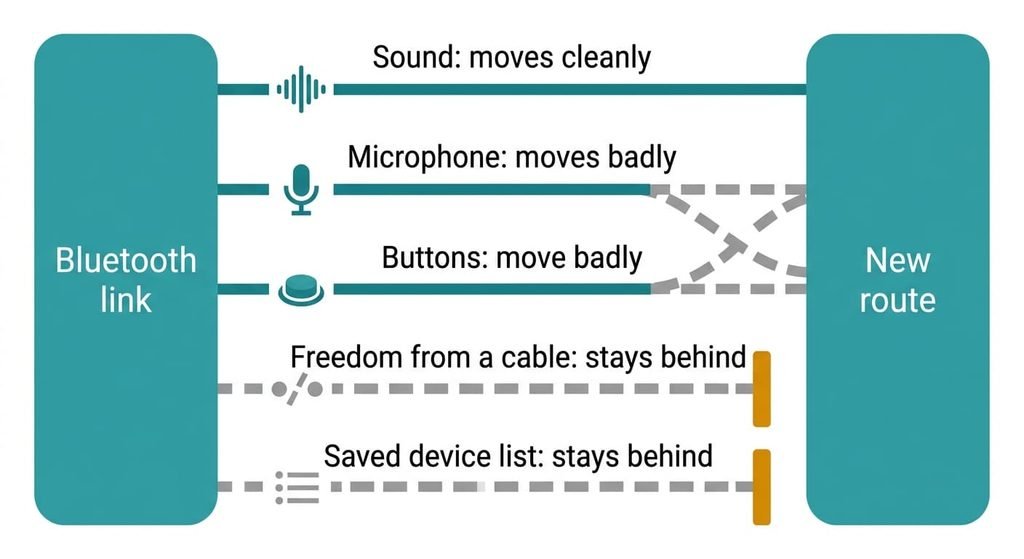
Before any route is named, count what you’re carrying out of the link. A Bluetooth link does three jobs at once: it carries sound, it carries your voice from the microphone, and it carries the button presses. Any replacement has to supply all three, or you lose one without noticing.
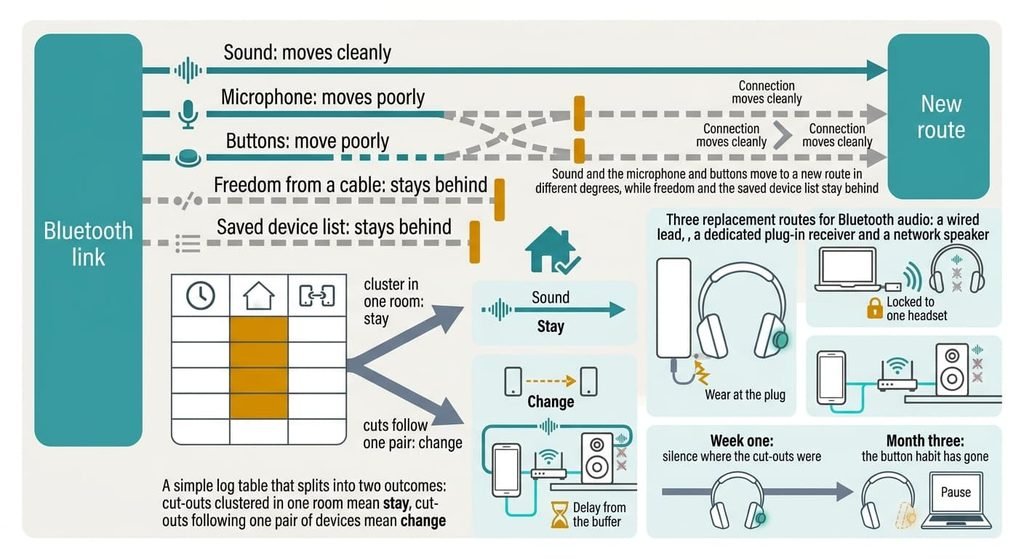
Five things travel with a headset or speaker. First comes the sound, and second the microphone for calls. Third are the buttons you press to pause or skip. Fourth is freedom from a cable, and fifth is the saved list of devices that lets your gear reconnect without being asked.
Sound moves cleanly, since every route carries it. The microphone and the buttons move badly, because each depends on how a particular plug or receiver is wired to your source. Freedom and the saved list don’t move at all, since they belong to the Bluetooth link itself. Of the five, the controls and the microphone are the parts that rarely survive.
Judge every route below by how much of that list it carries.
The kinds of replacement when Bluetooth audio keeps cutting out
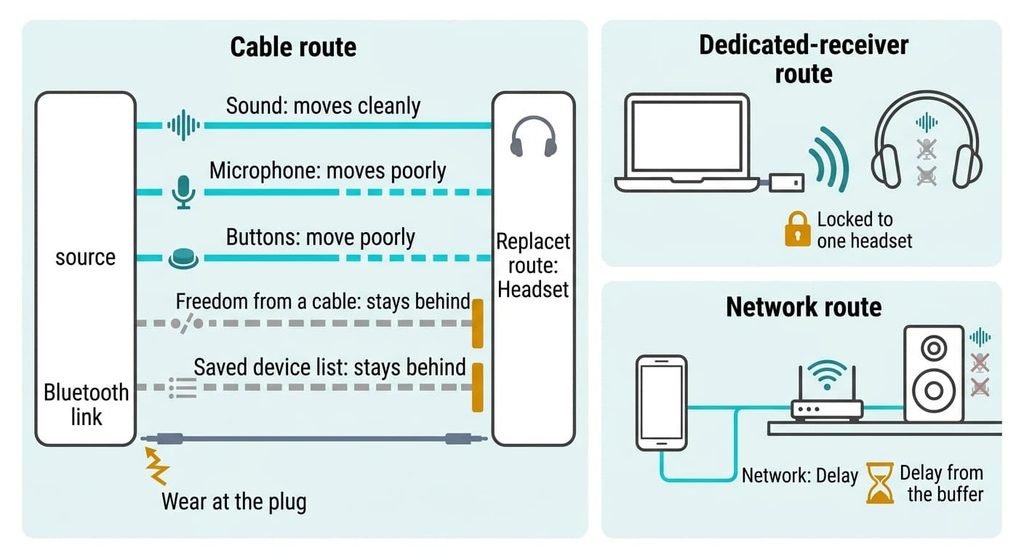
1. The cable route. This is a wired lead from the source to the headset or speaker, either through an audio socket or over USB. It suits a desk or a room where you sit still. The cost is effort: you’re tied to the length of the lead, and a source without a socket needs an adapter. Sound lands fully. The microphone and the buttons land only when the plug’s contacts match the source, because two wiring conventions exist and a mismatch gives sound with a dead microphone. It usually ends at the plug, where the lead flexes. After months of use it starts to crackle.
2. The dedicated-receiver route. A small receiver plugs into the source and talks to one headset over its own radio link instead of Bluetooth. It suits a laptop or console at a desk. The cost is money and lock-in: the receiver works only with its headset and only where you can plug it in. Sound and microphone usually land well, and so do the buttons, since the pair was built together. Phones often can’t host the receiver. Many such links share the same crowded radio band, so if your cut-outs come from the band, this route can inherit them. It usually ends when the receiver goes missing, which leaves the headset with no route but Bluetooth.
3. The network route. Players on this route fetch the music over your home Wi-Fi instead of receiving it from the phone directly. It suits a speaker in a room and not headphones. The cost is money and setup, and the controls move into an app. Sound lands fully and the microphone doesn’t land at all. They hold a large buffer of audio to hide gaps, which is why they don’t cut out and why you hear a delay on video. It usually ends when the router changes and the speakers vanish until you set them up again.
The trade-off nobody warns you about
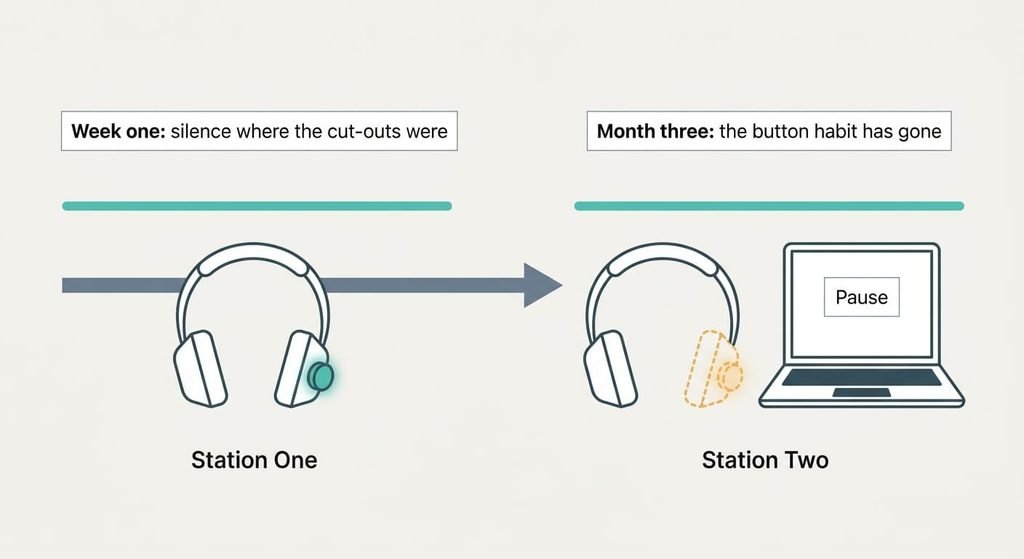
When Bluetooth audio keeps cutting out, the cost of leaving that shows in month three is a habit tied to the controls you stopped carrying. In week one you enjoy the silence where the cut-outs used to be. By month three you realise that you’ve stopped pausing with a tap on the headset, because the lead’s remote doesn’t talk to your laptop, the receiver sits on the wrong machine or the speaker’s volume lives in an app. Calls ring through the phone’s own speaker unless the route carries a microphone. I’d argue this is the cost the internet underestimates. A route that stops the cut-outs but removes a habit gets abandoned, and you drift back to a link that cuts out. None of this shows in a spec table, which is why it surprises people. Count the buttons you actually use before you spend money.
How to leave without losing anything
Run the log from the last section first, then bring in the new route before you retire the old link. Verifying means more than hearing sound. Make a real call and ask the other person whether they can hear you, press every button you use and listen through a full day of normal use. An export that opens isn’t the same as one that’s complete, and sound playing isn’t the same as a route working.
Run both for two weeks and keep the Bluetooth pairing saved, so you can go back without pairing again. Cut over only when the log shows the new route held. If it fails in the same room as before, the room was the cause and no route will change that. Until you cut over, nothing has been lost.
When to stay on Bluetooth
If Bluetooth audio keeps cutting out in only one room, stay on Bluetooth and change the room. A route that fixes a place problem costs more than the place does. Rooms are cheap to change and routes aren’t. Stay when the cut-outs are rare too. As a rule of thumb, fewer than two a week is cheaper to live with than a new route and the controls it may take.
Stay if you take calls on the headset and no wired choice carries a microphone on your source. Shared use is another reason: a lead or a receiver ties the gear to one source, so other people lose access. A recent start counts too. If the cut-outs began lately, something changed. Finding that change is cheaper than replacing the route.
Whether your gear has a wired mode or a receiver option isn’t visible from here.
The log to keep before you decide anything
Before you decide what to do when Bluetooth audio keeps cutting out, keep a one-week log. Write down the time and the room. Add the two devices and what you were doing at each cut-out. Make the entry when it happens, because the room is the first detail you forget. Add a short inventory: whether the headset accepts a lead or a receiver, whether the speaker has a line input, and which socket the source has.
At the end of the week, tally the log by room and by pair. If most cuts share a room, no new route is needed. If they follow one pair, the pair is the problem. Leaving, or swapping one device, is then justified.
What must survive is the microphone and the controls, and the sound will take care of itself. The log is the one thing worth doing today, since it shows whether the cuts follow a room or a pair. Each route costs something different, and staying can be the right answer.
Questions readers keep asking
Do a headset’s controls still work on a cable?
Only some. Sound always carries. A microphone and an in-line remote depend on how the plug is wired, and the same lead can behave differently on a phone and a laptop. Test the buttons and make a real call before you retire the wireless link.
Does switching away from Bluetooth cost much?
The cable route costs the least in money and the most in effort. A dedicated receiver costs more and ties you to one headset, and a network speaker costs the most and adds setup. Prices change, so check the current cost of the one you’d actually use.
Is it worth leaving Bluetooth if it only cuts out occasionally?
Usually not. Count the cut-outs for a week first. If they are rare or cluster in one room, leaving costs more than the annoyance. Leaving pays off when the cuts follow you across rooms and devices, and the log will show it.