Why does a smart plug keep dropping off your Wi-Fi? Because it can hear the router yet can’t make itself heard, and a socket nearer the router fixes that. Test which case you have before buying anything, because two other causes look identical from the app. The first sign is a plug that stays online near the router and drops in the far room.
The worked example below follows one plug in a UK flat, 12 m from the router with three interior walls between them. Its figures are round numbers, and yours will differ. Treat them as a method you can repeat with your own readings.
What makes a smart plug keep dropping off your Wi-Fi
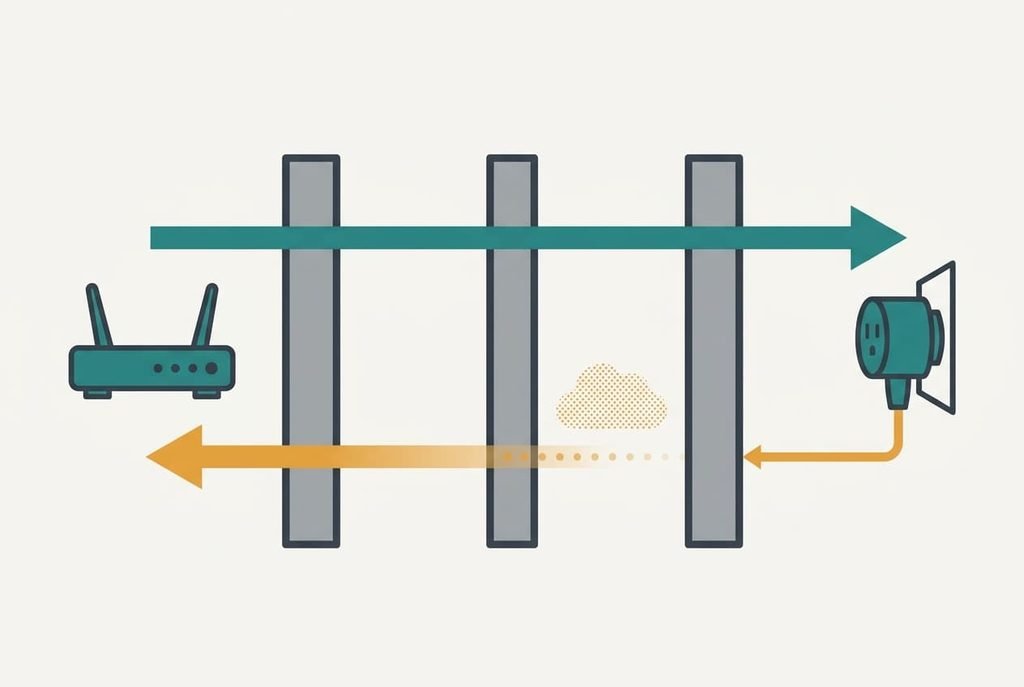
A radio link has two directions, and the plug’s two directions aren’t equal. Take a router that transmits at 20 dBm, a unit of radio power measured against one milliwatt, and a plug with a small printed antenna that transmits at 10 dBm. Over 12 m at 2.4 GHz, free space costs about 62 dB. Each brick wall adds roughly 10 dB, so the path loses 92 dB in all. The plug hears the router at −72 dBm. The router hears the plug at −82 dBm, ten decibels weaker.
What counts is the margin above the noise floor, the background radio hiss in the room. On a quiet night it sits near −95 dBm. When neighbours’ networks are busy or a microwave runs, it rises to about −85 dBm. A link wants roughly 10 dB of margin to deliver every frame. Quiet, the plug’s downlink has 23 dB and its uplink 13 dB. Busy, the downlink has 13 dB and the uplink only 3 dB.
The plug’s link is only as strong as its weaker direction, and the plug’s keep-alive messages travel the weak one. After three missed ones, about 90 seconds in this example, the plug declares itself offline.
The app’s signal bars measure the strong direction.
Four tests for a smart plug that keeps dropping off your Wi-Fi
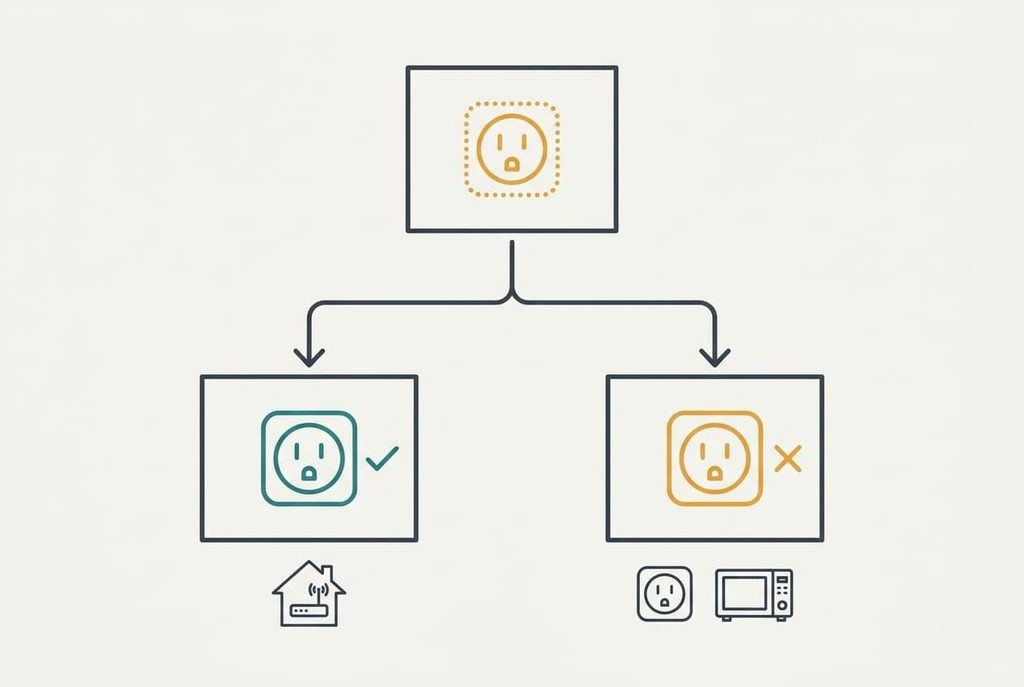
Run these in order, and write each result down with the time. First, stand at the plug’s socket with a phone that shows signal strength as a number in dBm, which many phones tuck into the Wi-Fi details. Numbers closer to zero are stronger, so −55 beats −70, and −80 is poor. A reading near −70 or weaker means the downlink is marginal and the uplink is worse by the power gap, ten decibels here.
Second, move the plug to a socket in the router’s own room for two days. If the drops stop, range is the cause. If they continue, set range aside for now. Third, watch whether drops line up with the microwave running. If they do, noise is the cause. Fourth, if you own a second plug, put it in the original socket. When the second stays online for two days while the first drops, the first has a weak radio. Every test is free and leaves your data alone.
The four fixes, in order
Why does a smart plug keep dropping off your Wi-Fi even after a restart? Each fix below works on the margin, so alter one variable per attempt and wait two days before judging.
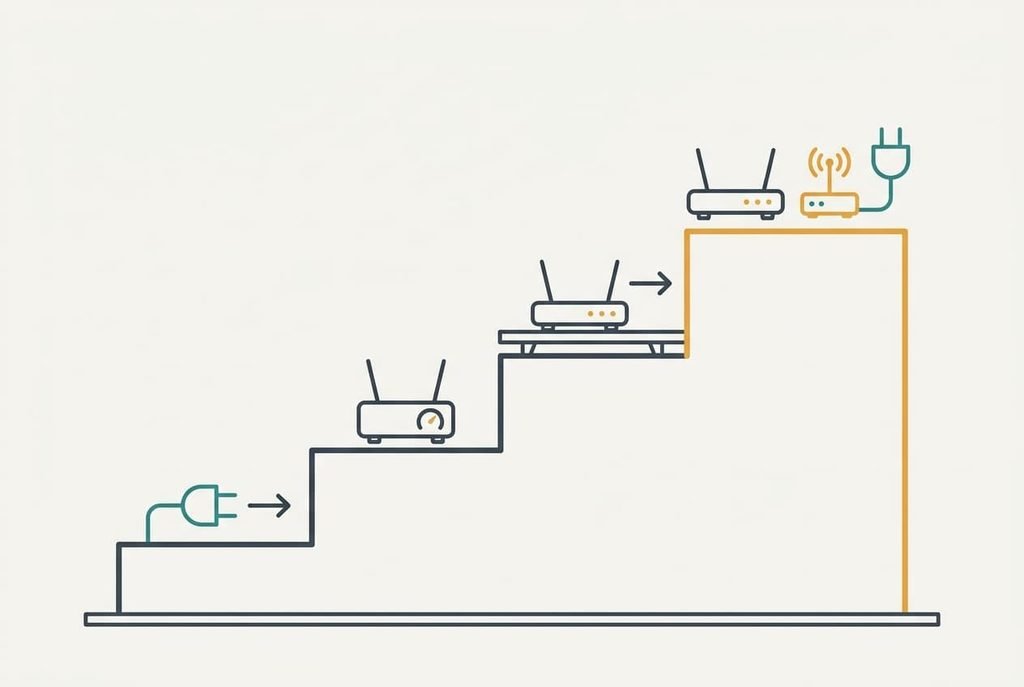
Move the plug to a socket nearer the router comes first. It addresses the weak uplink, and it needs no money. Halving the distance to 6 m saves 6 dB on its own, and dropping one wall saves another 10, which lifts the busy-hour uplink from 3 dB of margin to 19. Check the result with your phone at the new socket, where −60 or better is the target. You lose the plug’s current spot, so a short extension lead may be needed to keep the lamp where it was.
Fixing the router’s 2.4 GHz channel by hand is a setting change. It addresses the noise floor, because a channel shared with fewer neighbours leaves less hiss. Pick whichever of the three standard non-overlapping channels your router’s own scan shows as quietest, and avoid automatic selection for this test, since the router may switch channels while the plug sleeps. It costs a router restart of about two minutes, during which every device in the home goes offline. The setting doesn’t adapt if the neighbourhood changes, so recheck it after a month.
Repositioning the router costs an hour. It also addresses the weak uplink, since a router 3 m nearer saves only 2.5 dB on distance but can remove a wall, which saves 10 more. That lifts the busy-hour uplink to about 16 dB. Shelf height and a central spot work best. Keep the microwave and large metal objects at least a metre away. You lose the router’s current convenience, and you may need a longer cable from the wall.
Adding an access point near the plug costs money, and it is the last resort. It shortens the path to a few metres, so the margin becomes generous. Place it roughly halfway between router and plug, because a node in the router’s own room adds nothing. A node linked by cable behaves best. A node that links to the router by radio halves the speed it can pass on, which doesn’t matter for a plug and may matter for a television.
If none of that worked
So why does a smart plug keep dropping off your Wi-Fi when every fix has failed? The radio inside it is weak, or its firmware gives up too quickly. Collect the times of the drops over a week, the dBm reading at the socket, and the results of the move and swap tests. Then ask the maker two things: how many missed keep-alives it takes before the plug declares itself offline, and whether a later firmware version alters that.
One more check applies to routers that share a single network name across both bands. Some of them steer devices between bands, and a plug that only speaks 2.4 GHz can be confused by that. Give the 2.4 GHz band its own name while you test. Before any factory reset, note down the plug’s schedules, because a reset wipes them along with the pairing.
The fix that is not worth doing
Re-pairing the plug every time it drops is the most popular remedy and the least useful one. It clears the plug’s saved network record and forces a fresh scan, so the connection returns within a minute. The link margin hasn’t changed, and the drop comes back within hours or days.
A fresh connection on a weak link is a short reprieve.
Restarting the router nightly behaves the same way, because it reconnects every device and leaves the walls where they were. A router bought for faster 5 GHz does nothing for a plug that uses only 2.4 GHz, since the radio that matters is the slower one. If a reset helps for a day and then stops helping, the reset has been hiding the cause. A repeat reset teaches you nothing new, because it measures nothing, while the dBm reading at the socket measures the one number that matters.
A plug drops when its weaker direction falls below about 10 dB of margin. Distance and walls push the quiet speaker’s voice under the floor, and noise raises the floor to meet it. Why does a smart plug keep dropping off your Wi-Fi in only one room? The margin changes with every wall. The fastest test is two days in the router’s own room, and if the drops stop there, you had a range problem all along.
Questions readers keep asking
Can I fix a smart plug that keeps going offline myself?
Usually yes. Most drops come from a weak path back to the router, so moving the plug closer, choosing a quieter 2.4 GHz channel or repositioning the router solves them without spending anything. Test first with a socket in the router’s room to learn whether range is the cause.
Why does my smart plug go offline when my phone still has Wi-Fi?
A phone is a better radio than a plug. It has larger antennas and more transmit power, so its weaker direction still has margin where the plug’s doesn’t. The plug can hear the router fine, and its replies get lost on the way back, which is why the app’s signal bars look healthy.
How can I tell if a smart plug itself is faulty?
Put it in a socket in the router’s room. If it still drops after two days, and a second plug stays online in the same spot, the fault sits in the first plug’s radio or in its firmware. Keep the drop times and signal readings, because the maker’s support team will ask for them.