Every message you send to one colleague ends up in their junk folder, and they swear nothing arrived. Why does your email land in spam for one person only? Usually because that person’s own mailbox has learned to distrust you, and the commonest cure is a single “not spam” mark from them. Filters never publish their scores, so every number listed here is only a rough illustration for a UK household writing from a personal domain. Overwrite each number with your own guess before you act on it. Four fixes follow, ordered from free to costly, each with what it loses.
Why does my email land in spam: how the score gets built
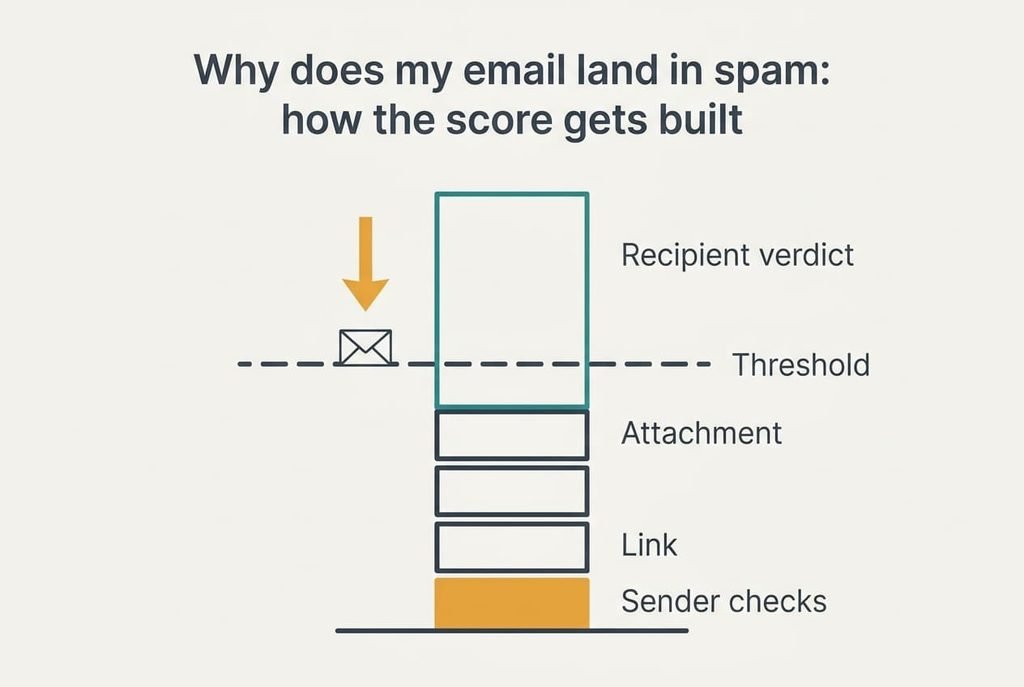
A filter doesn’t ask whether a message is good. It adds penalty points. Anything at or above a threshold goes to junk. The example sets that threshold at 5.0. A personal domain that fails the sender checks costs 2.0 points. A link adds 1.0 and an attachment adds another 1.0. The recipient’s private verdict on you adds 3.0, which brings the total to 7.0.
That last item behaves differently because the recipient’s own mailbox keeps a private verdict on you, built from what they did with your earlier mail, such as a junk mark or a message left untouched in the junk folder. It follows you across subjects, so a clean new message still starts at 3.0. The example assumes each ignored junk delivery adds about 0.5, so six ignored copies build the verdict from nothing to 3.0 without anyone clicking a thing. Real filters weigh dozens of signals, so four is a teaching simplification, but the pattern holds: several small penalties and one large personal one. Think of the verdict as a running tab that nobody on your side can see.
At 7.0 the example sits 2.0 over the line, and the verdict supplies 43% of the total, which is 3.0 ÷ 7.0.
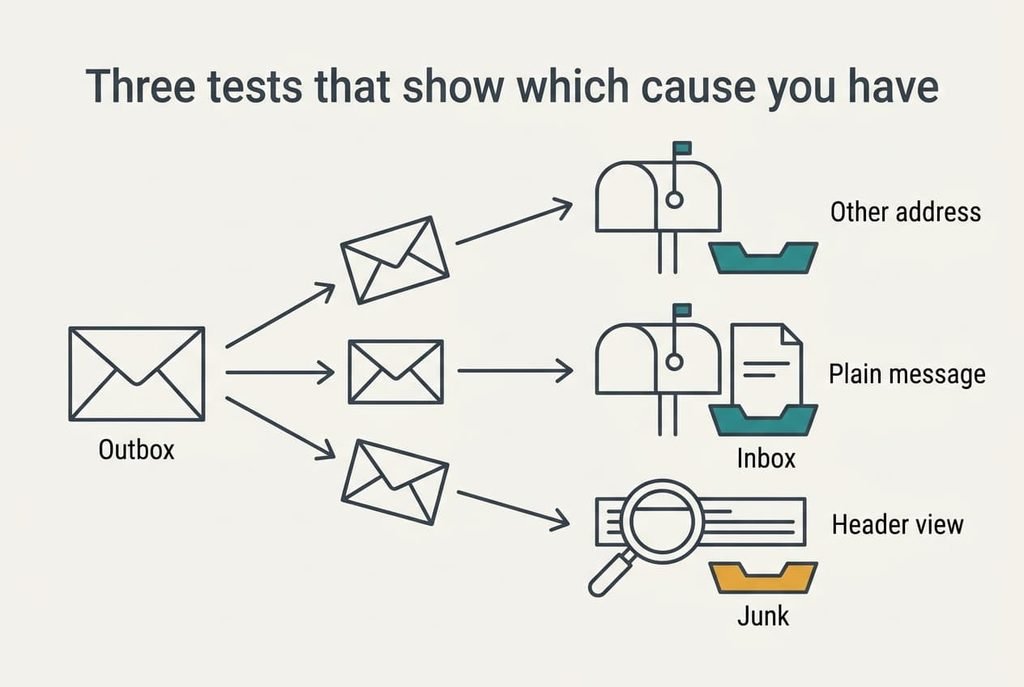
Three tests that show which cause you have
Before touching any setting, send three messages. Record where each one lands. For the first, send an identical message to a second address of the same person, ideally one at another provider. If it reaches the inbox, that person’s mailbox verdict is your cause. If it lands in junk again, the fault lies in what you wrote or in your sender checks.
For the second, send the plainest message you can write: two lines of text with no link and no attachment. If it arrives, one of the two extras is carrying part of the score. For the third, ask the person whether the junk copy shows a reason beside it. Some mail systems print a short note, such as failed sender checks. Most mail apps also offer a “show original” view of the full header, which shows a result next to each check.
A reason about authentication points at your domain, and no reason at all points back at the verdict. Two tests usually agree, and the third breaks the tie.
Four fixes when your email keeps landing in spam
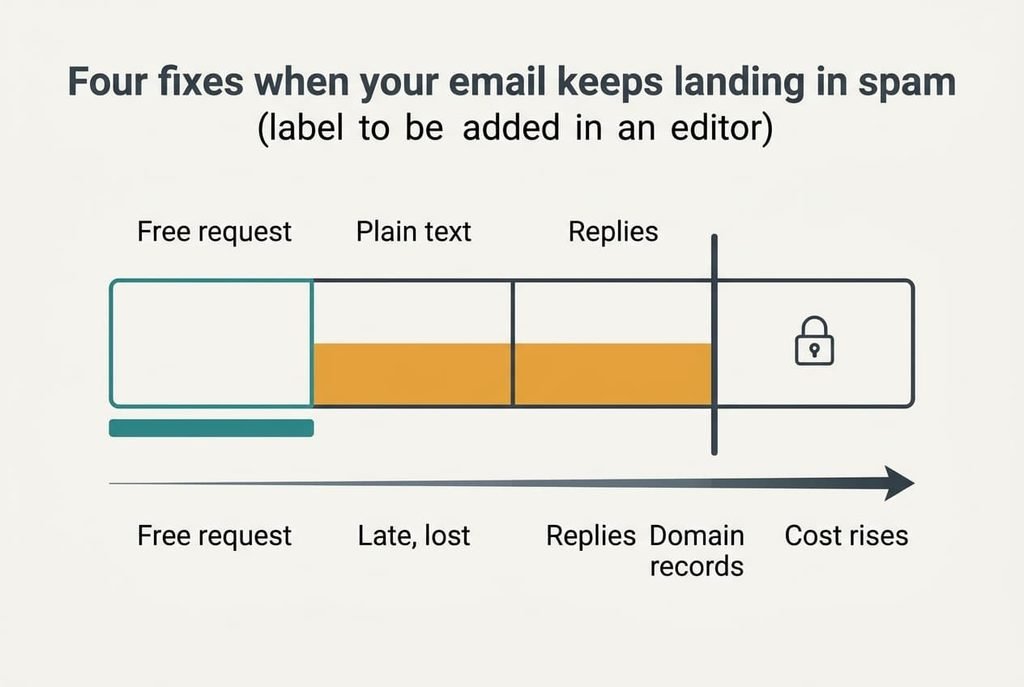
People who type why does an email land in spam into a search box get a dozen causes. Only one fix clears the line alone, so treat the rest as partners and read them from free to costly.
Ask the person to mark one message “not spam” and add you as a contact, which removes the verdict. The score falls from 7.0 to 4.0, which is 1.0 under the line. It costs a short favour and a one-line request, which most colleagues grant within a day if you explain the problem politely. The loss is reach: it protects one mailbox only, and it holds only while that person keeps you in their contacts.
Switch to plain text with no link and no attachment, which strips 2.0 from the score. That leaves 5.0, exactly on the line, so it still lands in junk without a partner fix. The cost is a changed habit, because files must travel another way, such as a shared folder link sent in a separate plain note, or a copy handed over in person. You also lose formatting and any tracking you had inside the message. Scores stack, so this fix earns its keep as a partner for the others.
Hold a short back-and-forth, which lets the person’s replies lift your standing. The example assumes each reply is worth about 0.5, so four replies remove 2.0 and bring 7.0 to 5.0. Paired with plain text, the score reaches 3.0. It costs roughly two weeks of ordinary messages, and the person must dig your first message out of the junk folder to answer it, which they may not do. Replies count for little until the first one lands.
Authenticate your own domain, which removes the 2.0 for failed sender checks. Alone it leaves 5.0, so it needs a partner too. It costs an hour with your domain host’s control panel, or a paid sending service. It is also the hardest to undo, because a wrong record can block your mail to everyone, and that is the real loss. Get a second pair of eyes on each record before you save it.
If none of the four worked
Does your email land in spam for other recipients too? If it does, the cause sits on your side and the verdict theory is wrong. If only one person is affected, collect three items before asking anyone for help: the junk copy forwarded as an attachment, the exact time it was sent, and the names of both mail providers.
Then ask the person, or their IT administrator, whether an organisation-wide rule blocks your address. Company filters are often set centrally, and an individual can’t override them.
Don’t rush to change your address or rewrite your domain records. That resets the trust every other inbox has in you, and one stubborn mailbox is only 1 of perhaps 25 you write to, or 4%. A reset puts the other 96% at risk for a small gain.
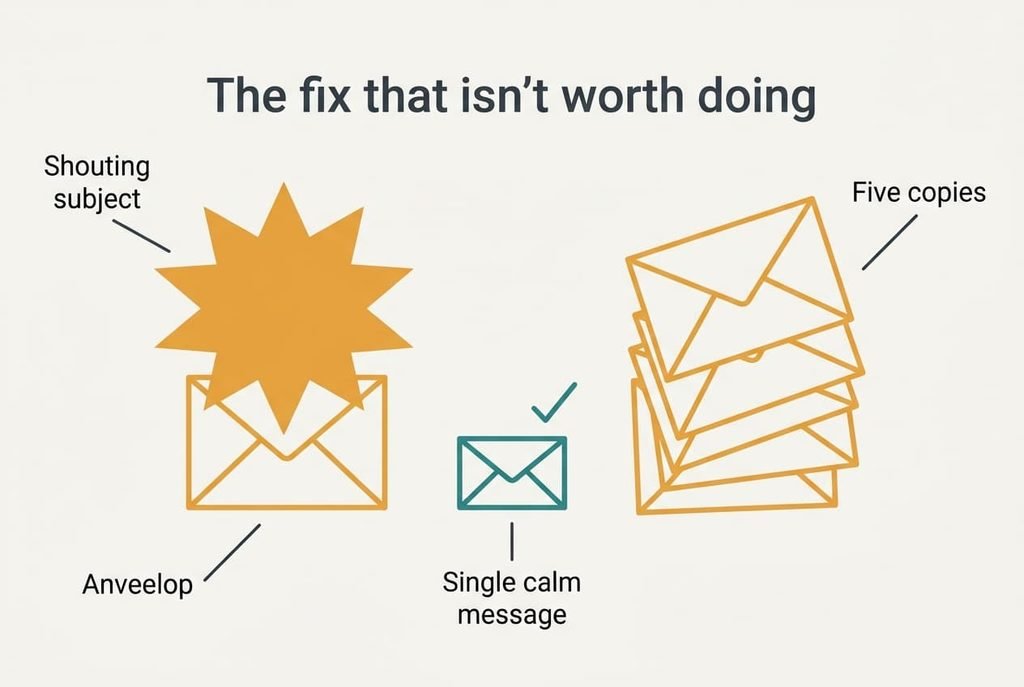
The fix that isn’t worth doing
Writing “not spam” or “important” in the subject line looks like a clear signal, yet it acts as the opposite. Those phrases appear in real junk, so the example assumes they add 1.0, and shouting in capitals adds 0.5 more. The score climbs from 7.0 to 8.5, which moves the message further from the inbox than the plain version ever was. Filters learned from years of junk that used exactly this wording. The phrase works as a fingerprint of what you want to avoid.
Sending the same message five times is no better. It creates five junk deliveries, which add 2.5 to the verdict and push the example to 9.5. Each extra copy also gives the person another unread junk item to ignore, and an ignored item reads as agreement with the filter.
A louder message only deepens the hole.
Does your email land in spam for one recipient only? Then repair that mailbox before anything else, and treat the other three fixes as partners. Run the three tests before you buy anything or edit a single record, because the cheapest cause is also the commonest one. A short polite message usually beats an hour spent with your domain settings. Keep the other three fixes in reserve until that first request has had a week to work.
Questions readers keep asking
Can I fix this myself without any technical skill?
Mostly, yes. The free request and the plain-text message need no technical skill, and together they clear the line in the example. Only the domain records need care, because a wrong entry can block your mail to everyone. Start with a polite note asking the person to mark one message as not spam, then send a plain two-line reply.
Is the cause my side or the recipient’s mailbox?
Usually the mailbox, if only one person is affected. A private verdict from one inbox doesn’t travel to others. If several different recipients tell you your mail lands in junk, look at the sender checks and the content instead, because that points at your side. The first test above separates the two quickly.
Does it mean my account has been hacked?
Not by itself. One recipient’s junk folder says nothing about the safety of your account. If many people tell you they’ve received odd messages from you, or you see sent mail you didn’t write, change the password, then tell your provider. Otherwise, treat it as a filtering problem and work through the tests.