A file extension is the short ending after the dot in a file name, such as .png or .pdf. It tells the system which program to offer and reveals little about the contents. That’s why renaming a photo can’t convert it. If you’ve ever asked what is a file extension while an upload form refused your renamed picture, the answer is a sticker on the box lid. This guide follows one sample photo of 1.9 MB through a rename and then a real conversion, using round invented figures. A short rule at the end helps you choose between the two.
What Is a File Extension, and What Does It Leave Out?
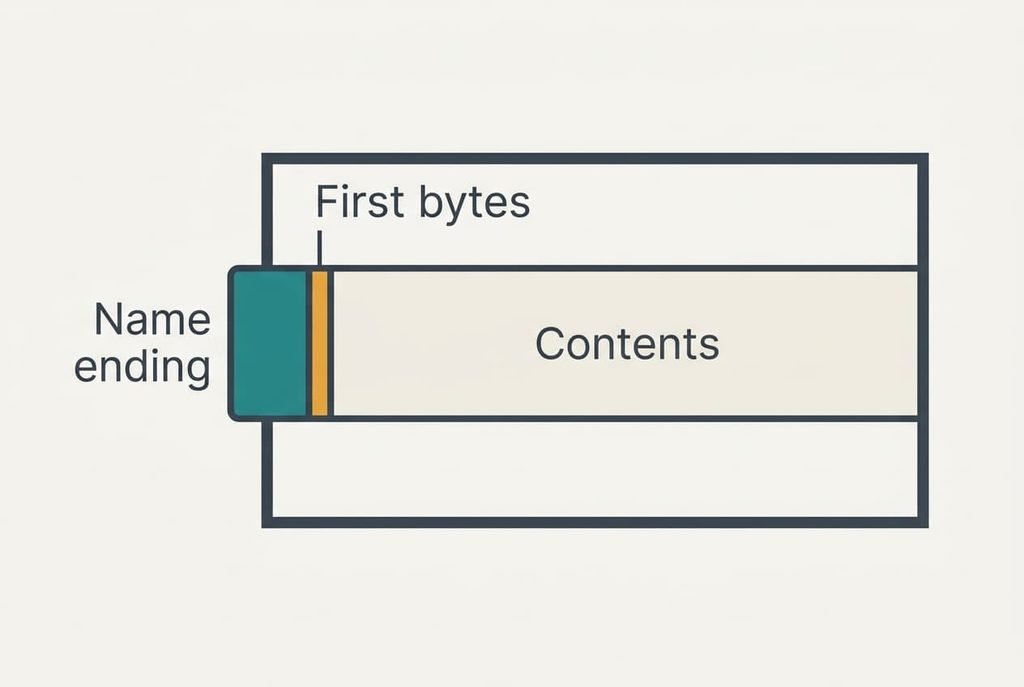
A file extension is a label in the file name that hints at the format. The real format lives inside the file. Usually it runs to three or four characters, and the system reads it to decide which program opens the file by default. The contents sit separately as a long run of bytes, and the first few of them often identify the format. A PNG picture begins with an eight-byte signature, and a JPEG begins with three bytes, so a program can recognise either one without trusting the name. Our sample photo is 1,900,000 bytes of picture data plus a short name. Only the name is up for editing when you rename.
That brief answer omits what the system does when the label and the contents disagree. Some programs believe the name and fail, while others check the first bytes and open the file anyway. Nor does the answer explain how a file becomes a different format, which is the job of the next section.
What Renaming Does to One Photo, Step by Step
Take a photo called beach.png that measures 1,200 × 800 pixels and weighs 1.9 MB. A form wants a JPG of no more than 500 KB. You rename the photo to beach.jpg and upload it.
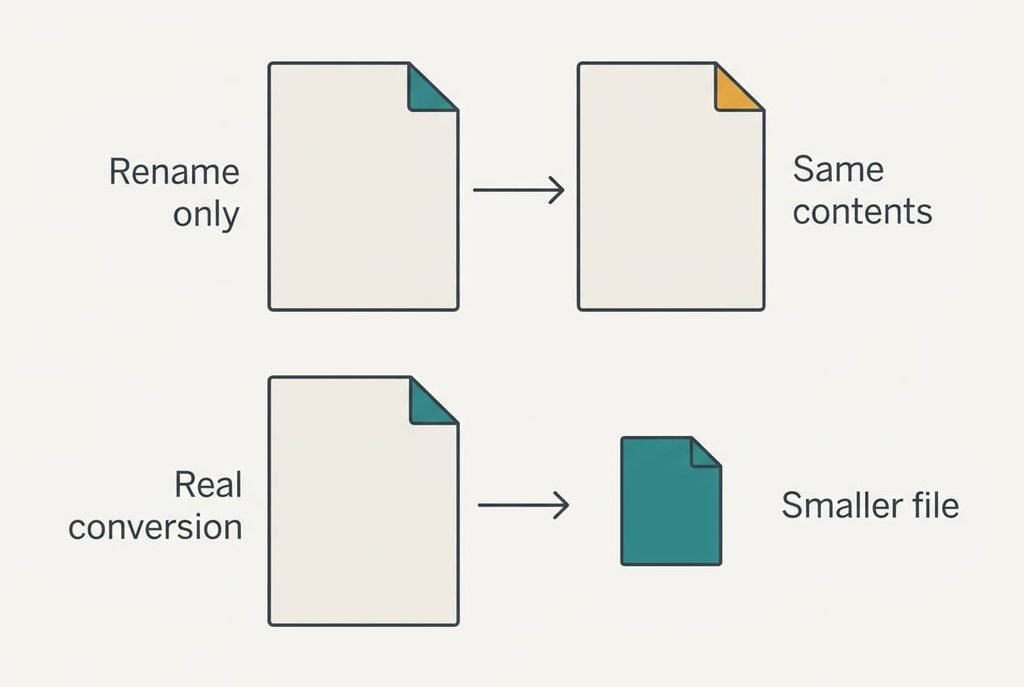
Renaming edits a single thing: the name stored in the folder listing. None of the 1,900,000 bytes of picture move and nothing is copied, so the action finishes in a blink and the size still reads 1.9 MB. Still, the first eight bytes announce a PNG.
Now the form takes over. Its first check is size. The limit is 500 KB, and 1.9 MB is 3.8 times larger. The upload fails before anyone examines the format. Another form might check the opening bytes instead, find the PNG signature where a JPEG should begin and refuse the file as damaged. Yet another trusts the name and accepts the file, but its viewer shows nothing because it expects the JPEG layout and meets a different one.
Conversion works differently. The program decodes the picture back into raw values: 1,200 × 800 is 960,000 pixels, and at 3 bytes each that’s 2,880,000 bytes, or 2.88 MB. It then encodes those values in the JPEG layout. That rounds fine detail away and writes a fresh set of bytes beginning with the three-byte JPEG signature. A photo like this one might come out near 250 KB. That’s 7.6 times smaller than the original and half the form’s limit.
Notice what changed and what didn’t. The name and the format now agree, and the size fell by 1,650 KB. Your original PNG still sits untouched in the folder if you converted a duplicate. The form accepts the new file because the size fits and the signature matches the name.
Ask what is a file extension doing during all this, and the answer is labelling and nothing more. The rename touched three characters of a name. The conversion touched 960,000 pixels. Both leave a file called beach.jpg, yet just the second produces a real JPEG.
A File Extension Is a Label: Where the Parcel Comparison Breaks
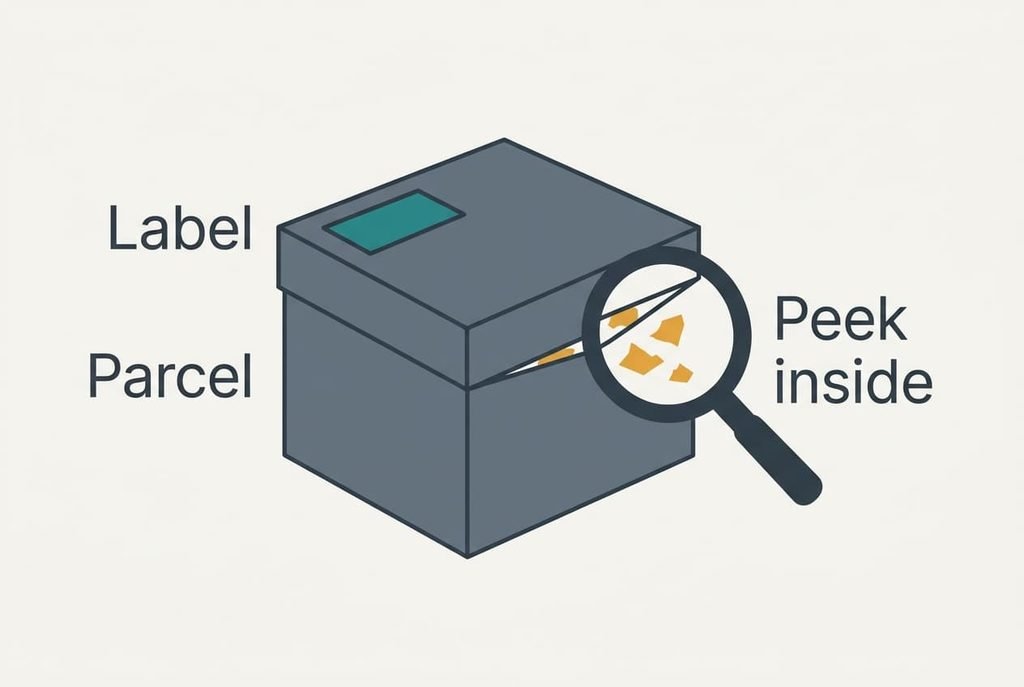
Most explanations reach for a parcel. The label says crockery, and changing it to books doesn’t change what rattles inside. That captures why a rename can’t alter the contents, and why trouble appears when someone opens the box and meets the wrong thing.
The parcel fails at a single point. A courier never opens the parcel, but a computer often does. Many programs glance at the first bytes before they decide. A wrong label sometimes goes unnoticed, and the file opens as if nothing had happened. The comparison explains why a rename can’t convert. It fails to explain why a rename occasionally seems to work, and that mystery is the reason the myth survives.
Programs that peek inside are the exception that confuses everyone.
What a Rename Can and Can’t Fix
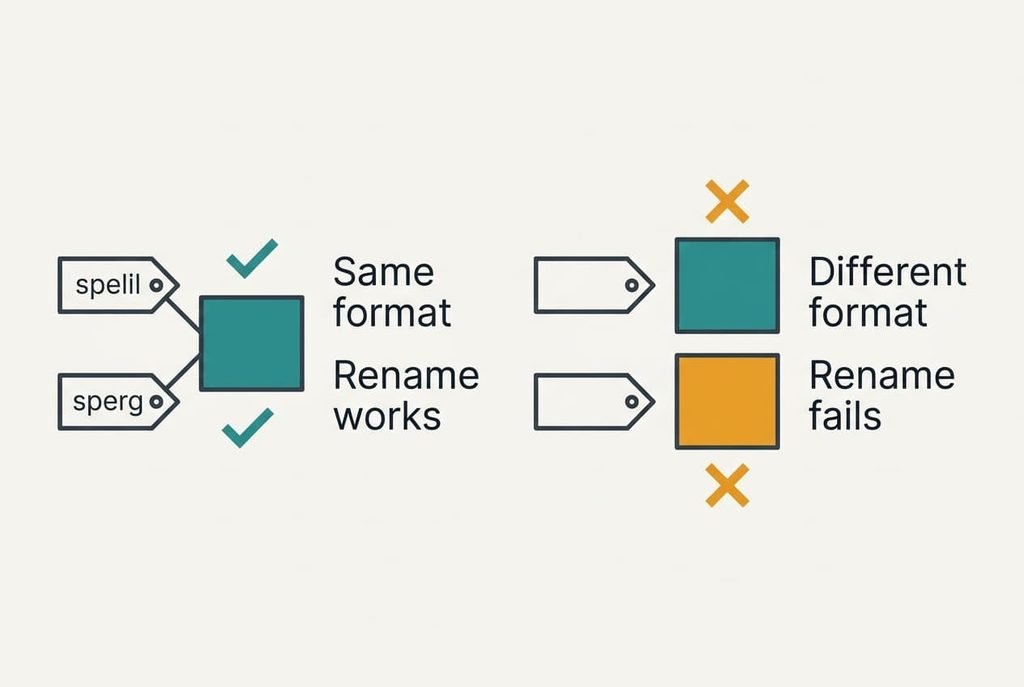
A rename can correct a wrong label and nothing else. It helps only when both endings name the same format, and a few pairs do: .jpg and .jpeg, or .htm and .html, are two spellings of one thing. A file that arrives with no ending can be given the right one, provided you know what it is.
Other limits are stranger. Some formats are containers that hold many parts. A word-processor document is a zipped bundle of small files. Giving it a .zip ending lets an archive program list the parts, and that works because the contents already are a zip. The reverse fails. A real zip given a document ending is usually refused by the word processor.
A rename can’t shrink a file or repair one. Size and damage belong to the contents, and a new name leaves both alone. Anyone learning what is a file extension tends to expect a switch. It behaves like a sticker with one job, which is telling the system which program to offer first.
Three Beliefs About Renaming, and Where They Come From
“Renaming it to .jpg made it a JPEG.” People believe it since the icon changes at once and a different program now opens the file. Both effects come from the label, and the contents are byte for byte what they were a second ago. The size field still reads 1.9 MB.
“A file with no ending is broken.” It looks that way because double-clicking offers no program. The bytes inside are fine. A program that checks the signature can open the file when you choose it by hand.
“Hiding endings removes them.” Many systems hide the ending by default, which makes names look tidy and leads people to assume the ending has gone. A folder setting shows endings again, and a name that carries two of them, such as notes.txt.pdf, then stands out at once.
The ending is always part of the name.
A Simple Rule for Rename or Convert
The rule is to decide first whether the label or the contents is wrong: rename in the first case and convert in the second. Ask what the destination checks. If it reads only the ending, as a folder of mixed pictures might, a rename can suffice when both endings name the same format. If it checks size or signature, as the form above did, only a conversion passes. Do the conversion on a duplicate, because a JPEG made from the PNG has already rounded away detail you can’t recover. What is a file extension worth to you then? A good clue, and never a guarantee.
One question settles most cases: does the destination care about the name or about the bytes? When the answer isn’t obvious, a duplicate is the safe place to experiment, and the first file stays as it was. Pick a picture you were about to rename and compare its size before and after. That single figure shows at once whether anything changed, since a rename leaves it alone and a real conversion moves it. Do it once and the habit sticks.
Questions Readers Keep Asking
Can renaming a file damage it?
Renaming alone leaves the contents untouched, so nothing inside is damaged. The risk is the label. A program may try the wrong method and report the file as corrupt. Change the name back and it opens again. Keep a copy before you experiment. The extra copy costs a moment and settles the worry.
Do I need to show file endings on my computer?
Usually no. Most people never need them. Showing them helps when you receive an attachment, because a document with a surprising ending deserves a second look, and when a form asks for one particular type. If you never meet either situation, the default setting is fine.
How is changing the ending different from using Save As?
Save As asks the program to write a new file in the format you choose, so the bytes change to match. Renaming edits only the name. The first gives a genuine conversion of a copy, while the second gives an old file with a new label. That difference is the whole story.