The usual grumble is that a pasted paragraph lands in a different font and a faint grey, then drags the whole page out of line. Text arrives with its own font and colour because the copy carried a styled version, and the speediest remedy is to paste without formatting. Nothing is broken in the program; a short test shows which source is responsible. Our example is a student in Leeds who is assembling a report from 12 passages taken from three places. The figures below are assumed values from one invented afternoon, and your own timings will differ.
What Makes Text Arrive With Its Own Font and Colour
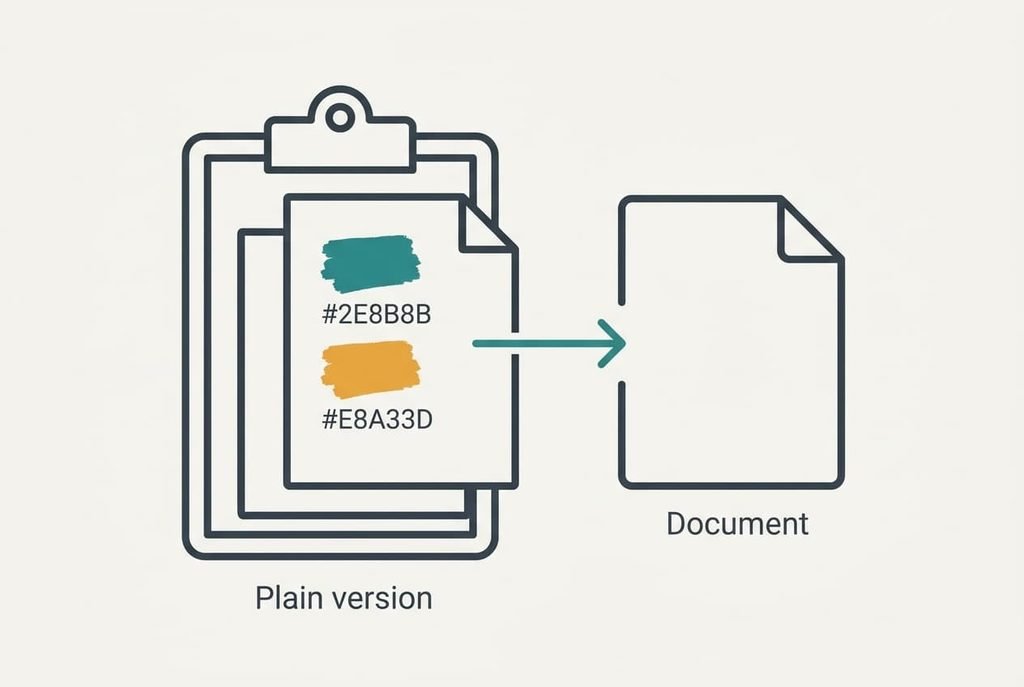
Copying doesn’t capture plain letters alone. The program puts several versions of your selection on the clipboard at once. One is bare text, and usually another records how the source drew it, from the typeface to the colour.
When you paste, the destination looks at what’s on offer and takes the richest version it understands. A web page describes its look through its own style rules, and the destination turns those rules into direct formatting on every pasted run of text. Direct formatting lies over the document’s own style. That’s why the body text can be set in a serif at 11 pt while the pasted lines arrive in a sans-serif of another size and shade.
Each place carries the look of where it came from. In the Leeds example, 5 passages came from one site and 4 from another, with the last 3 in an email. All 12 arrived styled, and the three groups looked different from one another. A cell copied from a spreadsheet brings its own number format and shading as well, which is why pasted tables often look the oddest.
The destination takes the richest version on offer, so the clash starts in the copy, which means a setting in the document can answer it.
Four Tests That Show Where the Style Comes From
Try these before touching a setting. Each has a clear reading, and no purchase is involved.
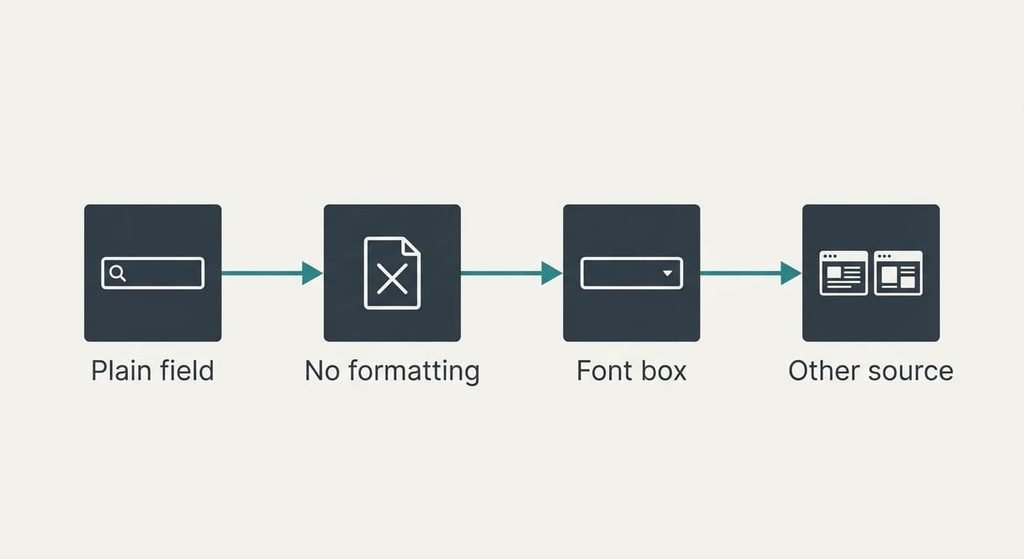
1. Paste one affected passage into a plain-text field, such as a browser’s search box. If it arrives bare, the copy held a styled version, and that is normal behaviour rather than a fault.
2. Paste the same passage into the document with the command that drops formatting. If the lines now match the body text, the odd look came from the copy. In the example 12 of 12 matched, which closed the question.
3. Select one odd passage and read the font and size boxes. A name or number that differs from the body text confirms direct formatting. If the boxes agree with the body but the look still differs, the document’s own styles are the cause.
4. Paste from another source. If the email text lands close to the body and the web text doesn’t, the page’s styling is the carrier. Text that arrives with its own font and colour from only one site points to that site.
Four Fixes When Text Keeps Its Own Colour and Font
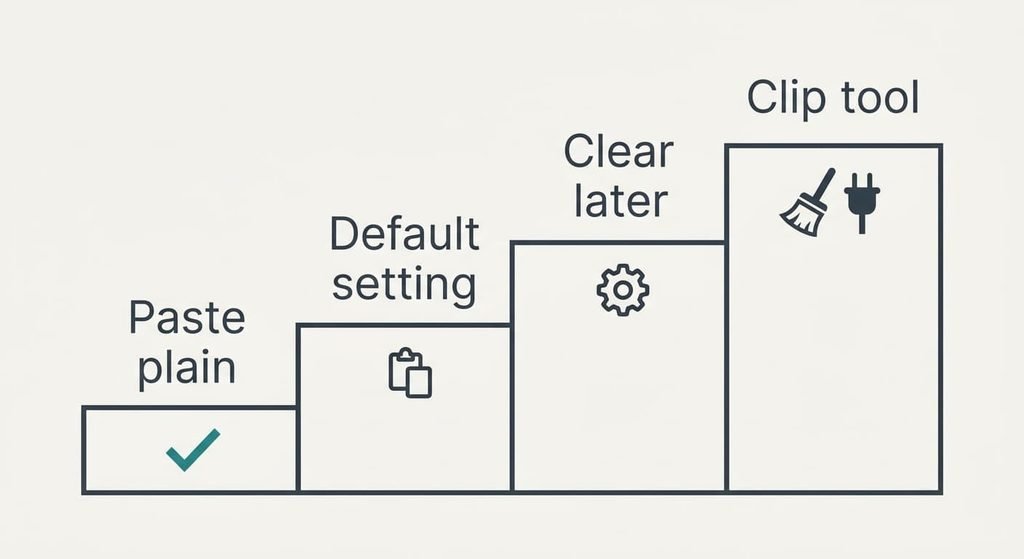
Paste without formatting every time, which answers the styled copy at its source. It costs about 1 second of extra effort per paste, and 12 passages add roughly 12 seconds. In the example it keeps all 12 passages matching the body text from the first paste, and it works in any program that offers the command. It loses the bold and the links of the original, which matters if you meant to keep a quotation’s emphasis. The shortcut differs between programs, so check the menu once and remember it. Compare the first paste of each session with the body text.
Set the program’s default paste to keep text only, a setting that takes the choice away from each paste. It takes about 2 minutes once and then saves those 12 seconds per report, which pays back around the tenth report. It loses richer pastes everywhere in that program, including tables you want. Those then need the full paste command. Weigh how often you want a source’s links. Someone who quotes pages with live links daily may prefer the first fix, because the default would strip them every time.
Clear the formatting on the pasted block and reapply the document’s style, which answers the leftovers when a paste has already happened. Clearing and restyling a passage takes about 20 seconds, and 12 passages therefore cost 240 seconds, or 4 minutes, twenty times the first fix. It’s the right tool for a document that’s already pasted, because it repairs the damage after the event. Work from the top down so you can tick off each of the 12. It loses any emphasis you wanted, and shading can survive in odd places, so check the print preview.
Use a small clipboard utility that strips styling on copy, the one step here that may involve a purchase and the hardest to undo if the tool keeps a history. It acts everywhere, so it loses formatting in programs where you want it. Anything that watches the clipboard also sees what you copy, passwords included. Most people never need this. If you try one, test it on a copy of a document first, and remember that the other three fixes already cover the Leeds example in full.

If the Odd Text Still Appears After All Four
Gather the evidence before you ask anyone. Note which program the text came from and which one it landed in. Record whether the plain field stripped it and whether the no-formatting paste matched the body. Check whether a document template forces its own font and colour onto everything pasted, because some templates lock the styles.
Save a copy of the document before anything else.
Put the findings to the program maker’s support, or to whoever wrote the template. They’ll ask for those same details first. If a colleague’s machine pastes the same passage cleanly, the difference sits in your program’s settings or your template, which narrows the search at once. Treat a reset of the program’s preferences with care, since it wipes saved styles and shortcuts, and a replaced template can reflow every page. A reset cures a settings fault only.
The Fix That Isn’t Worth Trying
Many people start by changing the document’s own font to match the pasted text, and it rarely holds. In the Leeds example the three places used three different looks. Matching the document to the first site fixes 5 of the 12 passages and leaves 7 clashing, and every later document then carries the wrong font as well.
The next source brings a different style again.
A second detour is pasting through a plain-text editor and copying again. It works, but it adds about 8 seconds per passage, or 96 seconds for 12, and the paste command that drops formatting achieves the same result in one step. Expect text to arrive with its own font and colour again whenever a new source joins the pile, because the styling stays inside each copy.
The same trap catches a bigger default size or a new colour, because each pasted run keeps its direct formatting. Use the paste command that drops formatting first, make it the default if you paste daily, and keep the styled paste for the rare times you want a source’s links and layout intact. Run test two this week and note which sources misbehave, because the pattern tells you where to aim the fix.
Questions Readers Keep Asking
Can I fix this at home?
Yes. Paste with the command that drops formatting, or set the program to keep text only by default. Both are free and take under 2 minutes. If a pasted block already sits in the document, clear its formatting. Then reapply the style, at roughly 20 seconds a passage.
What causes pasted text to keep its source style?
The copy carries a styled version alongside the bare text, and the destination takes the richer one. Direct formatting then overrides the document’s own style. The look comes from the place you copied from, which is why different sources arrive looking different.
Does it mean my computer is failing?
No. Carried-over styling is software behaviour and says nothing about hardware. A failing keyboard or storage looks different: missing keystrokes or files that won’t open. If a plain paste also arrives garbled, check the source file rather than the machine.