How does a password manager know which website it is on? It compares the address in your browser’s address bar with the address saved beside each login. A login is offered only when the two agree on the registered domain. The look of the page plays no part in that decision.
The example below is an invented UK bank at examplebank.co.uk, and no real product is named. We follow one login page from the address bar to the filled field, then look at what the comparison can and can’t promise, and which common beliefs about it fall apart.
How does a password manager know which site to fill, and what the short answer leaves out
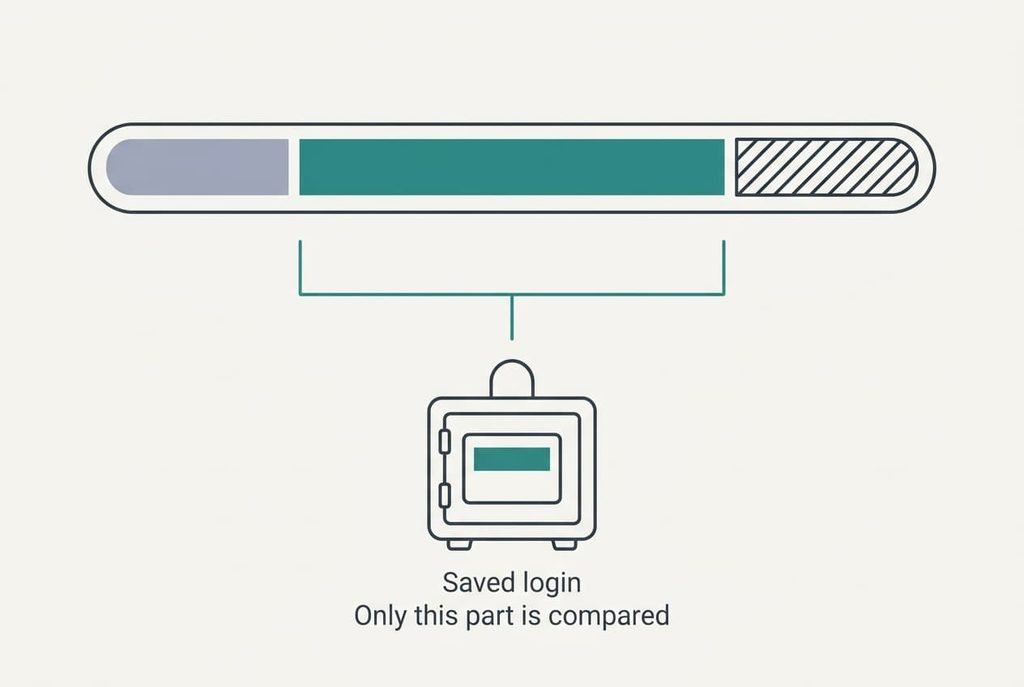
Put briefly, a password manager compares the page’s registered domain with the address saved beside each login, and it offers only the logins that match. The registered domain is the part of an address that one organisation has bought. In login.examplebank.co.uk it’s examplebank.co.uk, because co.uk is a public suffix, a shared ending that no single company owns.
That definition hides who supplies the saved address, and the answer is you. Nobody at the manager’s end keeps a list of real companies. The manager holds only the strings you gave it. A match therefore means “this is where you saved this login” and carries no verdict on whether the place deserves the password.
It also hides how coarse the comparison is. Two pages can differ in subdomain and path and still match, whatever you see on screen. The manager is checking ownership of a name, which is a narrower question than whether you’re on the page you meant. One hyphen is all it takes to produce a different registered domain.
How a password manager knows what to fill, step by step
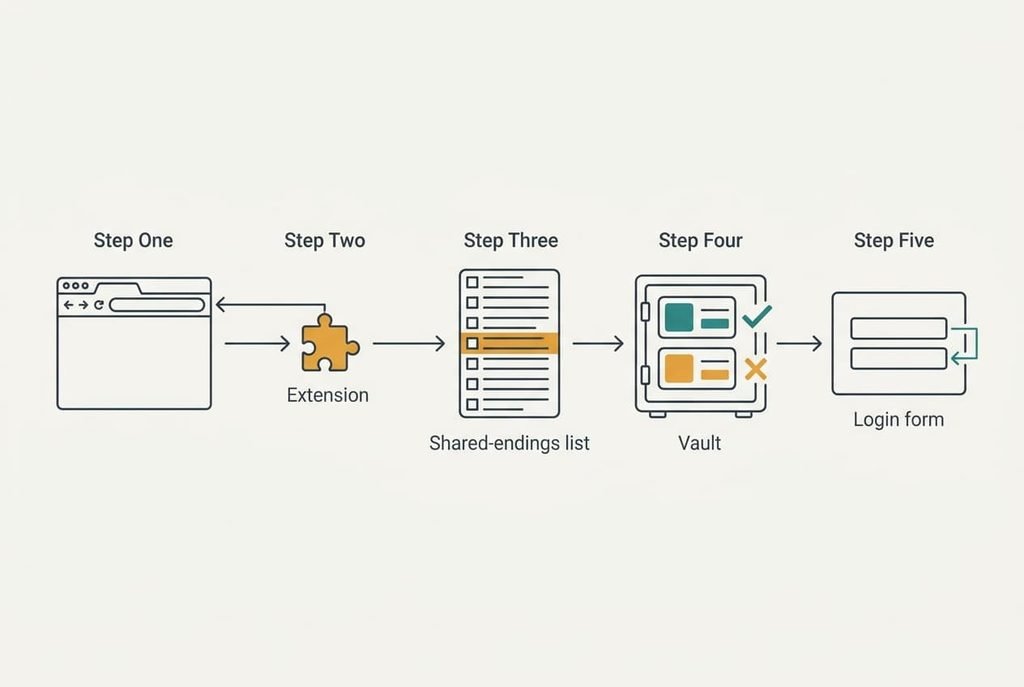
Open the page `https://login.examplebank.co.uk/signin`. The extension reads the web address from the browser itself, so the page’s own code can’t rewrite it. It splits that address into a scheme (`https`), a host (`login.examplebank.co.uk`) and a port, which is 443 unless the address says otherwise.
Next it consults the public suffix list, a published catalogue of shared endings. The list contains `co.uk`, so the registered domain is the label to the left of that ending plus the ending: `examplebank.co.uk`. Each saved login goes through the same reduction. Those addresses sit in the vault, an encrypted store the manager opens with your master password. The comparison runs only while the vault is open. A closed vault looks like silence but has a different cause.
Then comes the test itself, which is plain string equality. The two strings are identical, so that login is offered. A look-alike at `examplebank-login.co.uk` reduces to a different string and offers nothing. People struggle here because a one-letter edit of an 11-letter name has about 600 variants, counting four kinds of edit in lowercase letters alone. Equality needs no judgement and misses none of them.
Two further checks follow. The scheme must agree, so a login saved for `https` isn’t offered on a plain `http` page, and many managers treat a different port as a different place. If the form sits inside a frame, the manager compares the frame’s own address. That’s why a payment form served from another company’s domain often gets no offer.
Finally the manager finds the fields. So how does a password manager know which box is which? It looks for a password input and the nearest text input before it. It then writes the values and fires the input events a keyboard would, so the page’s scripts notice. Most managers ask before they fill, since filling on page load could also reach a hidden form. Some also check where the form will send its values and warn when that destination sits on another registered domain. The whole sequence takes a few milliseconds.
A key rack with labelled hooks, and where it breaks
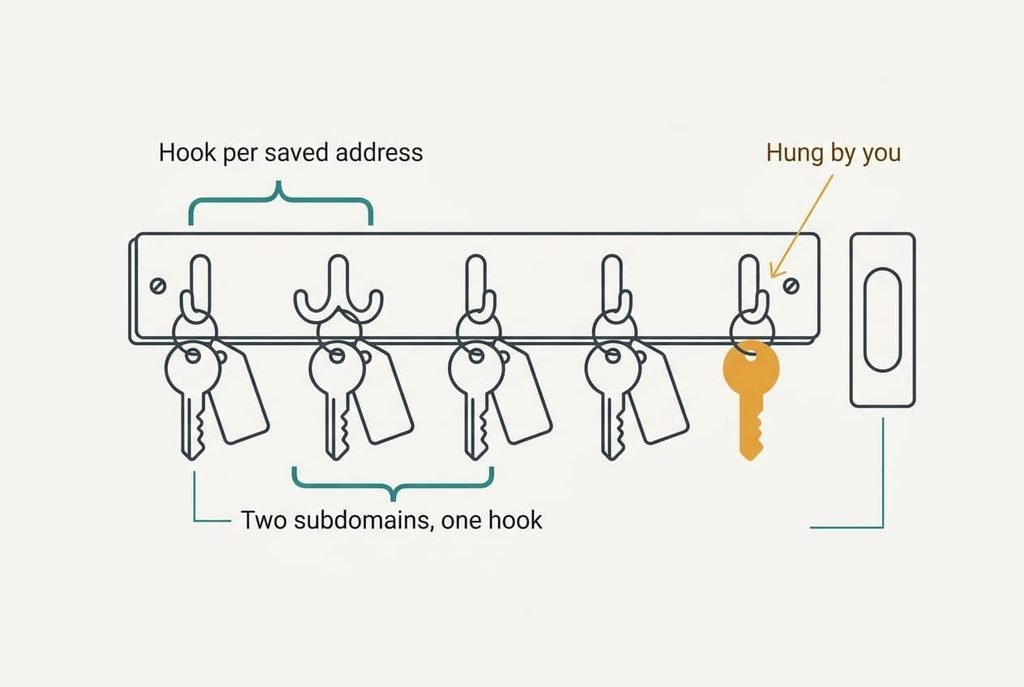
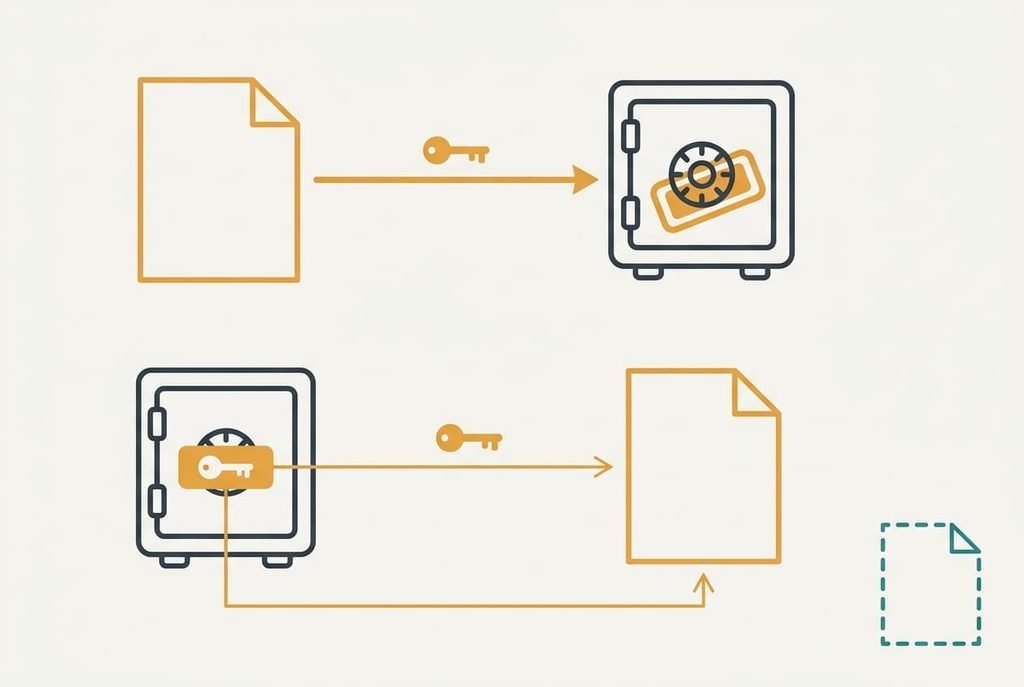
Picture a rack by a front door. Each hook carries a label with an address, and the key on it opens that address only. Walk up to a door, and the rack hands you the key whose label reads like the door’s plate.
The rack never looks at the building, and neither does the manager.
The rack reads the whole label. A manager reads only the registered domain, so a hook labelled `login.examplebank.co.uk` and one labelled `www.examplebank.co.uk` count as the same hook. A forgotten blog at `blog.examplebank.co.uk` receives the same offer. Many managers have a stricter setting that matches the full host, and the price is more silence on sites that move their login between subdomains.
What it does not do
How does a password manager know a site is honest? It doesn’t. A manager can only match the address it was given when you saved the login. A login saved on a fake page matches that fake page for as long as the entry lives.
Compromised sites stay invisible to it too. Whoever controls the domain controls every page under it, and the manager will fill any of them. Typing a password by hand into a page bypasses the comparison altogether. Nor can it see what a site does with your password afterwards, so a site that stores passwords badly leaks them whatever filled them in. And anyone sitting at a device you’ve left signed in receives the same offers you do. And a link in a message looks the same as a bookmark to the manager. How you arrive at a login page therefore counts as much as the tool.
What people get wrong about it
Many people believe the manager recognises a page by its look. That belief formed because humans do exactly that, and because a filled form appears instantly on pages that look right.
The manager has never seen your bank’s logo.
Another belief says that no offer means the manager is broken. It formed because the commonest cause on a genuine site is a redesigned login page. Yet a manager’s silence is often a report of a different address, such as a bank that has moved its login to a new domain, or an imitation.
A third belief treats the padlock in the address bar as proof of a genuine page. The advice to look for it dates from the years when most sites had none. Today the padlock says the connection is encrypted to whoever owns the domain, and an imitation can own one too.
How to tell whether it applies to you
It matters whenever you reach a login page through a link in a message. A link can lead anywhere, and the address bar is your only evidence. If the manager offers nothing on a page you expected it to fill, read the address bar before you type anything.
It matters little when you type the address yourself and the manager fills at once. Silence on a new device is expected, because the vault hasn’t synced yet.
If you ask “how does a password manager know a link is safe?”, the straight answer is that it doesn’t. I’d rather you trust that silence than your own eyes, since eyes skim.
A password manager matches strings, and the strings come from you. The one limit to carry away is that it can’t judge a site it was taught wrongly. Read the address bar whenever the manager says nothing, and the comparison does the rest. One exact comparison beats a skim every time. Its strength is that equality never tires or skims, and its weakness is that it believes whatever you saved. Keep both facts in mind the next time a login page looks right and the offer doesn’t come.
Questions readers keep asking
Can a password manager be fooled by a fake website?
Not by a look-alike address, because the registered domain differs and nothing is offered. It can be fooled when the login was saved while you were on the fake page, or when you copy a password across by hand. The comparison is exact, and it only protects against the addresses you didn’t teach it.
Do you need a password manager if you only use a few sites?
You need one less than someone with fifty accounts, but the matching still helps with the sites you do use. It offers a login only on the right domain, which catches a fake page you’d otherwise type into. Weigh that against the effort of setting it up once and remembering a single master password.
Is browser autofill the same as a password manager’s autofill?
Both rely on the same idea, comparing the stored name with the current page. They differ in where the vault lives and which devices and browsers it reaches. Check where your logins are stored and who can open them, since the matching rules are broadly alike and the storage is where the real differences sit.