A bounce is a short automated note from a mail server, and it’s the object that sends most people looking for alternatives to email attachments. It arrives minutes or hours after you pressed send and says only that the message was too big for some machine on the route. Most end up with a download link to a file kept elsewhere.
One question settles whether leaving pays. Does your client need the file frozen exactly as you sent it, sitting in their own mailbox? If so, an attachment does something a link can’t, and every route below is judged against that.
What has to survive when you stop attaching files
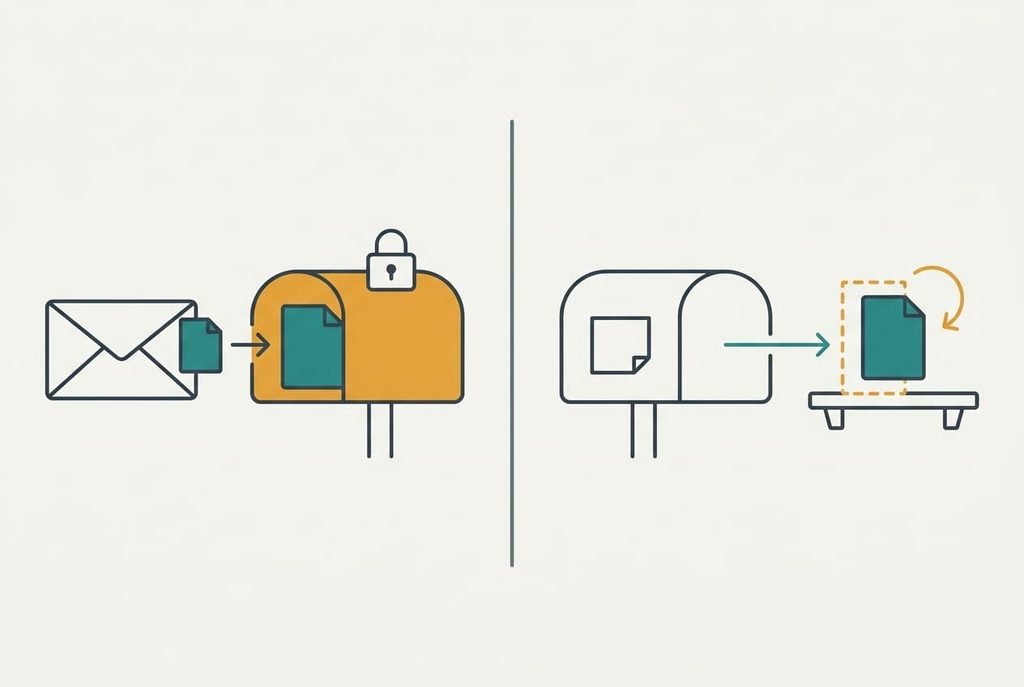
Before you pick a route, list what an attachment quietly gives you. The bytes cross any route intact, so the file format is rarely the issue. Three other properties are harder to move. The file stays tied to the message that carried it, so a search for the project name finds both. Only the people you addressed can open it. And the frozen copy that sits in the client’s own mailbox can’t be edited by you after sending and can’t expire.
The first two survive in part. A link keeps its tie to the message only as text, and the file it points at lives elsewhere under its own access rules. The third survives in no replacement, because each one swaps a copy for a pointer.
A pointer shows whatever sits at the address today.
A route that carries the bytes but loses the frozen copy suits drafts well and approved drawings badly. Weigh each route among the alternatives to email attachments against that split, since it separates the files you can move from the files you shouldn’t.
Alternatives to email attachments, and what each one costs you
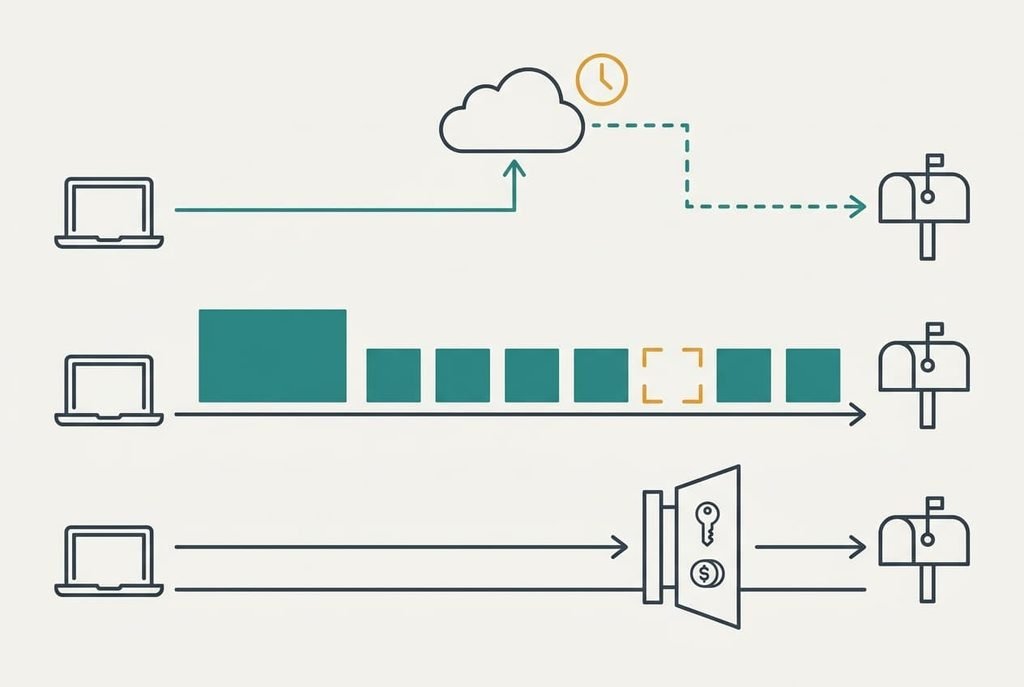
1. A link to a file you host. You put the file in storage you already use and send the address. It suits one-off deliveries, especially to clients who open mail on their mobiles. The cost is a lease in place of a copy: the client holds a route to the file and you hold the file itself. Your bytes land intact and the tie to the message survives as text, but the frozen copy doesn’t survive at all. This route typically ends when the link expires or somebody tidies the folder, and a client writes three months later asking for the March drawing.
2. A smaller file. This is the effort route, and it costs you time and fidelity. Export images at a lower resolution, or split a big folder into parts. It suits clients whose IT policy forbids outside links. The frozen copy survives here, since the client still holds an attachment, yet a lower resolution is a different file from the one you started with. Mail turns every 57 bytes of a file into a 78-byte line of text. Each message therefore grows by about 37%. An archive saves only a few percent on photos and video, because both are already compressed. The saving has to come from the file itself. Splitting 240 MB into sixteen parts of 15 MB sends sixteen messages of roughly 20.5 MB each, and the client must reassemble them. It ends with one missing part and a phone call on a Friday evening.
3. A managed client portal. This route costs money. A service holds your files in an area that each client logs into, and some keep a record of who opened what. It suits an ongoing relationship where the files must stay private. What you pay is a recurring fee and a login that every client must sign up for and remember. Your bytes land intact, and a log, where one exists, gives you a record the attachment never did, although the frozen copy still isn’t in their mailbox. It ends when one client refuses one more account and you’re back to attachments for that person.
The cost that turns up in month three
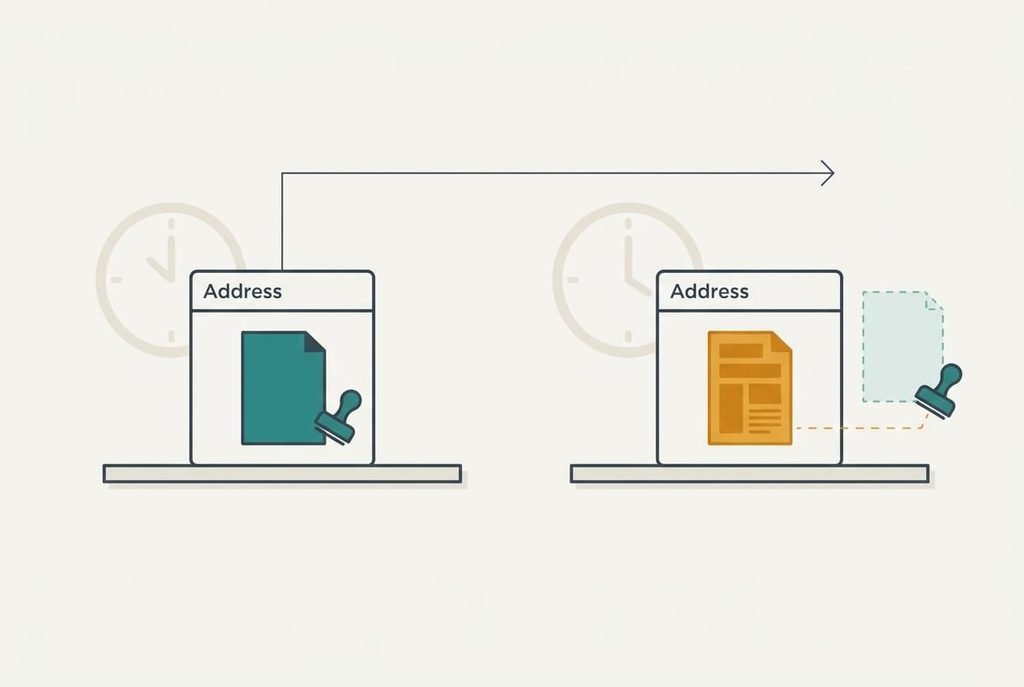
Leaving costs you the guarantee that a link shows what you sent, because a link shows what’s there today and says nothing about March. That single property causes most of the trouble nobody mentions. You fix a typo in the file at the same address, and the client’s approval now refers to a version that no longer exists anywhere. Setting the link to read-only for the client changes nothing here, since you can still replace the file behind it. A colleague of theirs forwards the link, and a person you never addressed can open the file. Some mail security tools fetch a link to inspect it before the human does, so a single-use link may already be spent when your client clicks.
I’d argue that with alternatives to email attachments the size limit is the cheap problem and version drift is the expensive one. A bounce tells you something went wrong within the hour. A silently changed file tells nobody anything until a dispute.
How to switch over without losing anything
Export first. Copy the final version of every file you’ve sent into a folder named by date, since that folder replaces the record your sent items used to hold.
Then verify, and that asks for more than a file that opens. A download cut short can still open and show only some of the pages. Fetch your own link from a second device that isn’t signed in, then compare the size to the original. A checksum, a short fingerprint computed from every byte, settles it, because one changed byte gives a different fingerprint.
Run both routes in parallel for a few weeks. Send the link and keep your dated copy, and ask one client to confirm they can open it without an account. Cut over after that, and tell clients in a single line what’s changing.
When to keep email attachments over the alternatives
Stay put when the file is a version that must stay exactly as sent. A signed contract and an approved proof both need a copy the client holds. No other route gives them that. A link to a finished contract is a promise that nobody will touch it later, and you can’t keep that promise for someone else’s storage.
Stay put as well when the files are small. Take 25 MB as an example limit. Eighty percent of it is 20 MB, and 20 divided by 1.37 is about 14.6, so files up to roughly 14 MB can go as attachments with room to spare. If your biggest regular send sits under that line, a couple of bounces a year cost less than a new routine.
I can’t see your client’s mail policy from here, and that’s the real variable. Ask them what the largest message they can receive is, and whether they can open links from outside their organisation.
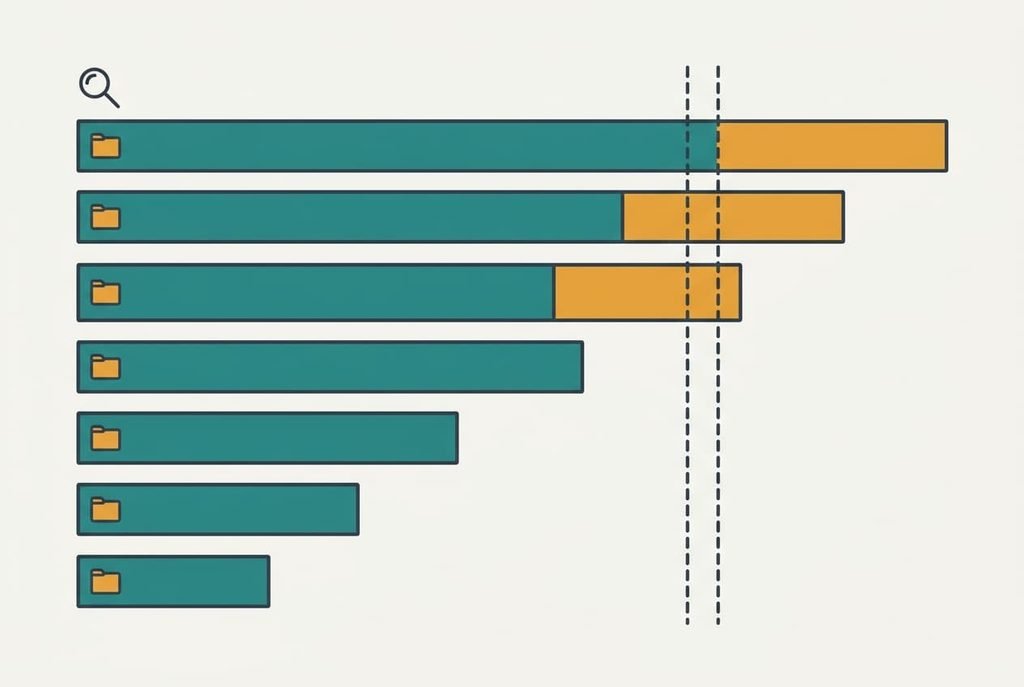
The export to do before you decide anything
Pull a list of everything you sent as an attachment in the last year, sorted by size. Search your sent folder for messages with attachments and order them biggest first. Note the client and the date, then whether any bounced.
Look for two things. Count the files above the line from the previous section. Then check if the same few clients receive most of them. A short list of repeat clients means one conversation settles it, while a long one points to a portal. Open the three biggest files and ask yourself whether the client needed each one frozen. Those answers decide your route.
That list lets you move to alternatives to email attachments later, which is worth more than any single route.
What an attachment carries and no replacement does is the frozen copy. Today’s export shows how much of your work rests on it, and it’s done within a lunch break. A small answer favours a link, and a large one is your reason to stay. Either result is worth having before you promise a client anything.
Questions readers keep asking
Will my client still get the exact file if I send a link?
Yes, provided the link stays live and the file isn’t changed after you send it. The bytes arrive intact. What doesn’t transfer is the frozen copy in their mailbox. If a client must keep a fixed version, ask them to save the download to their own drive straight away.
Do I have to pay to send big files to a client?
Not necessarily. A link in storage you already use adds no cost, and a smaller file costs your time. Only a managed portal brings a recurring fee. Weigh that fee against the hours you’d spend on one failed delivery, then pick the route you’d still use in a busy week.
Is it worth changing how I send files for a few large ones a year?
Often not. A couple of bounces cost less than a new routine, and attachments keep the frozen copy. Switch if a repeat client keeps hitting the limit or if the files are drafts that change. The variable is how many of your large files must stay exactly as sent.