Will it tip when you swipe? A tablet stand that stays put on a busy counter is decided by its tipping margin, the distance between the rear feet and the point where the tablet’s weight acts. Angle and case fit matter too, and so does cleaning, yet each ranks behind that margin. Our example is a tablet of 480 g on a stand of 220 g in a London kitchen. Wet hands and a recipe on screen are the daily test. Every figure is a rough guess. Your own measurements have the final word. A few measurements settle the question before you spend anything.
What Decides a Tablet Stand That Stays Put
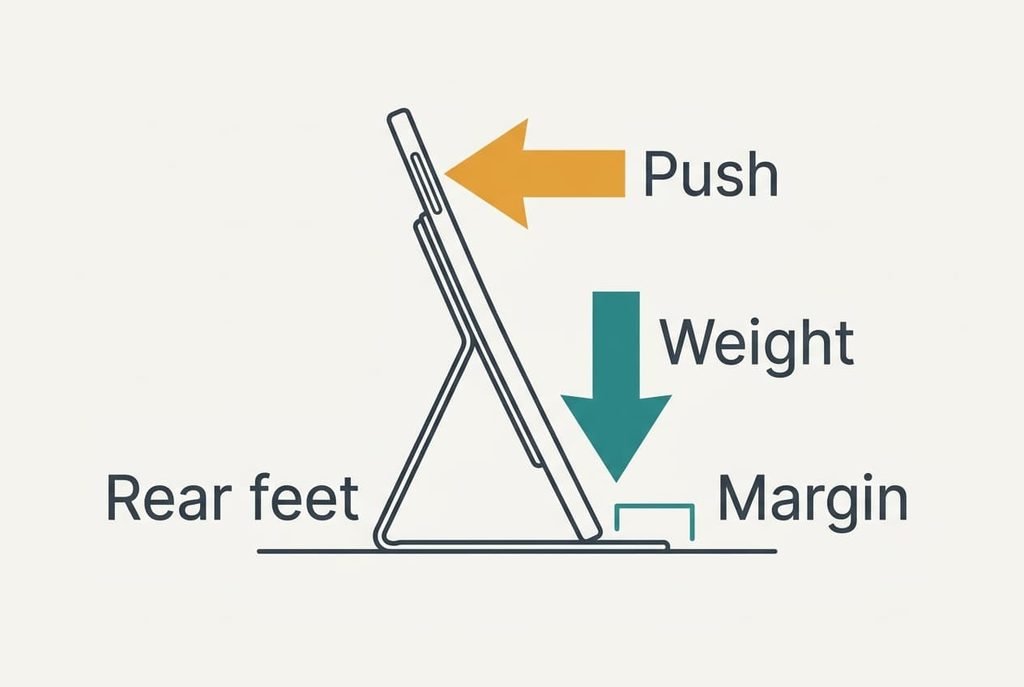
A stand tips when your finger pushes the screen backwards harder than the weight holds the rear feet down. Both sides of that contest are small numbers you can work out, and neither needs more than a ruler and a kitchen scale.
Together the tablet and stand weigh 700 g, which presses down with 6.87 N. Say a swipe near the upper edge pushes with 2 N from 18 cm above the counter. That push turns the stand about its rear feet with 2 × 0.18 = 0.36 N·m, which is simply the push times the height. The weight resists with 6.87 N times the margin. To hold, the margin must reach 0.36 ÷ 6.87, or 5.2 cm.
A firm press with a floury thumb is nearer 4 N. That turns the stand with 0.72 N·m and needs a margin of 10.5 cm. The margin from the rear feet to the point where the weight acts is the figure that decides whether the stand stays put, and it’s the one nobody prints. A listing can quote the angle and the folded size. None of those tells you how far a push can go before the rear feet lift.
Four Checks in Priority Order
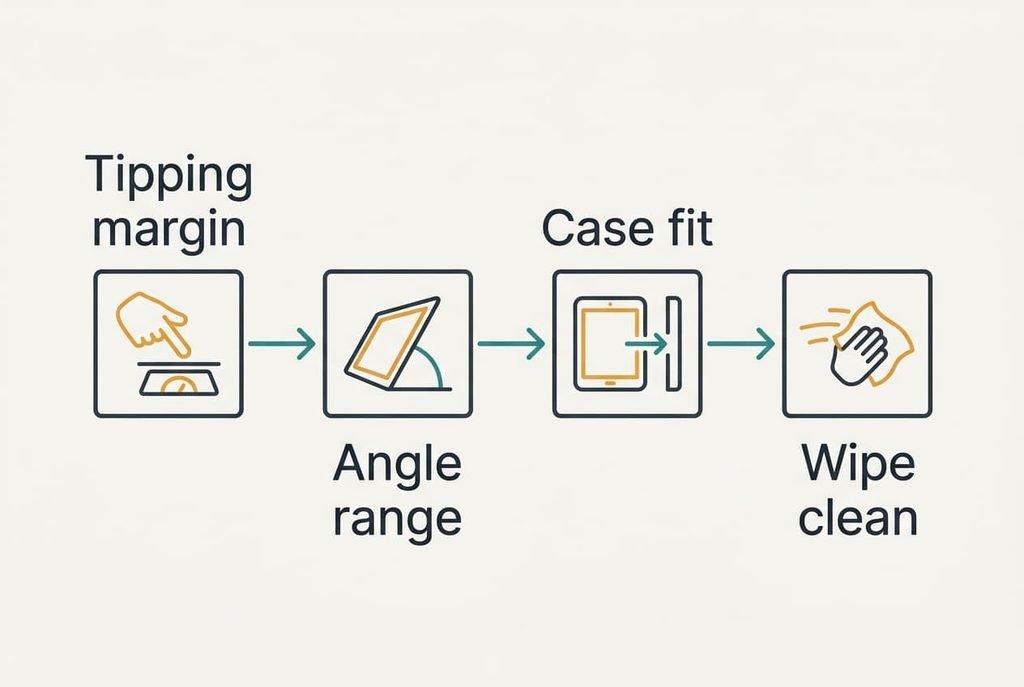
1. Tipping margin. This is the room between the rear feet and the centre of the tablet’s weight. Daily, it decides whether a swipe scrolls the recipe or sends the tablet backwards towards the sink. Judge it by pressing the screen’s upper edge with about 4 N, which reads as 400 g on a kitchen scale, and watch the rear feet. If they lift, the margin is short. That stand will fail on a busy evening. A margin of 5.2 cm just holds against a gentle swipe, while 10.5 cm holds against a firm press. Most buyers never test whether a tablet stand that stays put in the shop still does so on a wet counter, because a listing shows the angle and the finish but never the push.
2. Angle range. Standing at the counter, your eyes sit about 155 cm up and the screen centre about 100 cm, half a metre away. For the screen to face you, it should lean back 48° from upright. Seated at a table, with your eyes 115 cm up and the screen centre 85 cm up, the same sums give 31°. Judge a stand by whether it reaches the angle you actually use. An upright-only stand leaves you with glare or a lean over the hob. You’ll give up on it inside a week. A hinge that covers both angles spans a range of 17°.
3. Case fit. A 7 mm tablet in a case with 4 mm on each side measures 15 mm. The slot or lip must open to at least that, so measure yours at the thickest corner with a ruler. A slot that is too tight makes you remove the case at every use. Too shallow a lip lets the tablet slide out when the stand is nudged. Likewise, a slot cut for a thinner case lets the tablet rock forward and loads the lip.
4. Wipe-clean shape. Flour and splashes collect in hinges and grooves. Run a cloth corner along every crease and judge whether it reaches the bottom. A crease it can’t reach grows a crust after a week of cooking, and you’ll start to avoid the stand.
Specifications That Sell More Than They Help
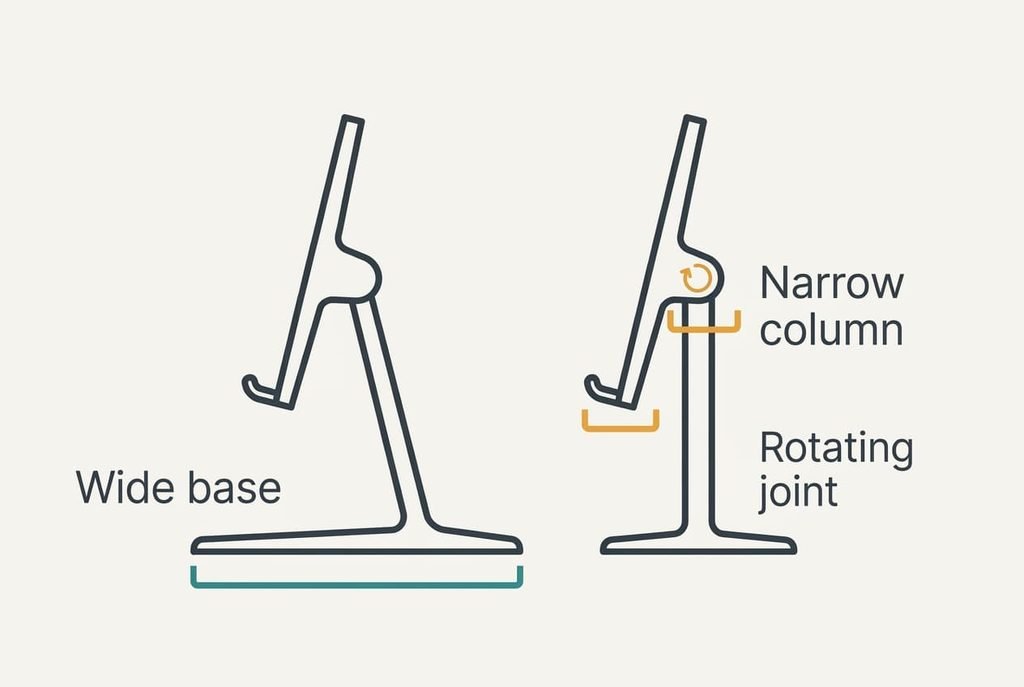
A rotating base looks like a clever extra on a listing. It photographs well and it’s easy to show in a clip, so sellers promote it. Spinning does nothing for a tablet stand that stays put. In a kitchen you turn the tablet once and leave it. A rotating base adds a joint under the weight, and a joint often shrinks the footprint to a single central column. A narrow column pulls the rear feet closer to the weight and cuts the margin you needed in the first place.
Fold-flat designs get the same treatment. Storage is a real gain, but each hinge is a place where flour gathers and where the angle slips under a heavy press. Count the hinges, then ask whether you will fold it more often than you cook.
A claim that a stand holds tablets up to a stated size says only where the slot ends. It says nothing about weight. Weight and size decide how far the stand will swing when you push.
Three Readers and What Moves for Them
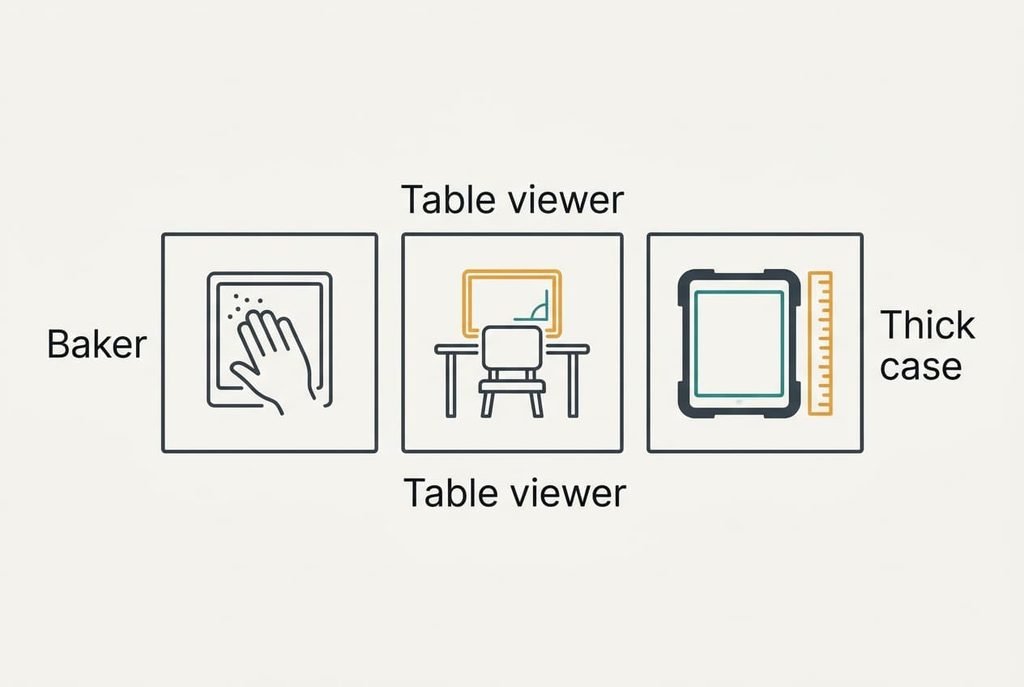
A baker with sticky hands presses harder and needs a wipe-clean shape. Their margin target rises from 5.2 cm toward 10.5 cm, and check four moves up the list. They can also afford a heavier stand, since it stays on the counter all year.
Someone who watches video recipes at a table barely touches the screen. For that reader the angle range leads, because the 31° lean decides whether the picture is readable from a chair. A stand with only two fixed angles may miss that value by a long way.
A reader with a thick case and a large tablet should measure first. At 15 mm the slot is the limiting factor, and a stand that fits a bare tablet may reject theirs entirely. A larger tablet also raises both the weight and the push height, so the margin needs a recheck.
When a Tablet Stand Stays Put and When to Walk Away
Walk away from any design that fails the push test, whatever else it offers. A rear foot that sits under the tablet’s centre has a margin of zero, and any push beats it. If a press of 4 N lifts the rear feet, the stand will tip during ordinary cooking, because a damp finger easily exceeds that.
Walk away when the lip can’t take your case, or when the only angle on offer is near upright. You can add a heavier base later, but you can’t change the slot.
Leave a stand that is light and tall as well. A tall stand raises the point where you push, and the turning force rises with that height. Tall designs also carry the weight high, which makes the margin harder to keep.
Last, leave one whose rear feet are tiny rubber dots set close to the tablet.
A Two-Minute Check at the Counter
Press a fingertip on a kitchen scale until it reads 400 g, and remember how that feels. Then press the screen’s upper edge with that same force, once straight and once at a corner. The rear feet should stay on the counter both times. Press the whole stand down once more, and the hinge must not creep. Next, tilt the stand to the two angles from earlier, 48° and 31°, and see whether it holds each without drifting. Finally, slide your cased tablet in and out three times and wipe the creases.
A stand that passes all four is worth buying, and any stand that fails the first check should go back.
A tablet stand that stays put saves you a cracked screen in the end, and no feature makes up for a stand that tips. Do the check in the shop or on the first evening, while a return is easy. Repeat it after a month. Feet and hinges settle with use.
Questions Readers Keep Asking
How much should I spend on a stand?
Spend on weight and shape rather than features. A heavier base and a long rear foot cost little more than a light stand with a rotating joint. If two stands pass the push test, take the cheaper one, since the test is what you’re paying for.
Will a stand like this last?
Hinges and clips wear first, because they carry the tablet’s load every time you change the angle. A fixed-angle stand has nothing to wear, so it can outlast the tablet. Check that the foam or rubber on the lip hasn’t hardened.
Which stand suits a very large tablet?
One with a long base and a low profile. A larger tablet raises the push height and the weight, and the two don’t cancel. Recalculate with your own figures: the turning force is the push times the height, and the margin must beat it.