Tilt a laptop screen away from you and the picture fades, because every panel sends most of its light straight ahead. A privacy filter makes that fade much steeper, while a wall seat removes the watchers instead. The verdict splits by position: the filter wins against people beside you, and the wall wins against anyone behind you. One property decides it, the angle between a watcher’s eyes and the centre line of your screen. This guide tests both for working on a laptop in public, using a coffee shop table and a screen 55 cm from your eyes. Every angle is a sample you can redo with a tape measure.
Why the Angle Decides Working on a Laptop in Public
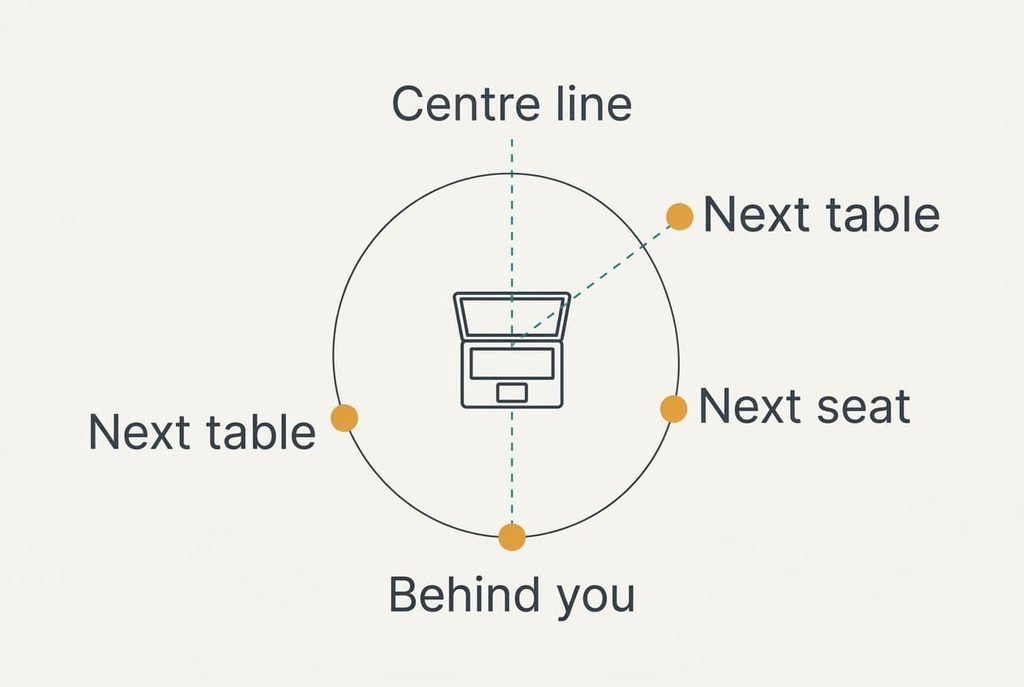
Everything below turns on one number: the angle between a watcher’s line of sight and the screen’s centre line. A plain laptop panel stays readable out to roughly 60° either side, which is why a stranger at the next table can follow your email. A privacy filter is a thin sheet of microscopic slats, like a blind in miniature. It lets light through only within about 30° of the centre line. Beyond that the picture turns dark. Both figures are samples. Your own panel and filter will differ.
Angles come from simple geometry. Put your eyes at the origin and the screen centre 55 cm straight ahead. A neighbour 90 cm to your side and 20 cm behind your eyes looks at the screen across 75 cm of forward distance, which gives atan(90 ÷ 75), or 50°. A person queueing 30 cm off your line and 120 cm behind you has 175 cm of forward distance, so their angle is atan(30 ÷ 175), just under 10°. Someone in the next seat, 45 cm along from you, sits at atan(45 ÷ 55), or 39°.
Distance matters too. These watchers sit between 71 and 178 cm from the screen, which is close enough to read ordinary text without trying.
Filter and Wall Seat Compared by Angle
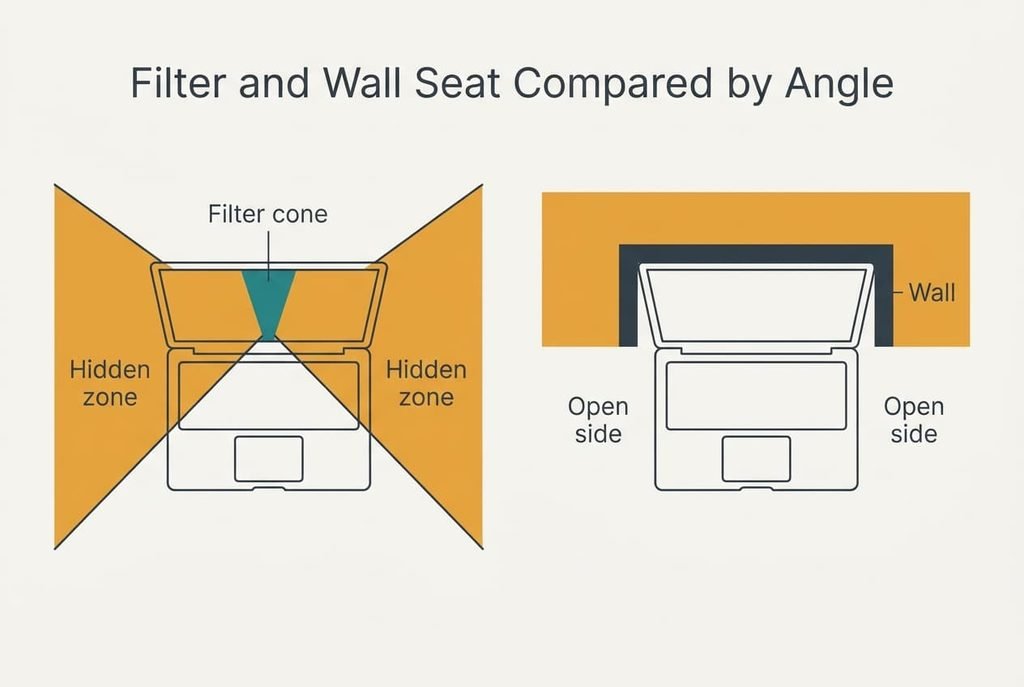
Each row uses the three watchers above and a filter cone of 30°. Read down each column and you can see which position every option closes. The last row tells you where each option works at all.
| Property | Privacy filter | Wall seat |
|---|---|---|
| What it removes | Views beyond 30° off the centre line, from either side | Views from behind you, where the wall now stands |
| Next-table neighbour at 50° | Hidden, since 50° is beyond the cone | Still visible |
| Next-seat neighbour at 39° | Hidden | Still visible |
| Person behind you at 10° | Still visible | Hidden |
| Effect on your own view | About 30% dimmer, with a narrow sweet spot | None |
| What it needs | A panel cut to the exact size of your screen | A free seat with a wall at your back |
| Where it works | Any seat on a train or plane | Only where a wall seat is free |
Row four holds the surprise. A person behind you at 10° stands well inside the filter’s cone, so the film hides nothing from the one watcher who can read over your shoulder from a queue or a passing walkway, and only the wall removes that position, because nobody can stand inside a wall.
When the Privacy Filter Wins
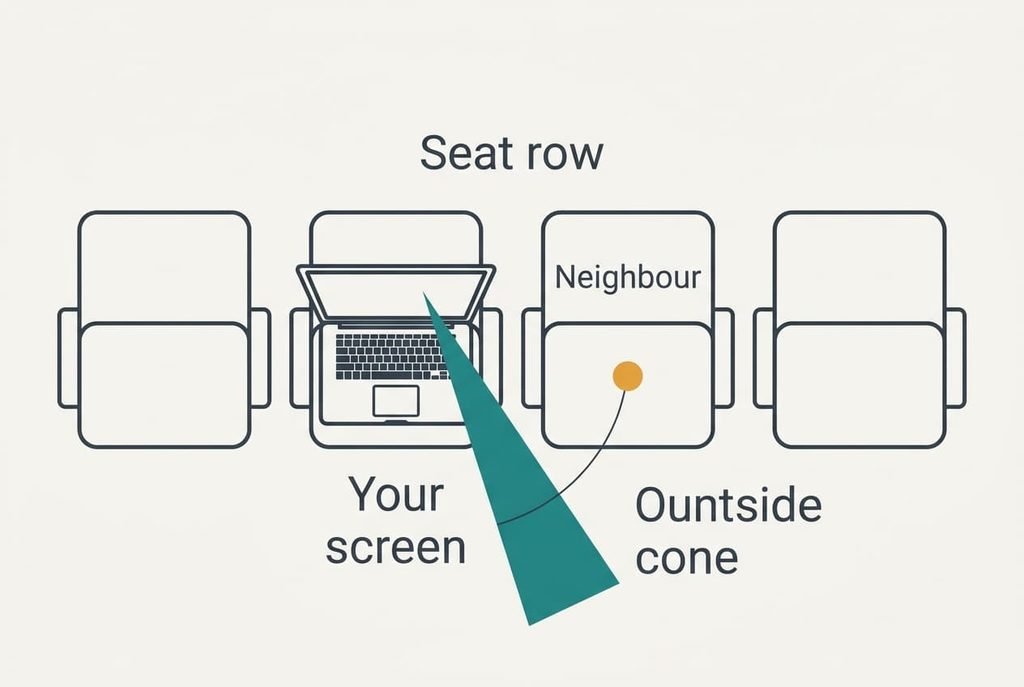
The filter wins whenever you’re working on a laptop in public and can’t choose your seat. On a train or plane the watcher sits in the next seat, 45 cm along from you, and no seating plan removes that person. At 39° off the centre line they fall outside a 30° cone, so the text turns dark for them while it stays sharp for you. A bench in a shared workspace puts neighbours in the same spot. The filter travels with the screen, which means it protects you at the next stop as well.
It has costs you notice at once. In our sample the panel lets roughly 70% of the head-on light through, so you raise the brightness to compensate. It also narrows your own good view. Lean past 30° and your own screen dims too, so sit square to it and keep your head within a hand’s width of the centre line.
Fitting takes a few minutes with clips or magnetic strips, and the film slides off when you share the screen with a group.
When the Wall Seat Wins
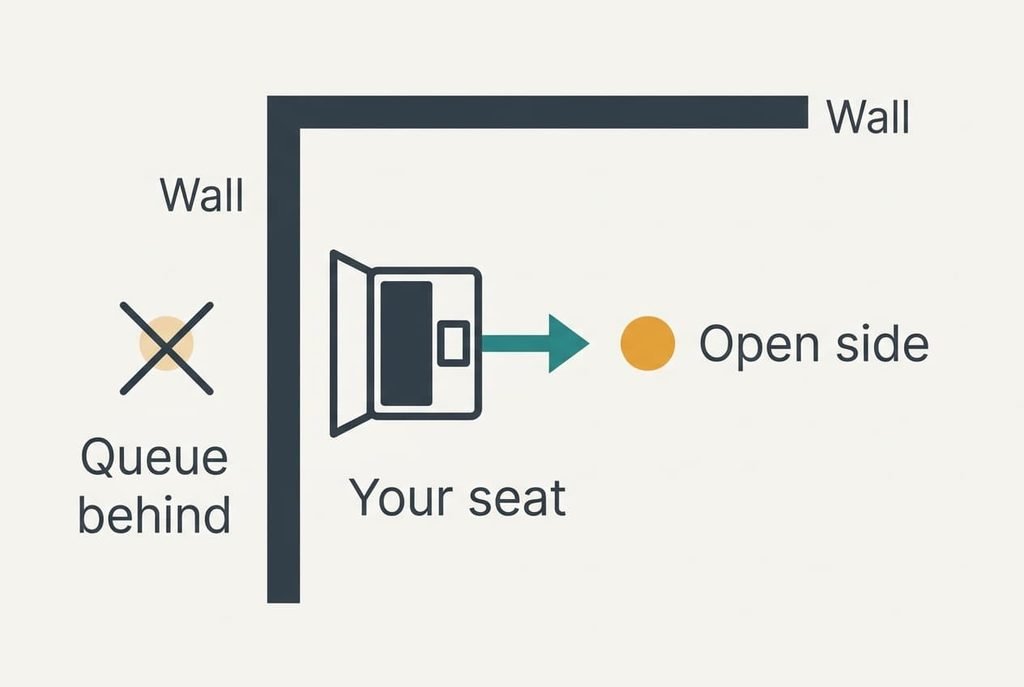
The wall wins against the watcher the filter can’t touch. A person behind you at 10° sits inside any filter’s cone, so the film changes nothing for them. A seat with your back to a wall removes that position altogether, since nobody can stand where the wall is. It also adds no dimming, and it covers your phone and any papers beside the laptop, which a film on one screen can’t do. Check what hangs on that wall, though. A mirror or a glass panel behind you sends the screen back into the room.
Corner seats do better still. Two walls remove everyone behind you and on one side, so only one side stays open. In the sample coffee shop that leaves the 50° neighbour as the single exposure, and a quick glance at the room shows whether anyone sits there. For working on a laptop in public, a corner is the strongest free fix.
Arrive early and choose the wall before the table, since a good table without a wall behind it solves nothing.
When Working in Public on a Laptop Is Not Worth It
Neither fix helps when watchers surround you. Think of a crowded carriage or a standing counter. The 10° watcher and the 39° watcher can appear at once, and without a wall you can’t remove either position. A filter hides one of them, and the other still reads everything.
Count the positions. In the open, people can stand anywhere on the circle around you, and a filter closes only the two side arcs beyond 30°. The wall closes the rear. If you have neither a wall nor room to turn, the middle gap behind your shoulders stays open. Even a corner seat leaves one side exposed, and that is where the 50° neighbour sits.
Moving your chair changes little, because each shift trades one angle for another. Dimming the screen helps a little and costs you legibility. When neither fits, save the sensitive work for a private room and spend the public hour on tasks anyone may read.
Which One to Choose
Test the room first. Stand at your usual seat and note where strangers pass and queue.
If you mostly sit in rows of seats, buy the filter. Your neighbours sit at 39° or more, which the film hides. No seat choice can move them away. Check your own angle first, because your head should stay inside the 30° cone. For a long train journey that’s a small price.
If you can pick a seat against a wall, use the wall and add nothing. It costs no brightness, and it removes the 10° position that no film can. When working on a laptop in public every day, that’s the habit worth building.
Neither answer is permanent, and a seat that works in one coffee shop may not work in the next one, so redo the angle sums each time you change place. A filter in the bag and the habit of checking for a wall seat cover most places you’ll work this year, and the angle sums above tell you which one is carrying the load. When the angles arrive from both directions, leave the sensitive screen for later.
Questions Readers Keep Asking
How hard is it to fit a privacy filter?
It takes a few minutes. Most slide into clips or stick on with small magnetic strips, so you can remove one without tools. Measure the screen’s width and height first, because a panel that is 1 cm too short leaves a bright border that gives the game away.
Can someone still read the screen through a filter?
Yes, from directly behind you. A watcher at 10° is inside the cone and sees the whole picture. Someone leaning in from the side can also read it once they come within 30°. Ask a friend to stand at 45° and check that the screen looks dark.
Which suits a train journey better?
The filter. Your neighbour sits at about 39°, which a 30° cone hides, and you can’t pick where strangers sit. A wall seat helps only if the carriage puts a bulkhead behind you. On many trains it won’t, so the film is the dependable choice.