The litres printed on a laptop backpack lead every listing, and they decide almost nothing about whether the laptop survives the journey. To choose a laptop backpack for a daily commute, measure the space between the laptop’s lower edge and the bag’s base. I’d treat that clearance as the one figure worth a ruler. Pocket fit comes second. The worked figures describe an invented UK train commute with a 13-inch laptop, and the bag meets a station floor about 20 times a week. Every figure here is assumed and round, so measure your own bag with a ruler.
What decides when you choose a laptop backpack: the base clearance
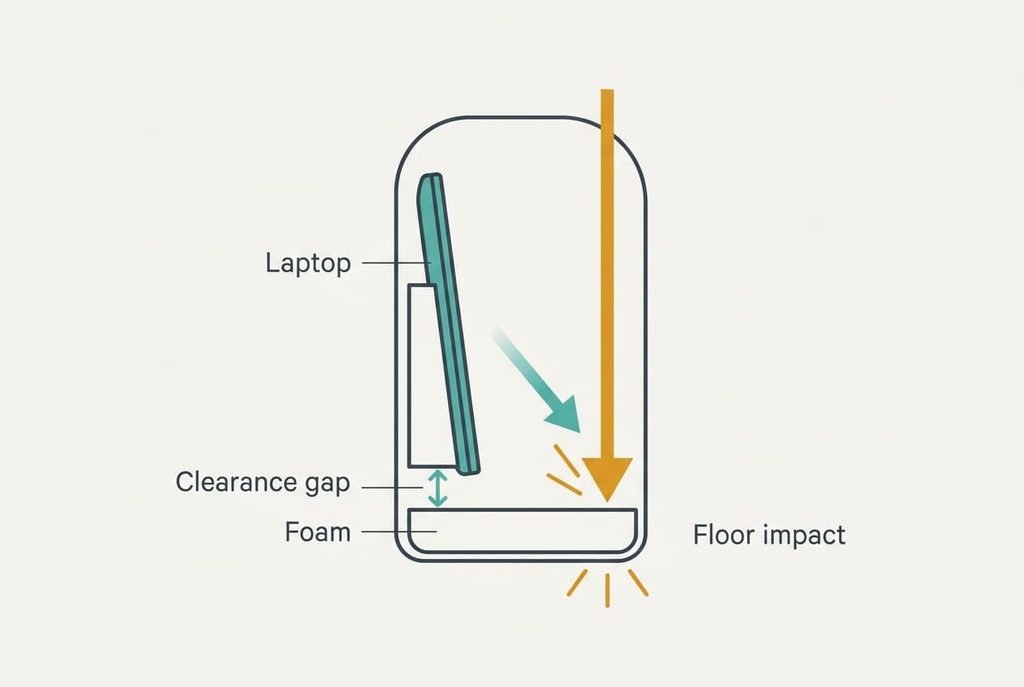
Padding and style are comfort. What decides whether the laptop survives is how far its lower edge sits above the base of the bag. Set a bag down hard and the base meets the floor first. Assume a 60 cm drop from shoulder height. The speed at the floor is √(2 × 9.81 × 0.6), which is 3.43 m/s.
The load on the laptop is roughly g × drop height ÷ stopping distance, so the stopping distance becomes the number that matters. Count it as the clearance plus half the foam, since foam squashes about halfway. A bag with no clearance and 1 cm of foam stops in 0.5 cm, which gives 60 ÷ 0.5 = 120 g. A bag with 4 cm of clearance and 1.5 cm of foam stops in 4.75 cm, which gives 12.6 g. That’s close to a tenth of that load.
These figures are idealised, because they assume no bounce at all.
The same gap guards against leaks. A 500 mL bottle emptied across a base of 30 × 15 cm lies 1.1 cm deep, and 4 cm keeps the laptop dry. When you choose a laptop backpack, the clearance is the number to compare.
Laptop backpack choices in priority order
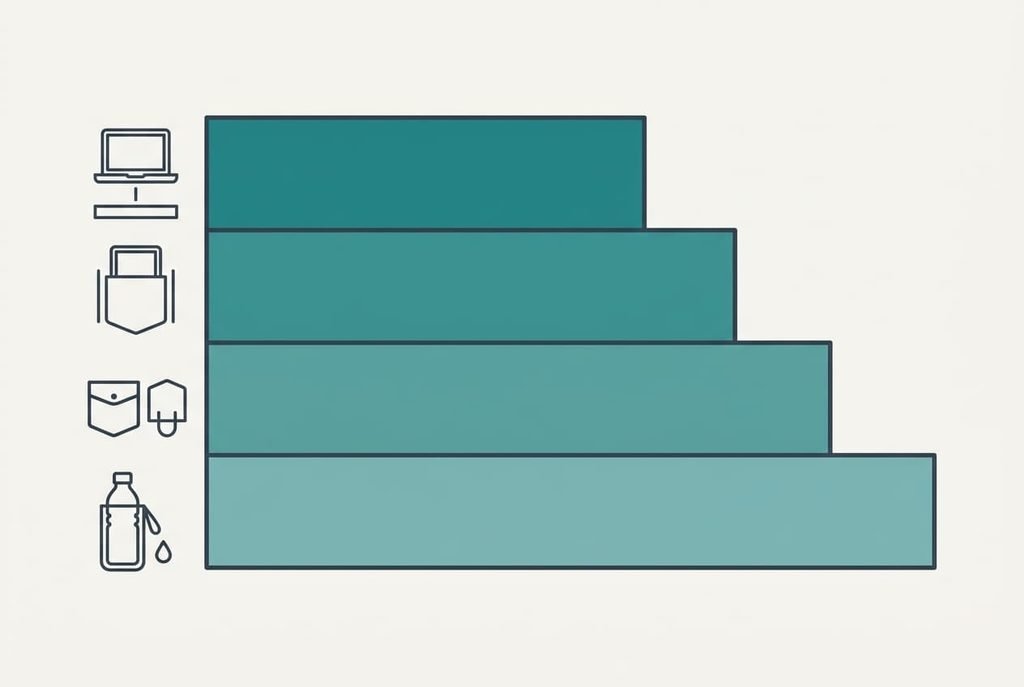
Go through these in order and drop any bag that fails one. Most bags fail the first.
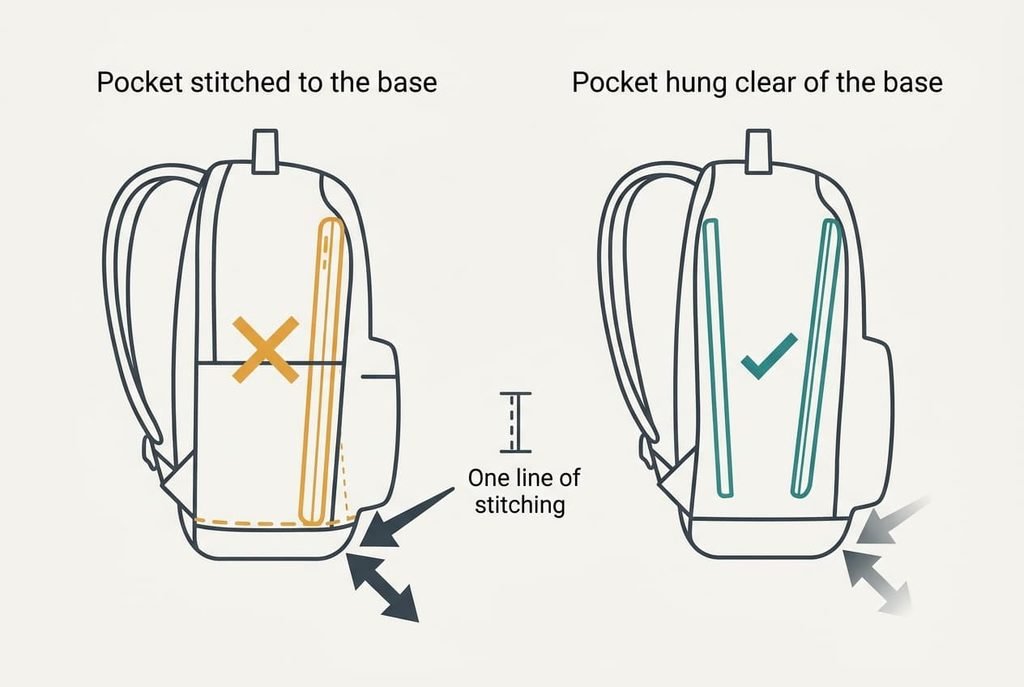
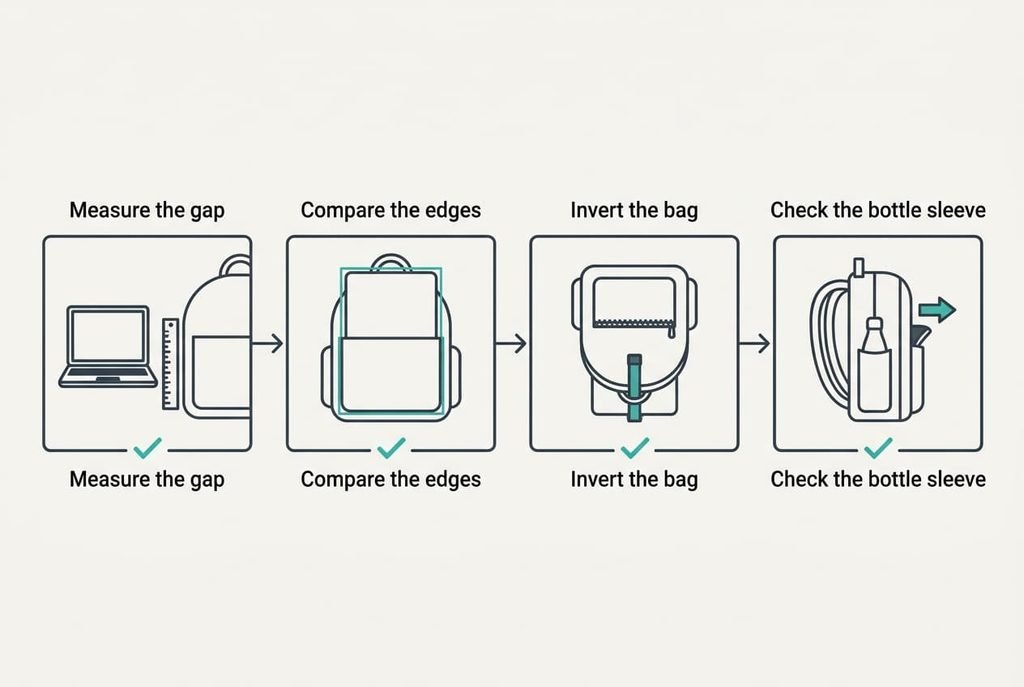
1. Base clearance. Slide your laptop into the pocket and measure from its lower edge to the inside of the base. Accept 4 cm or more. At 2 cm and 1 cm of foam, the stopping distance is 2.5 cm and the load is 24 g, twice the 12.6 g of the 4 cm bag. Most buyers check the thickness of the padding and never the gap beneath it, yet a thick pad sewn onto the base leaves no gap at all. The 4 cm figure comes from the sum above, and it also keeps a leaked 500 mL of water below the laptop.
2. Pocket fit. Your 13-inch laptop measures about 30 × 21 cm, and a pocket of 32 × 23 cm leaves 1 cm either side, a snug fit. Pockets 4 cm too wide let the laptop slide and knock the wall on every jolt. A tight pocket also keeps the laptop upright, so the clearance stays where you measured it. Lay the laptop over the open pocket and compare the edges. If the gap is larger, a slim sleeve takes up the slack, though it shaves about 1 cm off the clearance.
3. Closure on the pocket. Bags get tipped, hung upside down on hooks and dropped on their backs. Zip the main compartment and invert the bag for a moment. The laptop should stay put without you holding it. A flap or a strap across the pocket mouth does that job, and an open top does not. A laptop that slides out once will be dropped. Try it with your own laptop in a shop, since a weightless dummy won’t slide the same way.
4. Leak path. A bottle that leaks into the main compartment floods the base, as the 1.1 cm sum shows. A sleeve on the outside lets water run away from the laptop. Check that the bottle sleeve has its own lining and doesn’t open into the pocket.
What does not matter as much as the listings claim
Capacity in litres tops almost every listing, and the gap between listed and needed is wide. Your laptop, at 30 × 21 × 1.5 cm, takes 0.95 L. Add 0.5 L for a charger and 1.2 L for a lunch box. A jacket takes 3.0 L. A bottle and a notebook add 1.0 L between them. The total is about 6.65 L. A 20 L bag is 3.0 times that, and a 25 L bag is 3.8 times. The extra litres go on whatever you add later, and a fuller bag sits lower and heavier on the base. A bag far larger than the load also lets the laptop shift sideways in the main compartment.
The fabric thickness printed in the specification is the next distraction. A thicker weave resists scuffs, and it adds nothing to the clearance. A built-in charging port saves a cable in a pocket but protects nothing on the laptop.
The count of pockets matters little too. More pockets mean more seams and more places for a bottle to leak from.
Matching the choice to your commute
Whenever you choose a laptop backpack, rank the criteria against your own commute first. A train commute with the bag set down often puts base clearance at the top. The fit comes next. A cyclist riding in rain moves the leak path up, because water finds the seams on a wet back. For a 16-inch laptop, the pocket fit changes. Such a machine is about 35.7 cm wide, which is 5.3 cm more than the 13-inch, so a pocket cut for the smaller size simply won’t take it.
A commute with a seat usually means the bag sits on a lap, so the closure matters more than the clearance. Check the pocket against the machine you carry now.
What to walk away from
Walk away from a laptop pocket stitched straight onto the base of the bag. With no clearance and 1 cm of foam, the stop is 0.5 cm and the load is 120 g. That’s nearly ten times the 12.6 g of a bag with 4 cm of room. Look at how the pocket’s bottom seam meets the base seam, because they are one line of stitching in the worst cases. A divider between pocket and compartment costs the maker one extra seam, and it’s worth looking for.
A pocket against the outer wall with no padding is a second fault, and it’s easy to spot. Anything that knocks the bag hits the laptop directly. A bag with no divider between pocket and compartment lets a bottle press on the laptop’s face through the day.
A thick pad cannot fix a missing gap.
The two-minute check before you commit
Start by sliding your own laptop into the pocket and measuring from its lower edge to the inside of the base. Four centimetres or more passes. Then lay the laptop over the open pocket to compare the edges, and invert the zipped bag over a bed to test the closure. Check where the bottle sleeve opens. Do it standing at the shop counter with the bag unzipped. A ruler or a folded sheet of card is enough, so bring one. If the clearance reads under 4 cm, put the bag back, whatever the label says about padding. If it reads 4 cm or more but the pocket is loose, ask about a slimmer sleeve.
Choose a laptop backpack by its clearance first and its fit second. The litres can look after themselves. The sums show a tenfold gap in load for the sake of a few centimetres. Few purchases return so much for so little attention. Carry the ruler, and take your laptop to the shop.
Questions readers keep asking
What clearance should I look for?
Four centimetres or more, measured from the laptop’s lower edge to the inside of the base. At that gap the load on a 60 cm drop falls to about 12.6 g, against 120 g for a bag with none. If you can’t reach inside to measure it, push a ruler down beside the laptop.
Do I need to spend more to get a good gap?
Not necessarily. Clearance comes from the way the pocket is hung, and it’s available in plain bags as well as dear ones. Spend on that and on a snug pocket. The litres and the pocket count on the tag matter less, as does the fabric thickness.
Will the foam wear out?
Foam flattens with repeated compression, so the half-foam figure in our sum shrinks over the years. The clearance doesn’t change, because it’s built into where the pocket hangs. That’s one more reason to trust the gap over the padding. Press the foam and check that it springs back.