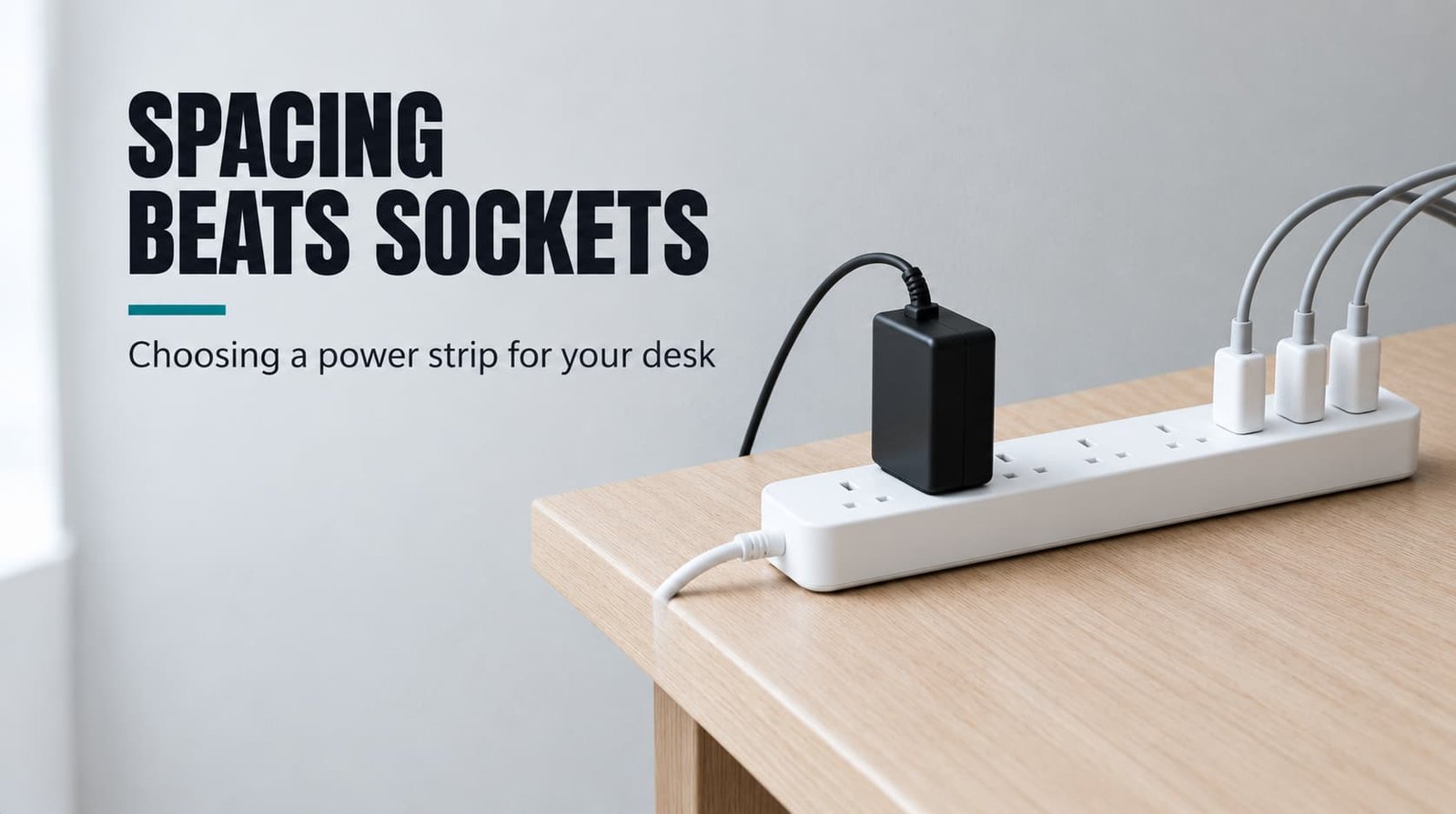
Six sockets on the box and only four you can fill: that’s the usual complaint about desk strips. The criterion that matters most is the spacing between sockets, set against your widest plug, because it decides how many sockets are really usable. Anyone learning how to choose a power strip layout should start there, before looking at cord length or switches.
We assume a UK desk with five devices plugged in below the desktop. Two are bulky bricks (the laptop’s and the speakers’), and three are slim plugs (monitor and lamp, plus a phone charger). The widths below are round example figures, so measure your own plugs before you trust the sums.
How to choose a power strip layout: what actually decides it
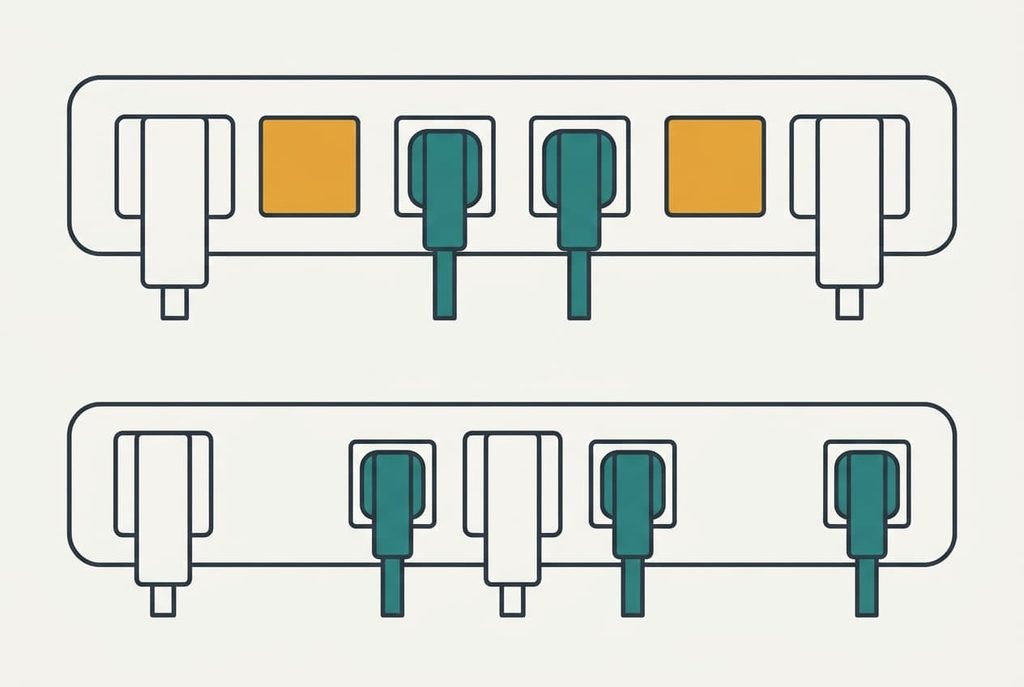
A strip’s usable sockets equal the plugs that fit side by side, so the spacing between sockets against your widest plug decides everything else. Sockets sit at a fixed pitch, the gap between the middle of one and the middle of the next. In our example a slim plug body is 5.4 cm wide and a bulky power brick is 8.4 cm. Two bodies collide when their centres are closer than half of each width added together.
Run it for five devices: two bricks and three slim plugs. Slim beside slim needs 5.4 cm, and a 6.0 cm pitch clears that. Slim beside brick needs (5.4 + 8.4) ÷ 2 = 6.9 cm, which a 6.0 cm pitch can’t give. Each brick therefore shadows the socket next to it unless it sits at an end. A six-way strip at 6.0 cm (36 cm long) holds only four of the five, so 67% of the box is usable. A five-way strip at 8.0 cm pitch holds all five, provided the two bricks aren’t neighbours, and it’s only 4 cm longer.

How to choose a power strip and its layout, in priority order
1. Spacing against your widest plug. It sets how many sockets you can fill, and daily it decides whether you crawl under the desk to swap the lamp for the speakers. Judge it from the listing’s dimensions: divide the strip’s length by its socket count, then compare that pitch with the half-width sum above. Photos mislead because they show slim plugs. The cost is owning six sockets and filling four. The adaptor you buy to cope makes things worse.
2. Cord length along the route. Our wall socket is 80 cm from the desk leg, the cable climbs 72 cm and then crosses 60 cm of underside, which makes 212 cm. Add 20% slack for 254 cm, so a 3 m cord fits. Judge it with string laid along the real path, not a tape measured across the room. Check which end the cord leaves from, because an exit at the far end can add a whole strip length. If it’s short, the strip hangs by its cord or lies where the chair rolls over it.
3. Which way the sockets face once the strip is mounted. Most buyers never check this. Sockets on the top face point down under a desk, so a heavy brick hangs from its pins by its own cable weight. Sockets on a long edge point outward and keep the load on the strip. Find the socket face and the mounting slots in the drawing. If it’s wrong, plugs tend to creep loose and the cables bow out into your legs.
4. Switch position. A master switch cuts every device at once, but only if you reach it. Look for one on a face you can touch from the chair, away from the cord end. A lit switch also shows whether the strip is live. If it sits behind the desk leg, you’ll stop using it within a week, and the bricks stay warm overnight.
What the box oversells
Built-in USB charging ports are the specification most often promoted and least useful. They feed from one small charger inside the strip, so every port shares a fixed budget. Suppose it is 12 W: with two ports busy, each gets about 6 W. The module also ages on its own schedule, while the strip’s sockets outlive it by years, and a charging module that dies leaves the sockets fine and the ports dead.
Phones and laptops keep changing the way they charge, but a plain mains socket stays the same. I’d pay for spacing before ports, and I expect that to annoy anyone who likes a tidy single block. A small separate charger plugged into one socket wins on both counts, because you can replace it without touching the strip.
Ports also cost you a socket’s worth of room, since the module sits inside the same body.
Choosing a power strip layout for three different desks
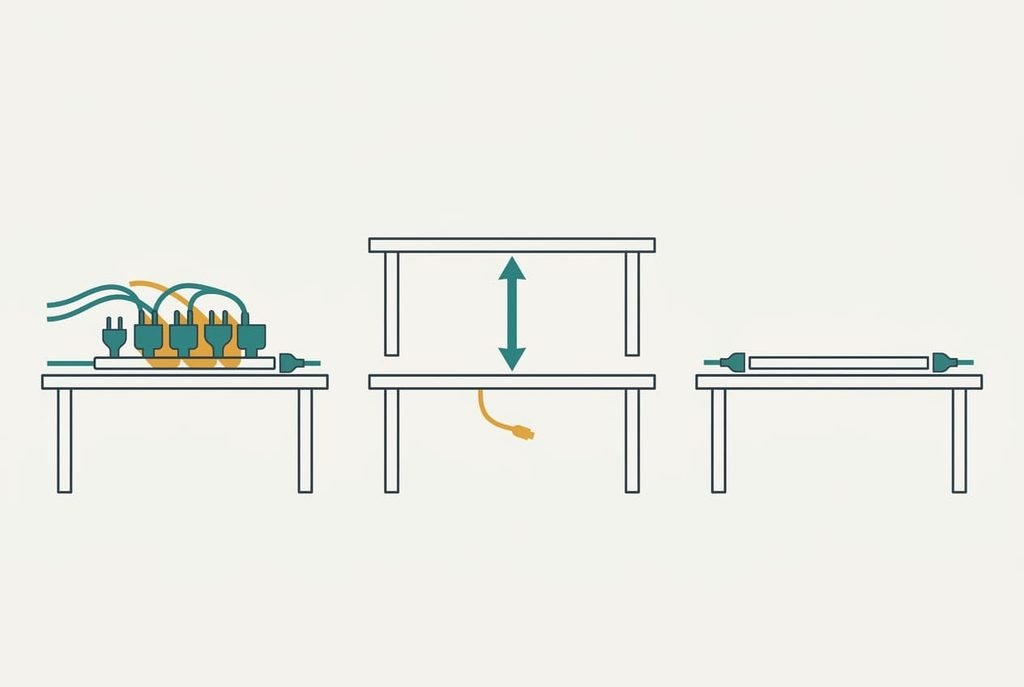
Three readers move the order of criteria while how to choose a power strip layout stays the same. A laptop-and-dock desk carries three bricks and four slim plugs. Spacing stays first and the sums tighten: at a 6.0 cm pitch those seven devices need ten sockets, because every brick wastes the socket beside it.
For a standing desk, cord length jumps to first place. Raise the desk 46 cm and the route grows from 212 to 258 cm. With 20% slack that becomes 310 cm, so the 3 m cord that fit at sitting height falls short once the desk is fully raised. A renter at a kitchen table can’t drill, which pushes the mount criterion down and favours a flat base that simply sits on the table. Cord exit and spacing then carry the choice.
What to walk away from
The reader who has learned how to choose a power strip layout rejects any listing that never states the strip’s length or spacing. Without either number, you can’t work out the pitch, and the socket count on the box proves nothing. Photos with only slim plugs fitted belong in the same pile, since they hide the very problem you came to solve. A seller who can say how far apart the sockets sit has usually thought about the problem. One who can’t has probably not.
The adaptor that turns one socket into three is a poor swap. Its body is wider than a brick, so it shadows the neighbouring sockets and often costs more than it adds. A strip with a cord that is shorter than your route also goes in the reject pile, whatever else it offers, because no later fix repairs it.
Count the sockets you lose before the ones you gain.
The two-minute check before you commit
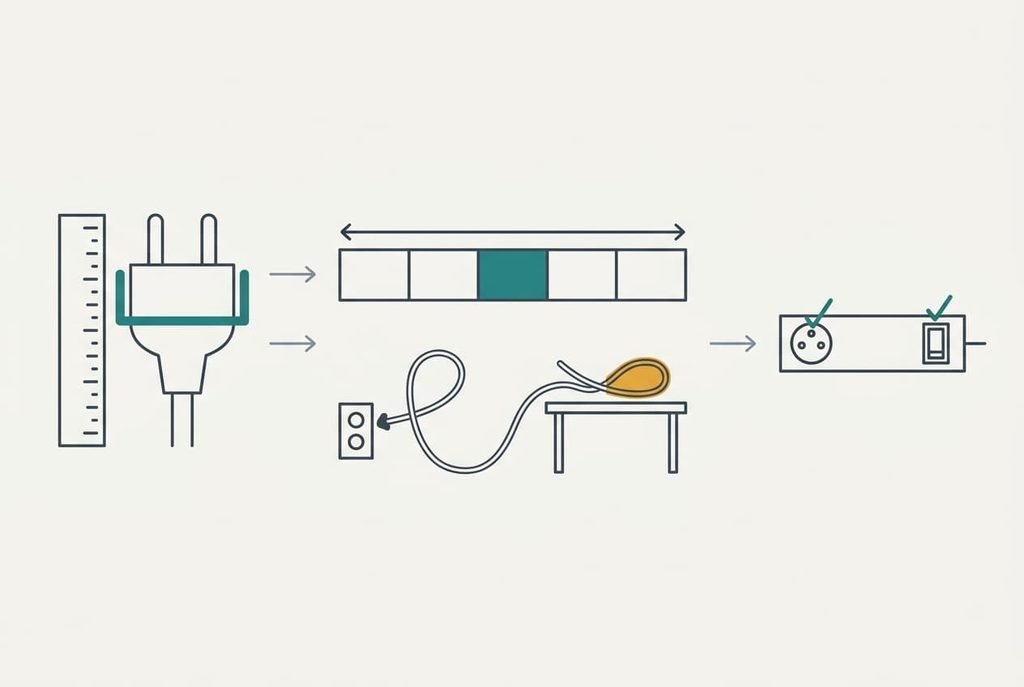
A product page alone can show you how to choose a power strip layout. First, write down the width of each plug you own, measuring the brick body and not the pins. Next, divide the strip’s length by its socket count. Place your widest plugs at the ends and see whether the rest fit between. Then trace your cord route with string and add 20%. Last, find where the sockets face and where the switch sits. If any answer is missing, another listing deserves a look. Reading the lines takes about two minutes, and none of it needs a shop visit.
Spacing decides the layout, because it sets how many sockets you can fill. Measure your widest plug today and divide the strip’s length by its sockets. After that, every other line on the page is only a tie-breaker, and a bit of string and a tape are all the tools you need.
Questions readers keep asking
How many sockets does a desk need?
Count your devices and add one spare, then check that your widest plugs fit at that pitch. Five devices with two bricks need five sockets at 8.0 cm, or seven at 6.0 cm. The count printed on the box matters less than the pitch behind it.
How much should I spend on a power strip?
Pay a mid-market amount and direct the extra towards a longer cord and wider spacing. The cheapest strips often omit the dimension lines, and the dearest ones add ports you will never fill. Check the drawing before the price, and the cord length before the colour.
Will a strip still suit me when I change my gear?
Mostly, if the spacing is generous. Gear changes, but bricks rarely get smaller, so a wide pitch stays useful for years. A strip with built-in USB ports ages faster than one with plain sockets, because the charging module dates before the sockets do.