Deleting a file genuinely doesn’t erase the actual underlying data from your storage device immediately at all – it removes the specific reference your system uses to find that data, marking the space as genuinely available for future use, while the actual data itself typically remains physically present until something else genuinely overwrites it later. Understanding this distinction explains both why deleted files can sometimes be recovered, and why simply deleting something doesn’t guarantee it’s genuinely gone.
The short answer, and what it leaves out
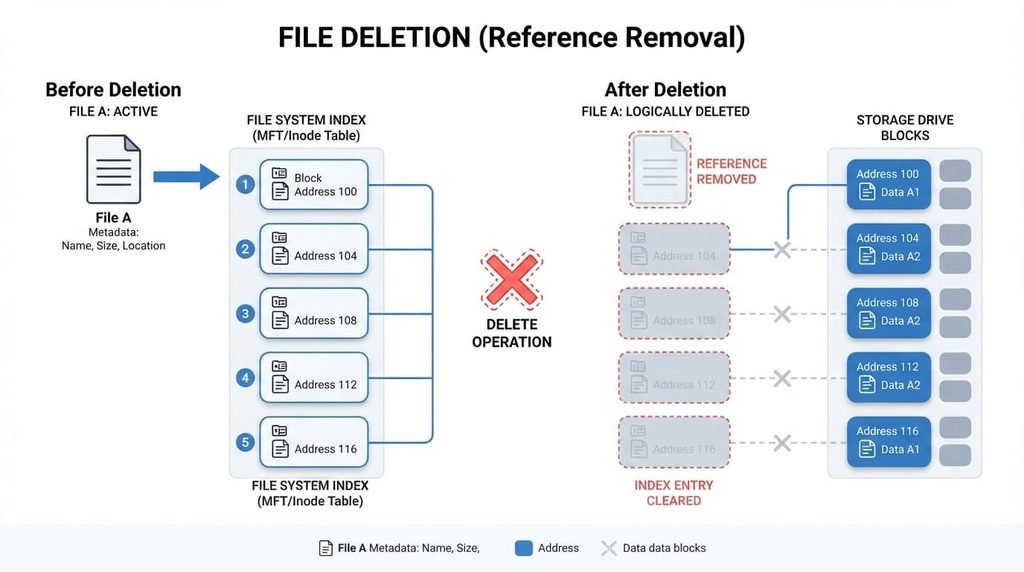
When you delete a file, your operating system typically removes that file’s entry from its index – essentially the directory listing telling your system where to find specific data – rather than actually erasing the underlying data itself from the physical storage medium.
What that leaves out is why this specific approach makes sense at all – actually erasing data by overwriting every bit is considerably slower than simply removing an index reference, so systems default to this faster method, treating the freed space as available for future use rather than immediately and thoroughly erasing what was there previously.
How it actually works, step by step
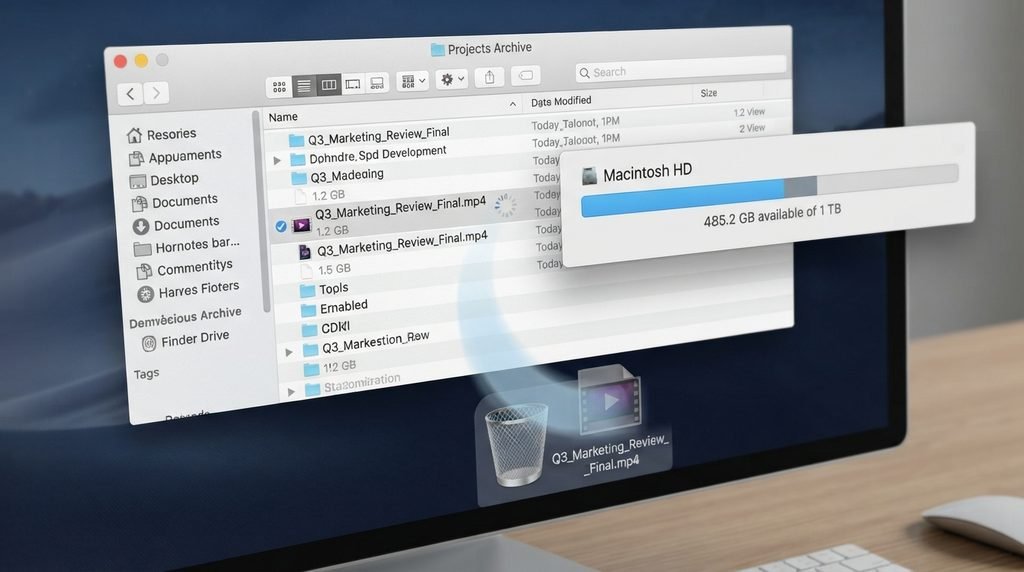
When you delete a file, your operating system marks that file’s specific storage space as available, removing the index entry that previously told the system this space contained your particular data, which is why deletion itself happens almost instantly regardless of the file’s actual size.
The actual data remains physically present on the storage medium until your system genuinely needs that specific space for new data, at which point the new data overwrites what was previously there, a process that can happen immediately or considerably later depending on how much available space your device currently has.
Until this overwriting genuinely happens, specialised recovery software can potentially reconstruct the deleted file by locating the still-present data and rebuilding the index reference your system removed during the original deletion, which is precisely how accidental deletion recovery tools actually work.
Why solid-state storage handles this differently
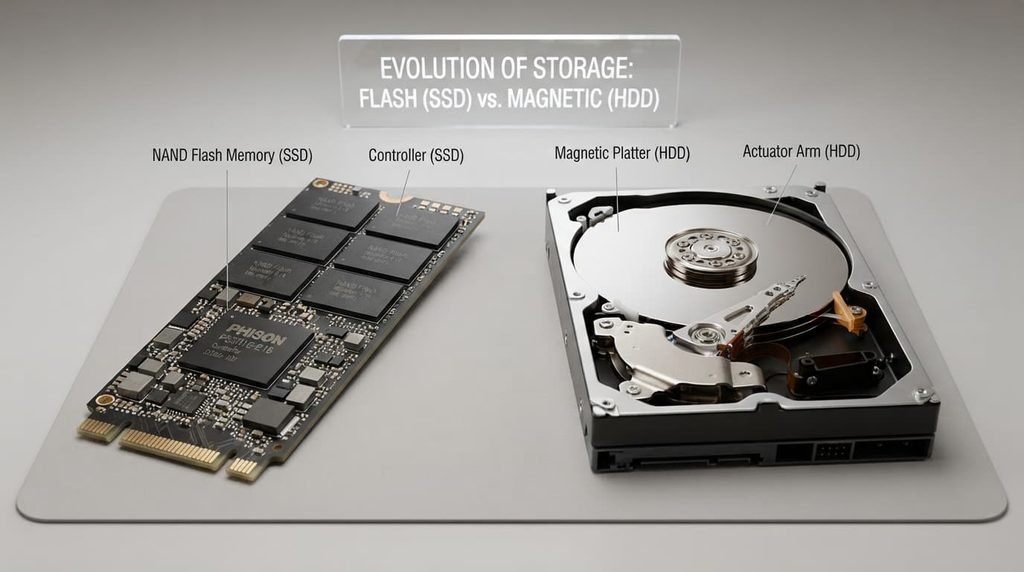
Solid-state storage devices often include a background process specifically designed to proactively clear deleted data blocks during idle periods, distinct from traditional mechanical storage’s more passive approach to leaving deleted data untouched until overwritten. This particular process exists partly for performance reasons specific to how solid-state storage actually writes new data most efficiently overall, but it also means deleted data on this type of storage can become genuinely unrecoverable considerably faster than on traditional storage technology.
This particular distinction matters quite practically for anyone genuinely concerned about data recovery possibilities specifically, since assuming deleted data remains recoverable indefinitely doesn’t account for how your particular storage technology’s own background processes might already be actively working to clear that space well before you’d expect based on traditional storage assumptions alone.
The analogy, and where it breaks
This process is sometimes compared to removing a book’s listing from a library catalogue while the book itself remains on the shelf – the catalogue no longer shows it exists, but the physical book is still genuinely there until someone actually removes it.
The analogy holds well for the core index-versus-actual-content distinction – both involve removing a reference while the underlying item remains physically present. It breaks because a library book stays indefinitely until someone deliberately removes it, while deleted file data has a considerably less predictable lifespan, since it can be overwritten by any new data your system happens to write to that specific storage location at any point.
What this does not explain
The index-removal explanation clarifies why deleted files can sometimes be recovered, but it doesn’t explain or address every data-security scenario – some storage technologies, particularly certain types of solid-state storage, handle deletion differently through processes that can proactively clear data more quickly than traditional storage, meaning recovery likelihood varies by your specific storage technology.
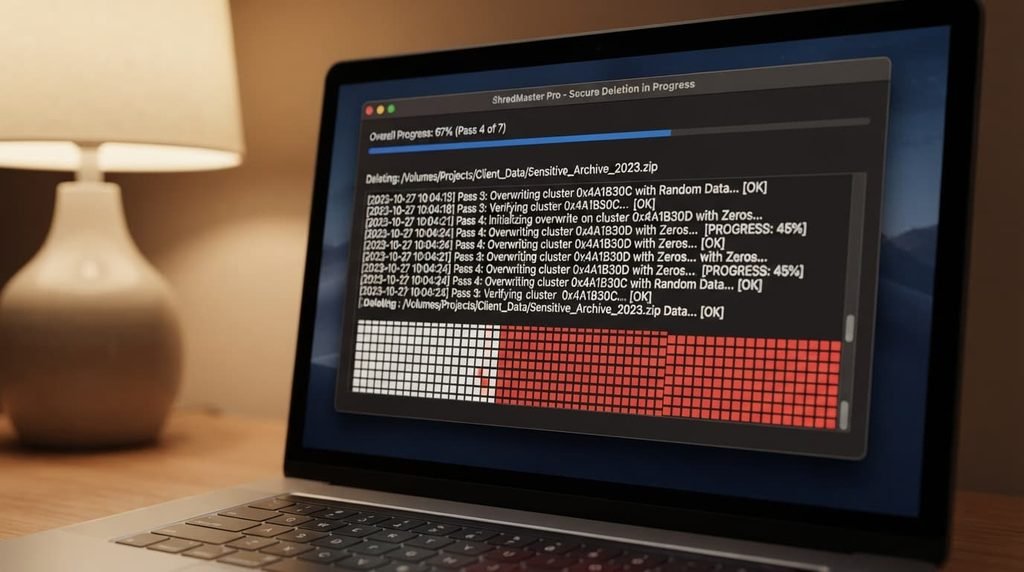
It also doesn’t explain why genuinely secure deletion tools exist specifically, since these tools deliberately overwrite data multiple times to ensure genuine, verified removal, addressing a security need standard deletion’s index-removal approach simply doesn’t provide on its own.
What people get wrong about it
The belief that emptying a recycle bin or trash folder means data is immediately and completely unrecoverable. This forms because emptying trash does remove the more accessible, user-facing reference to the file, but the underlying data typically remains recoverable through specialised tools until genuinely overwritten, meaning “emptied trash” doesn’t equate to “genuinely irretrievable” the way many people assume.
The belief that formatting a drive completely erases all previous data immediately. While formatting does prepare a drive for new use and removes the existing index structure, a standard “quick format” doesn’t necessarily overwrite the actual previous data, meaning genuinely sensitive information can sometimes remain recoverable even after this process, depending on the specific formatting method used.
Where the popular explanation oversimplifies
Advice describing deletion as simply “making a file gone” glosses over the meaningful difference between removing a file’s accessible reference and genuinely, permanently erasing its underlying data, treating these as equivalent when they’re actually distinct processes with considerably different implications for genuine data privacy.
This distinction matters practically: understanding that standard deletion leaves data potentially recoverable until overwritten helps explain both why accidental deletion recovery is often possible, and why genuinely sensitive data requires a specifically secure deletion method rather than standard deletion alone.
Standard file deletion removes an index reference rather than genuinely erasing underlying data immediately, which is why recovery is often possible until that space gets overwritten – this isn’t the same as genuine, secure permanent erasure. Understanding it as index removal rather than actual data destruction is the detail most explanations skip, and it’s the one that actually explains both accidental recovery possibility and genuine data privacy considerations.
Questions readers keep asking
How long does deleted data typically remain potentially recoverable?
This varies considerably depending on how actively your device writes new data to that specific storage space – a device with genuinely limited available space overwrites deleted data considerably faster than one with ample free space, making recovery timeframes genuinely unpredictable rather than following any fixed, universal timeline.
Is secure deletion software genuinely necessary for typical everyday use, or only for sensitive data?
For most typical everyday use, standard deletion is genuinely sufficient, though secure deletion becomes genuinely worthwhile specifically before selling, donating, or disposing of a device, or for files containing genuinely sensitive personal or financial information you want confidently, verifiably removed.
Can I tell whether my specific device uses this proactive clearing process?
Checking your own specific storage type and manufacturer documentation directly is the most reliable way to confirm this, since this particular background process is common but not universal across every device, and its specific behaviour can vary meaningfully even among devices using broadly similar underlying storage technology.
Does this same index-removal principle apply to cloud storage, or does cloud deletion work differently?
Cloud storage deletion involves genuinely similar underlying principles in many cases, though the specific technical implementation varies by provider, meaning checking a specific service’s own stated deletion and retention policies is worth doing if you have genuine concerns about how thoroughly your particular cloud provider actually removes deleted data.