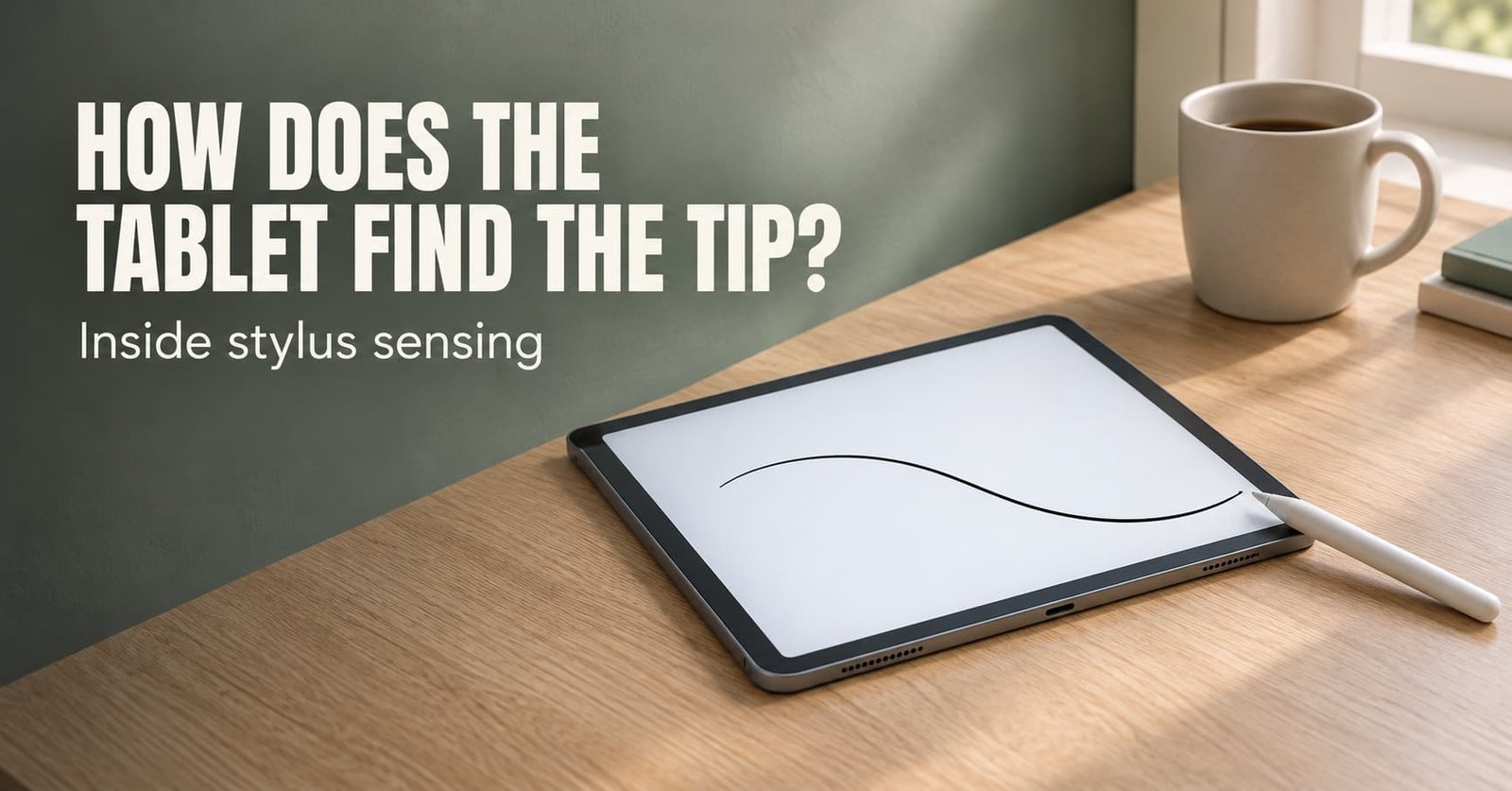
The common complaint is a line that lags behind the pen, or a palm that draws where nobody asked it to. How do tablet styluses know where the tip is? A grid of sensing lines under the glass measures a faint electrical signal, and the tablet finds where that signal peaks.
The rest of the guide follows one pen stroke from touchdown to ink. It shows the sum that places the tip between two lines and where the lag and the stray palm come from. It assumes an ordinary tablet used in the United Kingdom, with every distance in millimetres.
How do tablet styluses know where the tip is, in short?
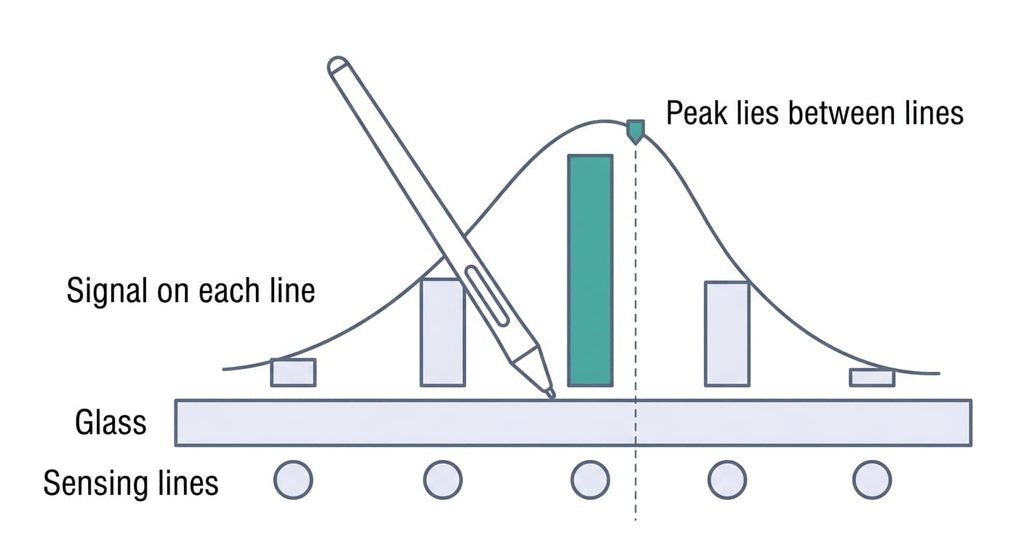
A tablet locates a stylus by measuring a signal across a grid of sensing lines and finding where it peaks. The signal is either the pen’s own transmission or a disturbance that the pen causes in the tablet’s field. One set of lines runs along the screen and another runs across it, just under the glass. A hovering pen is found too, up to about a centimetre above the surface, because the signal reaches that far.
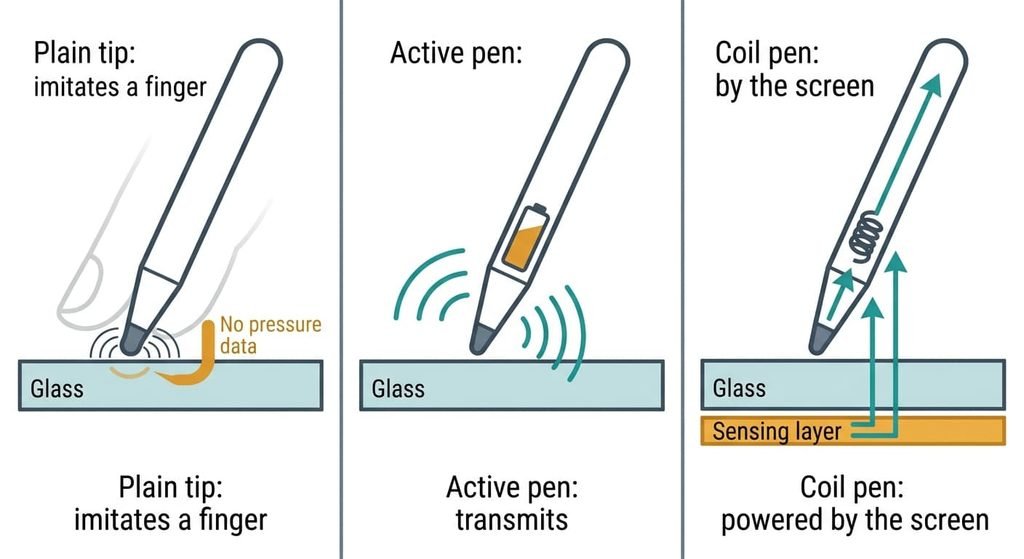
The short version leaves out three things. The grid has a pitch of a few millimetres, yet the position is far finer, because the tablet compares the readings on neighbouring lines and reads the peak between them. Pen types differ too. A plain conductive tip only imitates a fingertip, an active pen transmits its own signal, and a third design lets the screen power a coil inside the pen through a field from a layer behind the display. Which of the three sits under your glass depends on the model, and the maker’s specification sheet says. Last, the tablet must tell pen from palm, which it does by recognising the pen’s signal.
How tablet styluses know where the tip is, step by step
Follow one active pen across a tablet whose sensing lines run 4 mm apart.
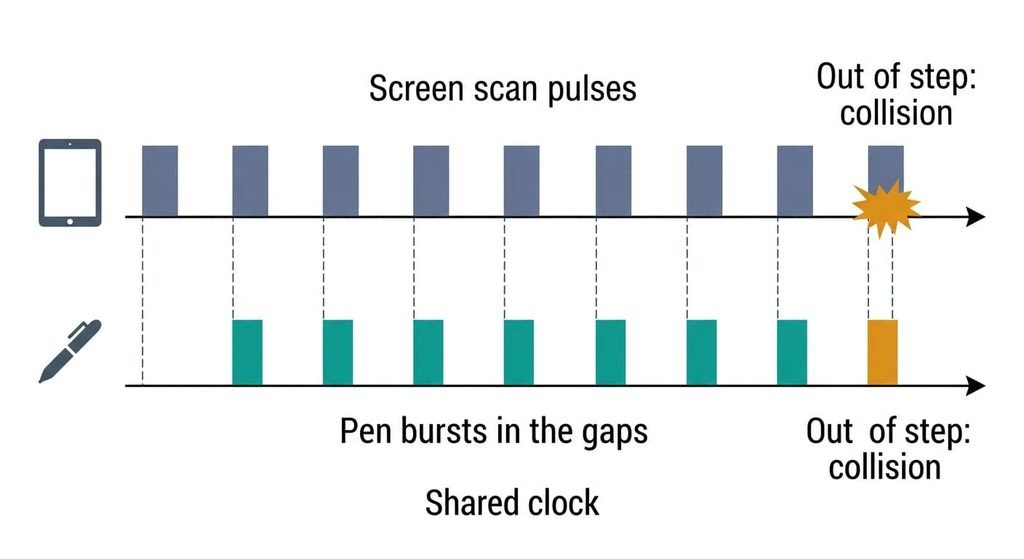
The screen sets the clock. Its controller sends pulses along the lines in turn, scanning the whole grid many times a second. The pen listens to those pulses and matches its own clock to them, so it speaks only in the quiet gaps between scans.
The pen then transmits. A burst leaves the tip, and each line near the tip picks up a share. Say five lines at 0 to 16 mm read 10, 40, 90, 50 then 12 units from left to right. The peak sits on the 8 mm line, yet its neighbours differ. Weighting each position by its reading gives (0 × 10 + 4 × 40 + 8 × 90 + 12 × 50 + 16 × 12) ÷ 202. That is 1672 ÷ 202, or 8.28 mm. The tip lies 0.28 mm beyond the line, a small fraction of the 4 mm pitch. The controller repeats the sum on the other axis for the second coordinate.
Two more numbers ride in the same burst. A force sensor in the nib turns pressure into a number that the pen encodes into its signal. A second electrode in the barrel shows up as a weaker second peak. The gap between the two peaks tells the tablet which way the pen leans and how far.
Then the report goes out. Suppose the tablet sends 120 reports a second, so one arrives every 8.3 ms. A stroke at 20 cm a second moves 1.7 mm between reports, so the software joins the points with a smooth curve and draws slightly ahead of the last point to hide the delay. That guess is the lag you notice when the pen changes direction.
Palm rejection comes from the same scan. A palm is a wide, weak disturbance. Once the pen’s burst is heard, many tablets set touch input aside.
The other two designs share the steps that follow. A passive tip skips the first two, since it only imitates a finger. The coil design replaces them with a field from behind the display.
Microphones on a wall, and where they fall short
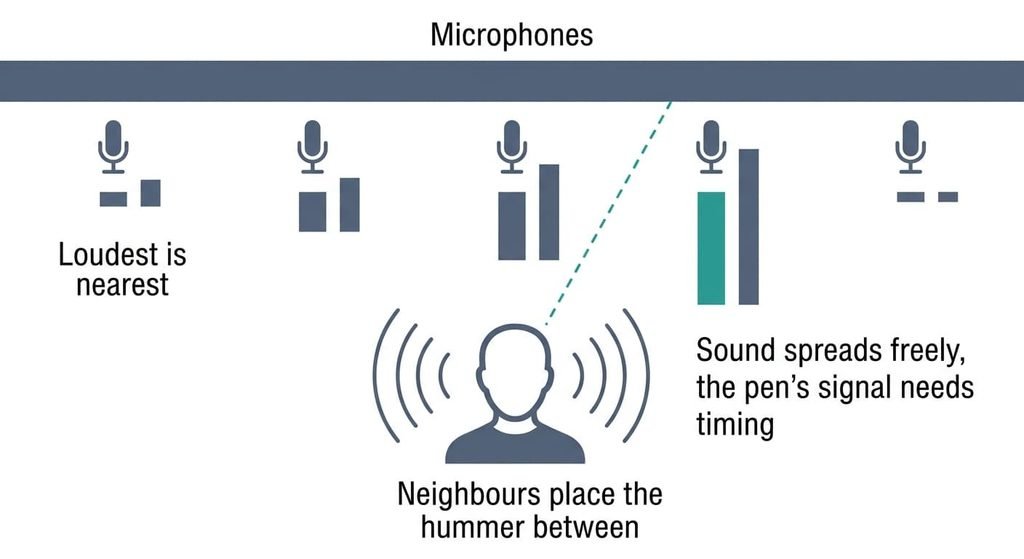
How do tablet styluses know where they are, in plain terms? Line a wall with microphones and let someone hum in the room. The nearest microphone hears the loudest, and comparing its neighbours’ volumes places the hummer between them. The sensing lines do the same job, and the sum above is that comparison.
Timing is where the picture fails. A hummer can start whenever they like, while a pen must wait for the screen’s scan and speak in the gaps, or the readings turn to noise.
A microphone never waits for its turn.
It fails on shape as well. Sound fades smoothly with distance, but a pen’s signal also shifts with its lean and with the thickness of the glass above the lines, so the tablet has to correct for both.
What a stylus can’t do on its own
Pressure and tilt reach the screen only if the tablet is built to decode them. A plain tip on any capacitive screen, which senses electrical charge, delivers a position and nothing more. An active pen speaks the signalling its own screen was built to hear, so on another tablet it may draw a dot without any pressure at all.
Hover works within about a centimetre of the glass, and no further, because the signal fades quickly with distance. A thick screen film adds distance and weakens the signal. Water drops and gloves confuse a grid that measures electrical disturbance. The pen also knows nothing of the page. It reports positions and a force number, and the app decides what to draw. Edges are the weak spot. At the rim of the screen a line has neighbours on one side only, so the weighting sum loses one side of its data and accuracy falls.
Where the usual beliefs about styluses go wrong
The first belief is that a stylus works by pressing on the screen. It formed in the era of older touch screens, where pressing two layers together closed a contact. Today’s screens sense electricity, and the screen receives pressure as a number.
The second is that the number of pressure levels says nothing about position accuracy, yet buyers treat it as a measure of precision. Spec sheets list levels because they’re easy to count. Position accuracy depends on the line pitch and the interpolation sum. I’d weigh lag and tilt over the level count.
The third is that palm rejection is the screen guessing. Early versions did judge by contact size. Newer ones also use the pen’s burst as the cue, which is why a resting palm is ignored the moment the pen comes near.
How to tell whether you need an active stylus
If you draw or annotate by hand, pick an active pen that your tablet’s maker lists as compatible; if you only tap and sign, a plain tip is enough. Pressure and tilt both depend on the pen speaking the screen’s signalling. A student taking handwritten notes needs them. Someone tapping a menu, or signing for a delivery, does not. The specification sheet settles it in one line, because it names the pen type the screen supports. A screen that names none is probably built for fingers and plain tips. If you’re unsure, test with a plain tip first. When the tablet reports a position, the grid works.
How do tablet styluses know where they touch? A tablet draws a stroke from a peak of signal between two lines, so the pen that suits you is the one the screen can hear. Its lag comes from the report interval and the prediction that hides it. One limit deserves a place in memory: pressure and tilt reach the screen only when it’s built to decode them. Check which pen type your tablet lists before you buy one, because that single line saves a return.
Questions readers keep asking
Can any stylus work on any tablet?
Any plain tip works on a capacitive screen, but only for position. An active pen needs a screen built for its signalling. Elsewhere its pressure and tilt vanish, or the pen goes unheard. How do tablet styluses know a pen from a finger? They detect the pen’s own signal, so mismatched pens go unheard.
Do I need a stylus with a battery?
Not always. Passive tips need no power, and the coil design draws power from the screen’s field. Active pens that transmit their own signal carry a battery or a charge. If you only tap and sign, none of them is needed. Handwriting is where a matching active or coil pen earns its place.
What is the difference between a stylus and a finger?
A finger is a wide, soft disturbance, while an active pen is a narrow transmitter that speaks in timed bursts. The tablet can therefore place a pen more finely and add pressure and tilt, and it can tell the two apart when a palm rests on the glass.