The most common complaint about a video call is a face that freezes while the voice carries on. Packet loss is behind it: the small chunks of data a call travels in, called packets, go missing on the way. Why does it freeze a video call but barely touch the sound? A picture is split across many packets and each one is needed, while a few missing slivers of speech can be patched over.
Every timing and rate below is a rounded example on a made-up British home line, with the call set to 1.5 Mbit/s, so yours will differ. The article follows one frame of video from sender to screen.
Why does it freeze a video call? The short answer, and what it leaves out
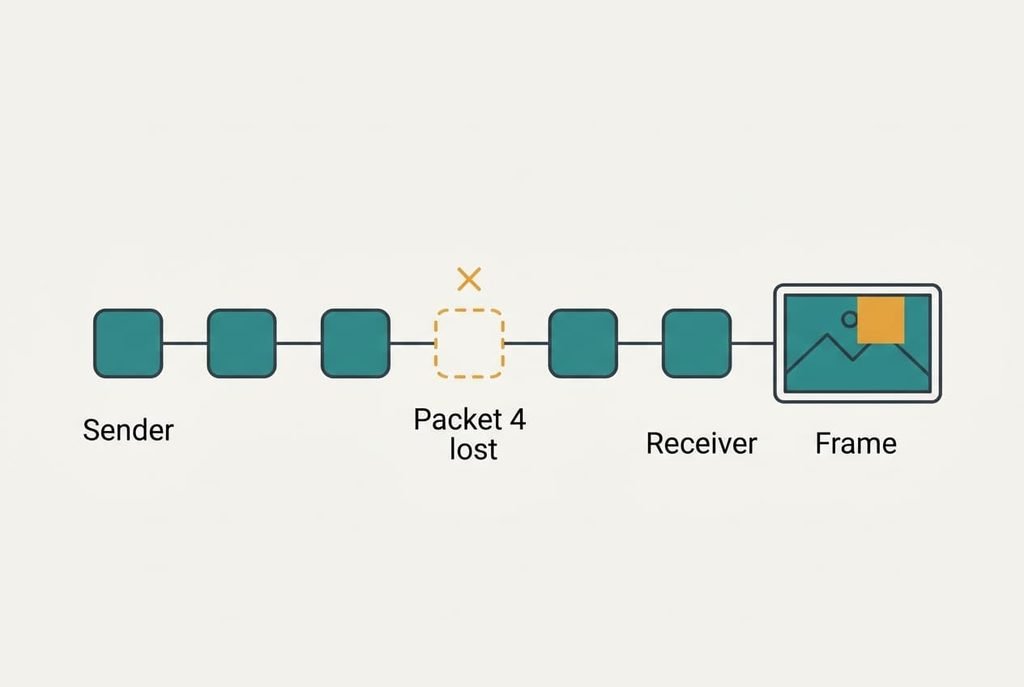
Packet loss means some of the packets a call is sent in never reach you, so the receiver holds an incomplete picture. That’s the version you could repeat to a colleague. It’s usually reported as a percentage of packets sent over a stretch of time. A packet that arrives after the receiver needed it also counts as lost for a live call, since nobody replays the past. The plain version hides a multiplier, and most short explanations skip it entirely. One frame of video travels as about six packets, so a loss rate of 2% damages 11% of frames, not 2%. Frames also depend on each other, because most of them are stored as changes from the one before. A single missing packet can therefore spoil every picture after it until a fresh, complete frame arrives. Sound has no such chain. An interruption of 20 ms barely registers. Each slice of speech stands alone, and the decoder can invent a plausible replacement for one that’s missing.
Why does a video call freeze when it loses a packet, step by step
Take one frame of a 30-frames-a-second call at 1.5 Mbit/s. That is 187,500 bytes a second, so each frame holds 6,250 bytes. A packet carries about 1,200 bytes of picture, which means the frame leaves as six packets, numbered 1041 to 1046.
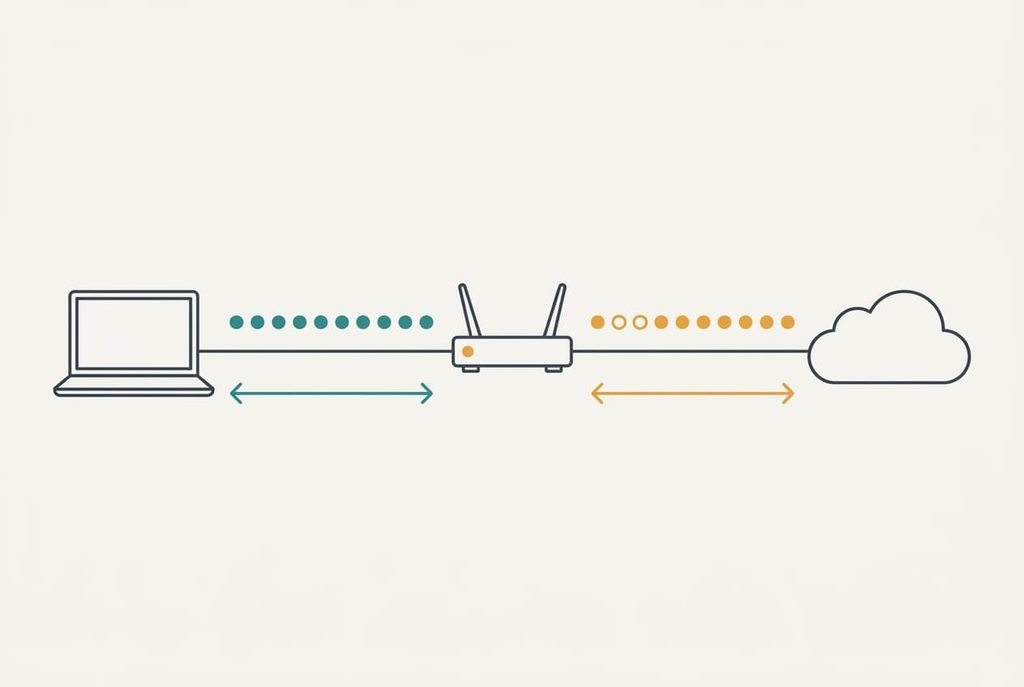
Packet 1044 is lost on the wireless link to the router, where interference corrupted it. The other five arrive. The receiver sees 1043 and then 1045, and the gap in the numbers tells it that 1044 is missing. It doesn’t wait for a timeout. It sends a short request to resend that one packet.
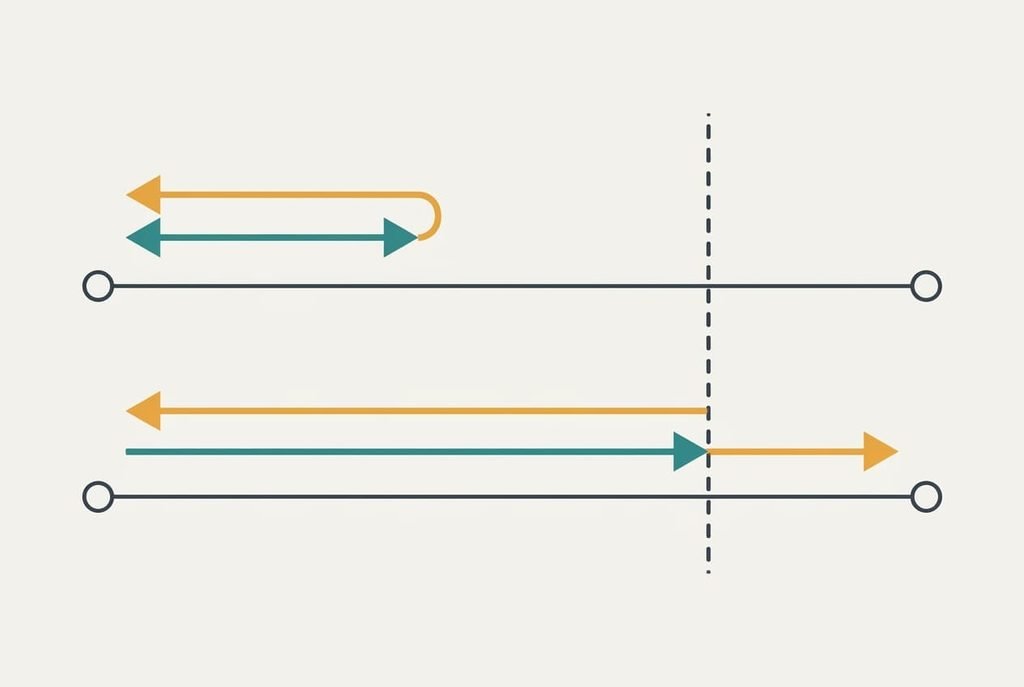
Now the round trip decides everything. On a 40 ms round trip, the request needs 20 ms to reach the sender. The repair needs 20 ms to return, so the frame completes 40 ms later. The receiver keeps a 100 ms buffer before showing frames, so a 40 ms repair fits inside it and nobody notices.
On a 240 ms round trip the repair would land 240 ms late, which is after the buffer has run out. The receiver abandons the frame. Every later frame is only a set of changes to this one, so the decoder can’t draw it, and the same holds for the one after that. The screen holds the last good picture while the receiver asks for a keyframe, a complete image sent without reference to earlier ones.
That keyframe is bigger: about 25,000 bytes, or 21 packets. At 2% loss, the probability of losing one or more of those 21 is 1 − 0.98²¹, or 35%. The request takes 120 ms to arrive and the keyframe takes 120 ms back. Sending it at 1.5 Mbit/s adds 133 ms, so one clean repair costs 0.37 s of frozen picture. Because 35% of repairs need a second attempt, the average freeze is 0.37 ÷ 0.65, which is 0.57 s.
Meanwhile the audio lost one 20 ms slice a second and covered the gap. So why does it freeze a video call and leave the sound alone? The picture needs the repair, and the sound simply covers the gap.
A jigsaw posted in six envelopes, and where it breaks
Picture a jigsaw posted in six envelopes. If one is missing, you ring the sender, who posts a copy. That matches the resend step well. It also shows why speed matters. A posted copy that arrives after the party has started is no use, and a live call has a deadline of 100 ms.
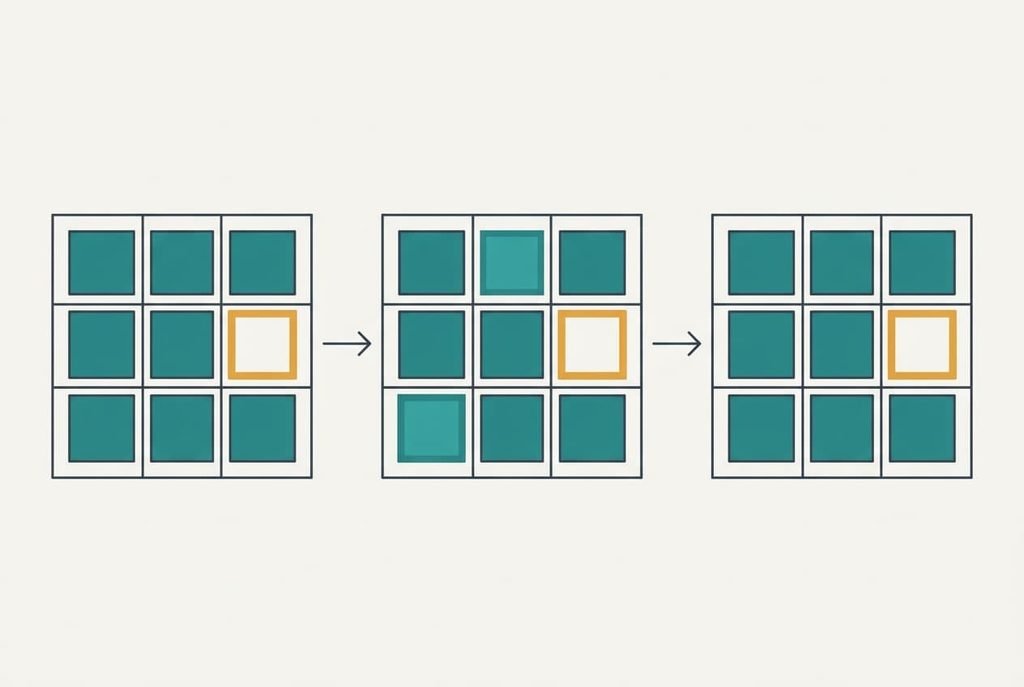
The jigsaw breaks at the next picture. Your second jigsaw is the first one with a few pieces swapped, so a hole in the first leaves a hole in the second. Then the third inherits it too. A live call also can’t wait for a slow envelope.
Video is built the same way, which is why one gap lingers.
What packet loss does not tell you
A clean speed test says nothing about packet loss, because a test counts the bytes arriving each second. Its method quietly resends anything that went missing. A line can post a high figure while dropping one packet in fifty. The test reports the total, and the call needs each packet at the right moment.
Loss also doesn’t damage files, whatever the size of the transfer. A download or a web page resends missing pieces automatically, so loss shows up there as slowness and never as corruption. And a loss figure doesn’t tell you where the packet vanished. A fault on the home wireless link and one at the far end look identical on the screen, so you need a second test to separate them.
Real loss arrives in bursts, not evenly. Ten lost packets in a row damage two frames instead of ten. The averages above overstate how many frames are damaged and understate how long a gap lasts.
[IMAGE 5 HERE – replace this box with the generated image]
What people get wrong about packet loss
Many people expect a faster plan to cure freezing. That idea grew out of how plans are marketed: speed is the headline figure, and every test reports it. A bigger plan doesn’t remove loss, because the lost packets in our trace never fell for want of capacity; interference at the Wi-Fi hop dropped them. Why does it freeze a video call on a fast plan? The speed was never the limit.
Another belief says a clear voice proves the connection is fine. The belief has a real source: audio tolerates loss, as the trace showed, so sound survives what wrecks the picture. People trust their ears first and blame the screen last.
Last comes the idea that a router restart always fixes it, and the habit comes from the times a restart does help. That works when a stuck device is dropping packets. It fails when interference or a distant far end is to blame.
[IMAGE 6 HERE – replace this box with the generated image]
How to tell whether packet loss affects you
Run a five-minute test while the picture usually freezes: 300 pings at one a second, sent first to your router and then to a well-known website. If the router test loses more than one packet in 200, the home wireless link is at fault, so move closer to the router. If the router test is clean and the website test loses packets, the fault lies beyond your home. Why does it freeze a video call on a clean line? Check the far end.
If you only stream recorded video and browse, you can ignore all of this, because buffering hides loss from you.
Packet loss freezes video because a frame spans many packets and later frames lean on earlier ones. Sound recovers because each slice stands alone, and a resend rescues the picture only when the round trip is short. A short round trip is the best protection a line can offer. Keep one limit in mind. A speed test can pass while a line still drops packets, so test the loss itself with pings before blaming the plan or the provider.
[IMAGE 7 HERE – replace this box with the generated image]
Questions readers keep asking
Can packet loss damage my downloads or files?
No. Downloads and web pages resend any packet that goes missing, so loss shows up as slowness rather than damage. The files you save arrive complete. Live calls and games behave differently, because there’s no time to resend, so they show the loss as freezes or garbled sound.
Do I need to test my line for packet loss?
Only if you make live video calls or play online games and see freezing. Run 300 pings to your router and then to a website. If you only browse or stream recorded video, a buffer hides the loss and the test tells you nothing useful.
What is the difference between packet loss and latency?
Latency is how long a packet takes to arrive, and packet loss is whether it arrives at all. A call can have low latency and still freeze, because lost packets need a repair that costs a round trip. High latency makes every repair slower, which is why distant calls suffer more.