Price is the least useful number to compare on a VPN. A paid or free VPN differs in who pays for the servers, and that decides what the provider needs from you. Take paid if you’ll use it most days or sign in to anything through it, and take free for short sessions on public pages.
The sums below use round, made-up server loads, so read them as shapes and not as measurements. They assume the United Kingdom, where the country changes consumer-rights details and never the mechanics. “Free” here covers two kinds: the free tier of a paid service, and a free app with no paid plan behind it.
The one property that decides a paid or free VPN
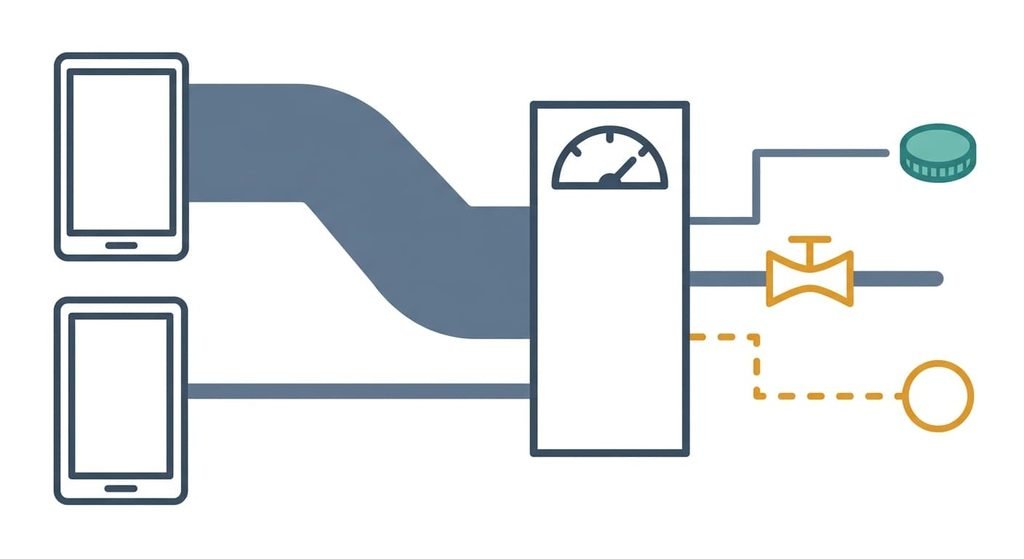
Who pays for the servers settles it. A VPN runs on machines in data centres, and the bandwidth they carry is paid for by volume or by reserved capacity. Say one heavy user moves 200 GB a month and a light user moves 2 GB. The heavy user sends 100 times the traffic through the provider’s machines, and that gap has to be covered somehow.
Someone always pays.
The provider has a few ways to cover it. It can charge you, or it can cap you. The third is to earn from you in some other way. A cap is easy to see. The other way is the one worth checking, because the provider sits where your traffic passes. Every provider can see the site names you ask for, paid or free. It sees the times too. What differs is what its income depends on.
Capacity shows the same split. Say a server has a link of 1,000 Mbit/s. With 250 people active in the evening, each gets about 4 Mbit/s if the link is shared evenly. With 40 people it’s 25 Mbit/s, which is 6.25 times more. I think most readers weigh price and speed here, and the better question is what keeps the servers switched on.
Free versus paid VPN, side by side
| Question | Paid | Free |
|---|---|---|
| Who covers the bandwidth bill | You, through a subscription that renews | Users who upgrade, or some other income drawn from users |
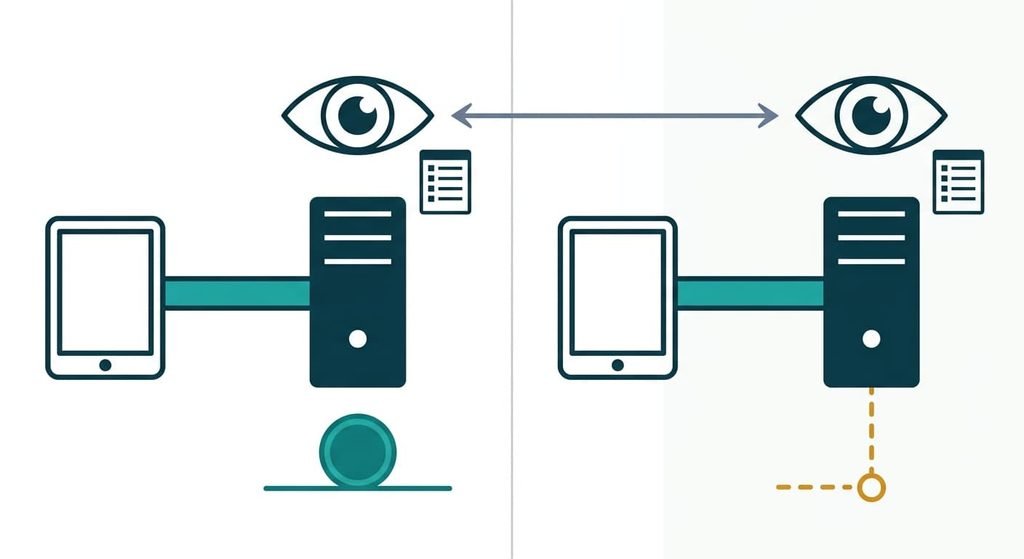
| What the provider can see | The site names and times of your requests | The same site names and the same times |
| Behaviour at busy hours | A cap on places per server, if the provider sets one | A cap on speed or data that applies to free users |
| Income needed to keep running | Renewals that keep arriving month after month | Upgrades or other income that keeps arriving |
| If the income stops | The plan ends on a date you can read in advance | The app may change its terms or vanish with no contract to point to |
| What you can check first | Terms that name a company and a refund route | How it says it earns, and what access the app asks for |
| What it can’t do | Hide who you are from sites you sign in to | The same, whichever kind of free it is |
Row two surprises people most, since paying shrinks nothing the provider can see. The names and times stay as visible to a company you pay as to one you don’t. Payment changes only what the provider’s income depends on, and that is the whole difference to weigh.
Where a paid VPN wins
A paid plan wins for daily use, because your fee is the provider’s income, so its business has less reason to look for a second source. That’s an incentive and it guarantees nothing, so read the terms before you pay. A provider that caps the places on each server keeps your evening share close to your morning share. That matters over months and hardly at all over an afternoon.
It wins when you sign in to anything through it. Bank pages and email pass through the provider’s servers, and a written contract with a company you can name is the better thing to sit behind that.
It also wins for large downloads and long video streams. A free cap on data or speed is built to stop the heavy user who carries 100 times the traffic, and that user is you the moment you stream for hours.
The plain reason is a date. A paid plan has a renewal day, a refund route in the terms and a company to write to. Set a reminder for the renewal, since a charge you forgot to stop is the cost a paid plan adds.
Where a free VPN wins
In a paid or free VPN choice, free wins for short sessions on public pages. Reading a timetable or checking how a public page looks from another country fits well. A monthly data cap costs you nothing when you use 2 GB.
It wins when you want no payment record. A paid plan ties a card or an account to your use, while a free app has no renewal and no cancellation. That’s the quiet reason, and it suits someone who needs a tunnel twice a year.
It also wins as a trial. The free tier of a paid service runs the same app on the same servers, with a limit on top. Its income comes from people who upgrade, so its incentive points the same way as the paid plan’s. A week on it tells you whether the app suits your phone before any money moves.
Free with no paid plan behind it is the kind to check hardest. Ask how it earns, and look at whether the app wants more access than building a tunnel requires.
When neither is right
Neither a paid or free VPN suits a reader who wants to be unknown to the sites they sign in to. A provider’s server can hide your home address, but your account name still identifies you. A tunnel can’t change that.
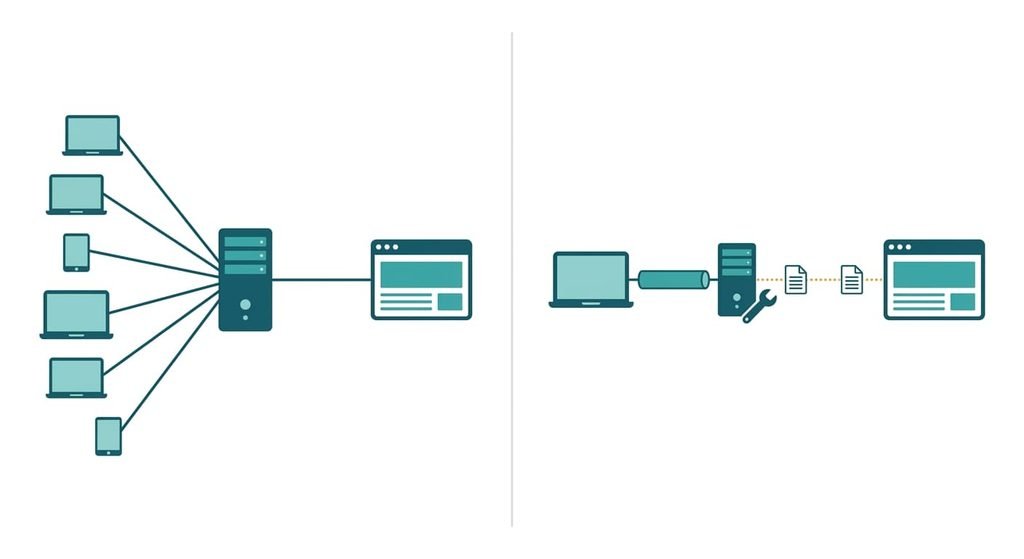
The third option is a server only you use. You rent a small machine, or use the VPN function in a router, and become the provider yourself. Since you pay, no one else’s income is in the picture. The logs sit with you, and so does the patching. The effort is real and it never ends.
One thing gets worse. A shared server puts many people behind one address. Yours would put one person there, so sites can link your visits together more easily than on a shared one. That fits a person who wants a private route to a home network. It fits poorly a person who wants to blend in.
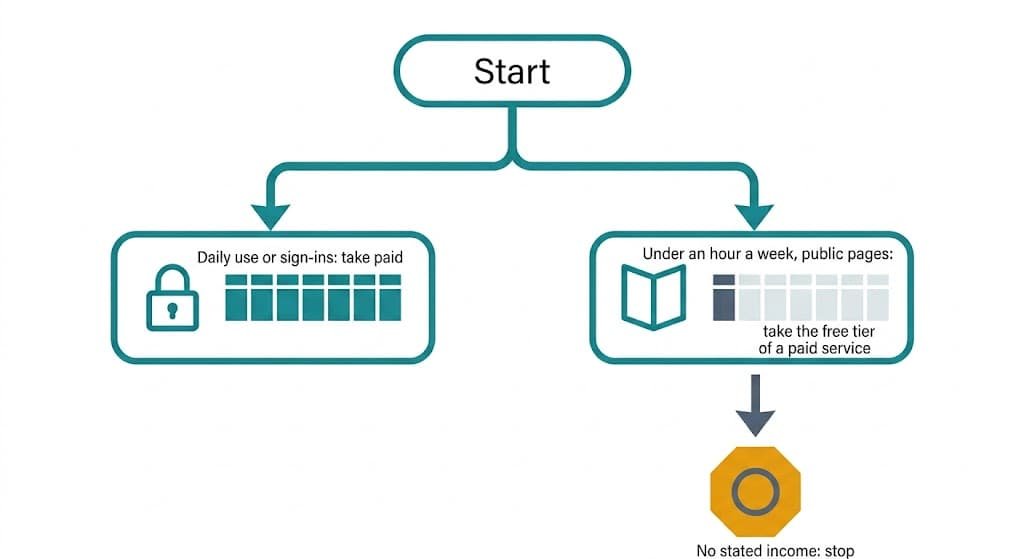
How to decide in thirty seconds
If you’ll use it most days, or anything you sign in to will pass through it, take the paid plan. If you need it for under an hour a week and only for public pages, take the free tier of a paid service.
Then spend ten minutes on one check. Find the place where the provider says how it earns money, then find what access the app asks for. A tunnel needs permission to set up the virtual connection and little else.
No stated income means you skip that app.
Which free app is funded how stays hidden from here, so that check has to be yours.
For a paid or free VPN, price asks what you pay, and the servers ask who does. Choose paid when your daily use or your sign-ins pass through the provider, and choose the free tier of a paid service for short public sessions. Whichever you pick, read how the provider earns before you install anything. That one check outweighs every feature on the app’s page.
Questions readers keep asking
Is it worth paying for a VPN if I only browse at home?
Only if something you sign in to or download in volume passes through it. A paid plan buys a provider whose income is your fee, plus capacity limits it sets itself. If your home browsing is public pages and short sessions, a free tier of a paid service covers it at no cost.
Can a free VPN stop working without warning?
It can, because its income may change while you have no contract to point to. A free tier of a paid service tends to continue, since upgrades fund it. A free app with no paid plan depends on income you can’t see. Keep a second way to reach what you need.
Which VPN suits a student on shared flat Wi-Fi?
The free tier of a paid service suits light use, such as reading course pages from a laptop. A paid plan suits someone who streams or downloads for hours. Shared Wi-Fi adds the flatmates to the picture, so either works only if the app’s setup is right.