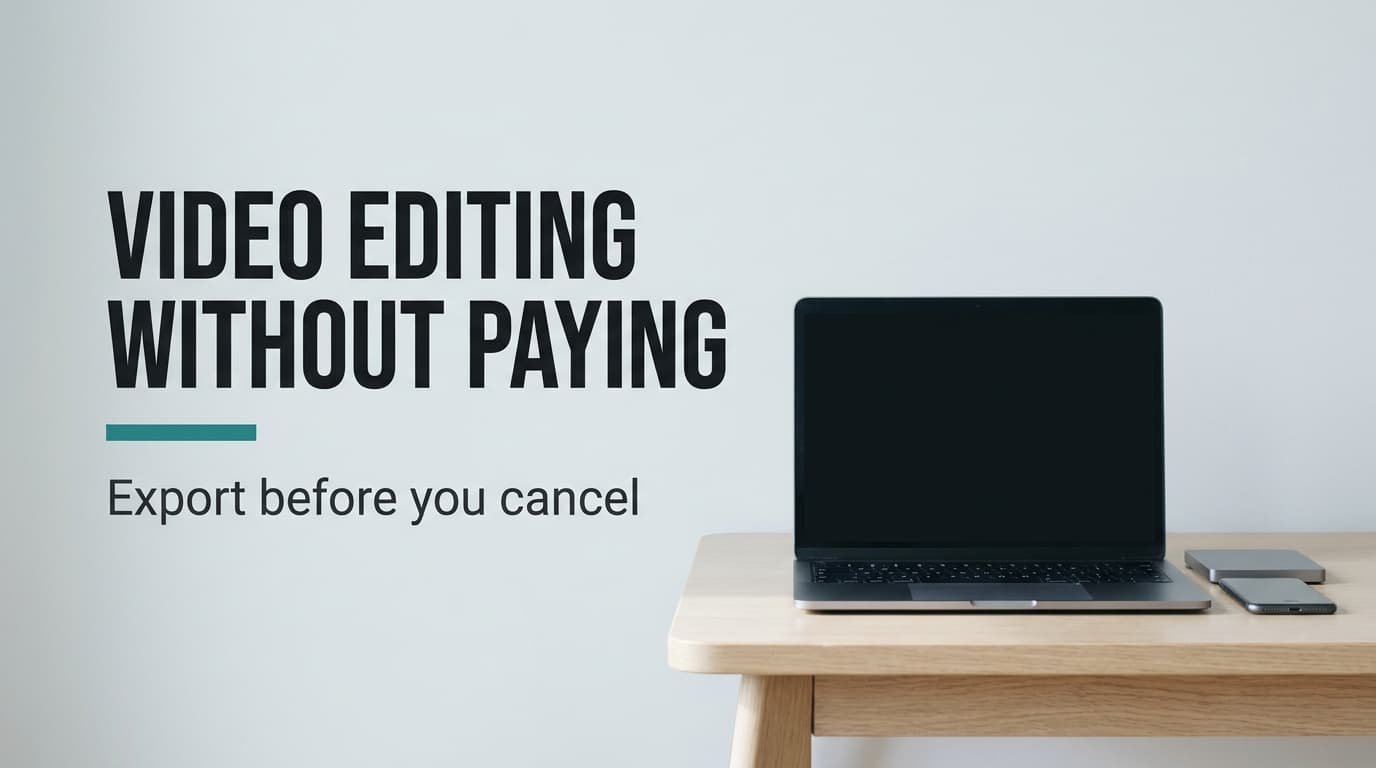
No other program can open a project file, and it’s the single piece of a finished video that stays behind when you leave. Moving away from a paid video editing subscription therefore costs that file and little more. Three routes come first, then the third month. The sequence for moving, then the final export, closes the guide. No product is named, so every step suits any editor. Our sample family makes 48 short videos a year. Each runs 45 seconds and is built from about six raw clips. Use your own count when you decide.
What survives when you leave a paid video editing subscription
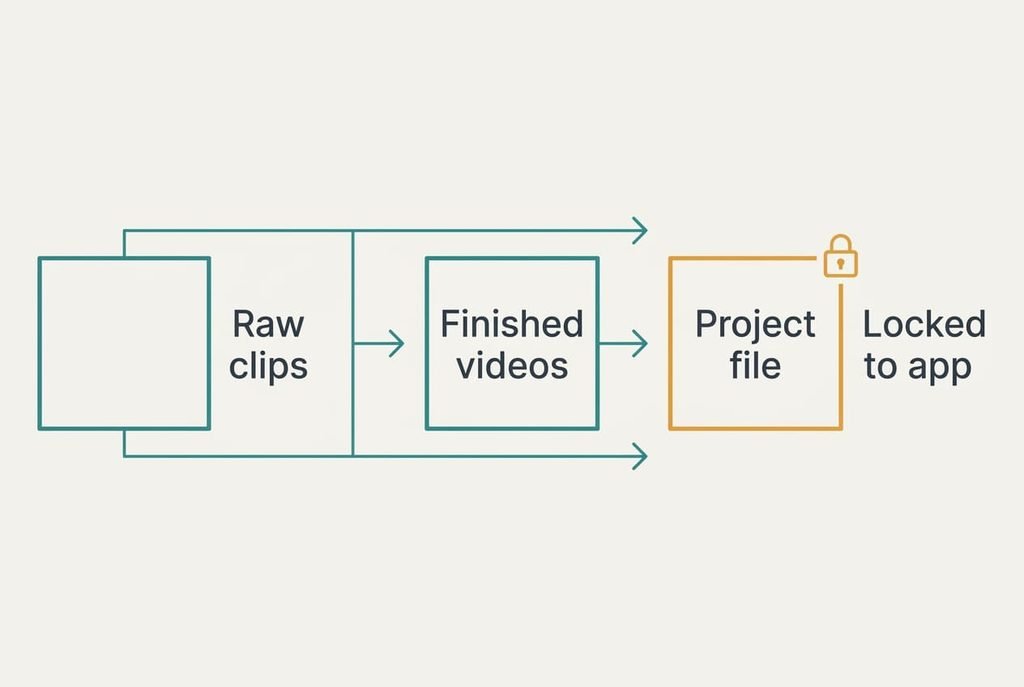
Count what you own before you worry about what you lose. The payload is 48 finished videos and about 288 raw clips, all of them ordinary files that any player or editor can open. Six clips for each of 48 videos gives 288, and the finished set runs to 36 minutes of film. None of it belongs to the app.
The project file is another matter. It stores instructions in place of pictures: cut here, fade there, start the music at this second. It refers to your raw clips by name and folder, so a different program can’t read it, and moving the clips without care breaks its links.
That leaves one casualty, the timeline work. Titles and transitions live inside that file, and so does the timing of the music. For a video you’ve already exported the loss is invisible. For one that’s half finished it means laying out the cuts again, which costs about 25 minutes a video in our household.
Raw clips are the irreplaceable part, because a finished video can always be rebuilt from them and never the other way round.
What to use instead of the paid app
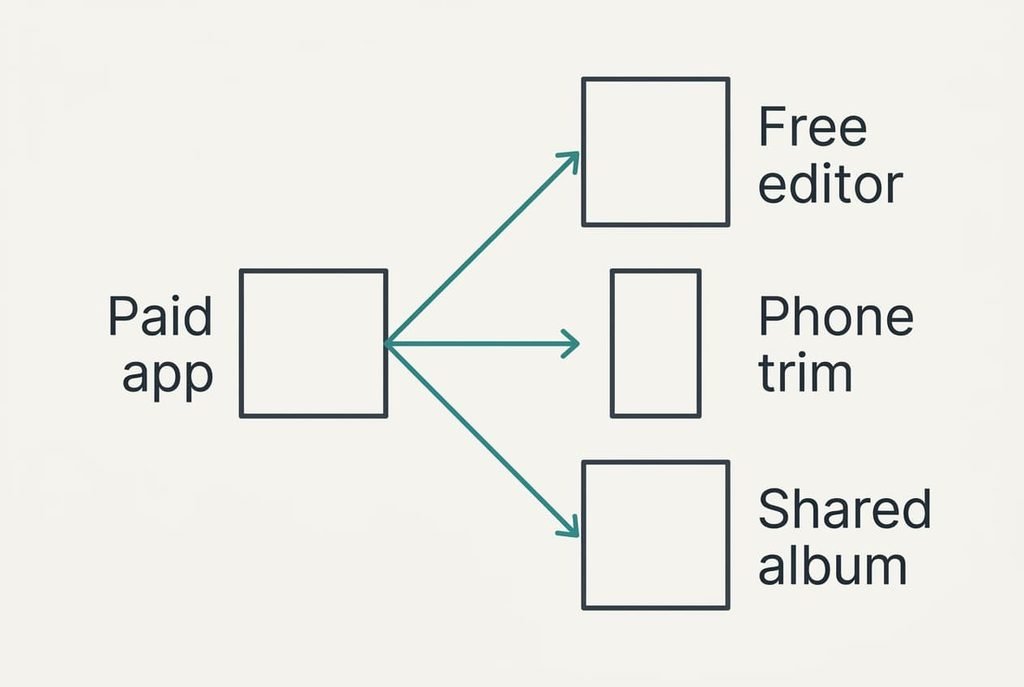
Leaving a paid video editing subscription can follow any of these routes, and each costs something different, so weigh the three against your own week. Time per video comes from the same sample, 25 minutes in the paid app.
1. Money: install a free desktop editor and import the raw clips. It fits anyone who enjoys working with a timeline and owns a laptop. Expect about 35 minutes a video, so 48 videos take 28 hours a year against 20 in the paid app. Cuts and music carry over as skills, though a few effects go. Raw clips load as they are, and finished videos need no conversion. Once installed it works offline, which suits a long train journey. Watch the free tier, which may cap export length or quality, so export one long clip as a test before you commit a whole project.
2. Effort: trim clips with the phone’s own tool and skip the timeline. At roughly 10 minutes a video the year costs 8 hours. You give up music beds and titles, along with the joining of clips into one film. The trimmed clips stay on the phone as separate files, and the originals remain untouched. Trimming takes seconds, and the phone keeps the trimmed copy beside the original. Joining is the gap: two clips can’t play back to back, so any story with a middle needs a different route.
3. Feature loss: stop editing, and post the raw clips to a shared album with a one-line caption. Three minutes a video comes to 2.4 hours a year. Nothing is trimmed or scored, and clips arrive exactly as filmed. Grandparents get every moment, dull seconds included. It’s the cheapest route in time and the weakest at telling a story. The audience is the gap: relatives face 288 clips with no story, and most stop after the first few. Captions matter more than editing here, so write one line per video naming the place and the day.
What month three does to editing video without a subscription
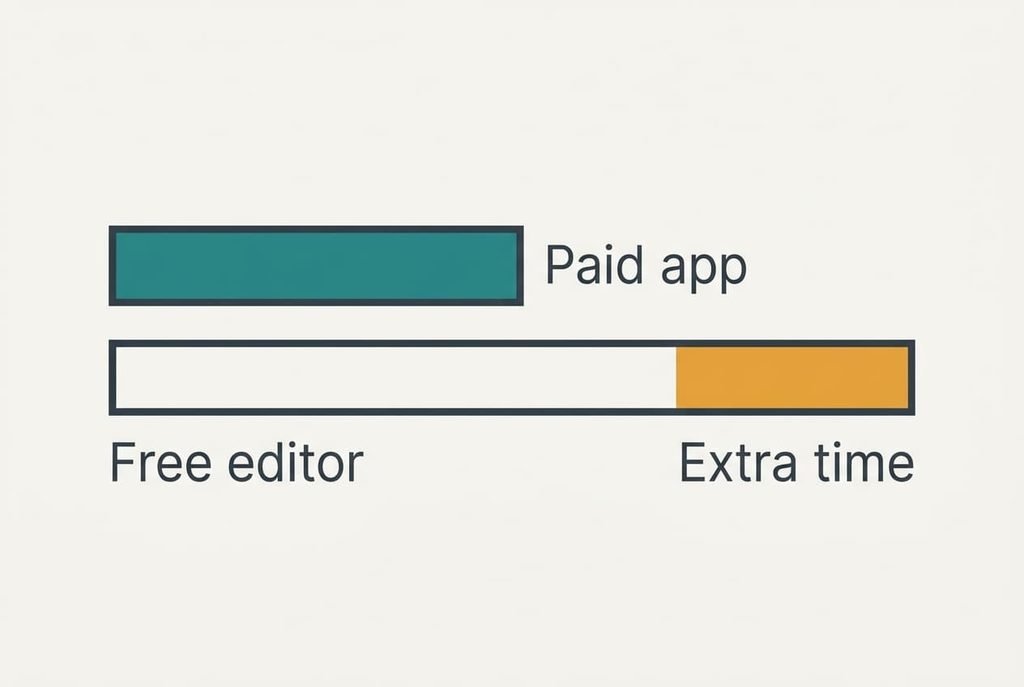
By month three, the extra ten minutes per video decides whether the fourth video of the month gets made. In the paid app four videos take 100 minutes. In the free editor they take 140. That’s 40 extra minutes a month, or two hours across the quarter, and it arrives in the evenings you’d rather keep. Skipping costs nothing in cash, but the folder of unedited trips keeps growing.
Nobody quits on day one. The slide begins when a Sunday runs short and the clips from a trip sit unedited.
One skipped video makes the next one easier to skip.
The phone route feels this least, since ten minutes is hardly a burden, and the album route hardly feels it at all. Before you move, test the step that follows filming. If you’d do it on a tired Thursday, it will survive month three.
The order to move things in
Begin with work in progress. Export every unfinished project as a finished video while you still have access, which turns a locked file into a plain one. Then copy the whole folder of raw clips to a second drive and keep the folder names as they are.
After that, open the new tool, then rebuild a recent video from its raw clips, timing yourself. If the clock shows far more than the figure for your route, change routes before the habit sets in.
Run both setups side by side for four weeks, which covers four videos at our rate. Cancel at the end of that run, once the old app has sat untouched for the last two weeks, and put the renewal date in your diary a week early so it doesn’t catch you.
When to keep the subscription
Stay put when the timeline work is the point. A household making 48 videos a year saves ten minutes on each by keeping the paid app, which totals 8 hours yearly, and the saving grows with ambition. Count the revisions you really make, not the ones you plan. Anyone who revises a video three times before sharing it gets more from the paid app than from any free route, so keep the subscription if that describes you.
Stay as well if several people work on one project. Passing a project file between them is what the app does best, and no plain-file route copies it. Weigh those hours against what you pay, and let the sum decide. A paid video editing subscription earns its place when layered editing is the hobby itself rather than a means to a shared clip.
Export before you cancel
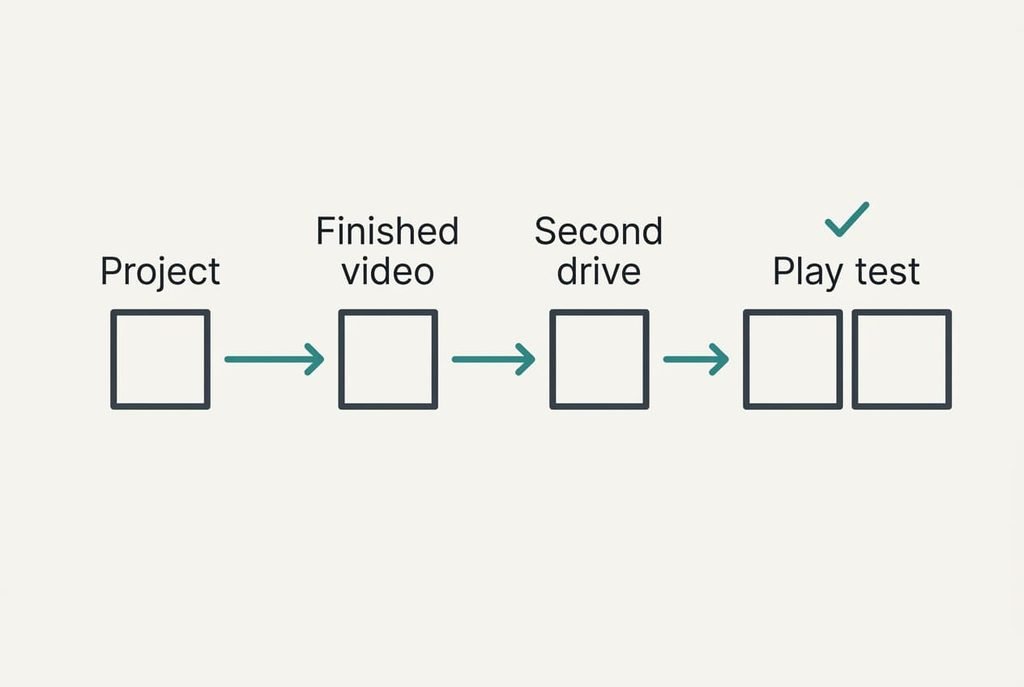
Run the export first, since a cancelled account can lock project files for good. Before cancelling, export each unfinished project as a finished video and copy the raw clip folder to a second drive, then play three exports on another device and check that sound and titles came through.
Name every file by date and subject, so a search next year still finds it. Begin each name with the date in year-month-day order, which sorts correctly without help. Leave the account active for seven days after the switch, and open one old project beside its export to confirm the cuts and the sound match. Anything that differs is worth fixing while the old app still opens.
A paid video editing subscription is easiest to leave once the files sit in two places and the old app guards nothing. Leave a note on the second drive saying which route you chose and why, so next year you will see whether the extra minutes were still worth it.
Questions readers keep asking
Will my edited videos open in another program?
The finished videos will, because they’re plain files. The project files won’t, since they hold instructions that only the original app reads. Export every finished or half-finished project as a video before you cancel, and keep the raw clips folder beside them.
What does the free route cost in relative terms?
It costs time in place of money. The free editor takes 35 minutes a video against 25, a rise of 40%. Over 48 videos that is 8 more hours a year. The phone route takes 10 minutes a video, and the album route takes three.
Is it worth the disruption?
For most families who make a few clips a month, yes. The move needs one session for the export and another for the first rebuild. If you edit weekly with layered titles and music, the disruption outweighs the saving, and staying is the sound choice.