You aim at one headline, and your thumb lands on another. A moment before the tap, something above the link arrived and pushed everything down. Page layout shifting while loading is the usual cause, meaning the cure is a short wait or a stripped-down view of the page. The trouble comes from a browser that draws text first and reserves no room for what follows, and one commute with a stopwatch will show you which parts of the page are to blame. All numbers below come from one news page on one phone, over mobile data in a Manchester railway carriage.
How Page Layout Shifting While Loading Moves a Link Under Your Thumb
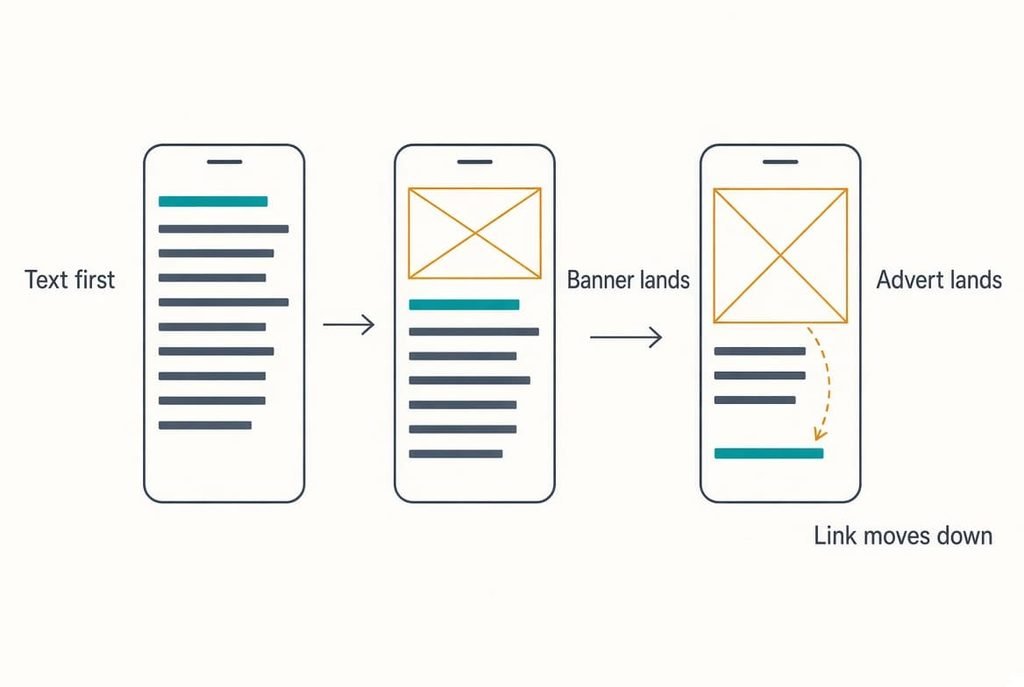
A browser builds a page in the order things arrive. Text comes first because it’s small, so the browser draws it at once and places every link where it belongs at that moment. Pictures and adverts arrive later, and each needs a box. Unless the page declared that box in advance, the browser learns its height only when the file lands, and everything beneath slides down. The page can’t hold a spot for something it hasn’t measured, so the shift happens after you’ve chosen a target.
On the news page we timed, the text appeared at 0.7 seconds. A banner picture arrived at 2.1 seconds and added 35 mm of height on our screen, equal to 3.5 link rows of 10 mm. An advert landed at 3.4 seconds and added another 50 mm. A link you spotted early therefore ended 85 mm lower than where you saw it.
A thumb lands within about 5 mm of its aim, and a tap takes around 0.3 seconds to arrive. Any shift inside that window sends the tap to a neighbour. Pages that reserve their spaces stay still, while the rest shift every time.
Which late item is yours settles the cure, and four short tests will name it.
Four Tests for a Page Layout That Keeps Shifting While Loading
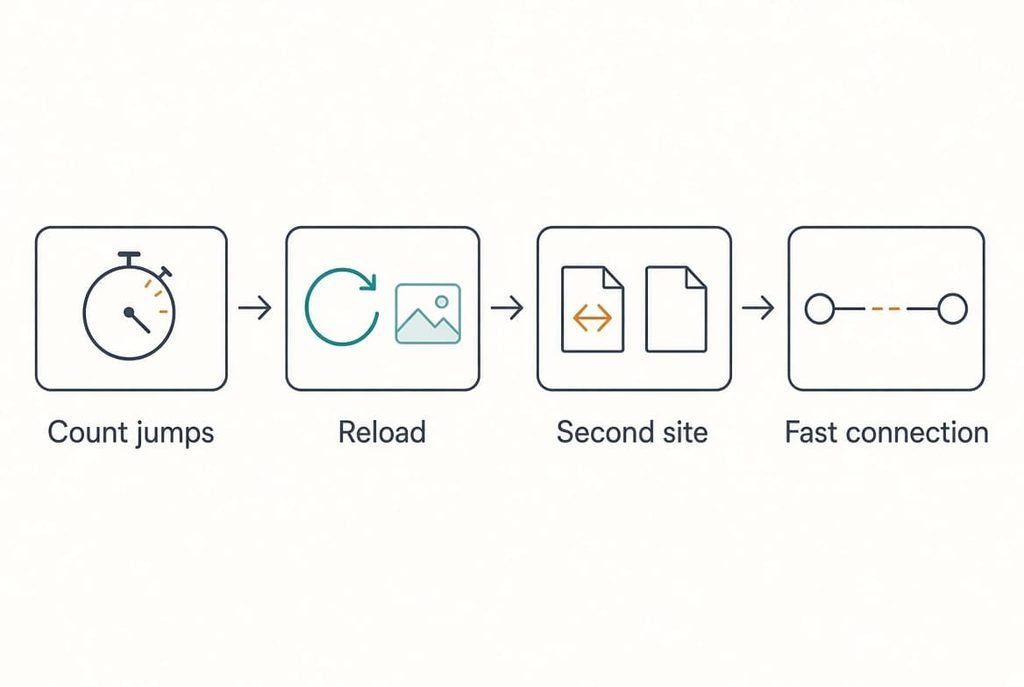
Open a page you read often and rest a finger beside the first link. Note what moves and when, then run four checks, writing each result in a notepad.
1. Count the jumps and time each one. Ours were two, at 2.1 and 3.4 seconds. A single jump means one late item, and more jumps mean more late items.
2. Reload at once. A jump that shrinks or vanishes was stored from your first visit, so it was a picture. Ours lost the 35 mm jump but kept the 50 mm one, which marks the advert as new on every load.
3. Try a second site. Page layout shifting while loading on one site only puts the fault in that site’s page, whereas jumps everywhere send you to the connection. Ours jumped on one site out of five.
4. Repeat test one at home on a fast connection. The gaps squeezed to 0.9 and 1.4 seconds, so the page still shifted but settled before our thumb arrived.
Together these results show two late items on a slow link. One is a stored picture, and the other is a fresh advert. The fixes below treat them in turn.
Four Fixes, Cheapest First
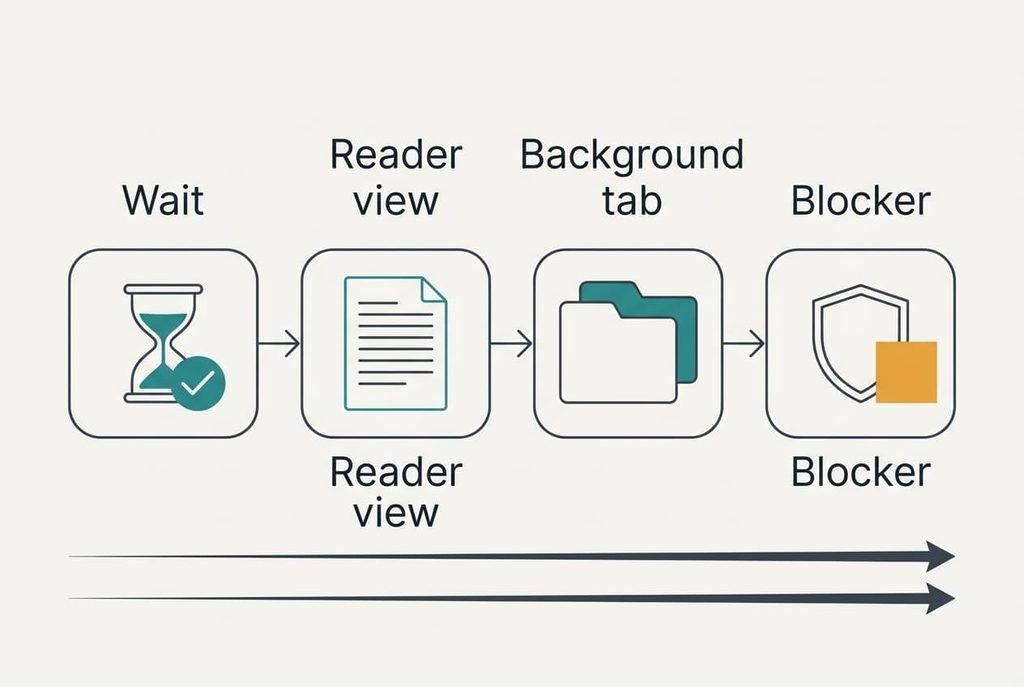
Wait for the advert to land before you tap, a free habit that matches the way the page loads. Page layout shifting while loading ends at a fixed moment, and on our page that moment was 3.4 seconds. We counted to four after the first text appeared and only then touched the link. The price is about four seconds a page, which adds up to two minutes across thirty pages a day. It suits articles you read at leisure. When you need a link fast, the wait works against you, and the reader view below is the better step.
Switch the page to the reader view, a setting that rebuilds the page from its text and drops adverts and late pictures before the first draw. With nothing left to arrive late, nothing moves. The 85 mm shift disappeared in our test. The loss is real: you give up the site’s own pictures and menus. A shop or a map page may not offer the view at all, and a page that loads its words late can still shift once before the view takes over. Choose it for pages made mostly of words, where the layout was never the point.
Open the link in a background tab and read something else for four seconds, a method that gives the page its settling time without wasting yours. Five links take about a minute to open, and by then the first page has settled. You return to a still page and tap with confidence. Start with the links nearest the top of a list, because those pages have had the longest time to settle by the time you come back. The cost is attention, since you must remember what each tab holds, and a long row of tabs slows an older phone.
Add a content blocker to the browser, the one fix that clears the 50 mm advert slot for good. Setup takes ten minutes, and some blockers charge a yearly fee. Expect trade-offs. A few sites refuse to show an article until the blocker is switched off, and ours still left the 35 mm banner jump, so the shift fell from 85 mm to 35 mm and no further. Keep it for sites you visit daily and switch it off per site when one complains.
If None of the Fixes Worked
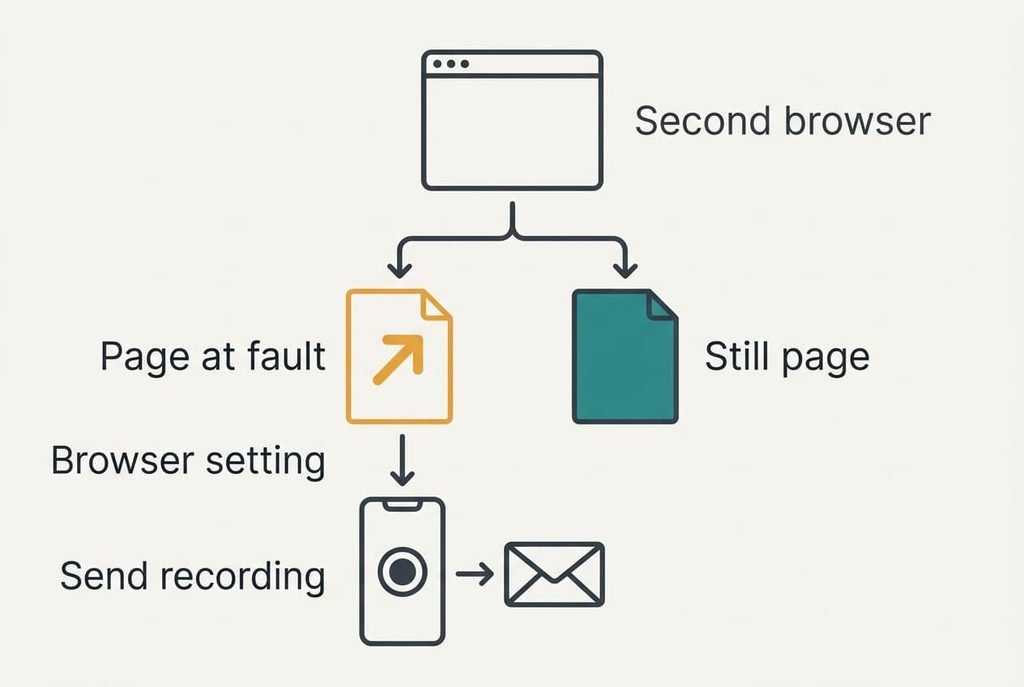
Try a second browser on the same page. If it still jumps there, the page itself is to blame, and no setting on your phone will cure it. If it sits still, the first browser has an extension or option that delays pictures. Resetting that browser clears your saved sign-ins, so note down the sites you rely on first.
A page that keeps moving after ten seconds, not three, needs different handling. Record the screen for twenty seconds with the built-in recorder and send the clip to the site’s contact address with your phone’s model. Mention the connection you were on, because a page that settles on Wi-Fi tells the owner the item is heavy. A recording shows the owner at once which item arrives late, which helps more than a complaint.
Keep the recording until the owner replies.
The Fix Not Worth Doing
Resist clearing the browser’s stored data every morning, because the stored copies are what soften the jumps. Test two showed it: the banner picture had been kept from the first visit, so the second load lost its 35 mm shift. Wipe the store and every picture comes down fresh, which brings that jump back on every page you open. You also lose your sign-ins, and each page loads more slowly while the store refills. A daily wipe blames the phone for a fault in how the page was built. The shifts continue, and you’ve gained a chore. All a wipe really changes is that each page now has more to download before it settles. It also hides the evidence, since you can no longer tell whether a reload would have shown the stored picture.
Look for the pattern before you change anything. Time the jumps and reload once, then try a second site. Choose the cheapest fix that matches what you saw. If page layout shifting while loading comes from one late advert, a four-second pause will end it and the reader view will end it for good, so the link you aimed at stays under your thumb. Four seconds of patience is a small price beside a mis-tapped purchase.
Questions Readers Keep Asking
Is this something I can sort out myself?
Yes, nearly always. Waiting four seconds costs nothing, the reader view is a single switch, and a content blocker takes ten minutes to set up. Keep your jump timings from the tests to see which fix helped, and switch the blocker off for any site that refuses to show its article.
What makes the content jump in the first place?
A late picture or advert arrives without a reserved box, so the browser pushes everything beneath it downward. The text draws first because it’s small, and the bigger items follow. Sites that declare their picture sizes in advance hold a blank space and stay still, which is why only some pages misbehave.
Does a page that jumps mean my phone is failing?
Rarely. A failing phone shows trouble on every site and inside apps that never touch the web. A jump on one page is a flaw in how that page was built. If the screen itself flickers or ignores touches in other apps, test that separately before you blame the browser.