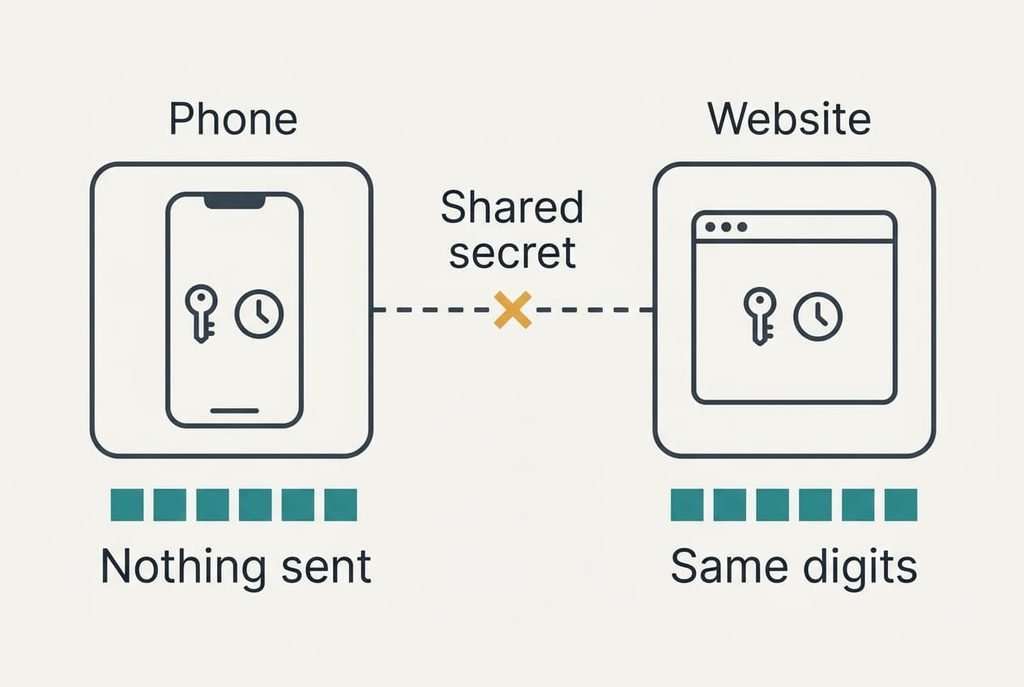
An authenticator app builds its code from two things that never travel: a secret key kept on your phone and the current time. The website holds a copy of that key and reads its own clock, so both sides reach the same six digits without exchanging a message. Why does an authenticator app make a new code every 30 seconds? The time slot goes into the calculation, and every slot gives a different result. This explainer follows one login in a Bristol flat with invented figures. It works on a phone with no signal at all, and you can replay these calculations with your own accounts.
What Lets an Authenticator App Make a New Code Without the Internet
The code is the output of a fixed recipe that mixes the shared secret with the current half-minute, so the phone needs no connection once the secret is stored. You receive the secret exactly once, when you scan the square barcode at setup. After that the phone is a small calculator with a clock, and the website runs the same calculation on its side and compares results.
The recipe itself is public and shared by every app, so the secret is the only private ingredient. Each website keeps a separate secret for your account, which means a code for one site opens nothing at another. Because the clock is the only ingredient that changes, two phones holding the same secret would show identical digits at the same moment.
That answer leaves out three details. The website accepts a code only once, so a copy of it is useless a moment later. It also tolerates a small clock difference, which the trace below puts numbers on. And it treats the secret as the real prize, because anyone holding the secret can produce every future code.
Following How a Phone Makes a New Authenticator Code, Step by Step
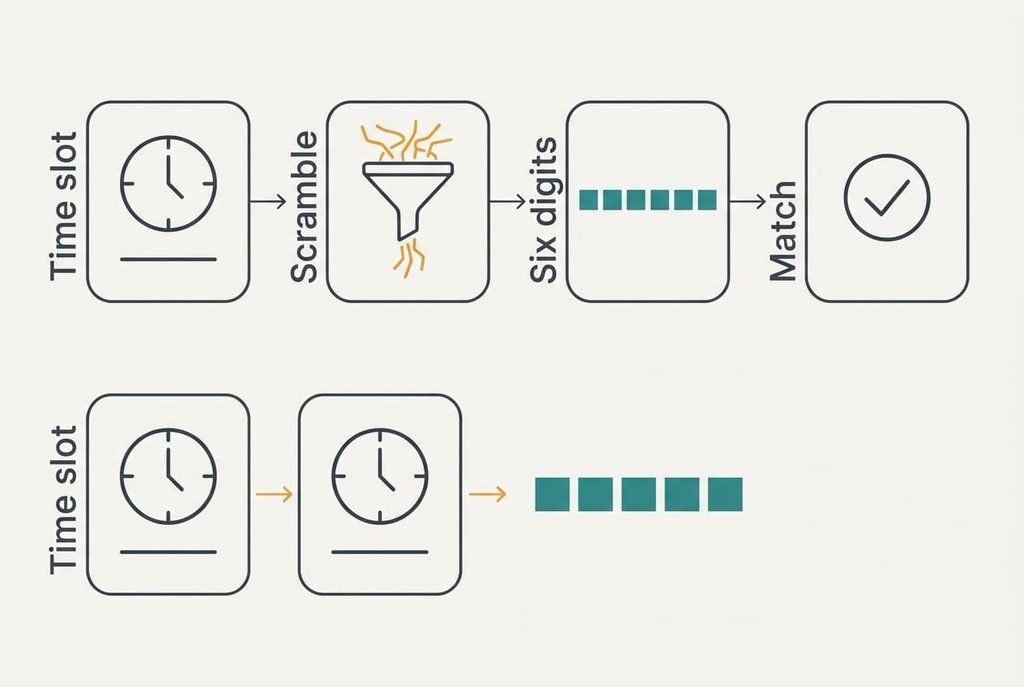
Take a login at 18:42:17. At setup the phone and the website both stored the same secret, 160 bits long. Step one is the counter. Both sides count whole seconds since a fixed start date and divide by 30, rounding down. At that moment the counter reads 58,712,340, an invented figure.
Step two is the scramble, the part that lets an authenticator app make a new code nobody could predict. The phone feeds the secret and the counter into a one-way function and gets 20 bytes back. It picks four of them, reads them as a number and keeps the last six digits, say 482 915. Step three is the check. You type 482 915 at 18:42:19, and the website runs the same calculation on counter 58,712,340. The digits match, so it accepts the login and notes that this code is spent. Type it again at 18:42:25 and it’s refused, even though the half-minute hasn’t ended.
Step four is the next slot. At 18:42:30 the counter becomes 58,712,341, and the six digits bear no resemblance to the old ones, perhaps 071 663. The scramble is built so that neighbouring counters give unrelated answers.
Now add a clock fault. Suppose the phone runs 40 seconds fast. Its counter then leads the website’s by one step or by two, depending on the second. It’s two steps ahead whenever the real time sits in the last 10 seconds of a 30-second slot, which is a third of the time. A website that accepts one step either side passes the first case and rejects the second, so a third of your attempts fail.
Setting the phone’s clock to automatic removes the fault.
Guessing is hopeless for a stranger. Six digits give 1,000,000 possibilities, and three valid steps leave 3 winners, so each try wins about 3 times in a million.
One Analogy for the Shared Secret, and Where It Breaks
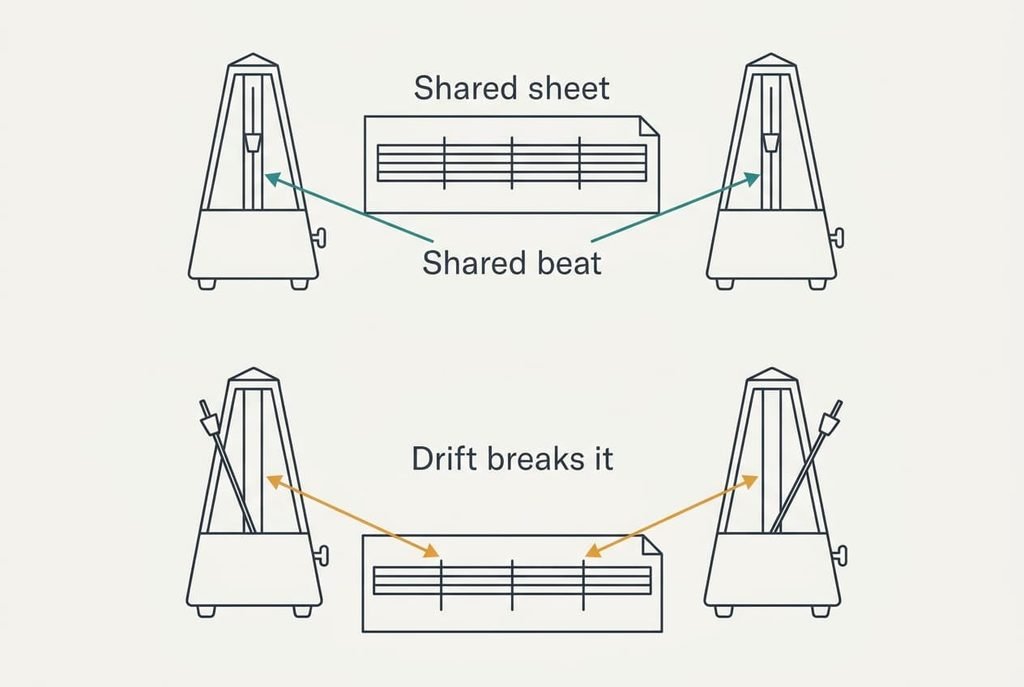
Picture two musicians with the same sheet music and the same metronome. When the click reaches bar 58,712,340, each plays that bar. Anyone comparing the two hears a match. The picture explains why no message is needed and why the two must stay in time.
It fails in two ways. Real music is predictable, since the next bar follows from the last, whereas the next code can’t be worked out from any code you’ve seen. Musicians can also hear each other and correct their timing. The phone and the website never talk, so drift between their clocks becomes a plain fault, and nobody notices it until a login is refused. Use the picture to grasp the shared timetable, and drop it when precision matters.
What the Codes Cannot Protect You From
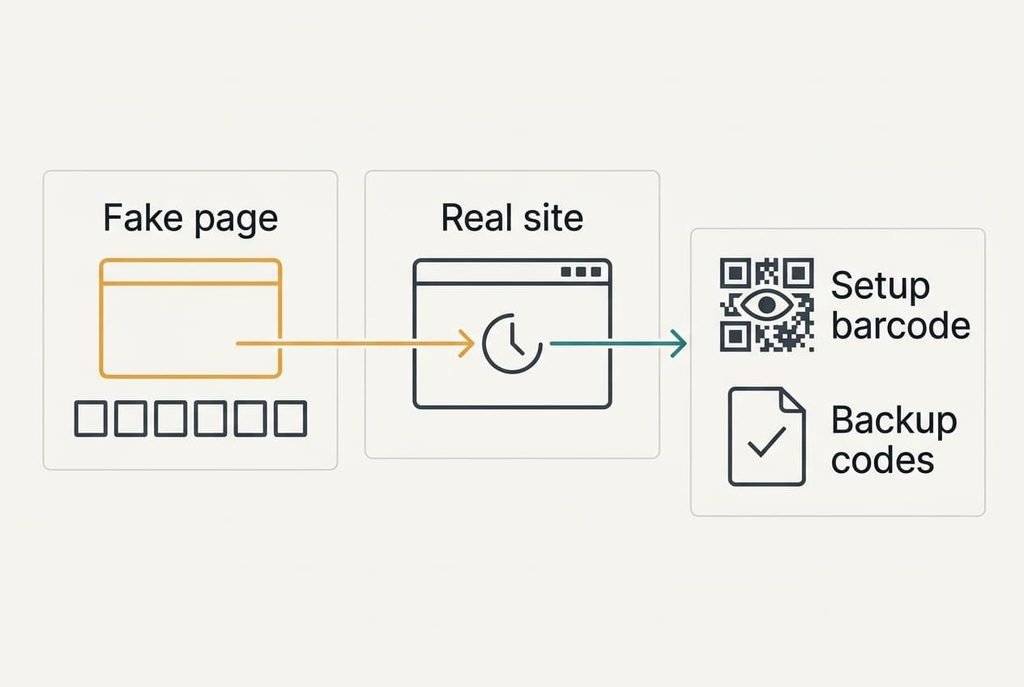
A code proves that the secret sits on your phone and says very little about which website asked for it, and that gap is what people overlook. A fake page can ask for your password and your current code, then pass both to the real site within the same half-minute. Watching an authenticator app make a new code every half minute gives a sense of safety, because stolen digits expire quickly, yet 30 seconds is plenty of time for a relay.
The secret is the second weak point. Anyone who photographs the setup barcode owns every future code, silently. The barcode deserves the care of a password, and a screenshot of it should be deleted once the app has scanned it. A lost phone is the third risk. Without backup codes saved elsewhere, you’re locked out of the very accounts the app was guarding.
What People Get Wrong About Authenticator Codes
Many people assume the website sends the digits to your phone. That belief formed because text-message codes look identical and arrive in the same place. The digits are calculated on the phone and nothing is sent to it, which is why the app keeps working in flight mode.
Another common idea is that the digits are random. They look random, which is the point of the scramble, yet each one is fully determined by the secret and the counter. That’s why the website can repeat the sum. A last idea treats a rejected code as a security alert. A fast or slow phone clock is far more likely, since a third of attempts fail at a 40-second error, and the fix is one setting. The result matters, because someone who believes a text must arrive will wait for it and miss the half-minute.
None of these ideas holds up once you see the calculation.
How to Decide Between an App and a Text Message
Use the app when a site offers both, because nothing travels over the phone network and nobody can divert a text. Keep the text option only as a fallback for sites holding nothing you’d mind losing. Save the backup codes the moment you switch on the app. Put them on paper or in a password manager. Leave the phone’s clock on automatic, delete the setup screenshot afterwards, and never share the barcode. Start with your email account, because a reset link sent there opens every other account. Then move to anything that stores payment details, which takes two minutes per site.
That rule gets you most of the protection at no cost, since it needs no purchase and takes ten minutes. When you next see an authenticator app make a new code, you’ll know that a calculation is doing the work. The secret on your phone needs your care, whereas the changing digits need very little attention from you. Keep the backup codes where you’d keep a spare key. A phone upgrade is the moment to move the secret, so check that before you wipe the old handset.
Questions Readers Keep Asking
Can someone guess the six digits?
Only by luck. Six digits give 1,000,000 possibilities, and a website usually accepts three neighbouring steps, so each blind try wins about 3 times in a million. Sites also limit wrong attempts, which makes guessing slower still. The real danger is a fake page that relays your correct code at once.
Do I need an authenticator app at all?
If an account holds money or work files, yes. The app costs nothing and works without signal. A password alone fails when it leaks, and a text code fails when a number is diverted. For a throwaway account with nothing in it, a password you won’t reuse is enough.
How does it compare with a text message code?
A text code travels over the phone network, so it can be diverted or read on a locked screen. The app’s code is calculated on the phone and never travels. Texts are easier for relatives who dislike apps, which is why a text fallback still has a place.