A paid PDF editor for signing forms does three small jobs, and a household that signs about a dozen forms a year needs only those. Each can be done without a subscription. Think of a tenancy renewal in March and a school form in September. The loss is editing text that someone else typed, which most signers never do. No tool names or prices appear here. This guide compares the routes by time and effort, plus the cost each one carries, for a household in the UK with 12 forms a year. All numbers are rounded guesses.
What a PDF Editor for Signing Forms Really Does
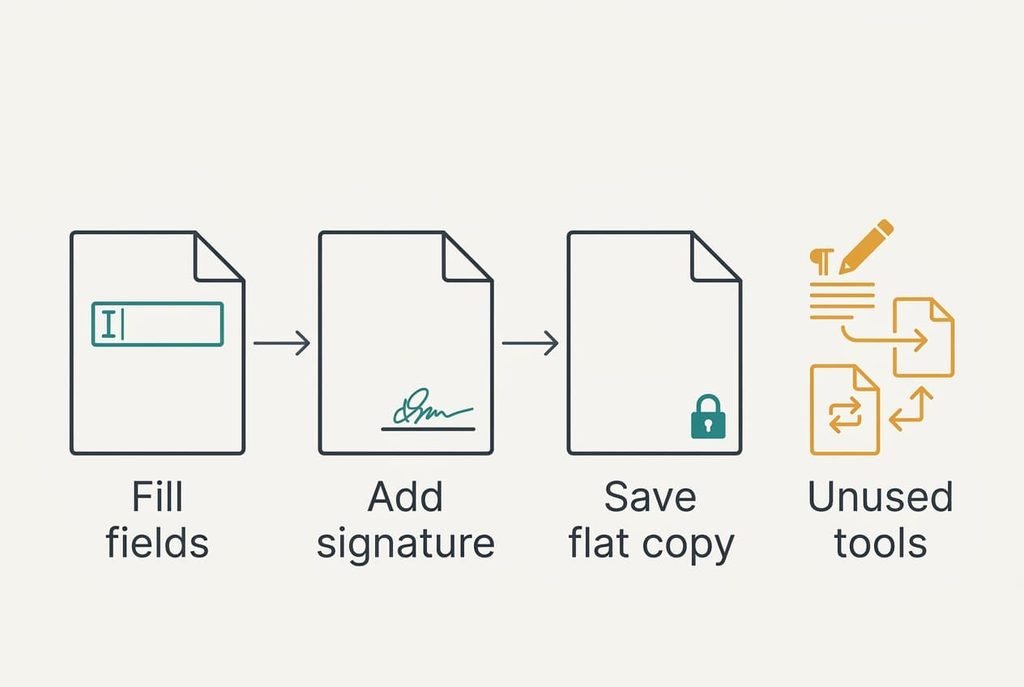
Open a typical paid editor and you’ll find dozens of buttons. Signing a form uses three of them. First comes typing your details into the form’s fields. Next, an image of your signature goes on the line. Last, the editor saves a flattened copy, one where the typed text and the signature are fixed in place so nobody can nudge them afterwards. Each step leaves a visible mark on the page, which is why you can test every route for yourself.
Everything else in the paid tool is a different job. Rewriting a paragraph or merging two files is real work, but a signer meets such jobs rarely. Paying for them each year means renting a workshop to hang one picture.
What survives the switch is all three signing jobs, and what doesn’t is the power to edit text that someone else typed.
The time cost is easy to put a number on. Suppose a form takes 3 minutes with an editor and 12 minutes by the slowest alternative. Twelve forms a year then cost 108 extra minutes, which is about 1.8 hours.
Three Ways to Sign Without Paying
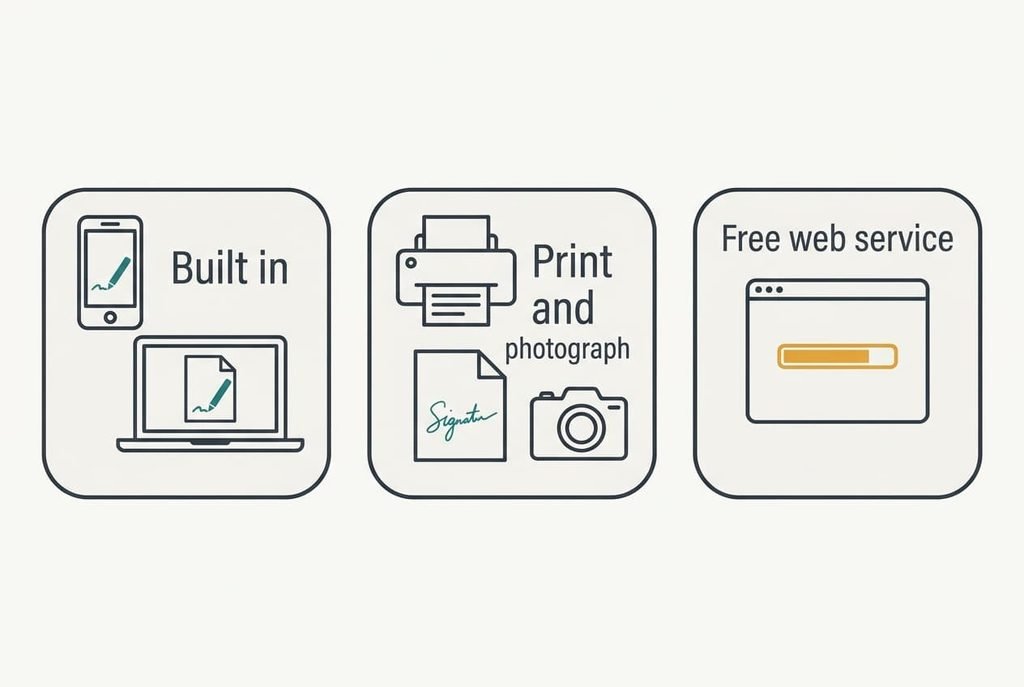
1. The tools already built into your phone or computer suit anyone who signs a few forms a year. Open the PDF in the system’s own viewer, then type into the fields. Draw your signature with a finger or trackpad. The cost is polish, since a drawn line looks rougher than a scanned one. The signature lands as a small image placed on the form, and the saved copy usually keeps the typed text fixed. A form with unusual fields can refuse typing, so open it in a second viewer before giving up.
2. Signing a printed form by hand and photographing it suits anyone who distrusts software, or whose recipient wants ink. It costs paper only. It asks for 10 or 12 minutes per form, which is where the 108 extra minutes a year come from. The signature lands as real ink, and the page returns to the recipient as a photo or scan. A skewed or dim photo is the risk, because recipients reject it. Lay the page flat in daylight and check that every corner shows. Keep the original sheet in a folder for a month in case the recipient asks to see it.
3. A free online signing service is the closest match to a pdf editor for signing forms. It suits someone who wants a tidy typed signature and doesn’t mind an account. The price of this route is a monthly ceiling on documents. Your form also sits on someone else’s server while you work. Limits vary, so read them before you upload anything private. The signature lands as a drawn or typed image with a record of when it was added. What goes wrong is the ceiling itself, which tends to arrive on the day a long contract needs several signatures.
The Month-Three Trade-Off
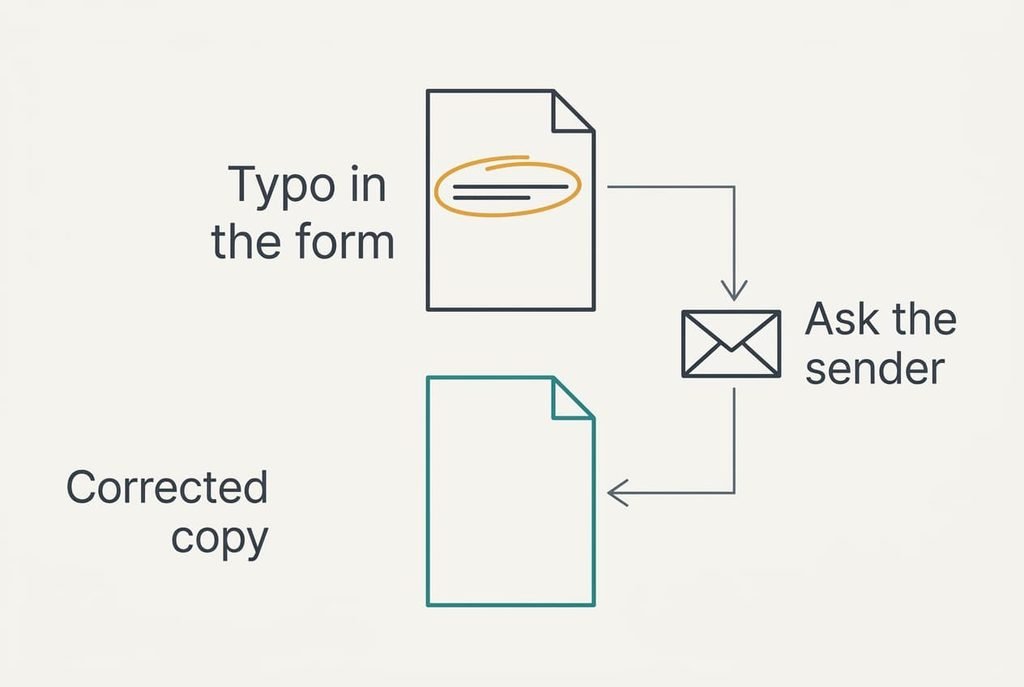
By month three, the missing editor shows up as a form with a mistake you can’t fix. Someone else’s typo in a date or an address sits in the file. Nothing in the free routes lets you overwrite their text. A paid editor would have changed it in half a minute.
The workaround is a short message to the sender asking for a corrected copy. That costs a day instead of a minute. For a form that matters, such as a tenancy renewal, the day is a real expense. Know this now so month three doesn’t surprise you.
A second gap is quieter. A scan of a signed page won’t merge with a bank statement into one file unless both are PDFs. Photographs need converting first. The built-in viewer can often append pages, but it does the job more slowly than a paid tool.
Moving to Signing Forms Without an Editor
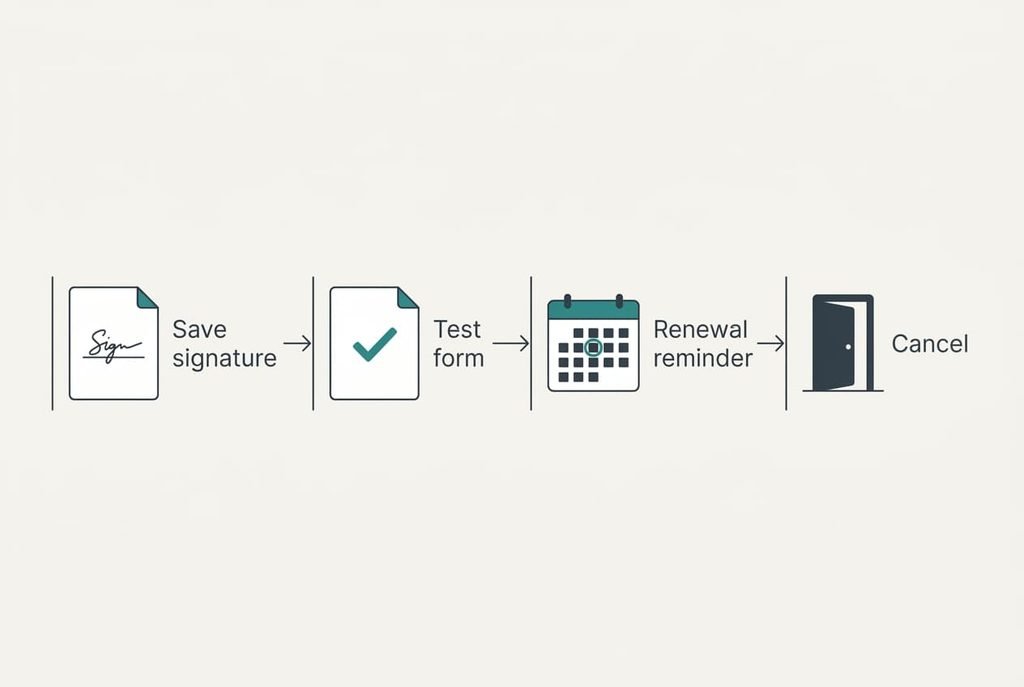
Start by creating your signature image once. Sign in black ink on white paper, shoot it flat in daylight and crop tightly, so the image has no border. Keep a copy on your phone and another on your computer. A signature on only one device is the one you’ll need when that device is elsewhere.
Next, test the chosen route on a harmless form, such as a blank one from your own files. Send the result to yourself. Open the saved copy on another device. Check that the text and signature both appear. Expect the first test to take 20 minutes and the second about five.
Only after the test passes should you diarise the renewal for the day before it falls, leaving one full day to cancel without a rush.
When to Stay With Your Editor
You should stay with the editor if you change text inside PDFs most weeks. Someone who updates a template or corrects supplier forms is using the features the free routes lack. Small businesses that sign dozens of documents every month fit here too, because the 1.8 hours a year becomes 20 or more.
On those jobs, a paid pdf editor for signing forms and a free route don’t compete, and the editor should win. Freelancers who fill the same client template every Friday gain little from switching and lose a feature they use.
Break-even is a matter of volume. At 100 forms a year the 9 extra minutes per form add up to 15 hours. The subscription is then buying back real time. Households rarely reach that figure, so check your own count from last year’s folder before deciding.
A tool you open every week earns its yearly renewal.
Download Your Documents Before You Cancel
Some editors keep your files on their own servers, and a few remove them after cancellation. Download every signed document and your saved signature before you cancel, then open three of them on another device to confirm they load. Keep the originals in a folder you control.
Check for stored templates and signature profiles too, since those rarely travel on their own. Export each one while the account still works. Take screenshots of any account page that lists your stored items, so you know what to look for later. A saved signature is often stored as a setting rather than a file. Photograph a fresh one if the export contains none.
Do this in order and the move costs an afternoon while saving a yearly charge. A paid pdf editor for signing forms is a convenience, and a convenience you can reproduce for nothing is worth questioning at every renewal. Check your next renewal date today. The afternoon you spend now is the whole cost.
Questions Readers Keep Asking
Will my signed forms still work after I switch?
Yes. A saved copy is a PDF whatever tool produced it, so the recipient can open it as before. Recipients that require ink are the exception, and the print-and-photograph route covers them. Open a copy on another device before relying on it, since some viewers show a drawn signature differently from the one that made it.
What does the move cost in relative terms?
The built-in and print routes cost paper and a little time. The online route is free until it reaches its monthly limit. Against a yearly subscription for three small jobs, the saving is large. The price you pay is 1.8 hours of extra effort across the year.
Is the disruption worth it for a household?
For about a dozen forms a year, yes. The effort is a one-off afternoon and then roughly 9 extra minutes per form. If you sign far more, or edit PDFs weekly, the editor remains the better tool, and staying is a sensible result of the same arithmetic.