What does flight mode switch off? It switches off the radios in your phone that send signals. The mobile radio goes first. By default Wi-Fi goes too, and so does Bluetooth. You can then turn Wi-Fi or Bluetooth back on, and the phone remembers your choice, which is why a phone in flight mode can still play downloaded music or join a cabin network. This page follows one phone through the switch and tests a common picture of how it works. It also lists what keeps running and sets out the mix-ups that catch people out, with a simple test for using the switch.
What Does Flight Mode Switch Off, in One Line
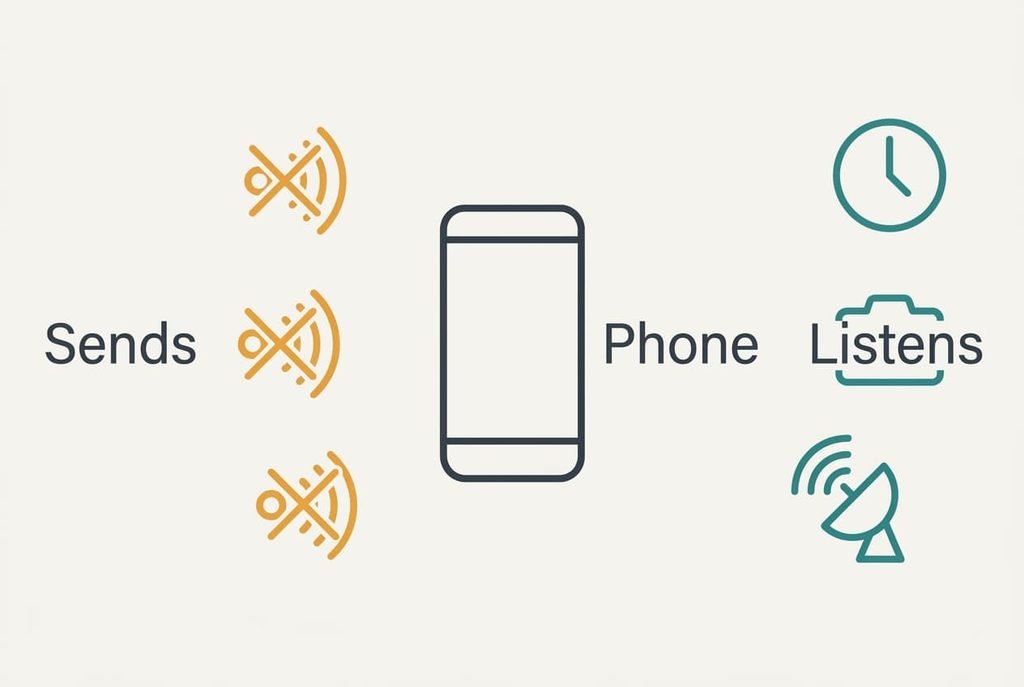
The one-line answer is that flight mode cuts power to the transmitters in the phone. It stops the phone sending signals, and everything that works without sending carries on as before.
The mobile radio goes first, since it sends the strongest signal and keeps searching for a tower. Wi-Fi follows, and Bluetooth after it, because each sends signals of its own. These are the parts that matter on a plane, where transmitters are the concern. Roughly speaking, the radios are the phone’s loudest parts, and switching them off leaves the quiet ones, which are the parts you use most of the day.
That answer leaves out the parts that only receive. The clock and the screen keep working, and so do the processor and the camera, along with any receiver that just listens. The answer also leaves out the fact that the switch is a starting point. You can turn individual radios back on afterwards, and the phone treats that as a deliberate choice.
The answer also says nothing about cabin rules, which sit above the phone’s own settings and come first.
Following One Phone From the Desk to the Seat
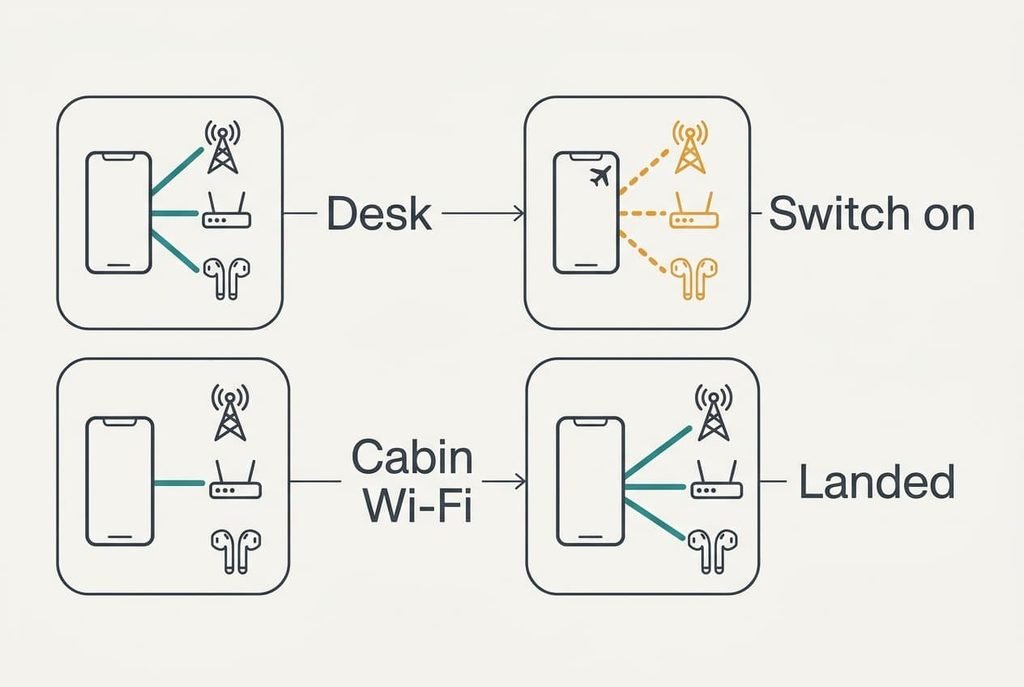
Start with a phone on a desk at home. The mobile radio holds a link to a tower, Wi-Fi holds a link to the router, and Bluetooth holds a link to a pair of earbuds. Each of these radios sends small bursts every second or so, even when you aren’t touching the screen. The phone keeps checking in with the tower so it can ring when someone calls.
At the airport you switch flight mode on. At this point, what does flight mode switch off? The three radios shut down in turn. Each link drops, and the sending stops. Signal bars vanish and a small aeroplane appears in their place. On screen the alarm still rings, and downloaded films still play, since none of those needs a signal.
On board you want the cabin network, so you turn Wi-Fi back on. The phone joins it, and mobile calls stay off. The network may ask you to accept terms, and you’ll do that on the phone as usual. If you forget to switch Wi-Fi on, the phone simply stays offline and nothing breaks. A minute later you switch Bluetooth on, and the earbuds reconnect without pairing again, because the phone kept their details while the radio slept. The mobile radio remains off for the whole flight.
After landing you switch flight mode off. The mobile radio wakes and looks for a tower. It links to one within a few seconds, and the signal bars return. If the bars stay missing, toggle the mode once and the radio wakes. Messages that waited in the queue go out, and pictures taken during the flight can now be sent on.
Every step above follows a single rule. The phone only sends when a radio is on, and flight mode is one switch that turns several radios off together. Nothing about the sequence is hidden, because you can watch each link drop and return in the status area.
The Master Switch Picture: Flight Mode and What Stays Off
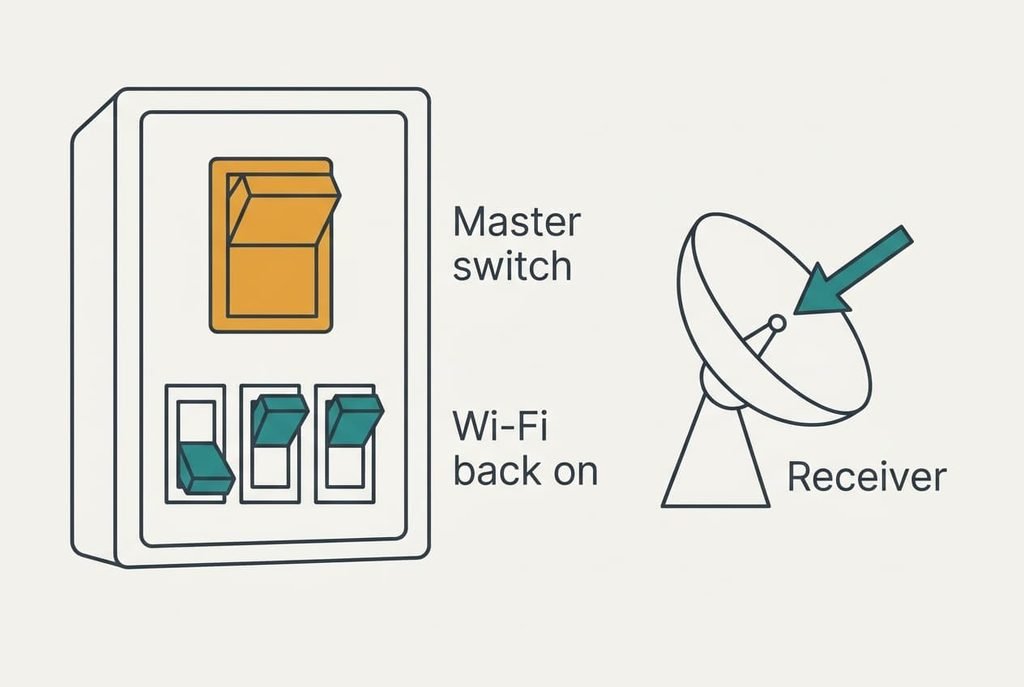
Think of the fuse box in a house. One master switch cuts the whole house at once, and you can flip the single switches back on afterwards. Flight mode is that master switch for the radios.
The picture falls short twice. A real master switch holds everything off until you flip it back, but on a phone you can turn Wi-Fi and Bluetooth on again while the master stays down. The panel also has no switch for the receiver that finds your position from satellites. That receiver listens and sends nothing, so flight mode never needed to touch it. A phone is closer to a panel of several small breakers than to one big plug.
What Flight Mode Leaves Running
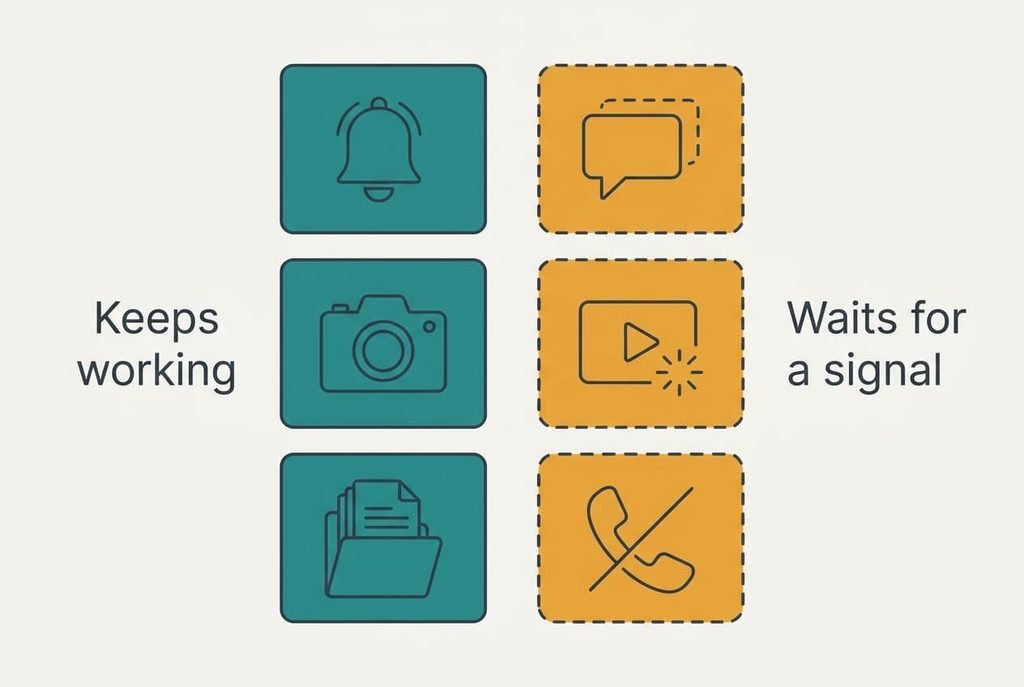
Flight mode isn’t an everything-off switch, and the phone keeps doing plenty. It still tells the time and stores your photos. Saved files play without trouble. A map can show your position from satellites, because that receiver only listens, so flight mode stops the phone sending signals, but it doesn’t switch off the parts that only listen, and a map can still find you.
The phone also keeps working in small ways. Alarms ring on time and reminders fire. The camera takes pictures and saves them to the phone, where they wait until a connection returns.
What does flight mode switch off that people forget? Anything that needs a network to finish its job. Messages stay queued instead of sending, and a streaming app shows a spinner, because nothing can reach the other end. A phone left in the mode for a day will simply have a queue waiting for it.
Common Mix-Ups About Flight Mode
One mix-up is the idea that it saves battery by switching everything off. People believe it because a phone with weak signal drains fast while it hunts for a tower, and flight mode stops the hunt. Suppose a phone loses 4% an hour with good signal and 9% an hour in a basement. Flight mode saves the difference, yet the display still uses power, so the drain doesn’t fall to zero.
A second mix-up is the idea that flight mode makes a phone untraceable. It grew from the vanishing signal bars, which people read as hiding. A phone that sends nothing can’t be reached, but a receiver can still work out its own position, and the phone keeps its logs and saved files.
A third mix-up is the idea that everything must stay off for the whole flight. Crews give their own instructions, and those come first. The phone’s switch doesn’t decide what is allowed.
When to Reach for the Switch
Use one rule: switch flight mode on whenever you don’t need to send or receive and the signal is poor or forbidden, then turn back on only the radio you need. A weak-signal basement fits that test, and so does a quiet evening without calls. A cabin where the crew asks for it fits too.
Flight mode helps in one more case. A phone that charges with flight mode on gains power a little faster, because the radios aren’t sending. Use that when you’re short of time at a socket.
Check the status area after each change, since the icons tell you which links are alive.
Whether you need to know what does flight mode switch off comes down to which radios you want back on, and the master switch picture covers the rest. Try it once at home. Switch the mode on and turn Wi-Fi back on, then watch which apps work. Ten minutes of testing is worth more than reading any list, and you’ll know the answer before you’re sitting in a cabin. Then keep the switch as a habit for basements and lifts.
Questions Readers Keep Asking
Can I still make calls?
Not over the mobile network, because that radio is off. If Wi-Fi is back on, many apps can still call over it. Emergency calls may work on some phones, but it’s safer to switch the mode off first, and when you’re on a plane you should follow the crew’s instructions.
Do I need to use it every flight?
Follow the airline’s instructions, since they decide. The phone’s switch is a tool for meeting them, and it also helps whenever you want fewer interruptions or a longer battery. If you’re unsure on the day, ask the crew before you board.
Is it the same as switching the phone off?
No. A switched-off phone stops everything, including the clock. A phone in flight mode keeps the screen and the alarm running, along with your saved files, and it only stops the signals going out. That’s why you can still read downloaded books during a long journey.