The first ten minutes are fine. Then each line starts to appear a beat before the voice, and by the end you’re reading sentences the actors haven’t spoken yet. Most often the subtitle file was timed for a different copy of the film, which makes the cure a matching file or a stretch of its timings. Why subtitles drift out of sync comes down to a clock and a frame count, and one evening with a notepad will tell you which. Each number here stands in for a 100-minute film on a laptop in a Leeds flat.
Why Subtitles Drift Out of Sync Partway Through
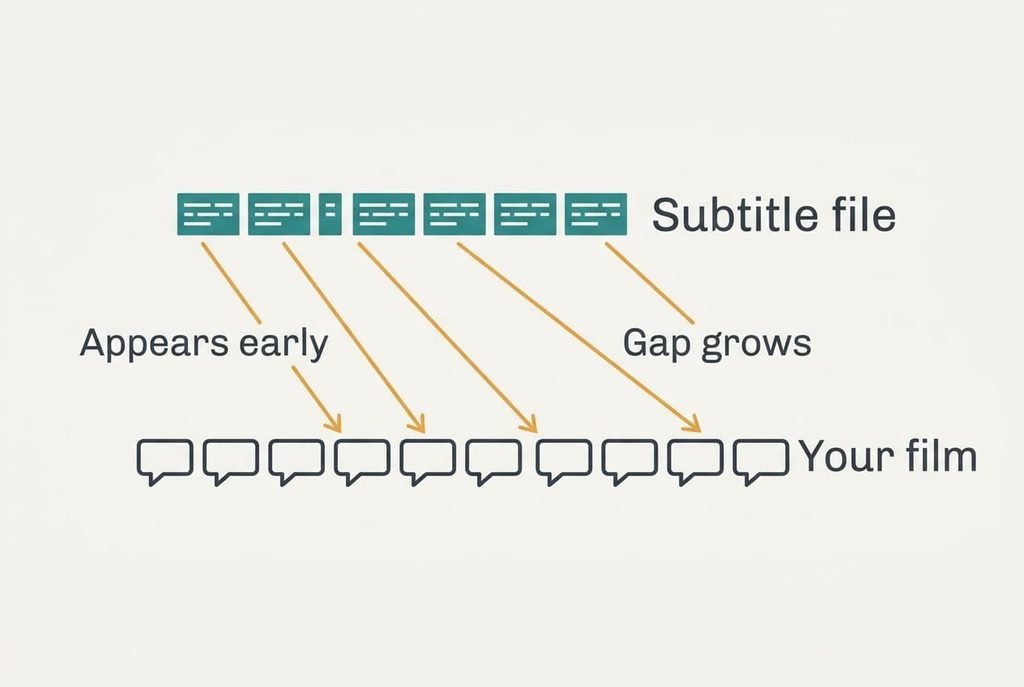
A subtitle file is a plain list. Each entry carries two timings, one for when the text appears and one for when it vanishes, plus the words themselves. The player watches its own playing clock and shows whichever entry matches the moment. It never listens to the speech or looks at the picture, so the file stores clock readings that suit only the copy it was timed against, and every other copy gets the wrong readings.
Two copies of one film can differ in three ways. The first is speed. A copy made for television at 25 frames a second runs about 4% faster than a cinema copy at 24, so a 100-minute film ends after 96. The second is an edit, such as an extra studio logo at the start or an interval removed. The third is a start offset of a second or two.
Take a file timed against the 96-minute copy. A line spoken at minute 50 of your longer copy sits in that file at minute 48, so it appears two minutes early. On a longer film the same slip grows larger, which is why a short clip rarely shows it.
Which of the three you have decides the cure, and a few readings will show you.
Tests for Subtitles That Slide Out of Sync
To see why subtitles drift out of sync in your copy, pause on a line of clear speech at three points and write down how many seconds the text leads or trails the voice. Use minutes 5 and 50, then minute 95.
1. Compare the three readings. Equal readings mean a constant offset. Ours were 12 seconds early at the first point and 228 at the last.
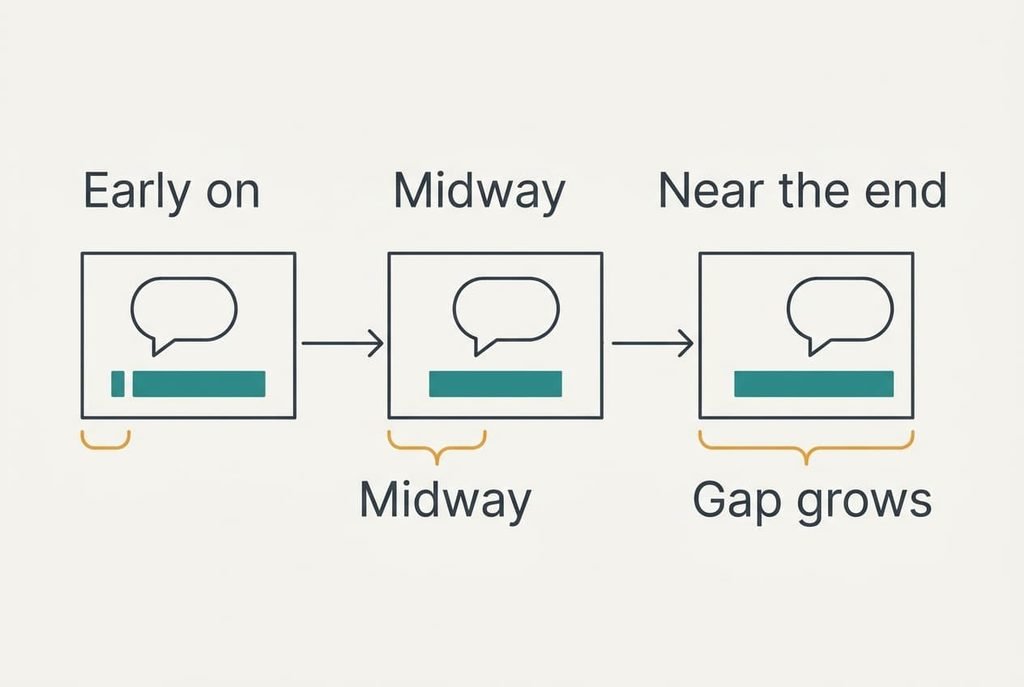
2. Check whether the readings grow in step with the minutes. Ten times the minutes should give ten times the gap, and ours did: roughly 2.4 seconds of error for every minute watched.
3. Look for a jump. A gap that is steady, then suddenly several seconds larger, points to a cut that one copy has and the other lacks.
4. Read the file’s last entry in a notes app. Ours ended at 1:35:40 while the last speech in our film came at 1:39:50. The ratio of about 0.96 matches a 25 against 24 frame mismatch.
Our results describe a speed mismatch, because the gap grew in a straight line from nothing. A step or a flat gap would have pointed at a cut or an offset instead.
Four Fixes, Cheapest First
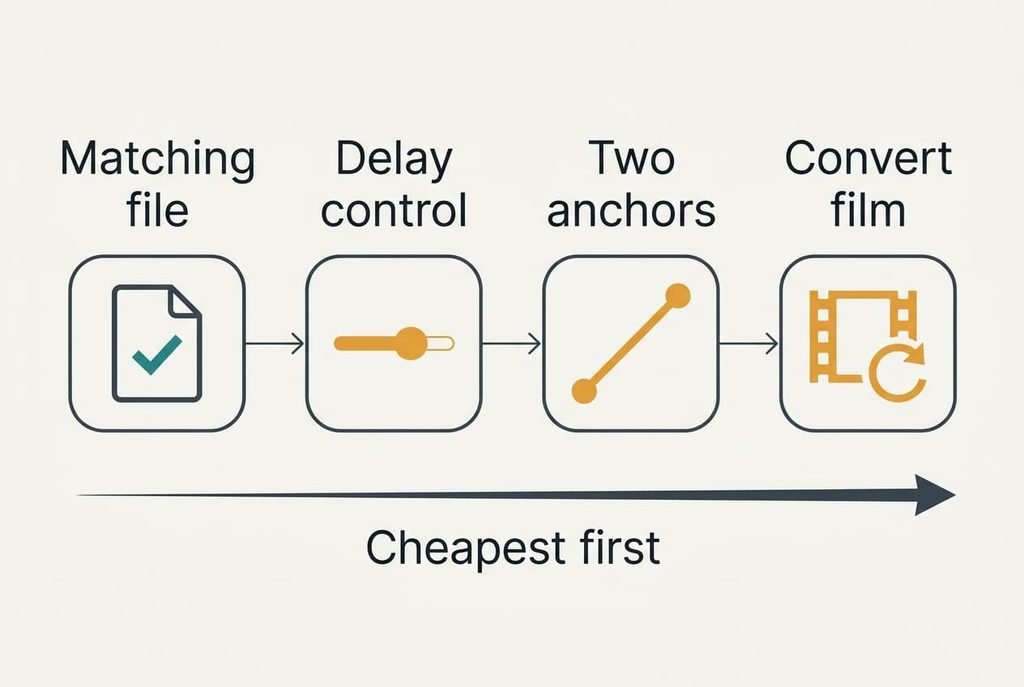
Look for a file made for your copy’s frame rate, which costs nothing and goes straight at the cause. The name of a subtitle file, or the page that offers it, often states a frame rate or a runtime. Download two candidates and open each in any text editor. Compare its last entry with the last line spoken in your film. The one that lands within a couple of seconds is your match. Sometimes no such file exists for a rare or edited copy, and then you move down the list. A match found at this step saves every later one.
Shift the whole file with the player’s delay control, a setting that mends a constant offset and nothing more. Enter the seconds you measured at minute 5, then check minute 95. When subtitles drift out of sync, this fix falls short, since moving minute 5 by 12 seconds still leaves minute 95 wrong by 216. Many players forget the delay when the film closes, so you repeat the step every evening. In return you pay nothing and you touch no file. It suits a film that opens with a long logo sequence.
Re-time the file in a free subtitle editor using two anchor lines, which takes about twenty minutes. Pick one line spoken near the start and one near the end, then type in the times you actually heard. The editor stretches every entry in between to fit those two points, and most show the film’s timeline beside the text, so the first anchor can be checked against the picture before you commit. Our error fell below one second across the whole film. The result is a new file, so keep the original beside it in case an anchor was wrong. A film with a cut in the middle defeats a single stretch, since two different gaps need two stretches.
Convert the film itself to the other frame rate, the slowest route and the only one you can’t undo. Re-encoding a 100-minute film ties up the laptop for an hour or longer, and it can alter the pitch of the voices. If you overwrite the original, it’s gone. A kept copy needs roughly the same disk space again. This route makes sense when every subtitle file you own was timed to the other speed.
If None of the Fixes Worked
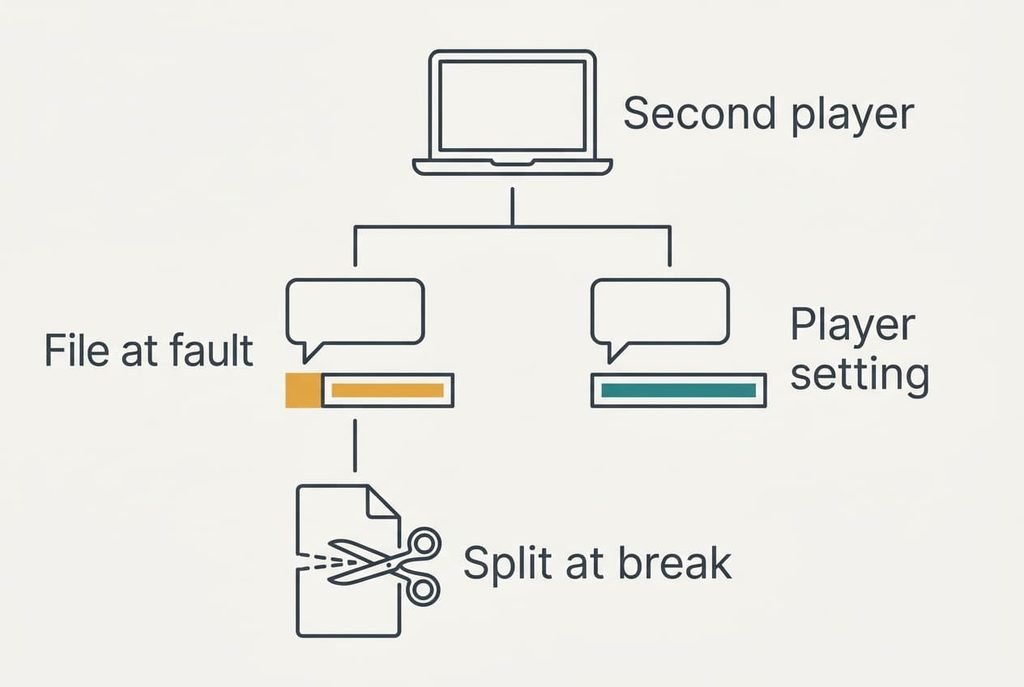
Try the film in a second player. If it shows the same gap, the file is at fault, and you can stop fiddling with settings. If the gap vanishes, the first player has a delay or frame-rate option set oddly. Resetting its subtitle options clears your chosen font and colour too, so write those values down before you reset anything.
A jump partway through needs different handling. Say the gap grows by 8 seconds after an interval. Split the file at the last line before the break, which gives the clearest edge, and shift the second half by those 8 seconds. If you’d rather ask for help, send your three readings to whoever supplied the file, because they show at once which kind of mismatch it is.
Keep the original file untouched until you’re sure.
The Fix Not Worth Doing
Resist re-timing each line by hand, because a typical film holds around 1,400 lines. At six seconds a line that’s more than two hours of dragging, against twenty minutes with two anchors. Drift is a rate, so a nudge fixes one point and leaves its neighbours waiting for the next nudge. Hand work has a second cost too: the finished file describes only your copy, so the next film means another two hours, while the editor handles a new file in minutes. You’ll also let typos slip in while you’re in there. Your eyes tire long before line 1,400, so late lines get less care than early ones. A stretch keeps the spacing between neighbouring lines exactly as the original writer set it, which hand nudging seldom does. Spend the saved evening watching the film.
Find the pattern before you touch the file. Time the gap at three points, match it against the three kinds of mismatch, and apply the cheapest fix that suits. When subtitles drift out of sync, the gap almost always follows a straight line or a single step. One stretch or one shift will remove either, which leaves you the film to enjoy once the lines match the voices.
Questions Readers Keep Asking
Can I fix this at home?
Yes, nearly always. A matching file costs nothing, and a delay setting takes a minute. A free editor can stretch the timings in about twenty minutes. Keep the gap readings from the tests and a safe copy of the original file to hand, so any step that goes wrong can be undone.
What usually causes it?
A frame-rate mismatch is the usual cause. The subtitle file was timed for a copy that runs faster or slower than yours, so its clock readings slip further from the speech with every minute. A few seconds of constant offset comes second, and it comes from a different start or an extra logo.
Could my laptop be at fault?
Rarely. Pause on a line of speech and compare the lips with the voice. If lips and voice agree while the text wanders, the file is the culprit. If the voice itself trails the lips from the start, the audio output is at fault, and that needs its own separate test.