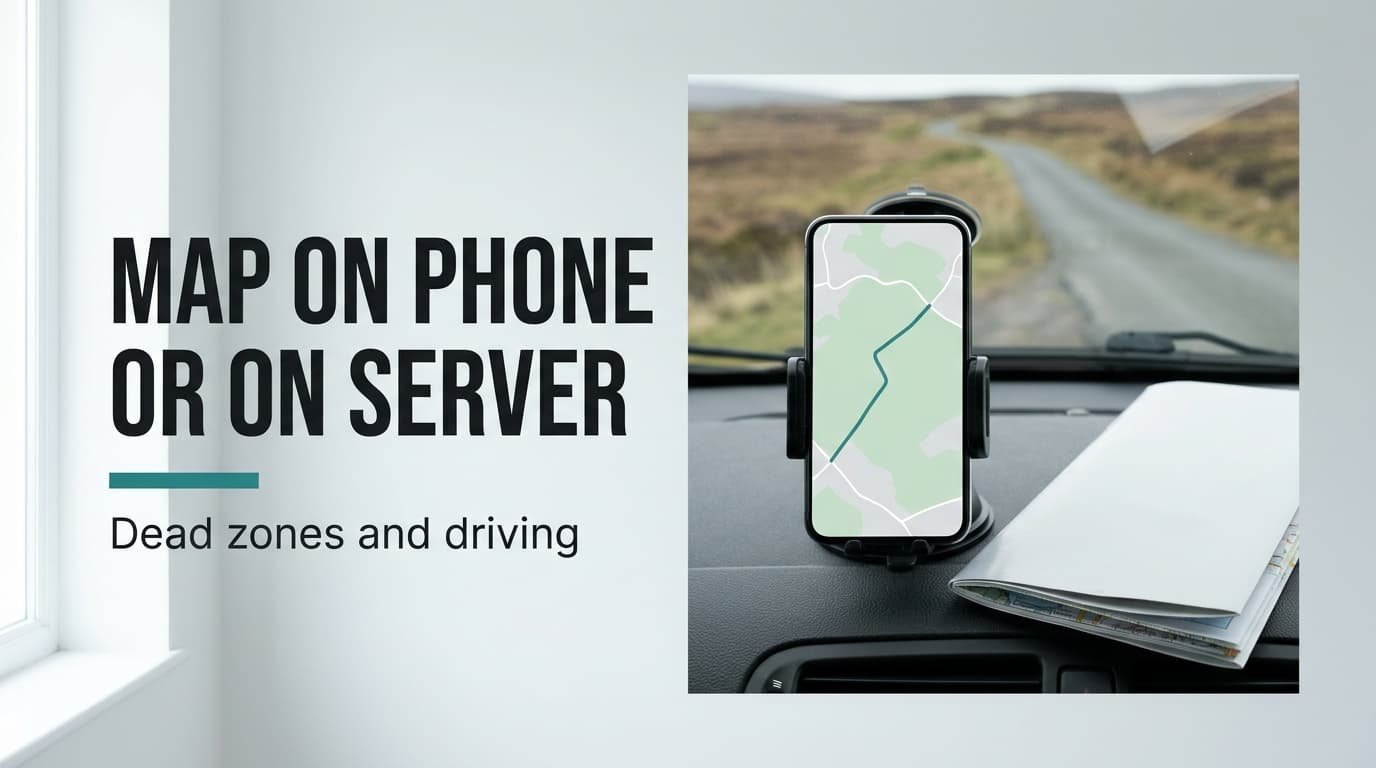
Picture a 150 km drive across moorland where the mobile signal vanishes for about 30 km. Your position dot keeps moving there, because satellites don’t need a signal, but the map under it may not survive. Choosing offline maps or live navigation for that road turns on whether the map and the route sit on your phone or on a server. A stored map wins this particular drive. Live navigation wins a road full of jams, since only a server hears about a closure. The figures here are rounded guesses with no app names or prices, so each claim is easy to check yourself.
What Decides Offline Maps or Live Navigation on a Patchy Road
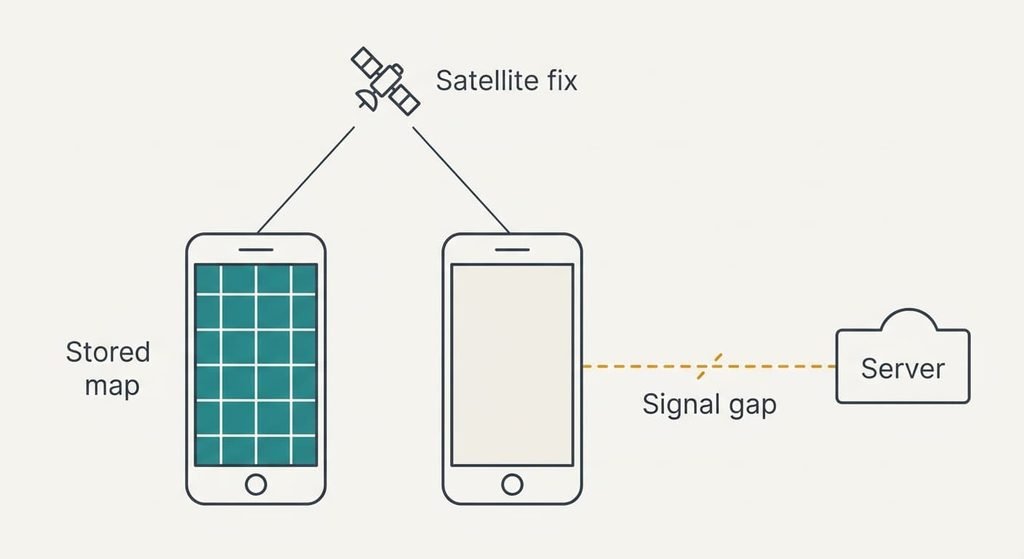
A navigation screen does two jobs. The first is knowing where you are, which the phone manages by listening to satellites. The second is knowing what surrounds you, which covers the road layout and the next turn. Live navigation does that second job on a server and sends the answer down your mobile connection. A stored map does it on the phone, from a file you downloaded earlier. Think of one as a printed atlas in the glovebox and the other as a friend on the phone describing the roads to you.
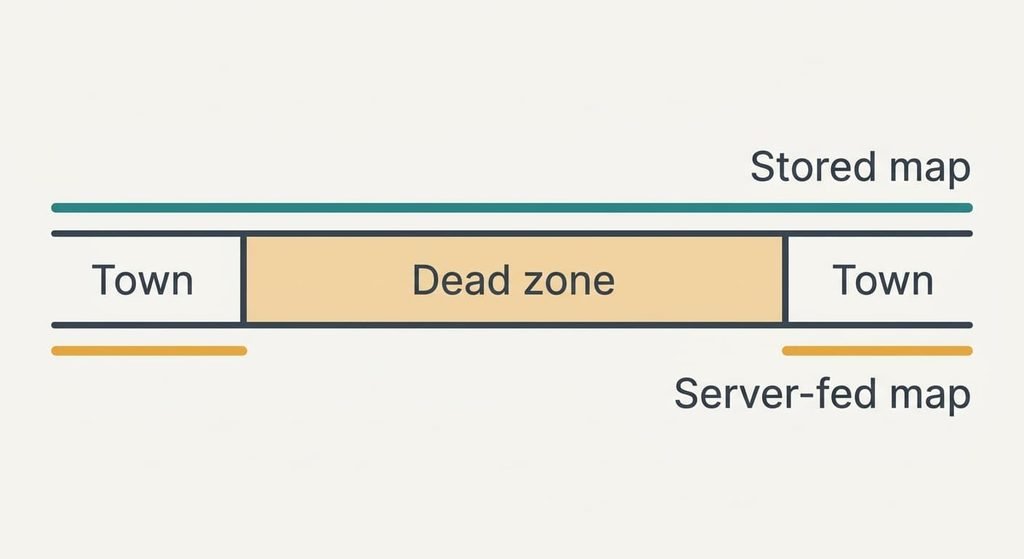
That split explains the rest, since where the map and the route calculation live decides everything, and once the signal goes a server can’t help you. A phone holding its own map keeps drawing roads through the whole dead zone. A phone that relies on a server keeps only a small cache of tiles for the stretch just ahead.
Put numbers on it. Suppose that cache covers 5 km. At 60 km/h across the moor, 30 km takes 30 minutes and the cache covers 5 of them. The remaining 25 minutes show a grey blank, and a missed turn can’t be recalculated until the signal returns.
On a busy road the trade runs the other way: a stored file knows nothing about today’s closures, but a server hears about them within minutes.
How the Two Compare Where the Signal Drops
Test every row below on your own phone before you leave, using flight mode to imitate the dead zone. The table covers behaviour where the answer changes. It leaves out anything both options share, such as the voice that reads out each turn.
| Question | Stored map | Server-fed map |
|---|---|---|
| Where the map is kept | On the phone, as a file | On a server, fetched as you go |
| A 30 km dead zone | Roads keep drawing | Grey blank once the cache ends |
| Closures and jams | Unaware of both | Reflected as they happen |
| A missed turn with no signal | Reroutes at once | Waits for the signal to return |
| Position dot with no signal | Still shown | Still shown |
| Space used on the phone | Hundreds of megabytes per region | Very little |
| Age of the road data | As old as the last download | Current |
Row five looks like a tie, and it’s the reason people blame the wrong part: both options keep the dot moving because satellites don’t need a signal, so a blank screen with a live dot points at the missing map, and the satellite fix is fine. That clue saves a pointless restart. Switching the phone off and on won’t redraw tiles it can’t fetch.
Where Offline Maps Win
Offline maps win whenever you know in advance that the signal will fail. A moor and a long forest road both behave like the 30 km gap above. The map is already on the phone, so the screen never changes character when the bars drop, and the voice keeps calling each turn on time.
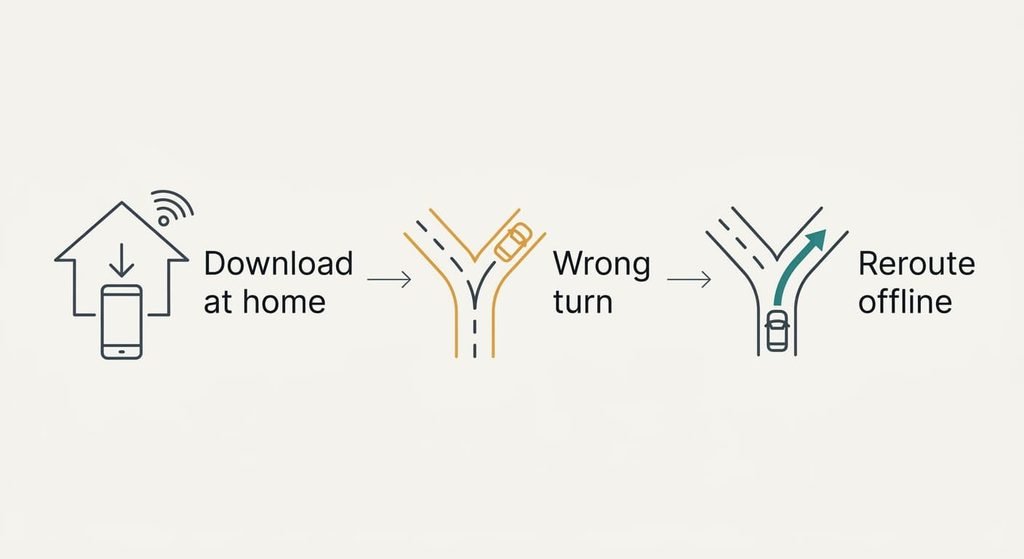
They also win on reliability at the moment of a mistake. Take a wrong junction at minute 12 of the dead zone and a stored map reroutes within a couple of seconds. A server-fed screen can’t ask for a new route until it finds a signal. That can be 18 minutes away at 60 km/h.
The cost is preparation. A region 150 km across holds about 22,500 km². At an assumed 0.02 MB per km², that’s roughly 450 MB. Download it over home Wi-Fi the evening before. Then switch to flight mode and zoom around to confirm the file opened. Offline maps or live navigation both work on a good day. Only one has already done the job when the signal goes.
Where Live Navigation Wins
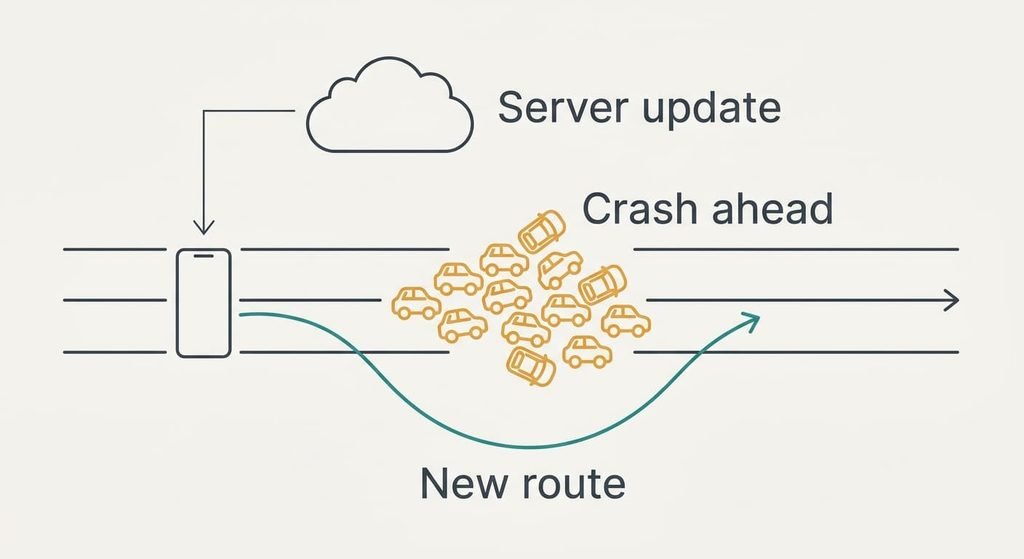
Live navigation wins on busy roads, where the useful information is what changed in the last ten minutes. A crash that closes two lanes appears within minutes. The route then moves you onto another road before you reach the queue. A stored file can’t know about the crash, so it sends you straight into the tailback.
A change of plan is easy for it too. If you decide to stop for fuel 20 km off the route, the server finds the station and the new road within seconds, and no file has to contain that detour in advance.
It wins on effort too. There’s nothing to download and no storage to find, and the map is as new as the server’s latest update. For a daily commute, the case for offline maps or live navigation flips. Signal is steady and jams are the main risk, so the extra preparation of a stored map buys you almost nothing.
Road layouts also change. New roundabouts and one-way systems appear on a server’s map first. A file downloaded months ago still shows the old junction.
When Neither Is Enough
Some routes defeat both. A forest track behind a locked gate, or a lane closed for repairs, may be missing from either map. Your phone at 5% battery fails whichever kind you chose. A cracked mount can drop the screen into the footwell mid-route.
A paper road atlas covers those gaps, because it needs no signal and no charge. Keep it in the door pocket. Spend two minutes before you set off tracing the route with a finger, so the shape of the journey is already in your head.
The atlas also catches plain mistakes. A map can route you over a seasonal road or a ford that a car shouldn’t cross. A printed page often marks such roads with a symbol. Treat it as a backup with a different failure mode, since nothing on paper can run flat or lose its signal. It costs a corner of the door pocket. Check the atlas’s publication year too, since an old edition may miss a bypass.
Live Navigation Versus Offline Maps: Which to Set Up Tonight
Two branches cover almost every drive.
If your route crosses a known dead zone, download the whole region over Wi-Fi tonight. Test it in flight mode by zooming along the route. Switch the traffic layer on whenever signal returns, so you still hear about queues.
If your route stays in towns and on main roads, leave live navigation running and skip the download. Signal is steady there and jams are the real risk. A server’s news beats a stored file. Settle the choice before you start the engine, since fiddling with settings on the move is a hazard of its own. Add a stored region later, the first time you plan a drive off the usual roads.
Offline maps or live navigation will both get you there when the signal holds. The dead zone is the only place they part ways. Whichever you pick, glance at the whole route before setting off, because ten seconds now saves a fumbled turn at 60 km/h. A habit of checking the evening before costs about ten minutes. Carry the atlas for the gaps neither covers, and keep a charging lead within reach.
Questions Readers Keep Asking
How much effort does a download take?
Plan on about ten minutes on home Wi-Fi for a region 150 km across, plus roughly 450 MB of free space. Do it the evening before, because a download started in a lay-by with one bar of signal can stall. Open the file once afterwards in flight mode to confirm it displays properly.
What happens if the stored map is out of date?
You’ll still get a drivable route, but it may miss a new junction or a recent closure. Refresh the region before a long trip, and treat a road sign that disagrees with the screen as the winner. A server-fed map avoids this problem, so use it alongside the stored file when signal allows.
Which suits a holiday drive in a rural area?
Stored maps suit it better, since rural stretches are where signal fails and a missed turn costs 15 or 20 minutes. Download the region before you leave, then switch to live navigation near towns for traffic news. Having both ready costs a few minutes and a few hundred megabytes.