Most people sign up for a new shop or a new app by typing the address they use for everything else. Giving your real email address to every website means one inbox collects every receipt and every password reset, and one leaked customer list can point a stranger at all of it. The thing to protect is the address your accounts and daily mail depend on. Below you will find three alternatives, ranked by the sacrifice each one asks of you, with a check on what survives each change. The advice suits a UK household with about forty accounts and names no product or price.
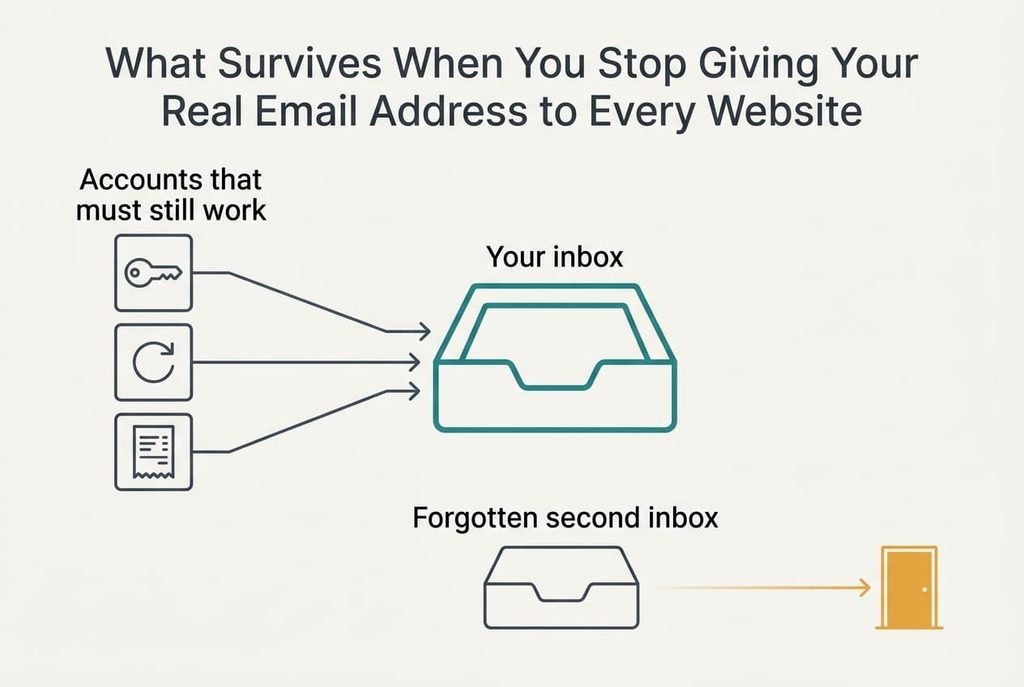
What Survives When You Stop Giving Your Real Email Address to Every Website
Behind every sign-up sits a login name and a mailbox that receives messages for it, and any change you make has to keep two jobs intact. Existing accounts must still open, and password resets must still reach you. Receipts you need for a warranty belong in the same category. A missing receipt turns a simple repair claim into an argument, so whatever you choose has to keep delivering to the inbox you already read, because a second inbox you forget to open loses mail quietly.
Scale makes the case. Forty accounts that each send two marketing messages a week add up to 80 messages a week, or about 4,160 a year. One aggressive sender may account for 104 of those on its own. With a separate address per site you can shut that sender out and leave the other 39 alone. A shared address leaves you filtering by sender name, and that filter breaks the moment the sender changes its wording.
None of the changes below touch your main address, so none of them puts the mail you rely on at risk.
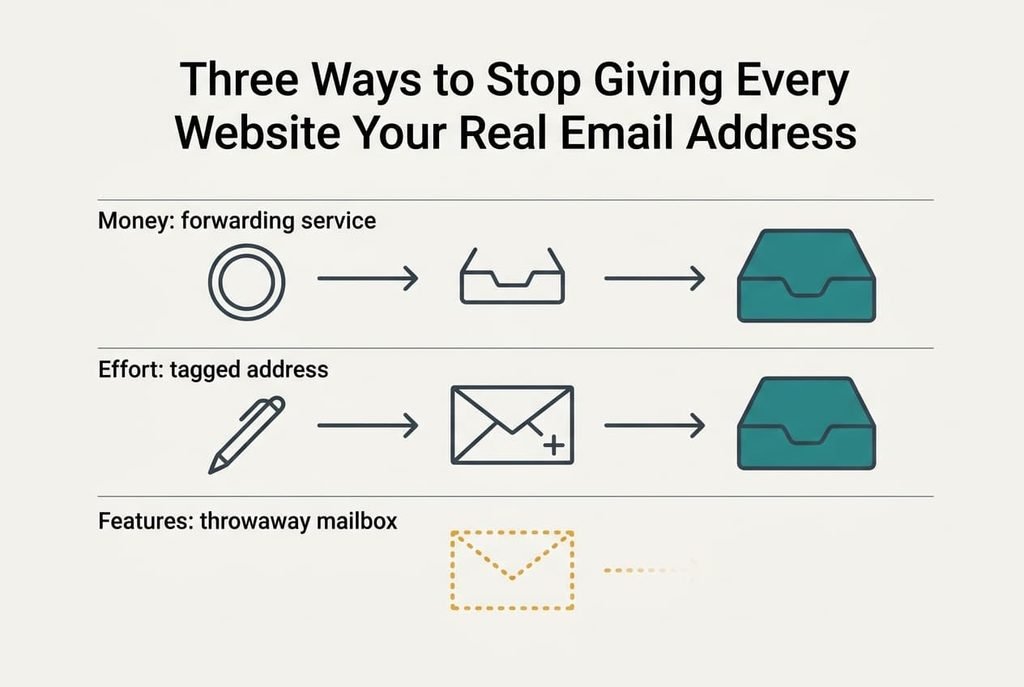
Three Ways to Stop Giving Every Website Your Real Email Address
Each option changes what you hand over at sign-up. The price each one carries is different, so read all three before you pick.
1. A paid forwarding service creates a fresh address for each website and passes every message to your real inbox. It suits you if you hold many accounts and want one switch per site. The fee buys the cleanest separation on offer. Mail arrives in your normal inbox with the alias showing, which shows you immediately which website wrote. What can go wrong is the company itself. If it closes or your subscription lapses, every alias stops at once, and the password resets for those sites go with it. You’d also have to keep paying for as long as any account relies on an alias.
2. A tagged address uses your own provider and costs only effort. Many providers treat anything after a plus sign in your name as yours, so name+shop reaches the same inbox as name. A filter can then sort each tag into its own folder. Setup takes seconds per sign-up. The catch is that some websites refuse the plus sign, and anyone who spots one tag can guess your plain address. When a site rejects it, you’ll see an error at sign-up and must retry with your plain address. Your provider stays the only party you have to trust, which many households already accept.
3. A throwaway mailbox that expires costs you features instead of money or effort. It suits a one-off download or a competition entry, where you’ll never need the account again, and nothing sticks to your real inbox afterwards. The address lasts hours or days, so you can’t reset a password or prove a purchase later. If a verification link arrives after the mailbox has gone, the account is lost for good. Use it only where losing the account costs you nothing.
What Month Three Looks Like
By the third month you’ll know which accounts matter, because those are the ones that write when something needs action. This is where the price shows up. Every alias becomes a small record you have to keep, and a missing record means a message from a site you can’t place.
With a forwarding service the record is a list in a dashboard. A tagged address makes it one folder per tag. The throwaway mailbox leaves nothing at all, which is both its strength and its weakness.
Mail at the wrong alias tells you exactly who sold or lost your details.
The first breach shows the benefit. You switch that one alias off and carry on. Giving your real email address to every website offers no such switch. The leak and your inbox are the same thing.
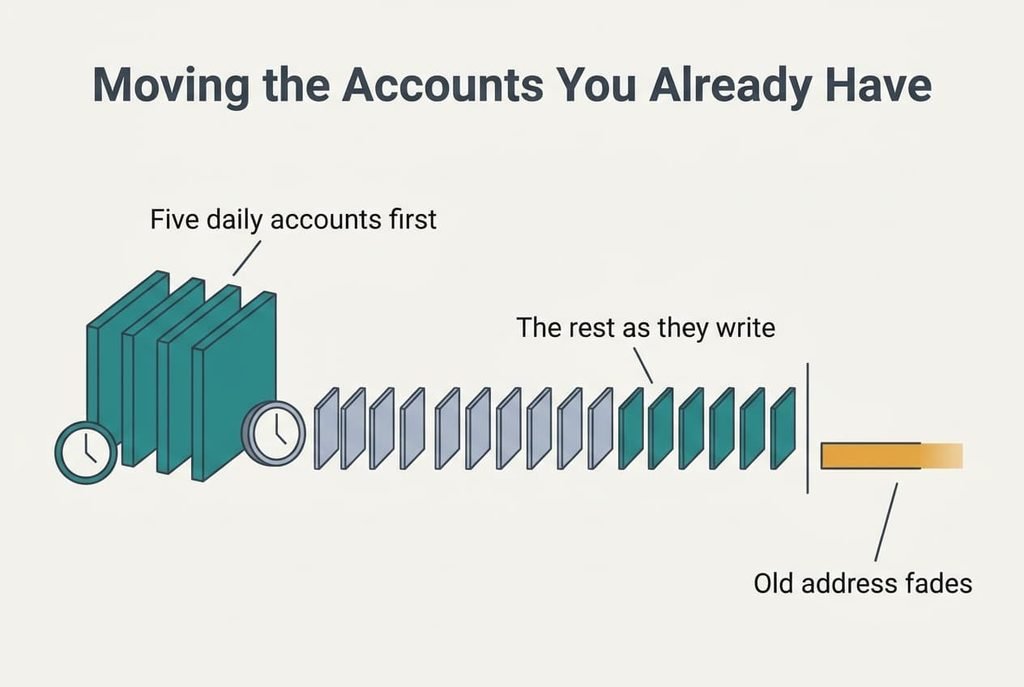
Moving the Accounts You Already Have
Start with new sign-ups only, so the habit forms before the workload grows. For the first week, give each website a fresh alias or tag and leave the old accounts alone. Then move the five accounts you open daily, since those hurt most if a list leaks. Log in, change the address in the settings, and confirm the message the site sends to the new one. Allow about three minutes each, which makes fifteen minutes for the five.
Leave the rest to move as they write to you. When a half-forgotten shop writes to you, log in that day to change the address. Over several months the old address fades from use without an afternoon lost to it. Forty accounts at three minutes each would cost two hours in one sitting.
When to Keep a Single Address
If you have fewer than ten accounts and trust the sites behind them, keep a single address, because the effort of managing aliases would exceed the harm they prevent. A short list is easy to watch, and a leak touches little. Count the logins in your password list before you decide, because the real total usually lands higher than you’d guess.
Keeping one address also makes sense when it’s your work mailbox and you want every message in one place. There the alternatives add effort and return nothing. Waiting costs you little too. The first surge of unwanted mail, or a site that demands a new address, is a fair signal to begin tagging.
For a small household, giving your real email address to every website is a manageable habit. What it can’t survive is a breach you don’t notice, so watch for mail from senders you never signed up with.
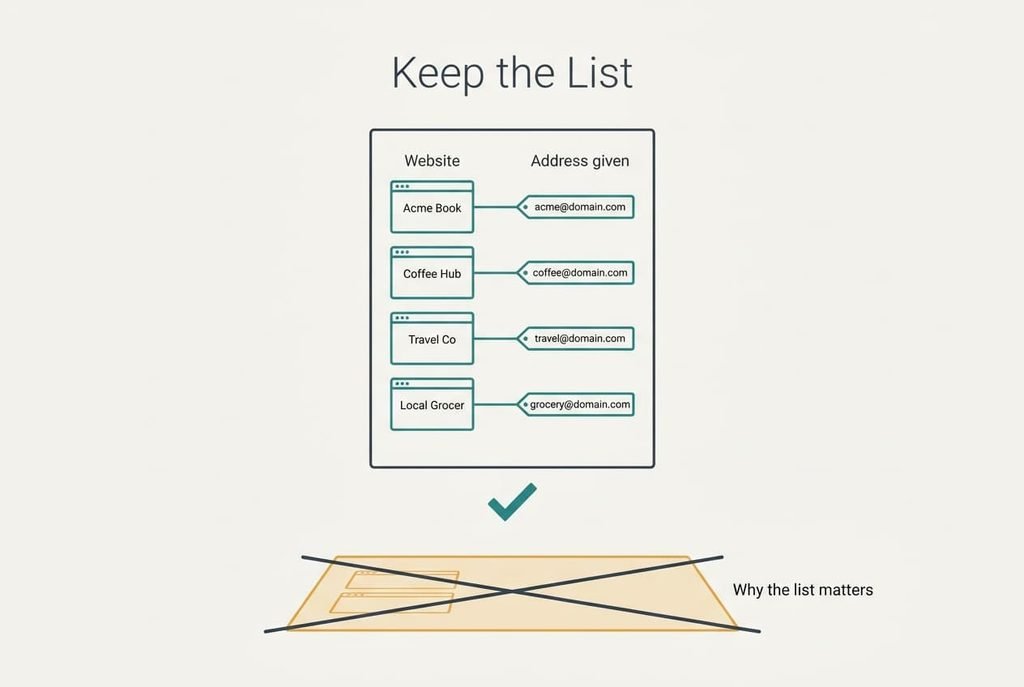
Keep the List
Write each alias beside its website in one note or sheet, and store it where your passwords live. That list is your export. If you ever change provider or service, it tells you which account holds which address, whereas without it you’d be guessing from the sender names on old mail.
Update it whenever you add a sign-up. A page of forty lines takes seconds to maintain and spares you hours of hunting later. Check it twice a year against the mail you actually receive, and delete the entries for accounts you’ve closed. Sorting the list by alias type makes each lookup a matter of seconds.
A record of where each address went turns giving your real email address to every website from a blind habit into a choice you can reverse. Keep the list current, and every other change in this guide becomes easy to undo. Without it, even a free alias is one more thing you can lose.
Questions Readers Keep Asking
Do my existing accounts keep working?
Yes. Nothing changes until you edit an account’s address yourself. Your logins and passwords keep working unchanged, and mail to your main address keeps arriving. Move each account separately, confirming the change with the message the site sends to the new address before you start on the next.
How much do these alternatives cost?
Tagging costs nothing, a throwaway mailbox is usually free, and a forwarding service charges a recurring fee. Measured against the harm they prevent, tagging pays back most per minute spent. Begin there, and add the others only when a particular website calls for it.
Is it worth the disruption?
For most households with forty or more accounts it is, because the work is small and spread over months. If you hold only a handful of accounts, the disruption outweighs the benefit, so waiting until something goes wrong is a fair choice. You can always start later without losing anything.