A USB microphone for recording your voice at home succeeds or fails on distance. That means how close the capsule can sit to your mouth in the room you actually use. A small foam cover and a glossy box tell you very little about that. This guide is for anyone who records calls or voiceovers at a desk. It gives you four criteria in priority order. Then it names the specifications that sell more than they help. It ends with a check you can run in two minutes. The room is assumed to be about 3 by 4 metres with a hard floor.
How to choose a USB microphone for recording your voice: what decides it
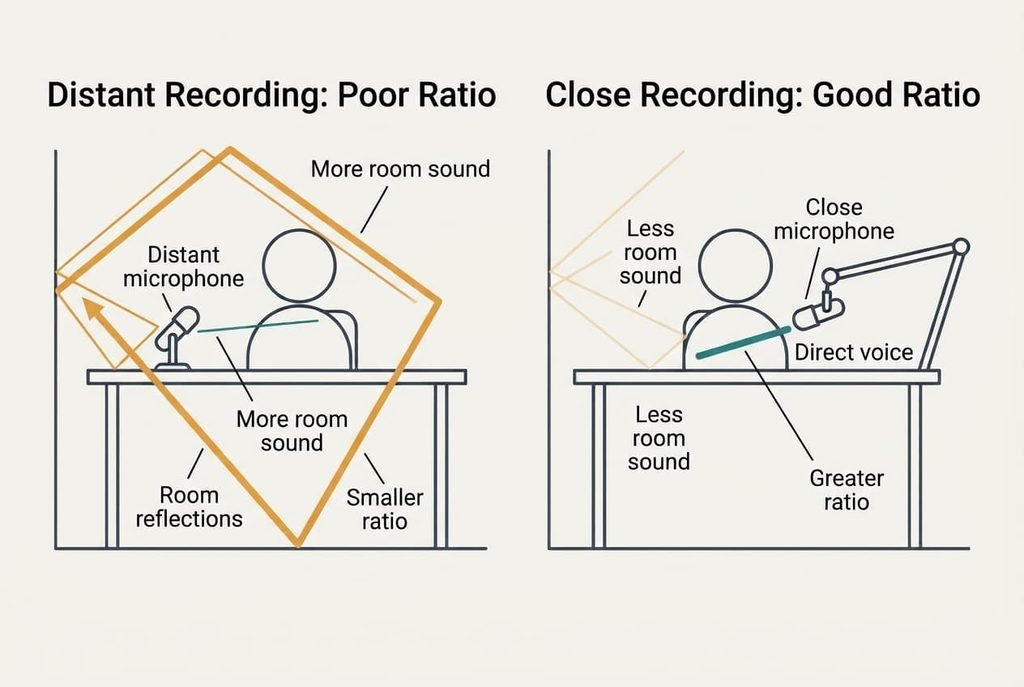
Every room adds its own sound to a recording. Walls and a bare floor bounce your voice back at the capsule a moment late, and that blur is what people call a boxy or echoey sound. You can’t remove it afterwards without damaging the voice too. A rug and a curtain reduce the reflections a little. They don’t change the arithmetic of loudness at the capsule.
The fix is to make your voice much louder than the room at the capsule. Distance does that. Each time you halve the distance between mouth and capsule, your voice gains about 6 dB over the room, because the room’s sound stays about the same while your direct sound rises.
Take a desk where the capsule sits 60 cm away, which is where most people leave it. Move it to 20 cm and your voice gains about 9.5 dB over the room. That’s a bigger improvement than any upgrade in the box.
So the real test is whether the microphone can sit close to you and still ignore the walls.
Which USB microphone for recording suits your voice: four criteria in order
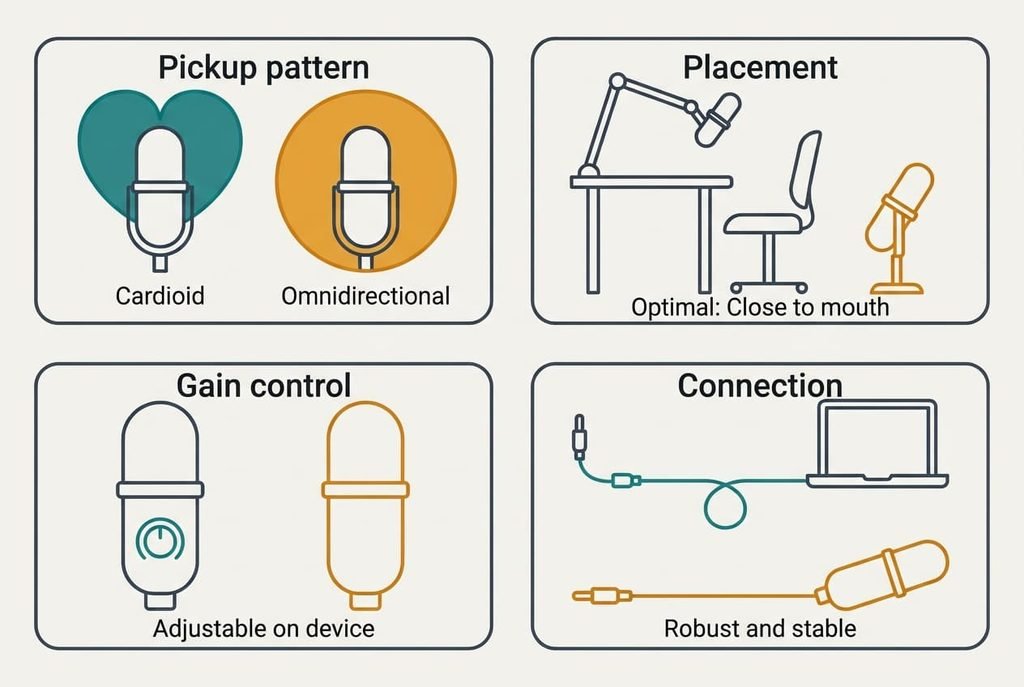
1. Pickup pattern. A cardioid pattern hears mainly what’s in front of it and rejects much of what’s behind. An omnidirectional pattern hears the whole space equally, which suits a table of people and does your solo voice no favours. In daily use the difference shows up as how much room you hear on playback. Check the listing, which should state the pattern in plain words, and treat silence on the point as a warning. If you choose wrongly, you’ll hear the walls in every recording and no setting will fix it.
2. Placement. Most buyers never check this one, and it often matters most. Look for a threaded mount that fits a desk arm or a stand, plus a body light enough for that arm to hold. A model that only stands on its own base sits at desk level, about 40 cm from your mouth at best. On a normal day that decides whether you can lean in or have to lean back. Check the underside of the product photos for the thread. If it’s missing, you’ll end up propping the microphone on books.
3. Gain control on the device. A dial or buttons on the microphone itself let you set the level before the signal reaches the computer. That spares you a software slider that can reset after an update. In daily use you’ll nudge it when you move closer or when a guest joins. Ask whether the control sits where your hand can reach it mid-recording. If it’s missing, your voice will clip the first time you laugh, and you’ll fix it by editing afterwards.
4. Cable and plug. Work out how far the port is from where the microphone will sit, then add 30 cm for a loop of slack. Check that the plug matches your computer’s socket. A short cable pulls the microphone sideways when you move your chair. If the fit is wrong, an adaptor joins the chain and the microphone hangs from its own connector.
The specifications that sell more than they help
Big numbers are easy to print and hard to hear. A high sample rate does nothing for a voice recorded in a room that echoes, because the echo is captured perfectly at any rate. Listings promote it since it reads as a measurable gain over a plainer model. A USB microphone for recording your voice gets nothing from it. A model with a modest range and a dial on the side serves speech better than one with an impressive sheet.
The second oversold figure is a very wide frequency range. Speech sits in a narrow band, so extra range at either end adds air and hiss rather than clarity. The people who need it are recording instruments, and you aren’t.
“Studio quality” is the third. It’s a phrase rather than a measurement. It says nothing about your room or your desk. Skip all three until the first two criteria are settled, then use them only to break a tie between two models that are otherwise equal.
Three readers and what moves for each
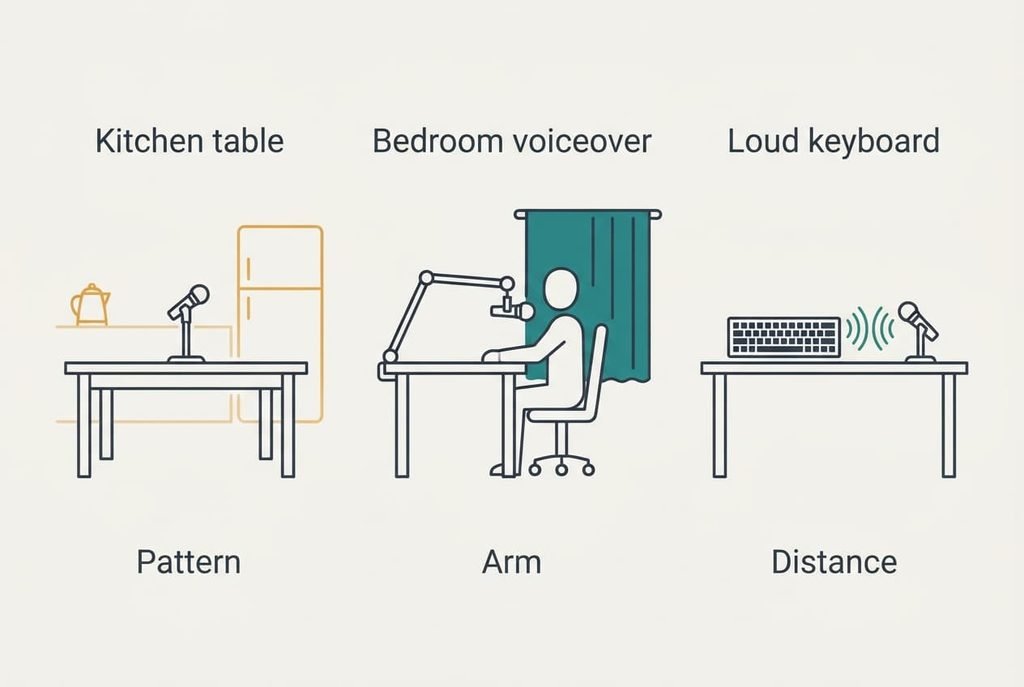
Someone who takes calls from a kitchen table needs rejection of the room first. A cardioid pattern and a short stand give the biggest gain. The kettle and the fridge then sound further away, and colleagues stop asking you to repeat yourself.
A reader who records a weekly voiceover in a bedroom should put placement first. An arm that brings the capsule to 15 cm will do more than any other change. A thick curtain behind the chair helps further, since it soaks up what the wall would reflect.
Someone who streams with a loud keyboard has a harder case. A tight pattern and a close position cut the key noise down, but they won’t remove it. Moving the keyboard further away helps as much as the microphone does, and so does a softer typing touch.
When to walk away from a listing
Reject any listing that fails to name its pickup pattern, because a vague description usually hides an omnidirectional capsule and your room needs the opposite. You’d be paying for a microphone that picks up the thing you’re trying to avoid.
Leave it too if it has no mount thread and no arm option, because you’ll be stuck at desk distance for good. Skip any model that needs a driver install on a work laptop that you can’t change. A restricted machine will refuse the software, and the microphone will sit in its box.
Few buyers regret walking away.
Most regret the item they talked themselves into after the third doubt. Passing costs you nothing. A USB microphone for recording your voice that you can place properly beats the one with the better spec sheet, and the simpler model is often the easier one to mount.
A two-minute check before you keep it
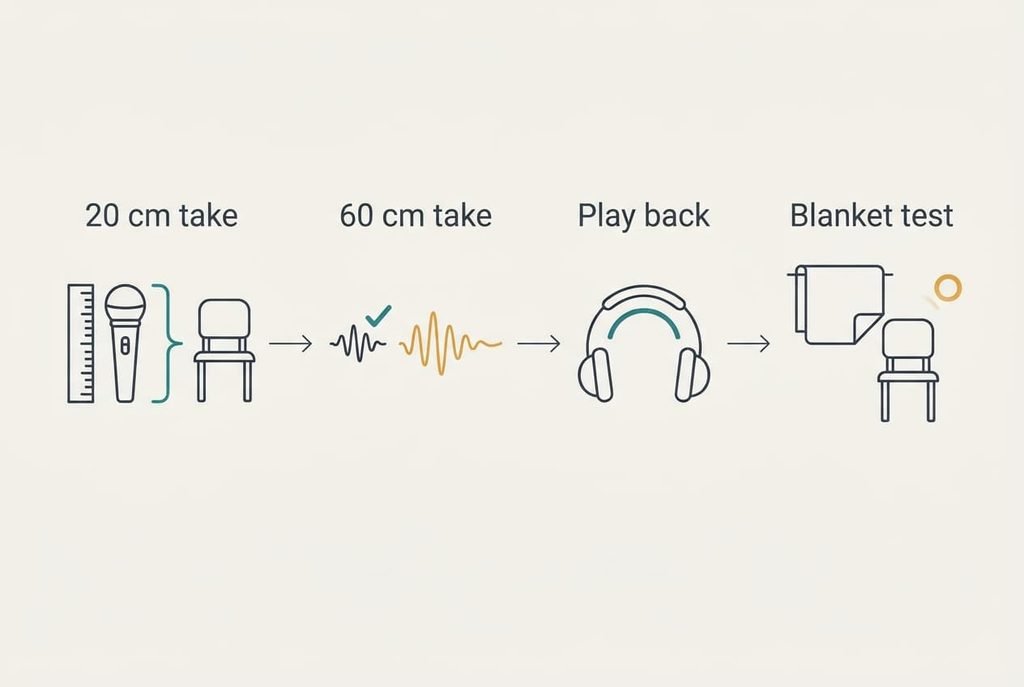
Record 20 seconds of normal speech at 20 cm. Then record the same lines at 60 cm. Play both back through headphones and listen for the hollow ring on the far one. If the 20 cm take sounds clearly drier, you’ve placed the microphone well and it does its job. If both sound hollow, blame the room first. Hang a folded blanket behind you and try again before you blame the microphone. Then clap once at your seat and notice how slowly it fades. A long tail means the room needs soft furnishings before any microphone will sound right.
A USB microphone for recording your voice earns its place when you can set it at 20 cm and then forget it. Run that check on day one and send it back within the return window if it fails. Keep the box until you’re sure. It costs nothing to repeat the test after you adjust the arm.
Questions readers keep asking
Does a higher sample rate make my voice sound better?
Not in a room with echo. The rate decides how finely the sound is sampled, but the room sound is sampled just as finely as your voice. Fix the distance and the pattern first. A sample rate above the common default adds file size and little else for speech.
How much should I spend compared with the rest of my setup?
Spend on placement before the microphone itself. A modest model on a proper arm at 20 cm beats a costly one at 60 cm. Put roughly as much of your budget into the arm and a soft backdrop as into the capsule, and you’ll hear the difference straight away.
Will I outgrow a USB microphone?
Only if your recording changes a lot. For calls and voiceovers it stays useful for years, because the limit is your room rather than the connector. If you later add a mixer or several voices, you can keep the same arm and the same habits.