A projector image that stays genuinely blurry despite proper focus adjustment usually genuinely isn’t a single mysterious fault at all – it’s typically one of a small number of specific, checkable causes distinct to how projectors actually create and display an image, each requiring a genuinely different, specific fix. Understanding which category applies to your specific situation determines whether the fix takes seconds or requires a more involved change.
What is actually happening
Projectors create a sharp image through a genuinely precise combination of correct focus, adequate throw distance, and proper alignment between the projector and the screen surface, meaning blurriness can stem from factors that have nothing to do with the focus ring itself despite feeling like a focus problem. This specific combination of requirements means a projector can produce a technically blurry image even with focus correctly adjusted, if other factors are genuinely working against that adjustment.
Distinguishing between these categories matters because “my image is blurry” caused by improper throw distance requires an entirely different response than the same symptom caused by keystone distortion, which no amount of focus adjustment will actually resolve.
Confirm which pattern you have
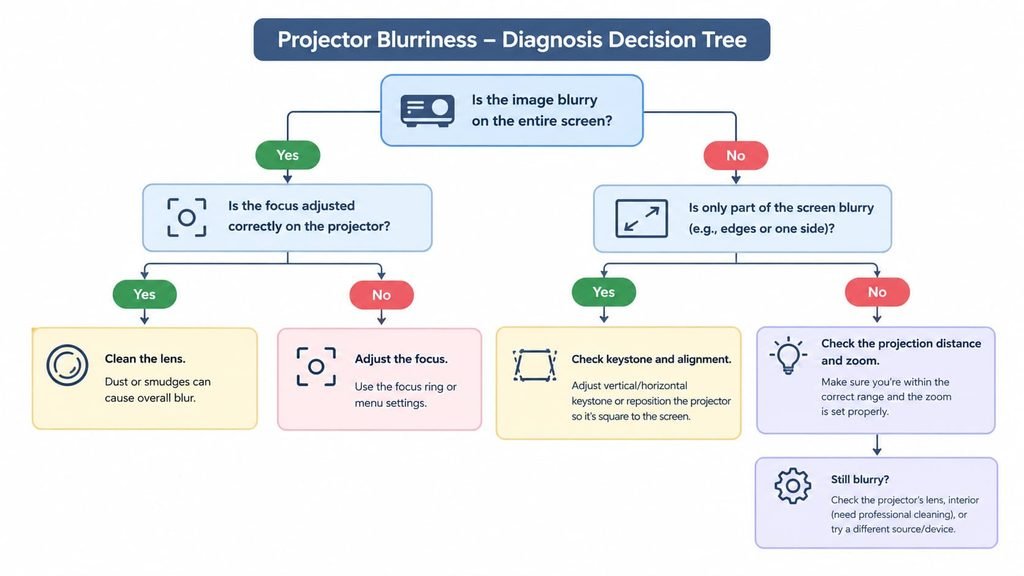
Check whether the blurriness is genuinely uniform across the entire image, or specifically worse toward the edges or corners, since this distinguishes a general focus or distance issue from a more localised alignment or lens-specific problem.
Check whether the image genuinely sharpens or worsens as you physically move the projector closer to or further from the screen, since this helps confirm whether throw distance is genuinely a contributing factor to your specific situation.
The causes, diagnosed
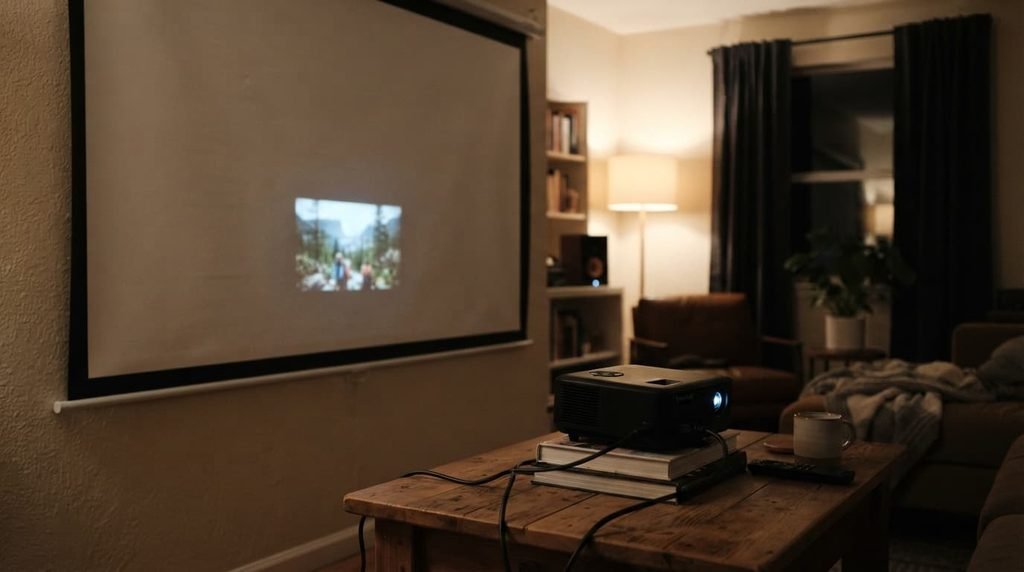
“The entire image is uniformly blurry, and adjusting the focus ring doesn’t meaningfully improve it.” This points to your projector genuinely being positioned outside its optimal throw distance range specifically, since every projector has a genuine distance range within which its lens can actually achieve sharp focus, and positioning outside this range prevents sharpness regardless of focus ring adjustment. The fix: check your specific projector’s stated throw distance range and reposition it to fall genuinely within these specifications for your particular screen size.
“The image is sharp in the centre but genuinely blurry or distorted toward the edges or corners specifically.” This points to keystone distortion or improper alignment between the projector and screen, since an angled projection creates uneven focus across the image that centre-focused adjustment alone can’t correct. The fix: adjust your projector’s physical positioning or use its keystone correction feature, since achieving a genuinely perpendicular, aligned projection often resolves this specific edge-blurriness pattern.
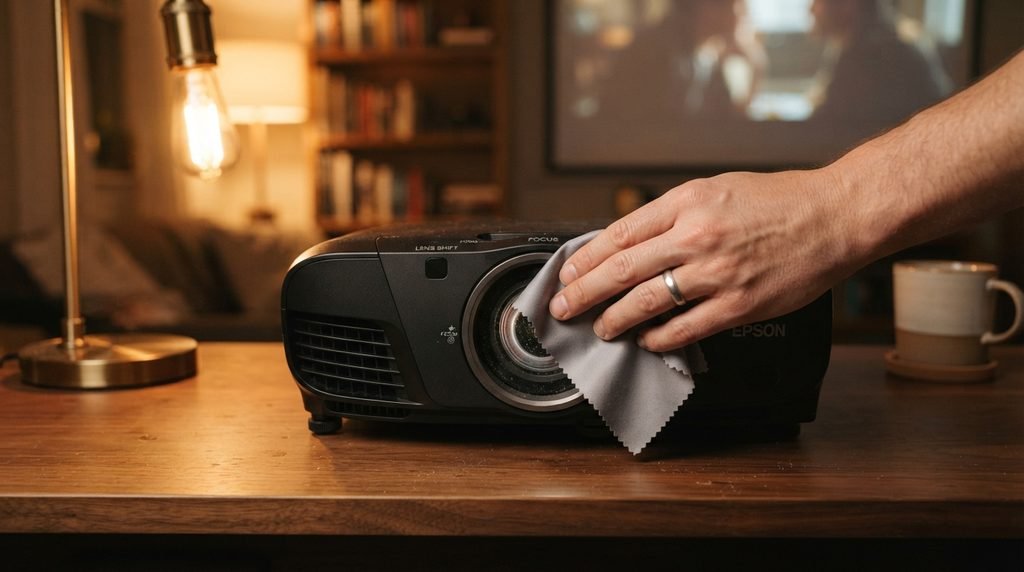
“The image was sharp previously but has gradually become blurrier over time, even with careful focus adjustment.” This points to a genuinely dirty or degraded lens specifically, since dust and residue accumulating on the lens surface over time can meaningfully affect image sharpness in ways that mimic a focus problem without actually being one. The fix: carefully clean your projector’s lens using genuinely appropriate methods and materials specifically designed for optical surfaces, since improper cleaning can cause damage rather than improvement.
“The image genuinely flickers or shifts in and out of focus intermittently, rather than remaining consistently blurry.” This points to a genuine mechanical or connection issue specifically, rather than a static focus or positioning problem, since intermittent behaviour suggests something changing during operation – a loose connection, a mechanical focus mechanism issue – rather than a fixed, consistent condition. The fix: check all cable connections for genuine security, and if the issue persists, this specific intermittent pattern is more likely to require professional attention than the other causes covered above.
What people get wrong about projector sharpness
The most common misconception is assuming all blurriness issues stem from the focus adjustment itself specifically, when a genuinely significant portion of these issues actually trace back to positioning, alignment, or lens condition instead, factors entirely separate from whether the focus ring itself is functioning correctly.
A second common misconception is assuming a projector producing a blurry image is definitely failing and needs replacement, when many blurriness patterns are genuinely addressable through the specific causes covered above, rather than indicating actual hardware failure requiring replacement.
What isn’t worth doing
Immediately assuming your projector’s lens or internal components are fundamentally failing, without first identifying which specific cause above actually applies to your situation, isn’t worth the expense this assumption leads to.
Many common causes of projector blurriness – throw distance, alignment, lens cleanliness – are genuinely resolvable without any repair or replacement at all, meaning assuming hardware failure often means overlooking an issue that was never actually about fundamental component failure in the first place.
When this points to something more serious
If you’ve genuinely confirmed proper throw distance, corrected any keystone or alignment issues, and cleaned the lens appropriately, and the image remains persistently blurry, this points toward a genuine internal optical or lens fault that these standard troubleshooting steps won’t resolve.
This matters because a genuine internal fault, as distinct from the addressable causes covered above, typically requires professional diagnosis or repair, rather than any further external adjustment meaningfully resolving an issue that’s actually located within the projector’s own optical components.
How to prevent this from recurring
Establish a consistent projector placement specifically, avoiding frequent repositioning that requires repeated refocusing and realignment, since a stable, genuinely fixed setup maintains sharpness considerably more reliably than a projector moved regularly between different positions.
Clean your projector’s lens as a genuine periodic habit specifically, rather than only addressing visible dust once image quality has already noticeably declined, since proactive cleaning prevents the gradual degradation covered above before it actually becomes a meaningfully noticeable issue.
Does projector age genuinely affect how susceptible it is to these blurriness issues?
To some degree, yes – older units may have accumulated more lens wear or mechanical fatigue in their focus mechanism, though proper maintenance and correct positioning remain effective regardless of age, making these fixes worth trying before assuming age alone explains any blurriness issue you’re experiencing.
Where the popular advice oversimplifies
Advice treating “just refocus it” as a universal fix for any blurry projector image overlooks the genuine distinction between the several causes covered above, incorrectly assuming every blurriness situation shares the same simple solution regardless of its actual specific, underlying cause.
Questions readers keep asking
Does screen material or surface quality genuinely affect perceived image sharpness?
Yes, meaningfully – a genuinely appropriate, smooth projection surface reflects light more evenly than an uneven or inappropriate surface, meaning screen quality can affect perceived sharpness independently of the projector’s own actual focus and alignment.
Is it normal for projector focus to need readjustment after moving the unit, even slightly?
Yes, generally – even small changes in distance or angle can meaningfully affect focus given how precisely this adjustment typically needs to align, making a quick focus check a reasonable habit after any physical repositioning of the unit.
Can ambient room lighting genuinely make a properly focused image appear blurry?
Not technically blurry in the optical sense, though excessive ambient light can genuinely reduce perceived image clarity and contrast in ways that might feel similar to blurriness, making room lighting worth considering separately from genuine focus troubleshooting.