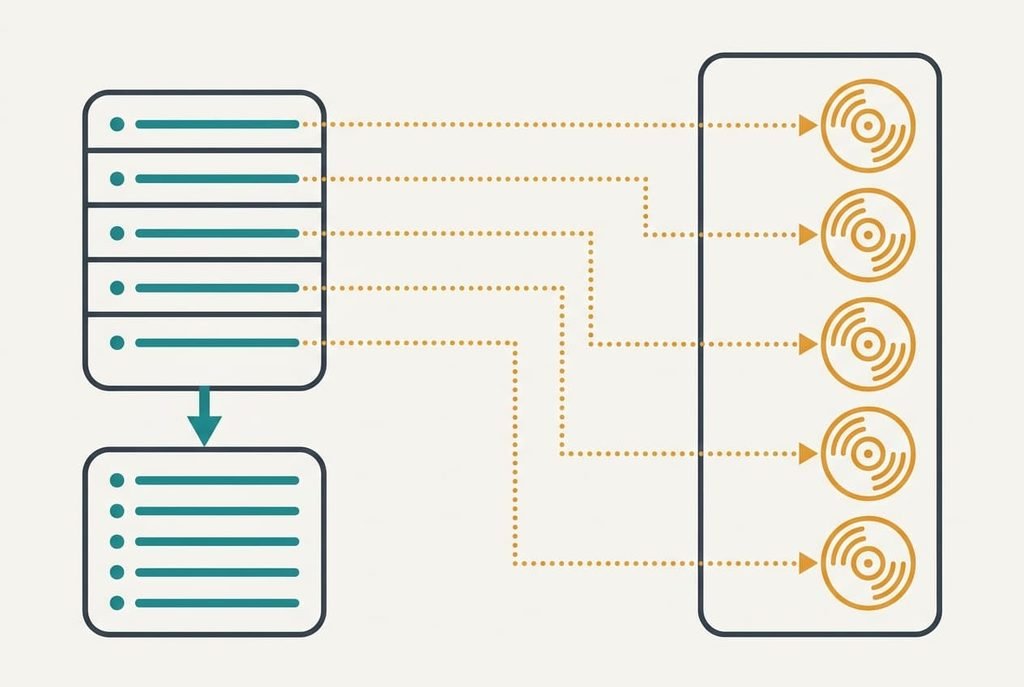
A playlist of 33 tracks is a text list of 33 references held on the service’s server, and the audio itself was never yours. That’s why alternatives to a music streaming subscription begin with the list, not the player. Export it while the subscription still runs, then choose a route. The model household is British. It holds 38 playlists and 1,260 tracks. All counts and timings are guesses for one household, so rerun them against your own library. The cancellation date only sets when the export must happen. The route you pick can be settled later in the week. Nothing here names a service, since terms change faster than the maths does.
What has to survive when you look for alternatives to a music streaming subscription
Before you compare tools, list what a playlist carries. Four things matter. First comes the track list: a title and an artist for each entry. Next is the order, which you built by hand over years. Then the date each track was added, because that’s how you find a song by remembering the season. Last is the name and cover picture, which are cosmetic.
Our export keeps text for all 1,260 tracks. It can’t keep the service’s internal ID, the number that points at one exact recording. A new service searches for each track by title and artist instead, and a text match sometimes picks a live take or a remaster instead of the original. Assume 92% land correctly, which leaves 101 tracks missing or wrong. The thing to guard is the exact recording behind each entry, since a list of right titles with wrong versions sounds fine until you press play. The date added is fragile too, because most transfer tools stamp every track with the day of transfer.
Which alternatives to pick when a music subscription ends, and what each costs
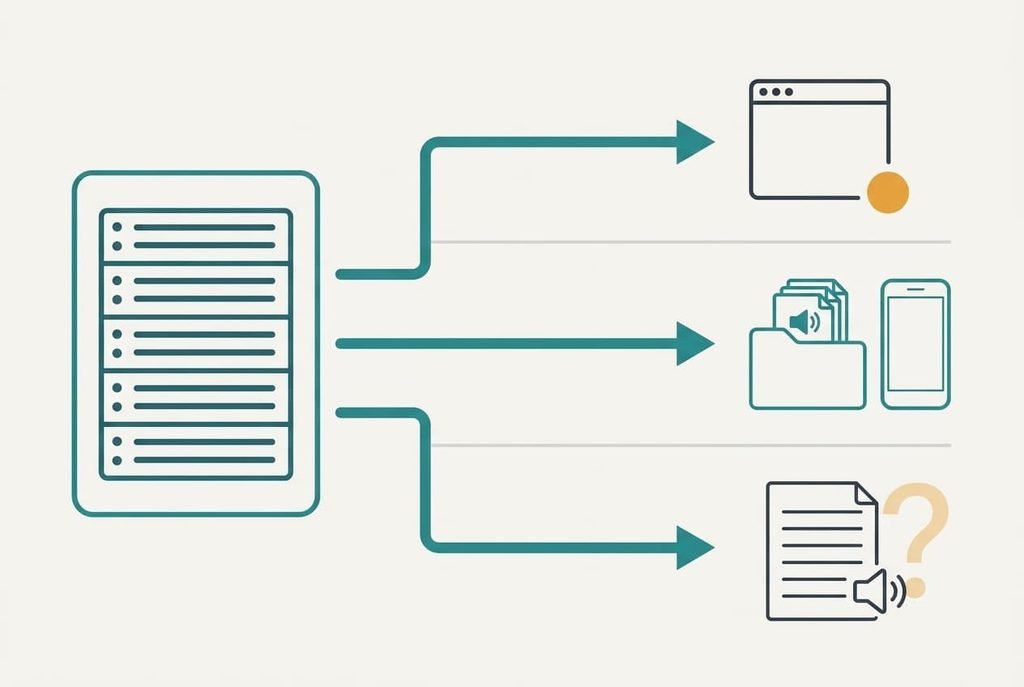
1. Another streaming service with a playlist transfer tool. Convenience is the draw here: it suits anyone who wants one-tap playback on every device. You keep paying, so the saving is zero and the gain is a different catalogue. Assume the transfer takes 15 minutes, fixing 101 faults at 20 seconds each takes 34 more, and a spot check of 10 tracks adds 10, so 59 minutes in all. Names and order arrive, the dates added reset to transfer day, and the new service’s taste profile starts empty. It fails quietly when a remaster replaces the recording you chose.
2. Files you own and play from a phone. Ownership is the draw here: it suits people who replay the same few hundred songs. Money moves from a monthly fee to a price per track. At an assumed price of one tenth of a monthly fee per track, 200 favourites equal 20 months of fees, while all 1,260 would equal 126. Own the favourites only. Getting 200 files takes 1.5 minutes each, which is 5 hours. Rebuilding six playlists adds 30 minutes. The files fill 1.3 GB at 256 kbit/s. Playlist files record file paths, so they break the moment you move the folder.
3. Plain-text lists plus free sources for playing them. Safe storage is the draw here: it suits people who listen less than once a day and want the lists kept at no cost. The export takes 15 minutes and tidying the columns takes 20, so 35 minutes in all. You lose on-demand playback: radio and free tiers cover some tracks but never the one you want tonight. The lists stay readable, and matching is tested only when you search for a track. It fails when the list sits in a folder and nobody opens it.
The trade-off you meet after eight weeks
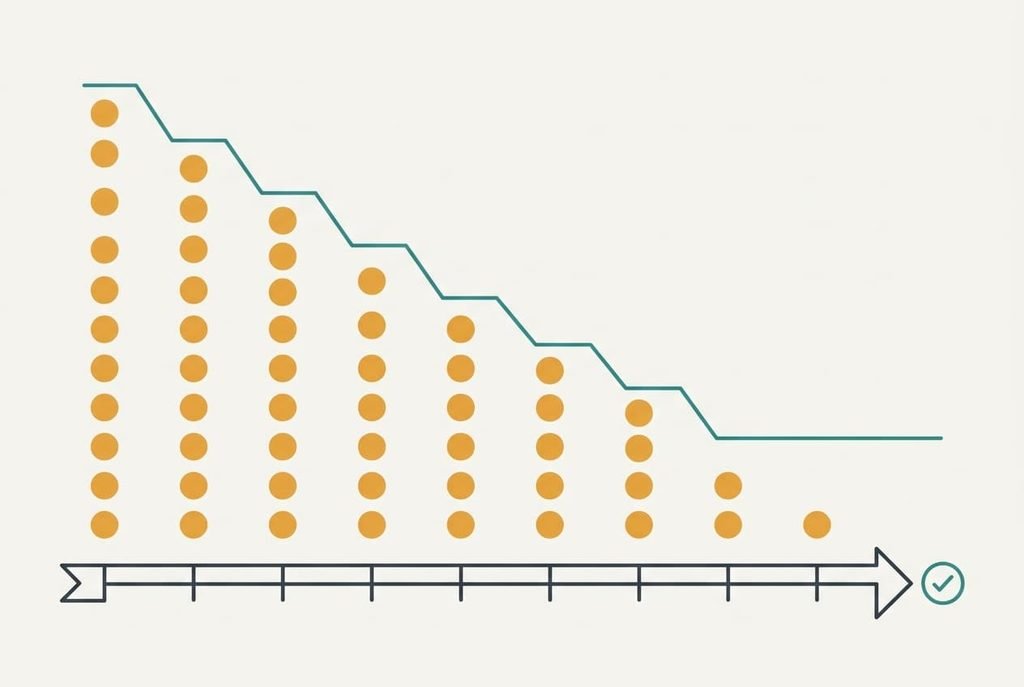
Wrong versions show up slowly. The tracks matched to the wrong recording surface only when one plays, so the fault count climbs with your listening. Suppose you play 5 playlists a week at 33 tracks each. That’s 165 plays, and 8% of them are faults, or 13.2 faults a week. With 101 distinct faults, you’ve met every one by week eight. Fix each when it first plays and the repair costs 101 × 20 seconds, which is 33.7 minutes.
A wrong track is easiest to fix the moment it plays.
Left alone, each wrong play costs a 10-second skip, and the 13-week quarter adds 172 of them, or 28.7 minutes of skipping. Fixed lists stay fixed, but every new list goes through the same matching, so the 8% follows each one. A new playlist of 33 tracks brings about 2.6 faults, which is roughly a minute of repair each time.
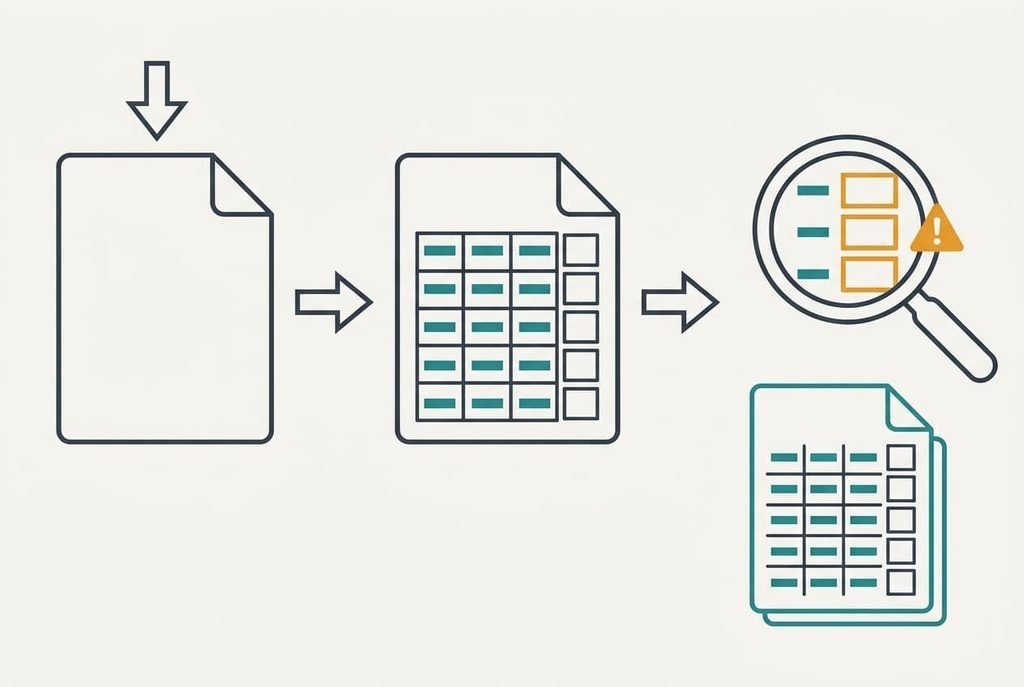
How to move without losing a playlist
Start from the renewal date and count back. Suppose it falls in 21 days. On day 1, export every list. On day 2, move ten tracks of different kinds, including a live album, then compare each by ear with the original. If 9 of the 10 land right, the 92% figure holds for your taste. Fewer than 8 means route 2 or 3 will serve you better. On days 3 to 5, transfer all 38 lists. Then use the new source for a week and fix faults as they play. Cancel on day 18, three days before renewal. Then check whether access stops at once or carries on until the paid period closes. Keep the export for a year. Whichever alternatives to a music streaming subscription you test, run the ten-track check first.
When staying beats switching
Among alternatives to a music streaming subscription, moving has a fixed cost of about an hour on the convenience route, plus the repairs of week eight. Staying wins when the saving over a year wouldn’t pay you for that hour, so divide the yearly saving by one hour and ask whether you’d work for that rate.
If you wouldn’t, stay.
Small libraries tip the sum the other way. With 4 playlists and 130 tracks, the 8% fault count is 10 tracks, or 3 minutes of fixes. Then the move is cheap and only loyalty argues for staying. Nobody can say from here how closely your taste matches the new catalogue, so the ten-track test decides it. A subscription you like and use daily is a fair thing to keep, and no export rule changes that. The ownership route shifts the sum too: with 200 favourites already on your phone, the fee buys only the other 1,060 tracks, and you can judge whether those are worth renting.
The export to run before you cancel anything
Run the export today and open the file. Check five tracks: a live one, a remaster, one with an accent in the title, one with a very long title and one you added years ago. Read each row for title, artist, album, length and the date it was added. If the date column is empty, the service won’t hand dates over, so write each month into the list name before you move. When the title and artist look right on all five, every route can begin with this file. Store a copy elsewhere, and add today’s date to the file name so exports stay distinguishable.
Run this check before testing the alternatives to a music streaming subscription. Playlists are lists, and lists export as text. Everything after that point starts once that file exists. The renewal date keeps counting down, and no one will extend it for you. Match ten tracks by ear and the choice gets easy.
Questions readers keep asking
Can I move my playlists without losing tracks?
Mostly. The export keeps titles and artists, and the new service re-matches them, so about 92% land on the right recording in our sums. The rest go missing or arrive as a different version. Test ten tracks first, and leave the first export alone until you’ve played through your main lists.
Is owning my music cheaper than a subscription?
Only for the songs you replay. At an assumed track price of a tenth of a monthly fee, 200 favourites equal 20 months of fees, and all 1,260 equal 126. Own the favourites and rent or skip the rest. Check real prices yourself, since they change from month to month.
Is switching worth the disruption?
Switching costs about an hour plus eight weeks of small repairs, so it pays when the saving or the ownership matters to you. Divide the yearly saving by that hour and see whether you’d work for it. If a favourite catalogue is the real reason you’re paying, staying is a sound choice.