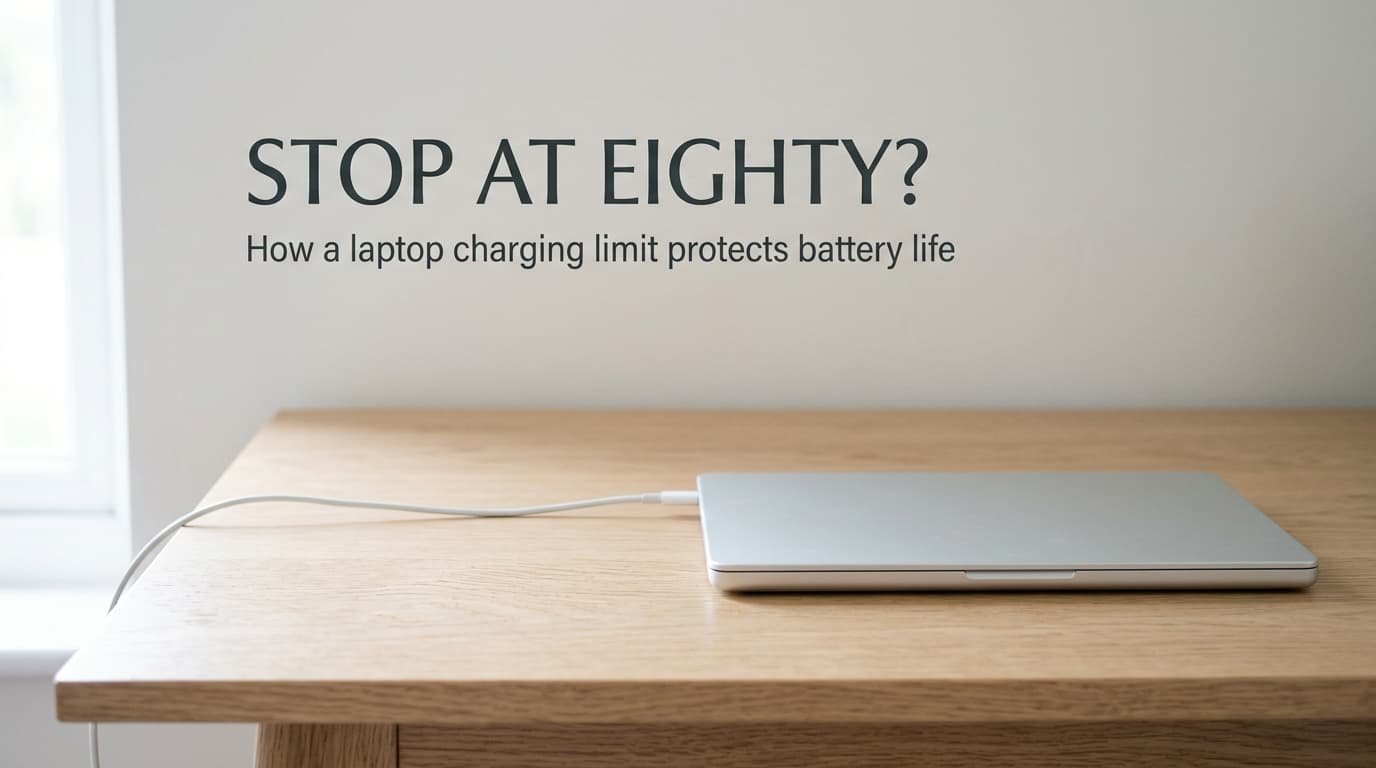
The charger light says full while the gauge reads 80%. What lets a laptop charging limit protect battery life is voltage. A lithium-ion cell sits at a higher voltage the fuller it gets, and it ages faster there. Stopping early keeps the cell in the gentler middle of its range, and the price is a smaller usable pack.
Below, one charge runs from 20% to the cap, with what the cap saves and what it costs. Figures assume a 60 Wh pack, a 30 W charge rate and a 12 W average draw. Once the voltage story is clear, the trade-off is simple arithmetic.
The short answer, and what it leaves out
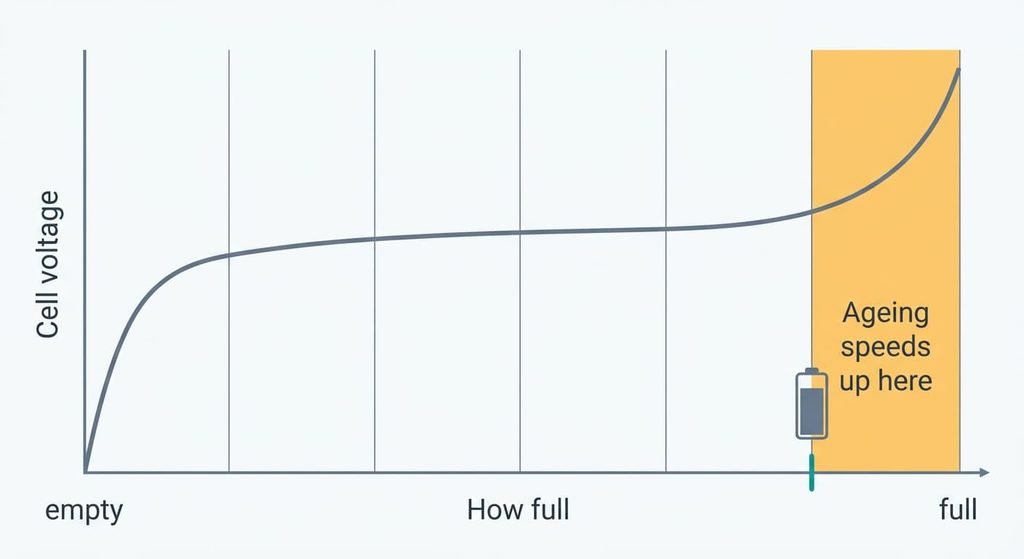
Strictly, a charging limit ends the charge before the cell reaches its top voltage, so the cell spends its plugged-in hours at a lower voltage. Ageing in a lithium-ion cell comes mostly from slow side reactions at the electrodes, and those speed up with voltage and with heat.
That plain answer left out two things. The gauge shows an estimate of charge, while the cell itself only feels voltage. A lower voltage also means less stored energy, so the limit trades capacity today for a slower loss later. Time counts as well as cycles, because a cell ages while it sits.
Two terms help here. State of charge is how full the cell is, estimated by the gauge from the voltage and a running tally of current. Ageing is the permanent fade in how much it can hold. The link between voltage and that fade is a curve that steepens towards the top. The last 20% of the range therefore does more harm per hour than the first 80%.
What lets a laptop charging limit protect battery life, step by step
Plug in at 20% on a 60 Wh pack with a 30 W charge rate.
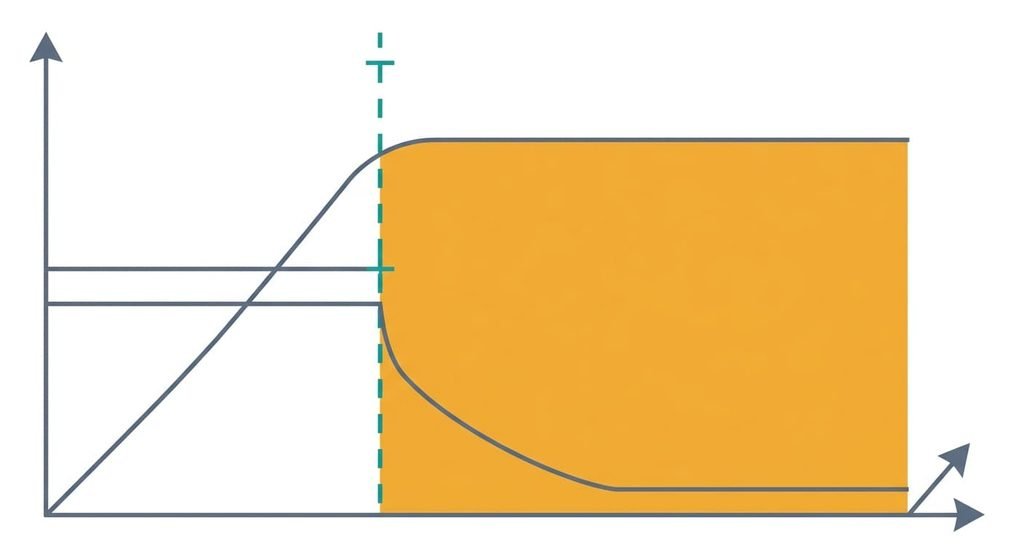
The first stage is constant current. The charger pushes a fixed 30 W while the cell voltage climbs. Going from 20% to 80% takes 36 Wh, so this stage lasts about 72 minutes. A cell at rest reads roughly 3.7 V at 20% and roughly 4.05 V at 80%, though the exact figures vary by chemistry. Under charging current the measured voltage runs higher than that. So the cell reaches its top voltage, about 4.2 V in common cells, somewhere around 70% to 80%.
Stage two is constant voltage. The charger now holds that top voltage and lets the current fall, because pushing harder would drive the voltage past its ceiling. The last 12 Wh takes an hour or more, on a charger that delivered 36 Wh in 72 minutes. That slow tail is the cell sitting at its highest voltage while it fills.
The charge ends when the current has dropped to a small fraction of its starting value, and the gauge reads 100%. Staying plugged in keeps the pack hovering near that ceiling. Self-discharge nudges it down, and the charger tops it up again. A desk laptop can therefore spend most of a working week within a whisker of full voltage.
With an 80% limit the charger stops at the end of stage one. The laptop runs from the adapter, and the cell rests at about 4.05 V until you leave the desk. Eight desk hours like that now cost the cell less ageing. Side reactions slow at lower voltage, and the pack stays cooler.
The price arrives on the move. At the cap the pack holds 48 Wh instead of 60 Wh, so a 12 W average draw lasts 4 hours instead of 5.
The analogy, and where it breaks
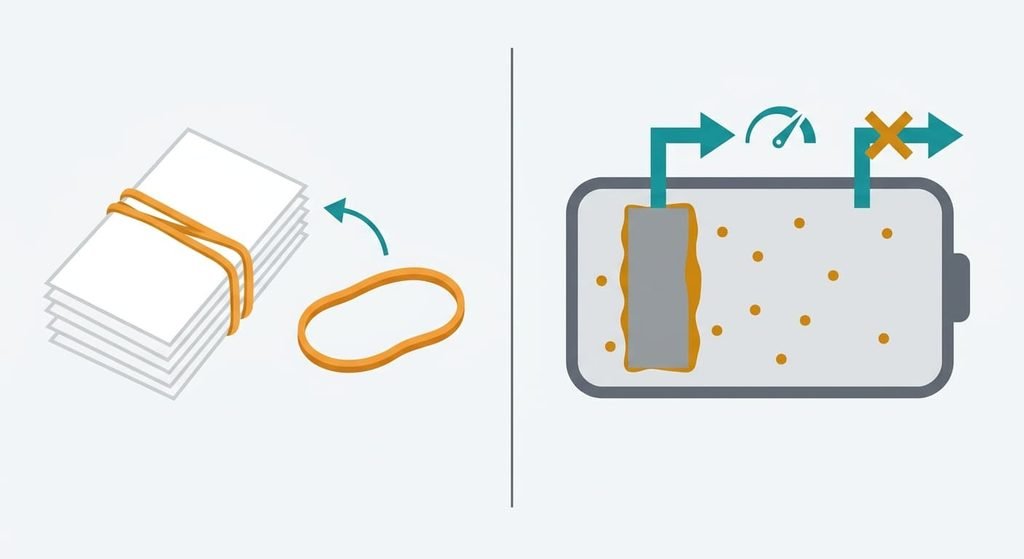
A rubber band stretched around a stack of papers loses its snap faster the tighter it’s held. A cell at full voltage behaves alike: the harder it’s held, the quicker it wears. Heat adds to the strain in both cases, and a hot pack at 90% can age more quickly than a cool one at 100%.
The comparison breaks at recovery. A band that’s released relaxes and regains part of its spring. A cell’s loss is chemical: lithium gets locked into a growing film on the electrode and stays there. Lowering the voltage afterwards slows further loss and gives nothing back. A band also shows its wear by snapping, while a cell fades quietly, so the damage is easy to miss until the runtime shrinks.
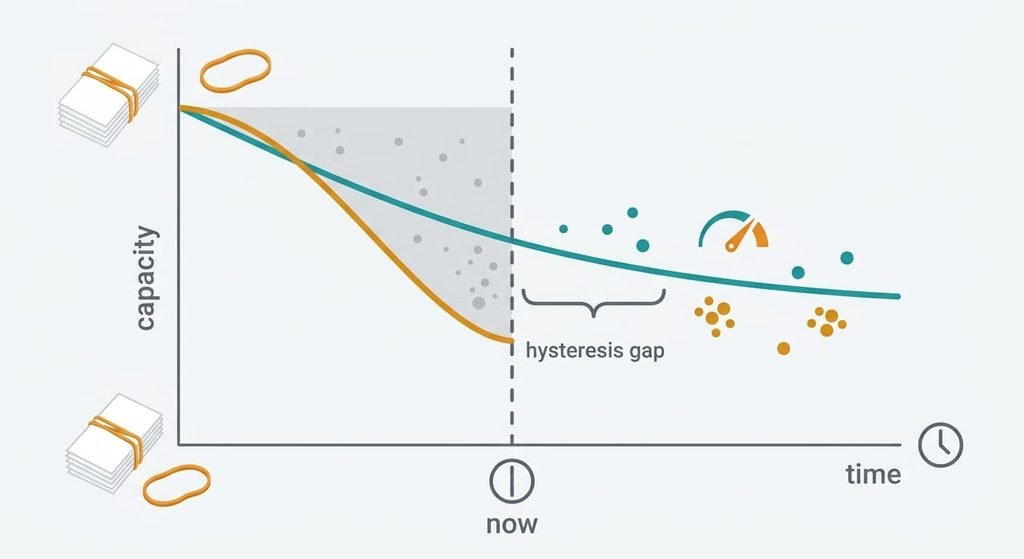
A laptop charging limit protects battery life only so far
Wear that has already happened stays, because a limit slows ageing but cannot undo it. A worn pack that stops at 80% is still a worn pack, now holding even less. That is the ceiling on what lets a laptop charging limit protect battery life.
Heat matters as much as voltage.
A laptop that runs hot on the charger ages its cell quickly whatever the cap says. A laptop left in a warm bag at 80% still ages faster than one stored cool. The limit also acts only while the charger is attached, so an unplugged laptop drains and ages exactly as before. Airflow stays your job too, since a blocked vent warms the pack whatever the setting.
Implementation differs between makers. Some caps act on the cell voltage and others on the gauge’s estimate, and after enough wear the two drift apart. Where the setting lives depends on your laptop’s maker, and the controls yours exposes are out of my sight.
What people get wrong about charging limits
Does a laptop charging limit protect battery life twice over? Plenty of owners assume so. The belief grew out of cycle-life charts, where a small drop in peak voltage buys many more cycles. Those curves come from cells in a lab at a steady temperature. A laptop adds heat and irregular use, so the gain is real but smaller and less predictable.
Charging to 100% overnight damages the battery that night. This one is a leftover from older chemistries, which could be harmed by overcharging. Today’s packs have a charger that ends the charge on its own. The harm comes from hours spent near full, not from reaching full. One night costs little, and a year at the ceiling costs a lot.
Batteries only wear when they cycle. Specifications quote cycle counts, which makes cycling look like the whole story, but a cell at high voltage on a shelf loses capacity too.
Who should set a charging limit
Use a limit when the laptop spends most days on the charger, and skip it when you need every watt-hour daily. Hours on the adapter are what let a laptop charging limit protect battery life most, so a desk machine that lives on it gains the most. Lift the cap the evening before a trip. A laptop that leaves the house each morning needs the full 5 hours. A cap that cuts it to 4 hours costs more than it saves.
Check by looking at the gauge when you sit down and when you leave. If it reads full all day, the cell is spending its hours at the ceiling.
A charging limit works by keeping the cell’s voltage below its top for the hours it’s plugged in. The fact to keep is that it slows wear and cannot reverse it. Set it when the adapter is your usual power source. Leave it off when the daily runtime matters more than the years it would add. Here the cost is 12 Wh per charge, which is the price of the slower loss.
Questions readers keep asking
Will a charging limit reduce battery capacity?
Only per charge. An 80% cap gives you 48 Wh from a 60 Wh pack until you lift the cap, and the pack’s total size is unchanged. The cap slows the permanent loss that comes from sitting near full voltage, so the pack keeps more of its full capacity for longer.
Should you set a charging limit on a laptop?
If it stays plugged in most days, yes. The long hours at the ceiling are the part that ages the cell, and the cap removes them. If you unplug every morning and use the whole pack, leave it at 100%, since the lost runtime outweighs the saving. A trip is a good reason to lift the cap.
Is a limit better than unplugging by hand?
It handles the same task without your attention. Pulling the plug at 80% works, but you have to remember it, and the laptop then runs on the pack while you work. A limit holds the pack at its cap while the adapter powers the laptop, which spares the cell as well.