Choose the fanless machine if your evening work draws under about 10 watts, and the fan-cooled one if it climbs above that for more than ten minutes at a stretch. That’s the whole verdict on a laptop for quiet evening work, and a single number decides it: how many watts the case can shed for hours. A fan only adds noise when the case can’t cope alone.
The figures below belong to an invented fanless machine and an invented fan-cooled machine in a room at 21 °C. They’re assumed round numbers, picked so the sums stay easy to follow. Plug in your own battery drain and the verdict still holds.

The one property that decides a laptop for quiet evening work
Processor speed and memory get the attention, yet they say little about a quiet evening. What counts is the watts the case can shed continuously without help from a fan, because every watt the machine draws ends up as heat in the room. Assume the fanless case settles 2.6 °C warmer for each watt, so 9.6 W lifts it from 21 °C to 46 °C, which we treat as the working limit. The fan-cooled case manages 1.2 °C per watt at its quietest fan setting. That gives it a budget of 20 W.
Measure your own draw instead of guessing. Unplug at 100%, work normally for 30 minutes, then note the battery drop. With a 56 Wh battery, a 9% drop is 5 Wh used in half an hour, which means 10 W. The figure includes the screen, so it slightly overstates what the processor adds.
Documents and browsing sit around 5 W. A video call draws around 14 W, and a batch of photo exports around 30 W. Match your own habits to those three, and you’ll see which side of the divide your evenings fall on.
Write that number on a note before you compare any model.

Side by side on the things you’d actually notice
Speed and price change with every model, so the rows below compare how each design behaves under the same evening loads. Six situations follow, taken from the figures above.
| Situation | Fanless | Fan-cooled |
|---|---|---|
| Heat shed for hours | About 9.6 W | About 20 W at the quietest setting |
| Noise in a quiet room | None at all | Audible once the fan climbs |
| A one-hour video call | Warms steadily, slows near the end | Fan rises, holds its pace |
| Exporting 200 photos | Slows sharply after a few minutes | Stays near full pace |
| Dust and wear | No moving parts to clog | Vents gather dust over the years |
| Fan noise in the first 3 minutes | Not applicable | Usually silent |
The last row surprises people. A fan waits for the temperature to rise before it spins, so a fan-cooled machine stays silent through the opening minutes of almost any task. Short jobs such as a quick edit or a reply never wake the fan, which means the fan costs you quiet only during long loads. For a laptop used in bursts of ten minutes or less, the two designs sound identical, and the choice then rests on dust and wear alone.

Where a fanless laptop wins
Silence is the plain advantage, and it matters most when the room is already quiet. At a 28 dBA background, a fan at 34 dBA is clearly audible, while a fanless case adds nothing at all. A recording or a late call stays clean, and so does a long reading session.
The thermal mass helps more than you’d expect. Say the case stores 540 J for each degree it warms. Give it a 14 W video call, and it heads towards 57 °C but only needs to reach 45 °C to start slowing. That takes about 25 minutes, so the metal absorbs the whole burst of a typical meeting before anything throttles.
Ordinary evening work stays well inside the budget. Documents and browsing at 5 W settle the case near 34 °C, and nothing spins up. A fanless laptop for quiet evening work also drops the one mechanical part that tends to fail first, and it collects no dust at all. Over several years that matters more than a fresh processor name.
Silence is the part you’ll notice first, every single evening.
Where a fan-cooled laptop wins
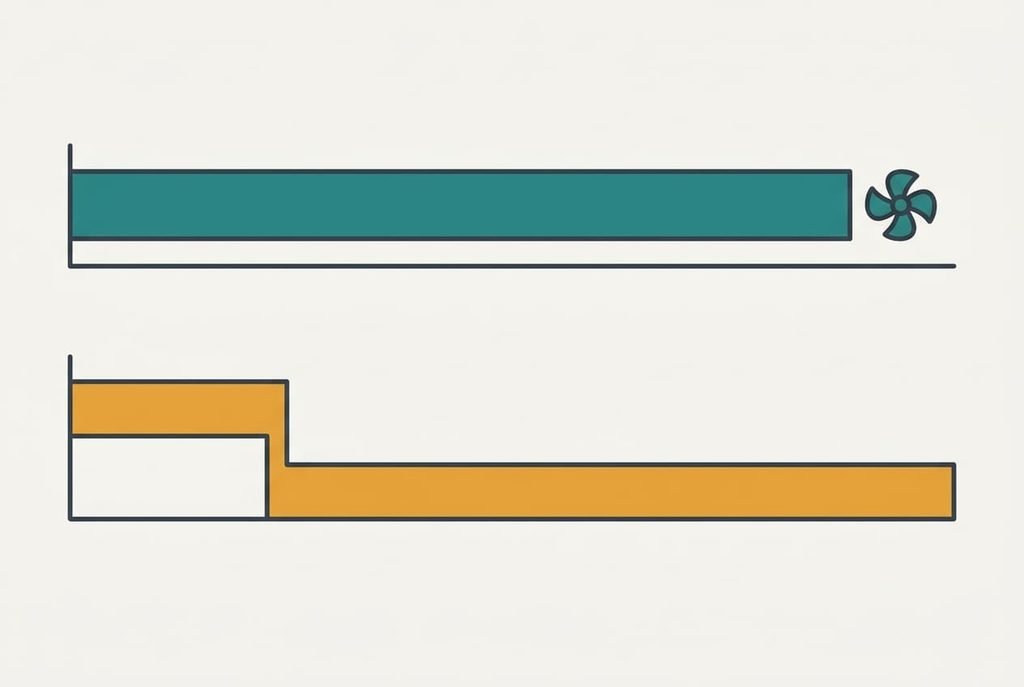
Heavy loads that last are the fan’s territory. Exporting 200 photos at 30 W takes about 18 minutes on the fan-cooled machine, which holds its pace at 38 dBA. The fanless case runs at full pace for about 9 minutes. Then it hits its limit and slows to one third of that pace. The same batch ends up taking roughly 37 minutes.
A second reason is headroom. A fan-cooled case has twice the budget, so a 14 W video call never threatens it. You can keep a call and a spreadsheet running together without watching the temperature at all.
The price is the noise you pay in exchange. Long loads lift the fan above the room’s background, and a vent that has gathered dust makes it spin harder for the same work. Clean the vents every twelve months using a soft brush. The fan then stays near the quiet end of its range for much longer, and the budget you measured stays close to what you bought.
When neither laptop is the answer
Some sluggish evenings have little to do with heat. Keep 24 browser tabs open at about 350 MB each, and the tabs alone take 8.4 GB. Add 3 GB for the system, and an 8 GB machine starts swapping to storage, which feels exactly like throttling from the chair. Memory is the other cause, and neither cooling design helps once it’s what runs out.
Check before you blame the case. Open the system’s memory monitor while the machine feels slow. If the pressure reading sits in its top band while the temperature stays low, close some tabs first. Adding memory is the other fix, and both cost less than changing laptops. Choosing between a fanless and a fan-cooled laptop for quiet evening work only matters after memory stops being the limit.
A second quick check is the battery drain itself. If the draw sits under 6 W and the machine still crawls, heat isn’t involved, so look at memory first and storage second.
Which kind of laptop suits quiet work in the evening
Two branches cover almost everyone, and your measured draw picks the branch. If it stays under about 10 W, as it does for documents and browsing plus the odd call, take the fanless one and enjoy the silence, because the case sheds that heat unaided. If you export photos or compile code for more than ten minutes at a time, take the fan-cooled one and set its quietest profile, since only a fan keeps up with 20 W or more. Either way, buy on the number you measured and ignore the marketing word for the cooling, since a label says nothing about how many watts the case really sheds.
Settle it with one test before you buy anything. Run the 30-minute battery drain on your current machine during a typical evening, and write the watts on a note. If the number surprises you, test again the next evening, because one busy night can mislead. A laptop for quiet evening work is whichever one your own watts allow. The number you measured is better evidence than a spec sheet, and it costs only half an hour.
Questions readers keep asking
Will a fanless laptop feel slow?
Not for ordinary evening work. Everyday documents and calls sit inside its budget, and the metal absorbs short bursts. It slows only under long heavy loads, such as a big photo export. If you rarely run those, you’ll rarely notice the limit at all.
How loud is a fan-cooled laptop at idle?
Often silent, because the fan waits for the temperature to rise. It becomes audible during longer loads, typically around 34 to 38 dBA in our assumed example. Against a quiet room at 28 dBA that is easy to hear. Ask for the quietest profile and the sound drops.
Can I add a stand or a cooling pad to a fanless laptop?
A stand lifts the case and improves airflow, which lowers the temperature a little. It can’t change the case’s basic budget. It helps most with long calls. A pad with its own fan adds noise, which defeats the reason for choosing a fanless machine.