Why does your router suddenly list a phone you’ve never seen? Private Wi-Fi address randomisation is the usual cause: your phone invents its own network address instead of announcing the one built into its hardware. When that invented address changes, the router has no record of it and files the phone as a stranger. This article follows one phone through a week on an invented network in a British flat. The addresses and leases below are worked examples that your own network will not match, and the explanation needs no brand or product. We’ll also say what to do about it, which depends on what your router does with the address.
What private Wi-Fi address randomisation means, and what it leaves out
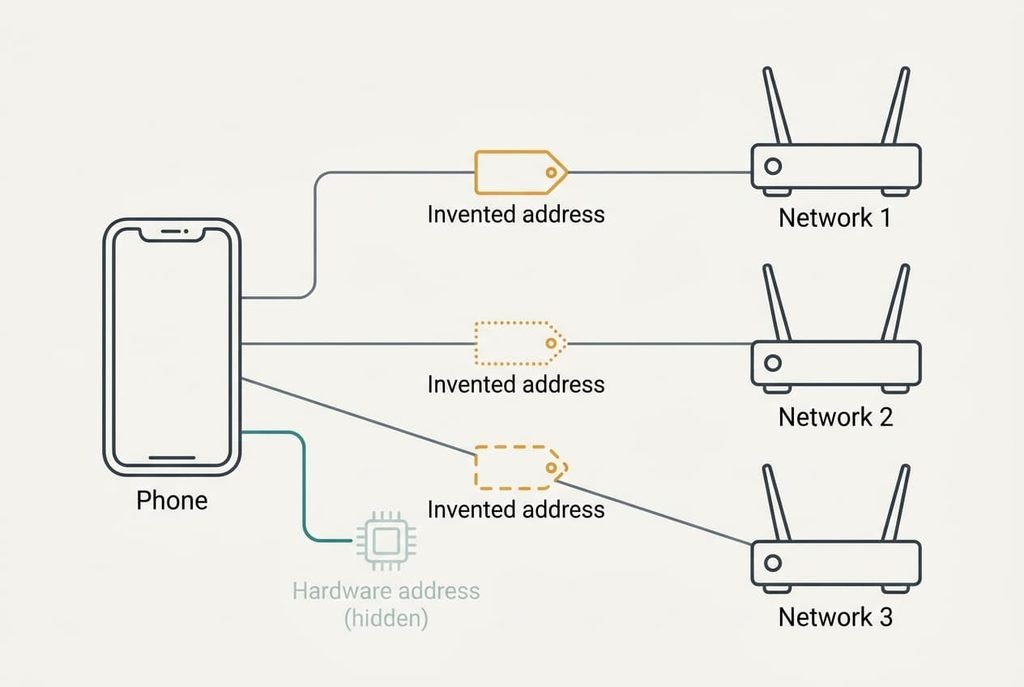
Private Wi-Fi address randomisation means your phone makes up a fresh hardware address for each network it joins, so no two networks can match it to the same device. The router normally recognises a device by a 48-bit number burned into its wireless chip. A randomised address keeps the same length, but 46 of the bits are chosen by the phone. That gives 2⁴⁶, or about 70 trillion, possible values. With 30 devices at home, the chance of two sharing one is roughly 6 in a trillion. The short version hides one habit. A phone usually keeps the invented address while it stays on that network, and it creates a new one only after the network is forgotten or the system chooses to rotate it. The device’s name isn’t covered by the short version either, and it still travels in the clear. Your router can’t simply recognise the phone again, since its memory is a list of numbers and the phone has quietly handed it a new one. A person who walks back in wearing a different coat has the same problem.
How a phone’s private Wi-Fi address shows up on the router, step by step
On Monday at 19:00 the phone rejoins a network called HomeNet, after an update that switched private addresses on. It builds the address DA:4F:19:7C:02:B1 for that network alone. The second character, A, tells you it was invented, because a locally chosen address always has one of four values in that spot.
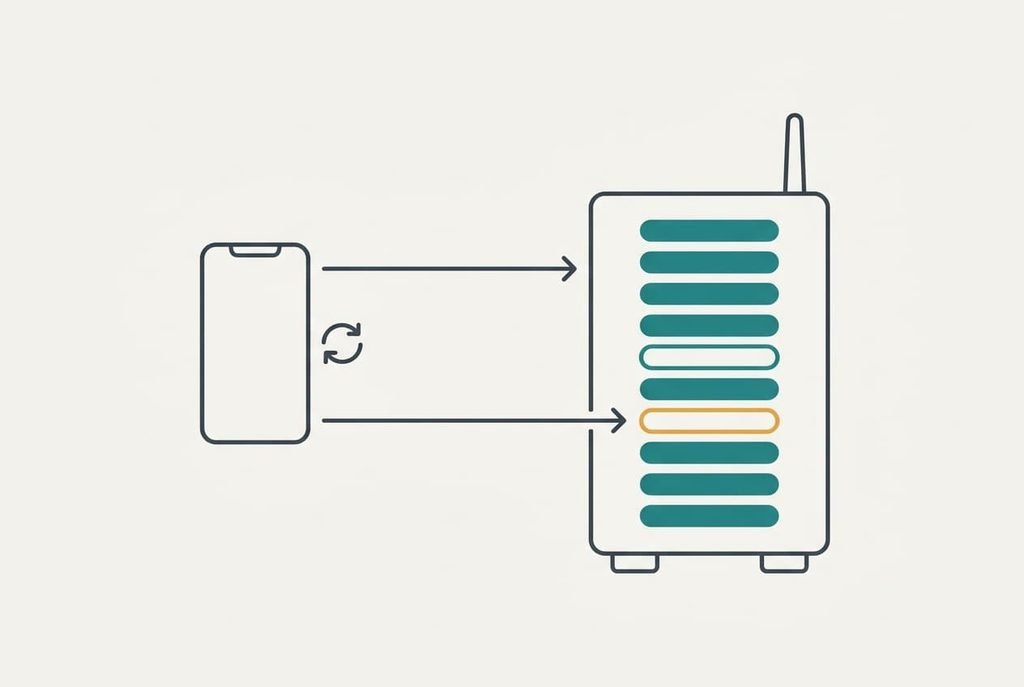
The router has never met this address. It offers 192.168.1.37 on a 24-hour lease and adds a line to its device list. Ten devices are now listed, although the family owns only nine, because the phone is listed twice. At 19:05 the owner sees “unknown device” and reserves .37 for that address, then names the entry “Sam’s phone”. From here it behaves like any known guest on the list.
Everything works until Wednesday. A system update asks Sam to rejoin, and Sam forgets the network first. The phone now builds a different address, 5E:91:A3:08:C6:4D, which matches nothing the router knows.
So the router ignores the reservation, offers 192.168.1.52 and adds an eleventh line. The old line stays listed as offline, and its lease lapses within a day. A rule that paused internet for that phone at 22:00 was attached to the old address, so the new one stays online all night. The owner only notices on Thursday, when the phone is still downloading at 02:00, unrestricted.
Each phone and laptop in the house can do the same. If six of them forget the network twice a year, the list gains 12 entries a year for six real devices. After five years that’s 60 lines for six live devices. Nothing is broken. The router and the phone are each doing their job, and they simply no longer agree on who is who.
A reservation made on the router can’t follow a device that rewrites its own address.
A loyalty card reissued in every shop, and where it breaks
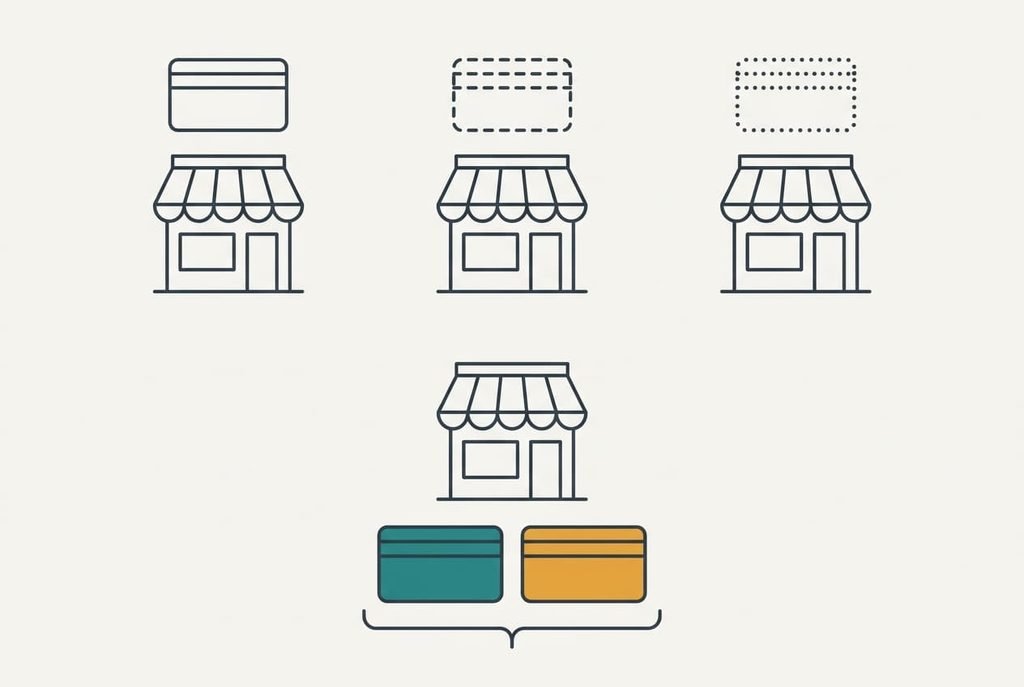
Think of a loyalty card that every shop reissues under a different number. Each shop recognises you from one visit to the next, but two shops can’t compare notes and see the same customer. That’s what the feature is for.
The card fails twice. A shop’s number is printed for you, whereas your phone writes its own, so the phone can throw one away and write another at will. The second break is more awkward. A shop that sees a new number can’t tell a returning customer with a replaced card from a newcomer.
The router’s device list works like a till roll of numbers, and it can only count the numbers it has seen.
What the address change doesn’t hide
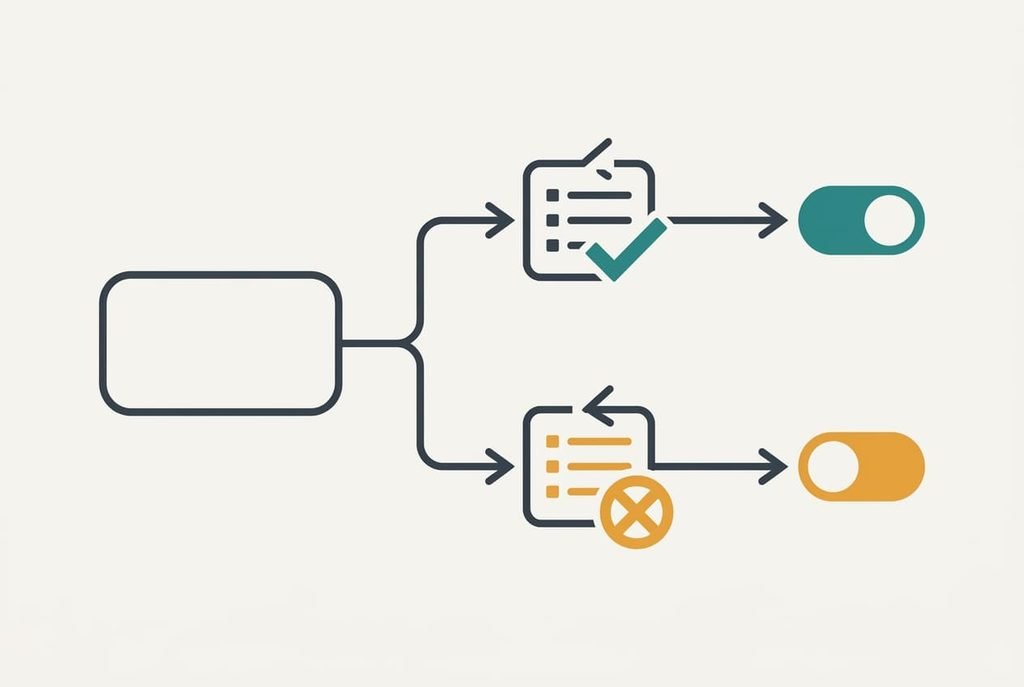
Private Wi-Fi address randomisation hides the hardware address and nothing else, so the router’s owner still sees the phone’s name, the websites it asks for and how much data it moves. The name often includes the owner’s first name. The address is a single item among many that a network can learn.
It also doesn’t encrypt anything. Whether others can read your traffic depends on the network’s own protection, and the address plays no part in that. Wired connections aren’t covered either. A laptop on a cable uses its real address, and so does a desktop with a wired adapter. So the same person can appear under two different numbers in one list, one for each way of connecting.
You can still force a change yourself. Forgetting the network or resetting its settings produces a fresh address, and each one adds a line to a list that already holds the old entries. Anyone who tidies the list once a year will find it full again within months.
What people get wrong about address randomisation
Many people think a new entry in the device list means a stranger has joined. The belief dates from an era when every device showed one fixed address, so any unknown number really did mean an unknown device. An unfamiliar entry is far more often your own phone under a new address, and the name column usually gives it away. Compare the name and the time it first appeared with something you did that day.
A second belief says that switching the feature off is the fix. It formed because older guides listed that as the first step. Turning it off removes the confusion for that network, but it also removes the privacy for it, so it solves a router problem by giving up what the feature was built to do.
The third says an invented address makes you untraceable. It arose from the headline claim of the feature, which is true only for matching one network to another.
How to decide whether to change anything
Leave it on unless your router filters or reserves by address, since that’s the only case where it causes real work. In that case, switch it off for your home network only, and keep it on for every public network. If you use no allow-list and no reservations, the extra lines in the device list cost you nothing. The private Wi-Fi address randomisation setting is per network, so changing it at home leaves every other network as it was.
Check the name column before you worry. If it matches a device you own, ignore the line. Once a month, delete the offline entries you recognise.
Private Wi-Fi address randomisation swaps one stable hardware number for a fresh one on every network. The router reads the swap as a new device and lists it again. Old reservations then no longer match. It hides the address and not the name, and it never encrypts anything. Keep it on at home unless a rule depends on the address, and turn it off for that one network if one does. Then your list stays short and your phone stays private elsewhere.
Questions readers keep asking
Does a new device in my router list mean a stranger is on my Wi-Fi?
Usually not. A phone that has forgotten and rejoined your network, or been updated, shows up under a new address. Look at the name and when it first appeared. If the name matches one of your devices and the time matches something you did, it’s yours.
Should I turn off address randomisation at home?
Only if your router allows devices by address or reserves fixed numbers for them. Otherwise, leave it on, since it protects you on other networks and costs nothing at home. If you do switch it off, do it for your home network alone and leave public networks protected.
Can a network still identify my phone with a random address?
Yes, by other means. The device name and your browsing history can both identify you, and so can a login you use there. Randomisation stops one network matching your phone to another network by its hardware address, and it doesn’t hide anything else about how you use the connection.