Online shops keep asking for a printed slip, though more homes have no printer at all. The slip has one modest purpose: it lets the carrier scan the parcel so the shop can tie your refund to your order. Below are three ways around printing a return label, compared on two things: what each takes from you and what each gives up. We picture a British flat with a phone and no printer. A 30-day window applies, and eight parcels go back each year. Every number is an assumption; put in your own. Shops and carriers go unnamed, since their names date faster than the methods.
What Must Survive When You Skip Printing a Return Label
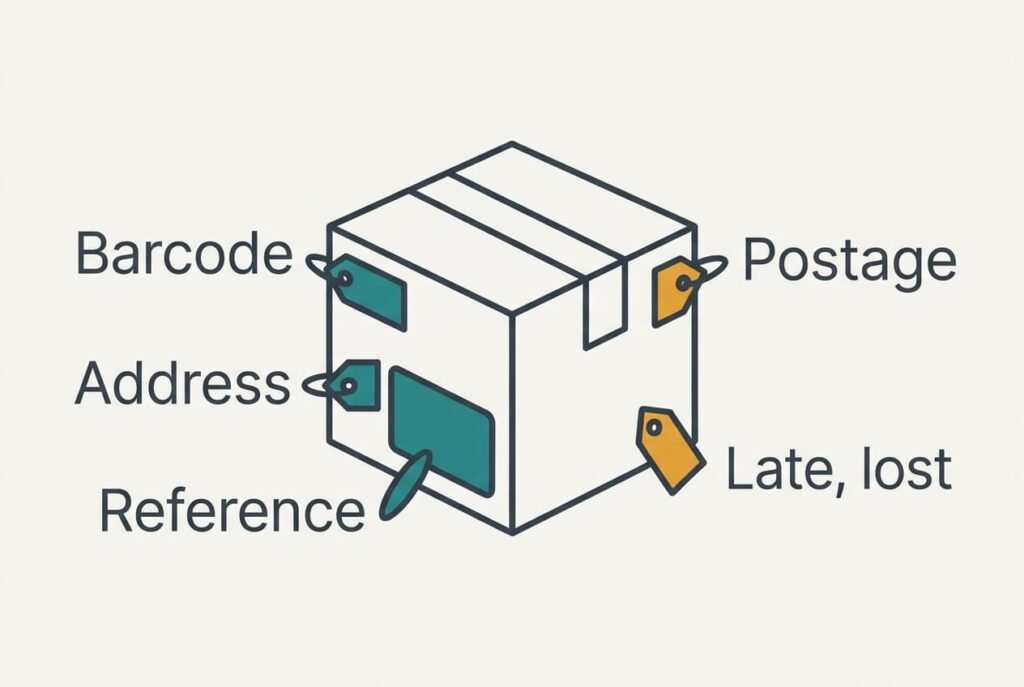
A printed slip carries four things. The carrier’s barcode and the shop’s address come at the top. Your return reference and the prepaid postage follow. Whatever replaces it can’t lose all of them, and it must keep two alive: and the substitute has to show the return reference so the shop can match the parcel to your refund. Without that reference the box arrives anonymous, and staff have no way of knowing whose refund it should release. The barcode is the next most useful item, since it saves the counter a minute of typing.
Say an unmatched parcel freezes the refund for about 10 days while staff trace it. With eight returns a year, one such parcel in eight means one late refund every twelve months. That’s the number to beat.
Three questions sort the options before any sums. Can a member of staff read the reference without borrowing your phone? Did you copy the address letter for letter from the shop’s page? Do you walk away with proof of posting, such as a receipt you can photograph?
A substitute that needs a screen to be read has only swapped the printer for your phone.
What Stands In for a Printed Return Label
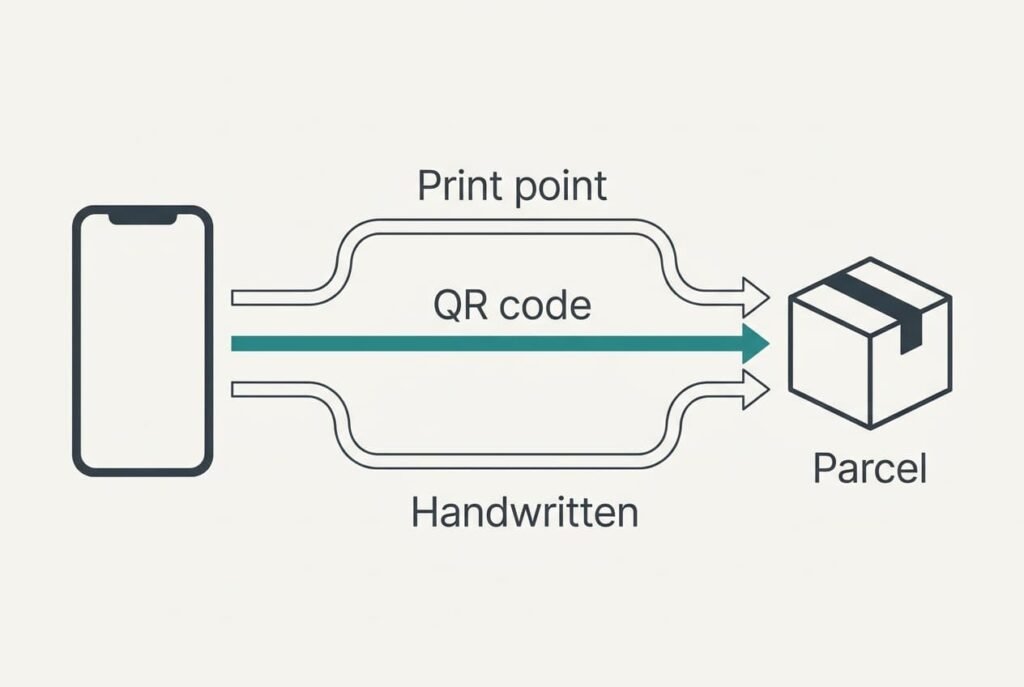
1. Pay a print point to do it. This is the closest thing to printing a return label at home. A library or a copy shop prints the PDF while you wait. This suits anyone who holds returns back until two are ready, and it needs a file that prints at a decent size. The currency is money plus a short journey, as the file travels on your phone or a memory stick. We assume 4 visits a year of 20 minutes, two returns per visit, which is 80 minutes. The slip comes out whole, with every printed detail intact. It goes wrong when the counter is shut or the barcode prints clipped, and half a wasted visit a year adds 10 minutes.
2. Show a QR code at a drop-off point. The shop emails the code, and the staff there print the label on the spot while you wait. It suits people who walk past such a point already. The currency is effort: roughly 3 minutes per return to dig out the email and hold up the screen. That makes 24 minutes a year. The label comes out complete here too, with nothing lost. It goes wrong with a flat phone or a lapsed code, and in our model 1 return in 8 fails that way, costing a second trip of 20 minutes. The year totals 44 minutes.
3. Copy the details onto the box. You write the shop’s address and your reference on the parcel in marker pen, then pay for postage at a post counter and keep the receipt. It suits shops that send no code and towns with no printing point. The currency is a lost feature, since you give up prepaid postage and the shop’s tracking. Each parcel takes about 5 minutes, which makes 40 minutes a year. It goes wrong when a plain box is misrouted. We put that at 1 parcel in 40, or one in five years, and the delay can run to weeks.
The Cost That Shows Up in Month Three
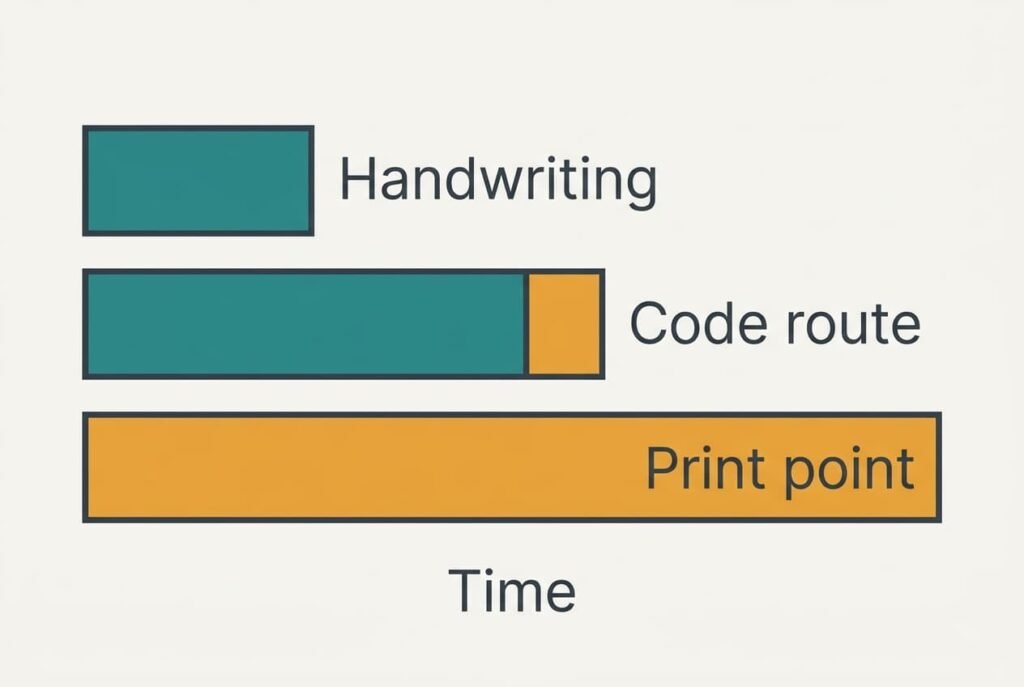
The first return gets full attention, and skipping printing a return label feels clever. By the fourth, the email sits untouched until day 20 of the 30. Suppose codes lapse after 14 days. The code route wears down through delay. Failures climb from 1 return in 8 to 2 in 8. Two wasted trips of 20 minutes replace one, and the yearly total becomes 24 + 40 = 64 minutes.
The print point weakens elsewhere, in the diary. A Saturday visit slips a week, and two parcels waiting by the door turn into four.
Handwriting hardly wears at all, since it needs no code, and its 40 minutes stay put. That steadiness is its main appeal.
Ranked by minutes, handwriting leads at 40, the code route follows at 64 and the print point trails at 90. Handwriting pays for that lead with no tracking. For parcels that matter, the code route usually comes out ahead.
How to Switch on Your Next Return
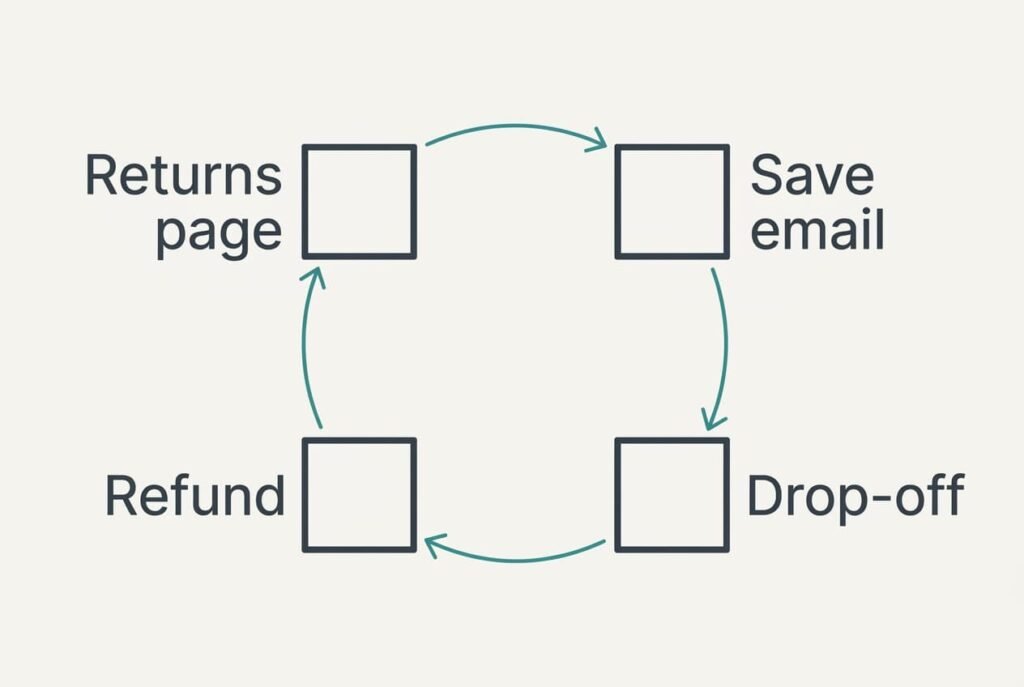
Make the next return your trial run. It’s low risk, because you can still print elsewhere if it fails. Start on the shop’s returns page and search for a label-free option. If one is offered, save the email into a folder you can find within seconds, and copy the reference onto a scrap of card as a backup.
Visit the drop-off point inside a week, since the code lapses on day 14. When the refund lands, write down the minutes spent. Note any hiccup, and count the days until the money returned. Two clean returns make the new way your routine.
Where the shop offers no code, use the print point, with two returns per visit. Keep handwriting for the day when both others fail, and photograph the finished box before you hand it over.
When Printing Still Wins
You can stay with a paper slip if the office prints it free, because the effort is nil. Keep printing if you send back more than two dozen parcels a year, since 24 returns at 3 minutes each already cost 72 minutes of code-finding, before a single failure. Shops without any label-free option leave you printing too, as do people who struggle to read a small phone screen in bright light. Ask a relative to hold the file for you in that case, and print it somewhere central.
Paper never expires, even in a dead spot.
Printing a return label at work is still a fair plan when the printer is shared and the queue short. Batch the slips when a return falls due and file the spare, which removes the one-off trips that caused most of the cost. Check with your employer, though, since not every employer welcomes personal printing, and never push through a work account’s limits.
The Test to Run Before You Rely on Any Route
Before you trust a code, prove that it opens with mobile data off. Open the return email with your signal switched off and see whether the QR code appears. Photograph the reference too, because a code that fails still leaves the number. A code that survives the test will still work in a shop with no reception, whereas one that loads only online has shown you the weak spot while the fix is cheap. Shops redesign their return pages from time to time. Repeat the test if a year has passed. When the email loads blank without a signal, ask the shop to resend the code as an image attachment, which phones store without needing a connection.
The check takes under two minutes. Choose the route whose worst outcome costs one extra trip and no more. Then rehearse it on your next return, and carry the reference on a card until the third clean one. Whichever way you go, keep the posting receipt until the refund arrives.
Questions Readers Keep Asking
Will the refund still match if the slip has no barcode?
Yes, provided the reference is on the parcel and the shop can read it. The barcode only speeds up scanning, whereas the reference is what pairs the box with your order. Write it large, and keep the posting receipt until the money arrives.
Is it cheaper than owning a printer?
Usually. At eight returns a year, effort matters far more than outlay for most households. Buying a printer to dodge a 44-minute year would be poor value, and one left idle between returns often wants cleaning or fresh ink before it works.
Is it worth switching for one return a year?
Rarely. One return costs about 5 minutes by hand or 3 by code, and learning a new route eats more than that on the first go. Switch once returns reach several a year, or after a missing slip has already delayed a refund.