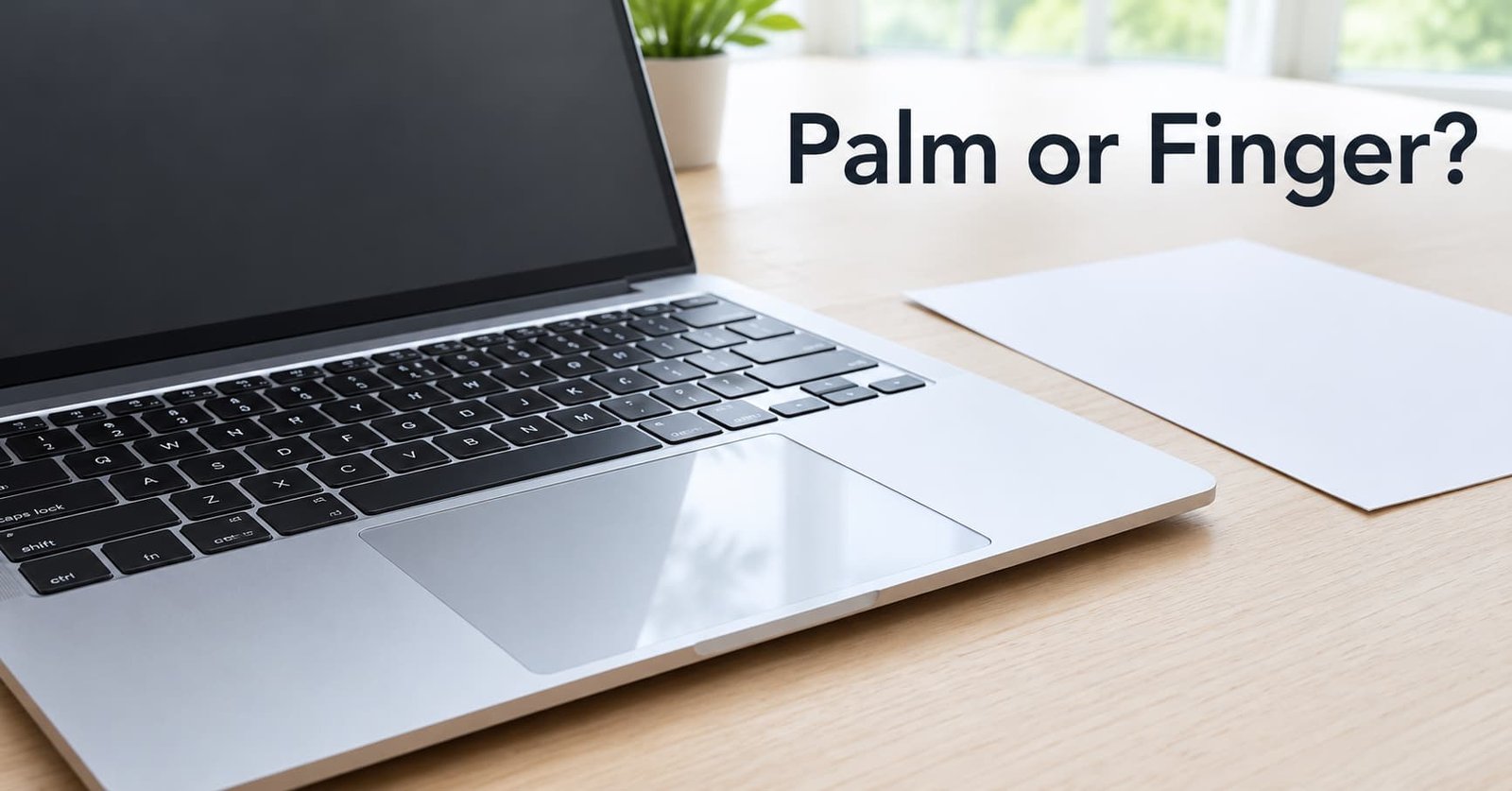
Four clues let a laptop trackpad tell a palm from a finger, and size is the weakest of them. Timing and place do more of the work. The pad also keeps a memory of each contact, and it adds all four clues up as a score. Any touch that reaches the line is set aside, and the cursor never hears about it.
This guide follows one typed paragraph through the pad, then marks its limits. A two-minute test for your laptop comes last. The sums assume a pad of 105 by 70 mm scanned 120 times a second, with score values I’ve picked for illustration. Makers use their own numbers.
How does a laptop trackpad tell a palm from a finger? The short answer
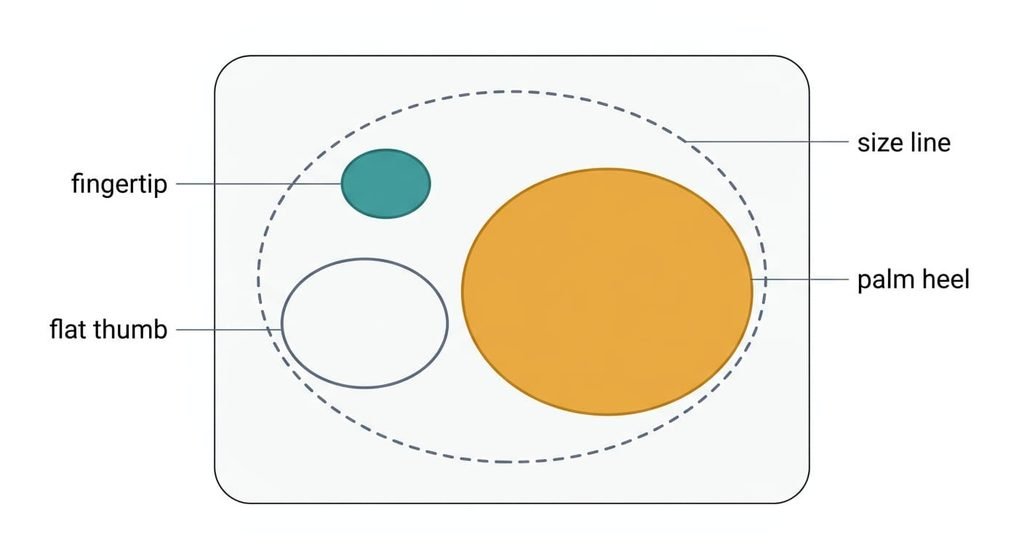
Under the surface runs an array of sensing electrodes that reads which spots have lost a little electric field to a nearby hand. The pad joins the active spots into patches, one patch per contact. It scores each patch on four clues and ignores any patch whose score reaches the line. The clues are the patch’s size and its position. The other two are the moment it landed and the way it has behaved so far. A fingertip patch is about 10 by 14 mm, or 110 mm². A flat thumb covers 15 by 25 mm, which is 295 mm². The heel of a palm covers 25 by 40 mm, which is 785 mm². That’s 7 times the fingertip.
Three details sit outside that answer. Makers set their own scores and lines, so two laptops can disagree about the same hand. A rejected patch isn’t forgotten, because the pad keeps following it so that it can’t turn into a finger later. And every decision costs a small delay, since the pad waits two frames before it reports a new contact.
Step by step: how the trackpad will tell a palm from a finger
Take a typist at 6 keys a second, so a key lands every 167 ms. Her left palm rests beside the pad, and its heel brushes the top-left corner.
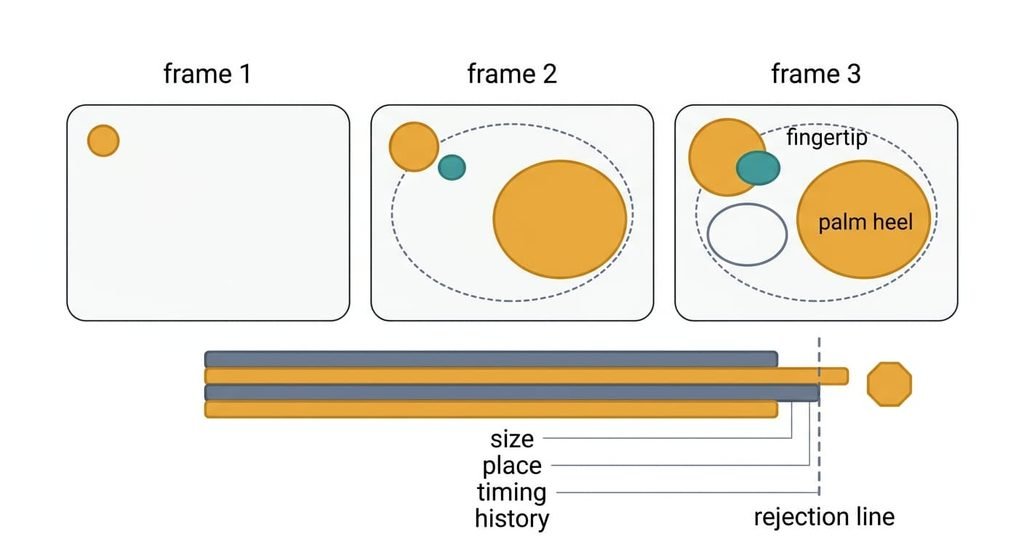
The pad scans every 8.3 ms, which is 120 times a second. The score is what lets a trackpad tell a palm from a finger, yet a palm doesn’t land at full size. Over three frames its patch grows from 120 to 400 to 785 mm². In the first frame it looks just like a finger, so the pad holds back the first two frames, or 16.7 ms, before it reports anything. That hold is the price of getting the judgement right.
By frame three the patch can be scored. Its area of 785 mm² is above a 400 mm² line, which earns 3 points. Its centre sits 8 mm from the top edge, inside the 15 mm band nearest the keys, which earns 2. The keyboard shares the time of every keypress with the pad, and the last one came 90 ms earlier, inside a 250 ms window, which earns 2. That’s 7 points against a rejection line of 4, so the patch is labelled a palm.
The label sticks. Half a second later the palm has stayed within 2 mm, and history adds 1 point for a total of 8. If it slides toward the middle and shrinks to 200 mm², the memory keeps it a palm until it lifts.
Rejected patches are still followed, so a sliding palm keeps its label.
A smaller hand shows why four clues beat one. Its palm patch measures 300 mm², so size scores 0. Place adds 2 and timing adds 2. Stillness adds 1, which makes 5. That’s still above the line, and the patch is rejected.
Now her right index finger lands in the middle of the pad. Its area is 110 mm², so size scores 0. Its centre sits 35 mm from the edge, so place scores 0 as well. The last key was 300 ms ago, outside the window, so timing scores 0. The total is 0, and the pad passes the contact to the cursor.
A doorman at the club, and where he fails
A doorman at a club offers a useful picture. He doesn’t judge a guest by height alone. He also notes which door the guest came through and whether the guest arrived in a group, and he remembers who was turned away earlier. Each clue is weak. Together they decide, and a mistake on one is covered by the others.
The picture fails in two places. The doorman can ask a question, whereas the pad can only watch the patch. And the doorman remembers faces for the whole evening, while the pad forgets a contact the moment it lifts. A palm that lands again starts with a clean slate and has to be judged afresh.
What the score can’t catch
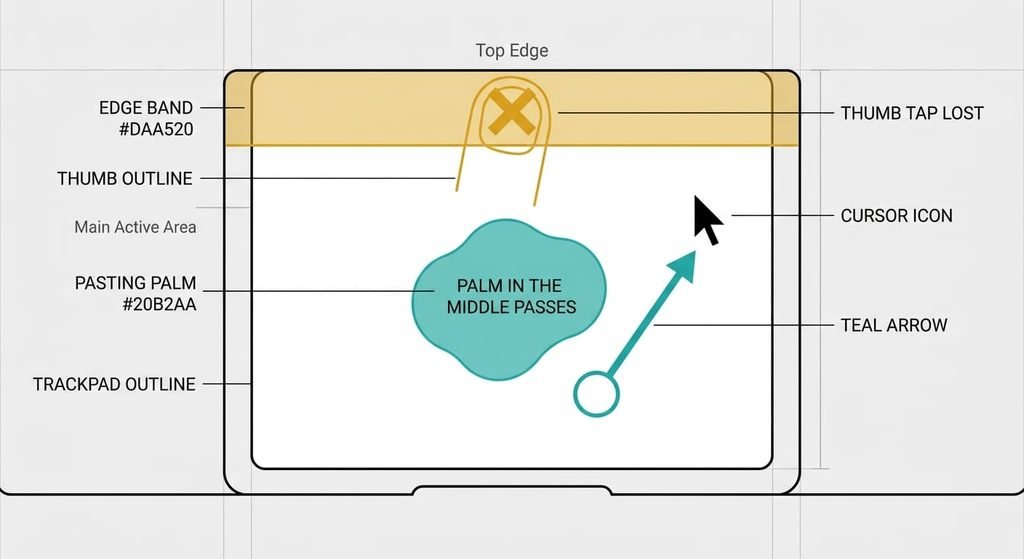
A palm that lands in the middle of the pad while you aren’t typing scores 0, so the cursor moves. Every clue stays silent. The patch is far from the edge. No key was pressed, and nothing is known about its history. Size alone wouldn’t save you either, since a knuckle makes a patch of 150 mm², smaller than a thumb.
Any design that lets a trackpad tell a palm from a finger by clues has gaps, and real fingers get rejected too. A thumb tapping within 15 mm of the top edge while you type scores 0 + 2 + 2 = 4, so that tap is lost. The same thumb with no typing scores 2 and works. The pad also can’t tell a damp fingertip from a thin film of water, because both change the field in a similar way.
Holding two frames adds 16.7 ms before the cursor reacts to a new finger, which explains why a very light, brief tap can vanish.
What people get wrong about palm rejection
One belief says the pad weighs the touch. It forms because older pads clicked with a visible spring, so people assume pressure does the sorting. The sensing grid measures a field, and a heavy palm resting lightly can look the same as a light palm resting heavily.
Another belief says the pad goes dead while you type. It listens to everything, and the 250 ms window only adds 2 points to a score. That’s why a finger tap in the centre works between words. People feel the pad switching on and off because top-edge taps vanish while the middle ones survive.
A third belief says every laptop behaves alike. It forms because settings pages look the same across makers. Each maker chooses its own scores and size lines, so a tip that works on one machine may do nothing on another.
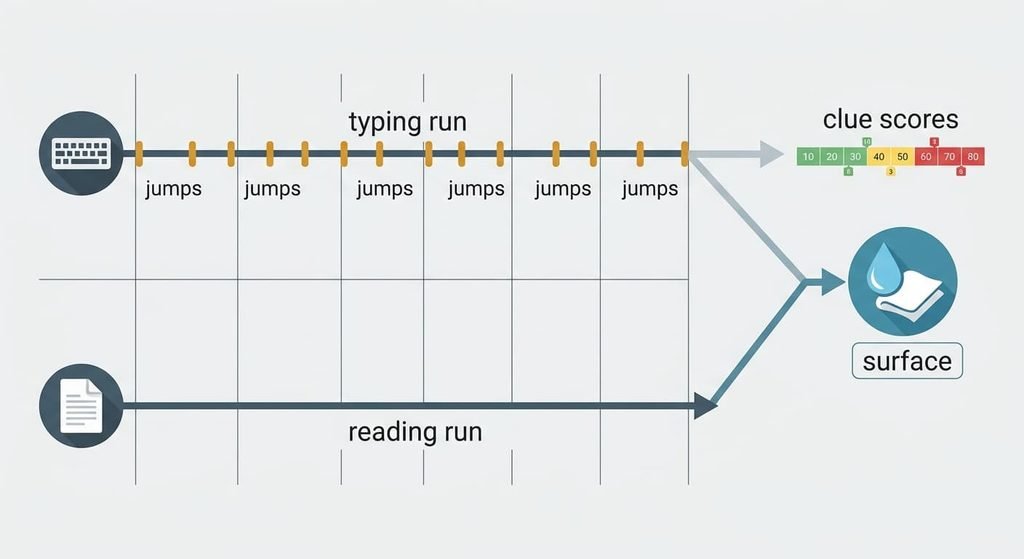
How to tell which clue is failing on your laptop
Type a long paragraph for two minutes with your hands as usual and count the cursor jumps. Then read a page for two minutes with your hands in the same place, and count again. Jumps that appear only while you type point to the clue scores, and jumps in both runs point to the surface. That separates a quirk of the scores from a pad that is wet or dirty.
Wipe the surface with a dry cloth first. Then look in the maker’s pad settings for a typing delay, because a longer window gives the timing clue more weight.
Four clues let a laptop trackpad tell a palm from a finger, and the vote is why a palm that arrives with nothing else going on sometimes gets through. The pad can only guess your intent from four hints. A miss now and then is built in. Count the jumps in both runs before you blame the hardware, and keep the two numbers. They tell a repair desk, or the maker’s support line, which part of the vote to look at.
Questions readers keep asking
Why does the cursor jump while I am typing?
A patch from your palm or thumb scored below the rejection line. That happens when a clue stays silent, for example a contact of 150 mm² far from the edge. Count the jumps over two minutes of typing and two minutes of reading, then wipe the surface dry.
Do I need to switch the trackpad off to type?
Usually not. A palm in the usual spot scores 7 or 8 against a line of 4, so it’s set aside without help. Switch the pad off only if your hands rest in the middle, where every clue stays silent, and you never use the pad while typing.
Is palm rejection the same on a tablet?
The goal is the same, but the clues differ. A tablet can listen for a pen’s burst and set touch input aside the moment it hears one. A trackpad has no pen to listen for, so it leans on the patch’s size and position. Timing and movement history help too.