A backup kept beside the original counts as one copy. That rule decides a network drive or a cloud subscription for a family photo library, with the drive’s copy in your hallway and the subscription’s in another building. Take the cloud if nobody at home will check a status light each month. Take the drive if you’d rather own plain files and have a second house to hold a copy.
We’ll use an invented UK household with 40,000 photos of 4 MB each, 160 GB in all, on a line that uploads at 20 Mbit/s and downloads at 100 Mbit/s. Rerun these worked figures with yours.
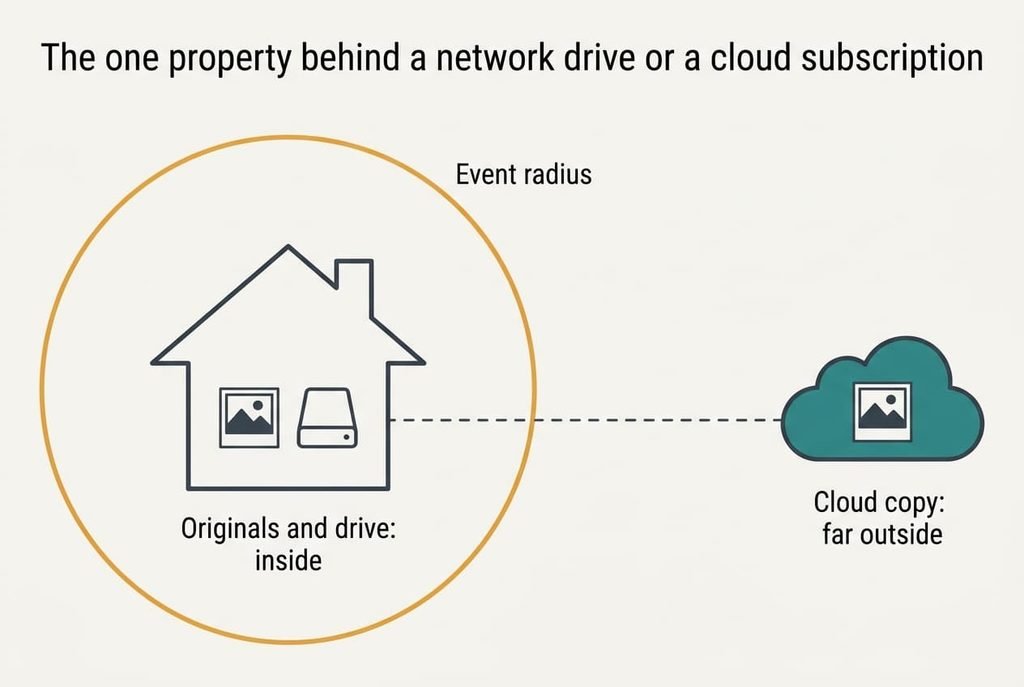
The one property behind a network drive or a cloud subscription
Disk failure gets the attention, yet it’s the mild risk. Suppose two mirrored 4 TB disks and an assumed 3% yearly failure rate per disk. A rebuild reads the survivor end to end at about 100 MB/s, which takes 40,000 seconds, or 11.1 hours. The chance that the second disk dies inside that window is 0.03 × 11.1 ÷ 8,760, close to 1 in 26,000.
Libraries are lost to events that hit both copies at once. A burst pipe or a break-in takes the box and the originals together, and so does a power surge through one socket. A deleted album vanishes from a mirror in the same moment it vanishes from the original. Every one of these shares a trait: the copy stood inside the event’s radius. A mirror adds another danger. A bad sector on one disk can be copied across before anyone reads that file again, so both disks end up holding the same damaged picture.
So how far the surviving copy sits from the original settles most households. A network drive keeps it a few metres away. A subscription keeps it hundreds of kilometres away behind someone else’s power supply. Everything below hangs off that distance, and the distance can’t be bought back with a bigger disk.
Distance is the only defence that scales.
Cloud subscription and network drive compared on what fails
| Situation | Network drive | Cloud subscription |
|---|---|---|
| One disk dies | Safe only if a second disk mirrors it | Invisible to you, handled by the provider |
| Fire or theft at home | Copy lost with the originals | Copy unaffected |
| You delete an album by mistake | Deletion mirrored at once | Recoverable only inside a limited window |
| The card on the account lapses | Nothing changes | Uploads stop, and stored files face a deadline |
| You need everything back | Copied across the home network | Pulled through your download line |
| Ransomware on a laptop that can see the drive | Shared folders can be encrypted along with the originals | A version history can roll files back, if it was switched on |
| Readable in fifteen years | Plain folders you can copy | Depends on the service and its export tools |
Look hardest at the deleted-album row. A mirror and a sync client are both built to make two places agree, so they copy a mistake faithfully. Nothing warns you that anything went wrong. Only a versioned history or a separate offline copy turns a deletion back into an inconvenience. The length of any cloud recovery window is a term you’d need to read in the service’s own conditions.
Where a network drive wins
Think of the unglamorous reasons first. Nothing renews. No card expires and no email about a plan change arrives. The files sit in ordinary folders that any computer can open. No third party’s terms govern what happens to them. Weighing a network drive or a cloud subscription for a library this size, that simplicity counts for more than people expect.
Speed of recovery comes second. Filling the drive from scratch moves 160 GB across the home network at about 100 MB/s. That takes 1,600 seconds, or 27 minutes. The same library sent to a cloud at 20 Mbit/s needs 64,000 seconds, or 17.8 hours. That means three nights if the upload only runs eight hours at a time.
Large libraries add a third point. Video clips and raw files grow quickly, and the upload line is the bottleneck for a cloud. A household that shoots a lot of footage can fill the drive in an afternoon and stay in control of what is kept. It also decides itself when an old folder gets cleared out.
Where a cloud subscription wins
The cloud’s best card is distance, and it arrives without any effort. The first copy leaves the house the same night, so a fire can’t reach it. Nobody has to remember an errand.
The next advantage is maintenance. Spinning disks wear out on a schedule, and somebody has to notice a failure and rebuild. With a subscription that work falls to the provider. It happens without a status light that only one person understands.
Phones are the third reason. Photos arrive from every handset in the house, usually at awkward moments. A cloud client uploads in the background whenever a phone is on Wi-Fi. A drive at home only gets the pictures when the phone is on the home network and the app has woken up. Grandparents can also open the albums from their own devices.
Restoring costs time, because 160 GB at 100 Mbit/s needs 12,800 seconds, or 3.6 hours, against 27 minutes from a local drive.
When neither is right
Some households have one house and a slow upload line. Nobody there wants to look after a box. A network drive or a cloud subscription fails them in different ways. The drive leaves every copy within one set of walls. The subscription leaves the whole library on an account that a lapsed card or a forgotten password can lock.
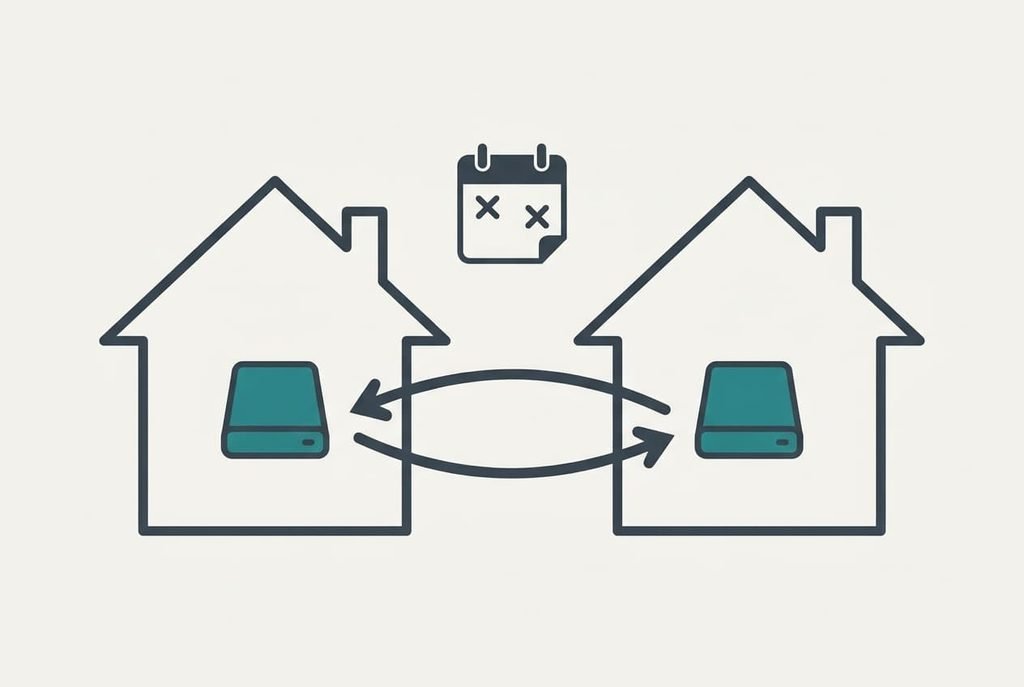
One better design is two plain drives in two houses, swapped twice a year. One drive stays at home and the other lives with a relative. A swap copies about 160 GB, which takes roughly 27 minutes at 100 MB/s. In our household, 40,000 photos over ten years is about 333 a month, so the worst case after six months is 2,000 photos, or 8 GB. That loss is small enough to live with and costs no subscription.
The usual objection is that nobody keeps a calendar reminder. I’d argue a reminder twice a year is easier to keep than a status light every month, which is exactly why this design lasts.
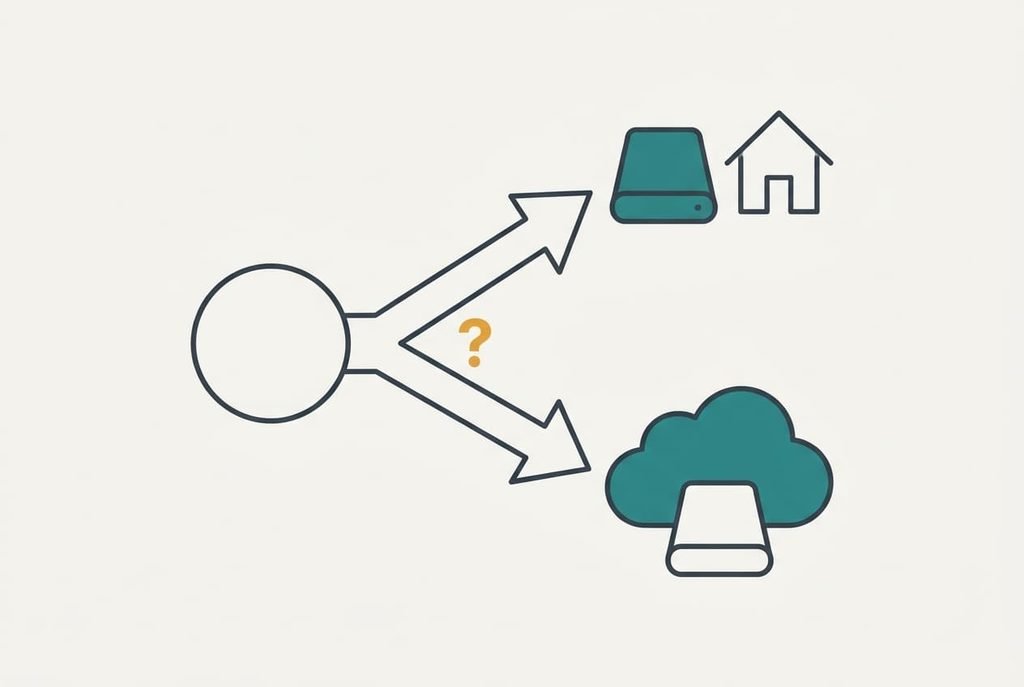
How to decide in thirty seconds
If you can name one person who’ll check the box every month and a second house that can hold a copy, take the network drive. Put the second copy in that other house before you call the job finished. A monthly check on a single box only tells you the disks are healthy and never that the library would survive a fire.
If the photos come from several phones and nobody wants a task on the calendar, take the cloud subscription. Export a copy to a plain drive once a year, so the library never lives on one account alone. A locked login then can’t hold your pictures hostage for weeks.
The rule underneath is distance, stated once more. A network drive or a cloud subscription both work once a copy lives outside the walls of the house. Choose whichever makes that copy more likely to exist next year. For most families the cloud does that with less effort, while a careful household with a relative nearby can manage it alone. Two drives and a reminder are enough.
Questions readers keep asking
How much effort does it take to keep a photo library safe?
A cloud service asks for a card that stays valid and an occasional look at the account. A drive asks for a monthly check and a swap twice a year. Neither takes long, but the drive’s work is yours to remember, whereas the cloud’s work belongs to a payment that renews itself.
Does a mirrored drive count as a backup?
A mirror protects you from one dead disk. It doesn’t protect you from a fire or a deleted album, since both disks suffer the same event or copy the same command. Add a copy in another place and a versioned history, and then it becomes part of a real backup.
Which suits a house with several phones?
The cloud usually fits better, because every handset uploads by itself whenever it has a signal. A drive works when everyone is happy to sync at home. If you pick the drive, let one phone upload for a week as a trial, then look for the files on the drive.