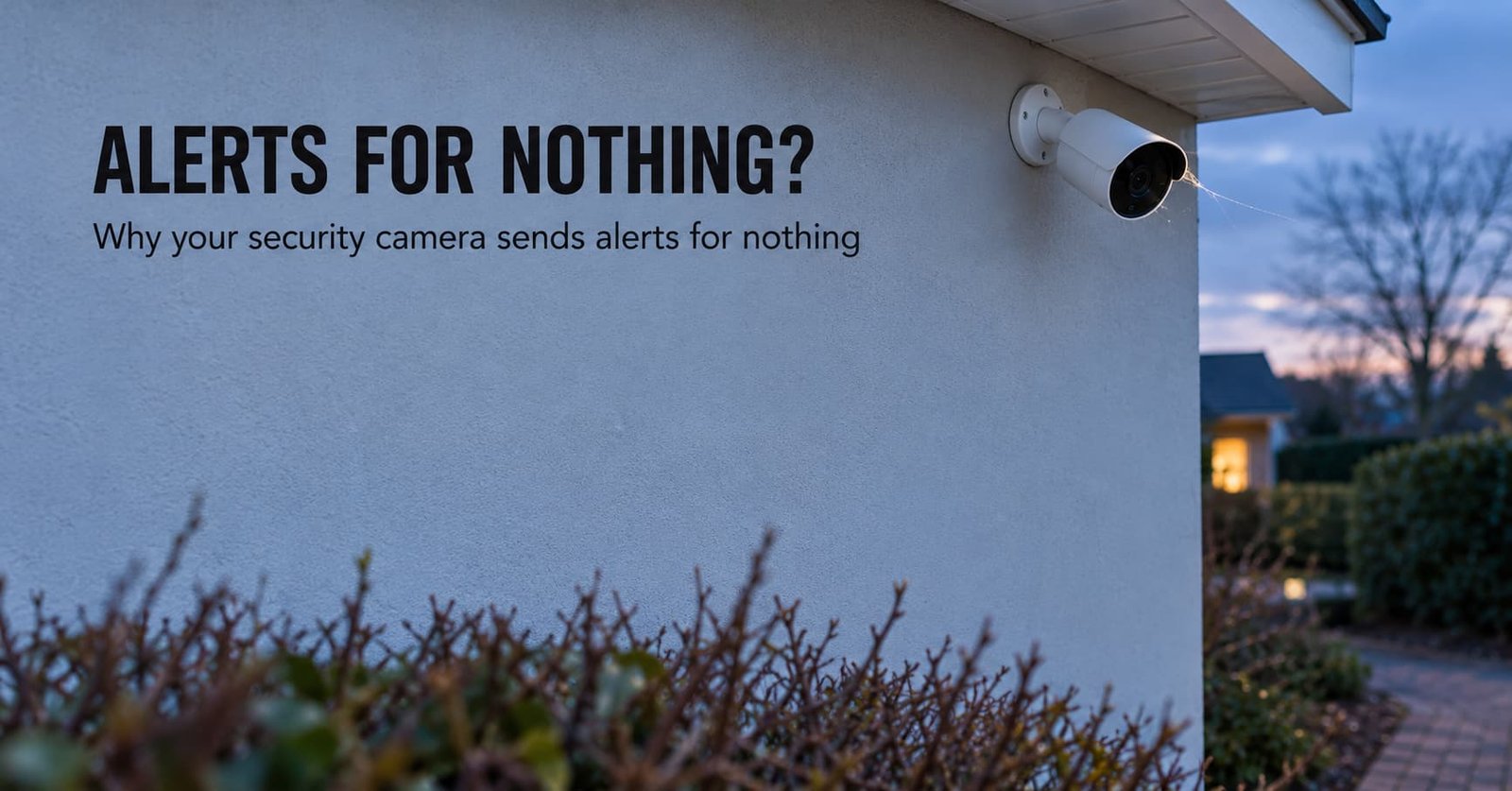
A spider web across the lens hood glows white under the camera’s own infrared LEDs, and your phone buzzes at 3 a.m. with nothing in the clip. When a security camera sends alerts for nothing, the change that usually stops it is tilting the lens down until the sky and the road leave the frame.
Everyone else needs the cause, because four different mechanisms produce the same buzz. The sections below separate them with a two-minute check and then order the fixes from free to costly. The figures assume a 1920 by 1080 picture and a 100-degree lens. They treat a person as a box 0.5 m wide and 1.7 m tall.
What is happening when a security camera sends alerts for nothing
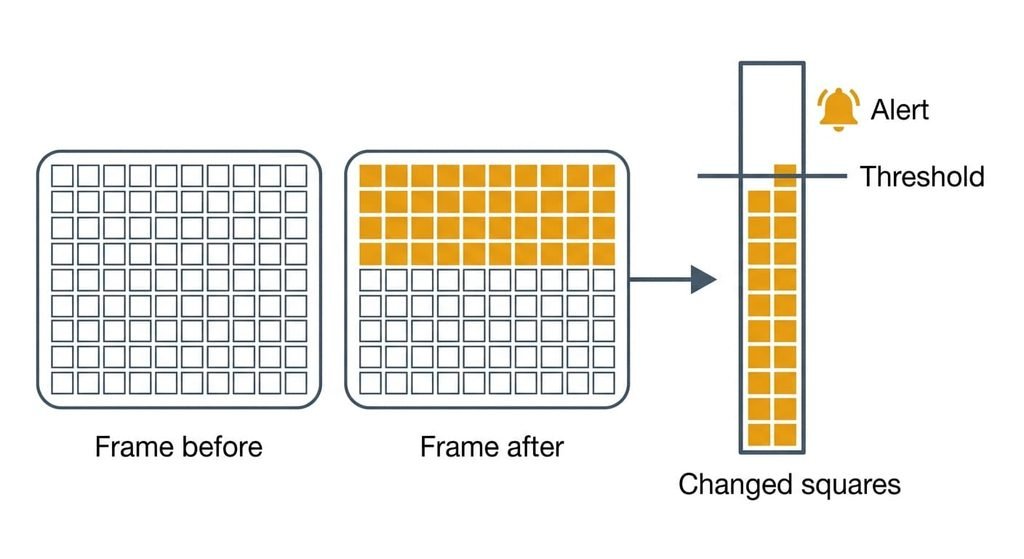
A motion alert is a count. The camera compares each new frame with a running picture of the scene. It marks every pixel whose brightness has moved by more than a set step. It raises an alert when enough marked pixels persist past a minimum duration, which is a second or two. The mechanism behind the nonsense alerts is a changed-pixel count that anything can push over the line, whether or not anything moved. A cloud edge lasts that long. Cameras that label events as people or vehicles run a later stage after this count, so the count still has to fire first.
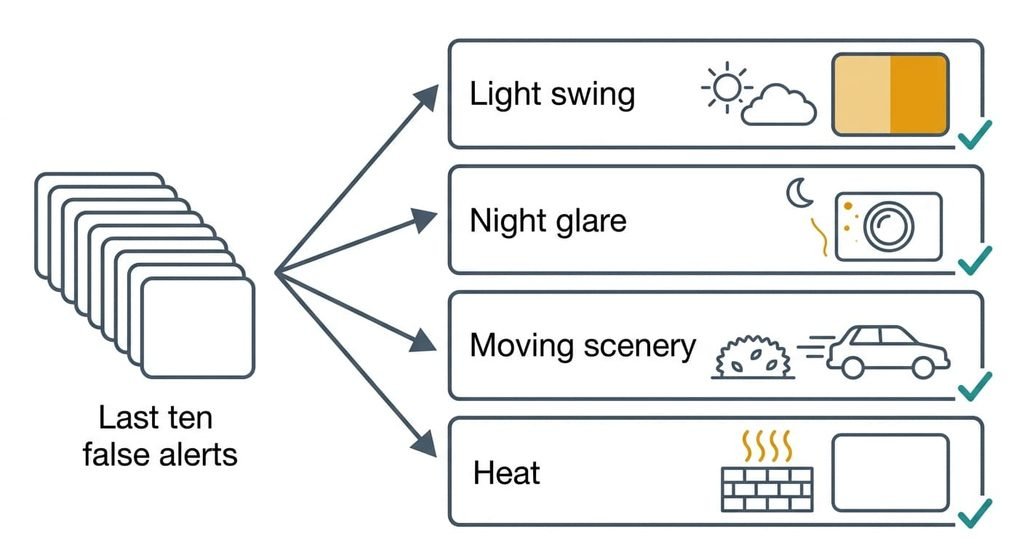
Four things do it. A passing cloud or headlight shifts every pixel at once, and so does an automatic exposure swing. In the dark the camera’s LEDs sit beside the lens. Light falls with the square of distance, so an insect 10 cm away is lit about 10,000 times harder than a person 10 m away. Wind moves a hedge or a tree shadow that sits inside the detection zone. A camera with a passive infrared (PIR) sensor, which reacts to changes in heat radiation, can be fooled by a sun-warmed wall or a gust of warm air.
Each of the four leaves a different fingerprint in the clip.
Narrow it down in two minutes
When a security camera sends alerts for nothing, open the last ten false alerts and sort them by what the clip or thumbnail shows. It needs no tools and changes nothing on the camera. Check each alert’s clock time too, because the pattern often settles it first.
Light swing: does the whole picture brighten or dim for a second or two? Then an exposure swing is the cause. Alerts bunched at dusk and dawn, or as cars pass, point the same way.
Night glare: do bright specks or a glowing thread appear near the lens, only after dark? Then something close to the LEDs is the cause.
Moving scenery: do leaves and branches sway, or cars pass, in the clip, mostly on windy days? Then the detection zone covers things that move on their own.
Heat: does the clip show an empty scene, often on sunny afternoons? I can’t tell from here whether yours has a PIR sensor, and the spec sheet will. If it does, heat is probably the cause. Without one, a change too brief to see is the likelier culprit. If the clips fall into several piles, fix the largest pile first.
The fixes for a security camera that sends alerts for nothing, in order
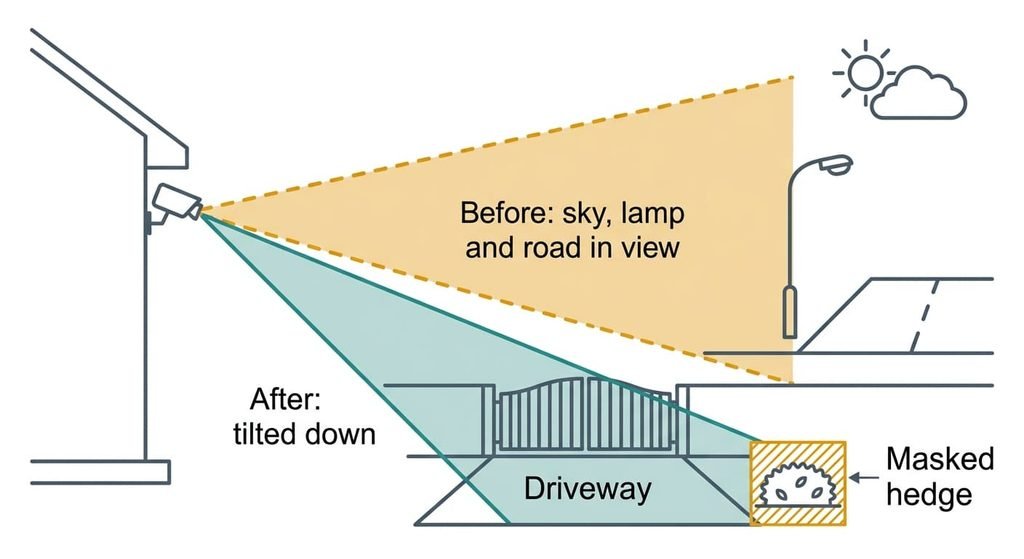
Tilt the camera down and shade the lens. This addresses the light swing. A camera sets its exposure from the whole frame, and the sky is the brightest part of it. Every cloud or headlight beam therefore moves that setting and changes every pixel together. Tilt the lens until the sky and any street lamp leave the frame. Check for window reflections and extend the hood if the sun sits low. It costs nothing, and it doesn’t need a restart. It loses the far end of the view, because anything above the new top edge is no longer watched. Compare the live view before and after: the lamp and the horizon should both be gone.
Mask the hedge and the road in the detection zone. This addresses moving scenery. Find the setting that excludes part of the picture from motion checks; what it’s called varies. A swaying 2 m patch of hedge 5 m away fills about 5% of the frame. At 15 m a person fills about 0.1%. A minimum-size filter would drop the person long before the hedge, so only a mask separates them. It costs ten minutes. It loses every alert inside the masked area, so a visitor who crosses the masked patch goes unannounced. Mask the hedge up to its edge and no further, because masking a whole side of the garden leaves the gate unwatched.
Clear the lens area, then watch the night alerts for a week. This addresses glare from webs and insects. Wipe the housing and the area around the LEDs with a dry cloth. Insects gather around a lit camera and spiders follow, so a cleared web often returns within days. Repeat the wipe and compare each night’s alert count. A web strand near the lens sways in the slightest breeze, so a thread you can barely see becomes a bright moving line. The cost is a few minutes twice a week, and nothing is lost, though the job recurs.
Move the mount away from the sun-warmed wall. This addresses heat on a PIR sensor. The sensor reacts to heat changing across its view, and a brick wall warming and cooling under passing cloud produces exactly that. Re-fix the camera on a shaded wall or under the eaves. Keep it away from extractor vents and boiler outlets. It costs an hour and new fixings. Drilling into brick or render can’t be undone, and the old holes stay, so fill them. Skip this fix if your clips show no empty scenes.
If none of that worked
Alerts that arrive at regular intervals in every kind of weather and light point inside the device. If a security camera sends alerts for nothing around the clock, it may have a faulty sensor or a software fault.
Collect ten timestamped clips with the conditions and time of day noted beside each. Add the firmware version the camera reports and a list of what you changed, in order. Send screenshots of the settings page too. Then ask support two things. Does motion detection run on the camera or in their cloud service? Did any recent update change what counts as motion?
Reset only after that. A factory reset erases your zones and schedules and the Wi-Fi pairing, so note them beforehand. It may also erase clips stored on the camera, so copy the ones you want first.
The fix that is not worth doing
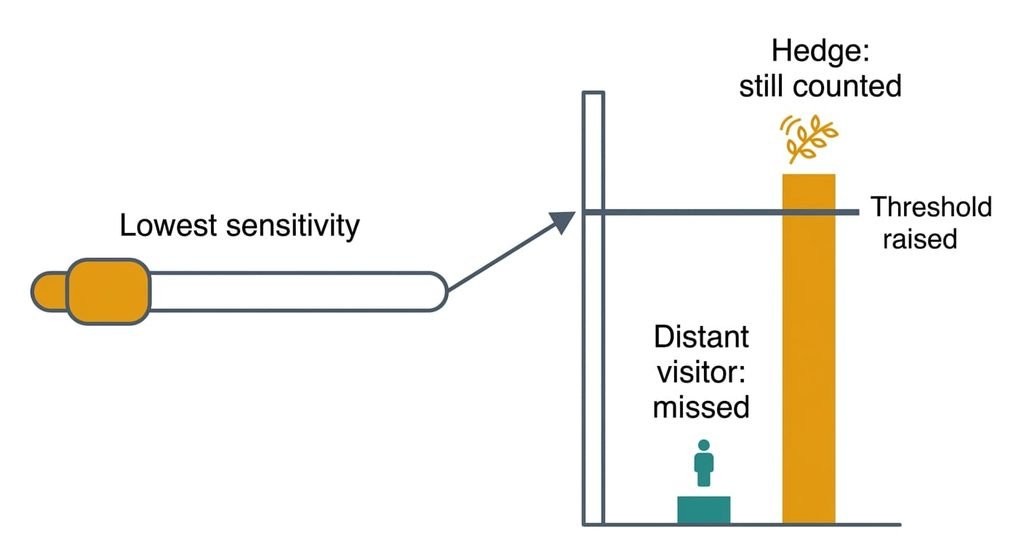
When a security camera sends alerts for nothing, setting sensitivity to the lowest level is a common piece of advice, and it fails. The lowest setting raises the step a pixel must change and the area that must change, and a real visitor is the small, slow thing. At 15 m a person fills about 0.1% of the frame. The hedge fills 5% and moves faster, so the lowest dial mutes the visitor long ahead of the hedge.
A lower dial silences the quiet visitor before it silences the noisy hedge.
Raising the minimum duration fails the same way. A visitor crossing the frame in two seconds slips under a three-second filter, while a hedge that sways all afternoon doesn’t. I’d take ten false alerts a week over one missed arrival, and the fixes above cut the count without touching either control.
A false alert is a changed-pixel count pushed over the line by something other than a visitor. The fastest test is to sort the last ten clips into four piles and fix the biggest one first. Tilt, mask, clean, then move the mount. Leave the dial where it is, since every fix above changes what the camera sees and the dial only changes what you hear about.
Questions readers keep asking
Can false motion alerts be fixed at home?
Mostly, yes. Re-aiming the lens and masking moving scenery cost nothing and need no tools. Wiping webs needs only a cloth, and only relocating the mount involves drilling. Work through the free fixes in order, then check the alert log after a week before you spend anything.
What makes a camera detect motion when nothing is there?
It counts changed pixels. A sudden brightness shift or a lit insect can raise the count. So can swaying scenery or a heat change on a PIR sensor, with no visitor in sight. The clip shows which one. Sort ten of them by what actually changes in the picture.
Do constant false alerts mean the camera is faulty?
Usually not. Alerts that bunch at dusk or after dark, or in wind, point to the scene. Alerts at regular intervals in every kind of weather point to the sensor or the software, and each one has an empty clip. That is the moment to contact support with your notes.