Start with the cable, because a portable monitor for working away from a desk lives or dies on whether your laptop’s port can send a picture down it. Size and brightness come later, and the stand comes last. If you want a second screen on a kitchen table or a train tray, this page is written for you. It sets out four criteria in priority order, then the specifications that get more space than they deserve, and finishes with a check of two minutes. The numbers describe an invented 14-inch laptop with a 56 Wh battery.
What decides a portable monitor for working away from your desk
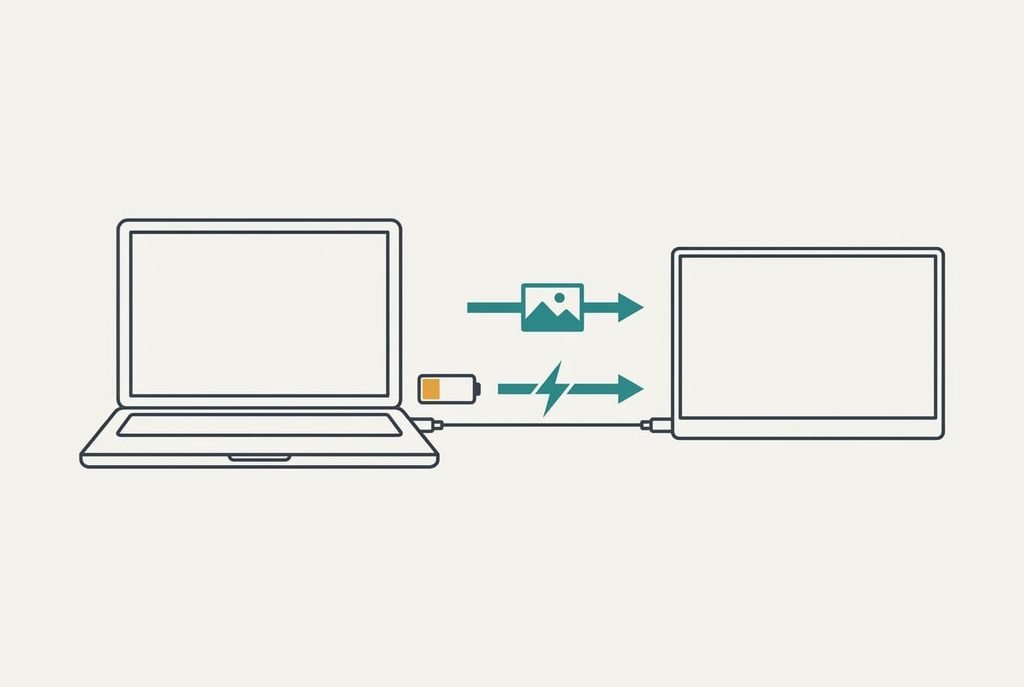
A portable monitor has no mains plug on a desk that isn’t yours. Its picture and its power both arrive by cable from the laptop, so the laptop sets the limits. The question to settle is whether your laptop’s port can carry a picture at all, and how much power it can spare for the screen. Two laptops with identical sockets can differ here, because one port may carry video, whereas the other handles only data and charging.
Power matters because it comes straight out of your battery. Assume the laptop draws 10 W for ordinary work, which gives 56 Wh ÷ 10 W = 5.6 hours. Add a screen drawing 6 W and the sum becomes 56 ÷ 16 = 3.5 hours. The second screen costs 2.1 hours of the day. At half brightness the screen drops to about 4.5 W and the day stretches to 3.9 hours.
Neither figure appears on most listings. You find them on your own machine, in its manual, before you look at a single screen.
Four criteria for a portable monitor, in priority order
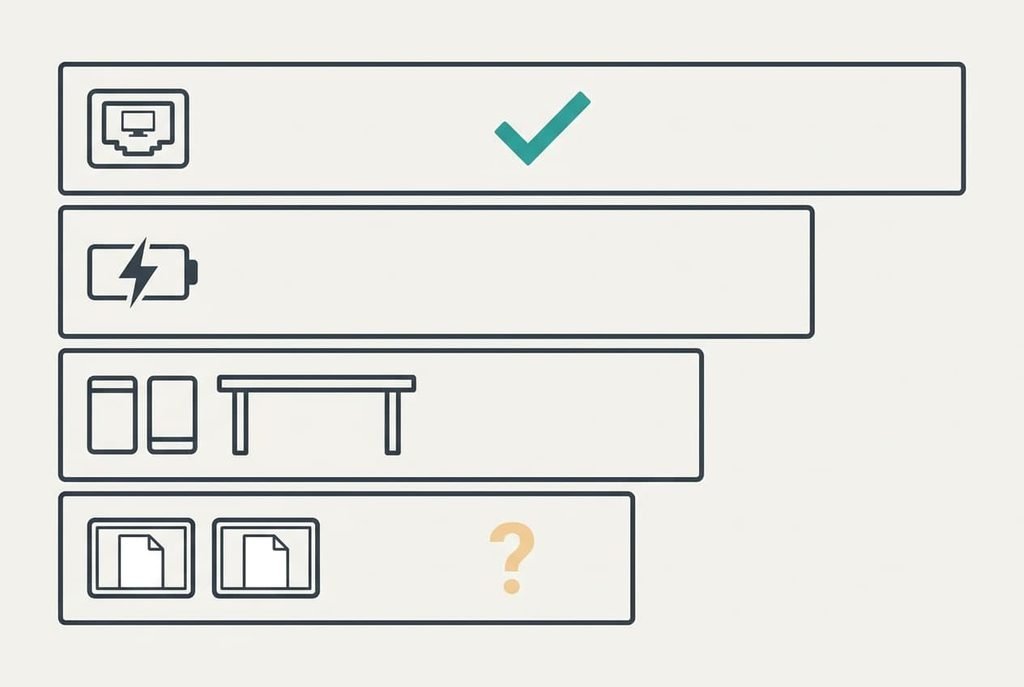
1. A connection that carries a picture. Look at the symbol beside each port on your laptop, or read the manual page that lists them. A port that carries video usually shows a small display icon. This changes your day directly, since a screen on the wrong port stays black however good it is. Few buyers ever check it, and it causes more returns than any other fault. When the port lacks it, you need a model with a mini-video input and a separate power lead, which means two cables plus a socket.
2. How the screen is powered. Check whether it runs from the laptop alone or needs its own supply as well. In daily use this decides whether you can work on a train or only beside a wall socket. Judge it by the listing’s power line and by whether a second port lets charging pass through. A screen that takes everything from the laptop will remove the 2.1 hours we calculated from your battery.
3. Size and weight against where you work. A screen with a 40 cm diagonal is about 34 cm wide, while a 14-inch laptop measures about 31 cm. Side by side they need 65 cm of table, which a 45 cm tray table can’t offer. The screen and its cover add about 0.8 kg to a 1.3 kg laptop, so the bag gains 2.1 kg. Measure your usual surface first and weigh the bag with the laptop alone. Pick a pair that’s too wide, and you’ll use the screen only at home.
4. Brightness and finish. Open a white page and set both screens next to each other. They should look alike to within about a fifth, or your eyes keep jumping between a bright half and a dim one. A matt finish copes better with a window behind you. With a poor match you’ll turn the laptop down to suit the weaker screen, and the gain from a second screen shrinks.
Specifications that get more space than they deserve
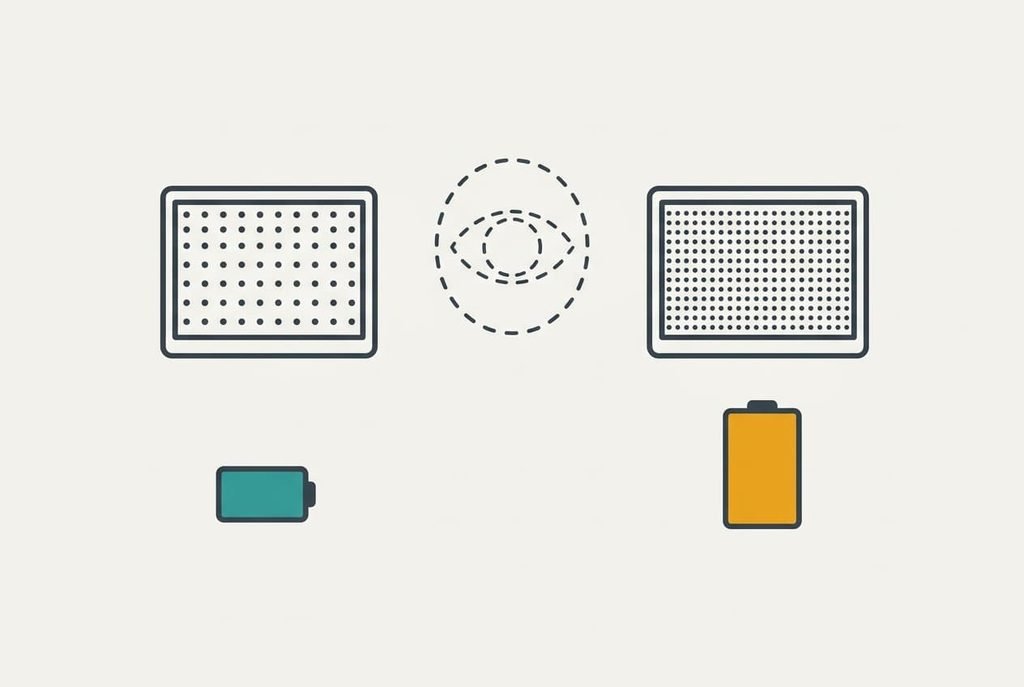
Resolution gets the biggest print. A very high pixel count on a small panel is the one to doubt, because at arm’s length your eye can’t separate the extra dots. A full-HD panel at this size already packs about 141 pixels into each inch, close to the point where individual dots vanish. Four times the pixels costs more power and demands a stronger port, yet the page looks no sharper.
Listings promote it because it reads as an easy gain over a simpler one. A modest resolution with a lower power draw serves a battery better, and the text looks the same from where you sit.
A portable monitor for working away rarely needs more than full HD.
Thin bezels and built-in speakers earn similar billing. Bezels change the look and leave the work untouched. Speakers add weight and draw power you’d rather save for the picture. Claims about peak brightness deserve a shrug as well, since a figure measured in a dark lab says little about a hotel window.
Three readers working away from home with a portable monitor
A commuter with a tray table cares about criteria 2 and 3. The width rule rules out side-by-side use, so a smaller panel serves better, as does one that sits above the laptop. Power from the laptop matters most, since a train seat has no socket.
Someone at a kitchen table has room and a socket. For them criteria 1 and 4 carry the weight: the picture must arrive over a cable they already own, and the finish must deal with the window. Weight hardly counts on a table that never moves.
A person who shares a screen in meetings cares about criterion 1 above the rest. A dead screen in front of colleagues does more harm than a dim one. They should test the connection at home before the first meeting.
When to walk away from a listing
Treat as a red flag a listing that never says how the screen is powered or which ports carry video. That silence usually hides a limit. A seller who knows the screen runs from a single cable says so in the opening sentence of the description.
Leave too if the stand is a thin fold that can’t hold its angle on a soft surface, because a screen that tips over on a hotel bed is worse than no screen. Another sign is a model that wants a power supply your bag has no room for. The point of a portable monitor for working away from your desk is to carry less, and a bag of leads defeats it.
Look at the return period too. A shop that allows fourteen days gives you time to test the screen on the real laptop, and a seller that offers none is asking you to trust a photograph.
Treat that period as part of the listing.
Two minutes before you buy or keep it
Run one check before you pay, or before the return period closes. Find the port on your laptop with the display symbol, read the listing’s power line and weigh the pair together. That takes under two minutes and settles the three questions that matter. Do it at home on the real laptop, within days of delivery. A pair above 2.5 kg, or a port with no symbol, means the answer is probably no.
If all three pass, plug the screen in. Then put the same white page on both and compare them, because a close match decides whether you’ll carry it every day.
A portable monitor for working away from your desk earns its place only if it survives the bag and the port, and then the battery. Test those three before you test the picture. A good picture on a screen that stays dark or drains the day is worth nothing in a bag you won’t carry.
Questions readers keep asking
Do I need a special cable?
Often you need none, if your laptop’s port carries video and the screen takes its power from it. Check the symbol beside the port. If it’s missing, you’ll need a screen with a mini-video input plus a power lead, and then the setup stops being portable.
How much battery will a second screen use?
In our assumed example, the screen draws about 6 W at full brightness and 4.5 W at half. That trims a 5.6-hour day to roughly 3.5 hours and 3.9 hours. Your own figure depends on your laptop’s draw, so repeat the sum with your numbers.
Is a bigger portable screen better?
Not always. A larger panel draws more power and weighs more, so it must fit your usual table. Past 40 cm, the pair stops fitting a tray table beside your laptop. Match the size to your widest regular surface, then choose the largest screen that still fits.