What makes a spreadsheet change numbers into dates is a guess made the instant you press enter. When the typed characters could pass for a date, the program swaps them for a day count and displays it as a date. Hana looks after the tool inventory at a community shed in Sheffield, where shelf codes such as 3-4 keep turning into April. Four short tests identify the cause. Four fixes come afterwards, rising from nothing to a permanent change, and each trades away something different. Every figure here is illustrative. Test your own sheet before borrowing its numbers.
What Makes a Spreadsheet Change Numbers Into Dates
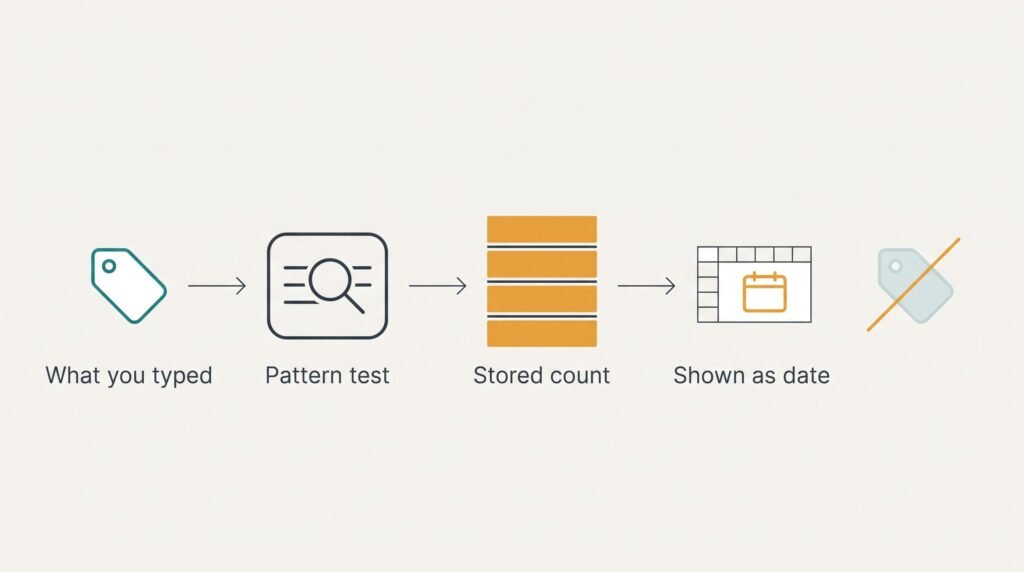
An empty cell carries a general format, which gives it no fixed idea of what belongs inside. Once you press enter, the program reads your text and runs it past a list of patterns. Two numbers joined by a hyphen or a slash match the date pattern, provided each number could be a day or a month. The program then discards your characters and keeps a count of days since a fixed starting day.
Hana typed 3-4 for aisle three, bin four. A set-up that reads day before month took it as 3 April of the current year and stored 46115, the day count for that date. The cell shows 03-Apr, and her original characters exist nowhere in the file.
The guess follows the regional setting of the file. A sheet that reads month before day would store 4 March for the same entry. One code then means two dates on two machines. The result varies with whose settings opened the file, and colleagues often see different things.
Words and letter codes pass through untouched, and only pairs of small numbers fall into the net.
Four Tests for Numbers Turning Into Dates in a Spreadsheet
Each test needs only the sheet and a spare minute. Take each in turn and record the result.
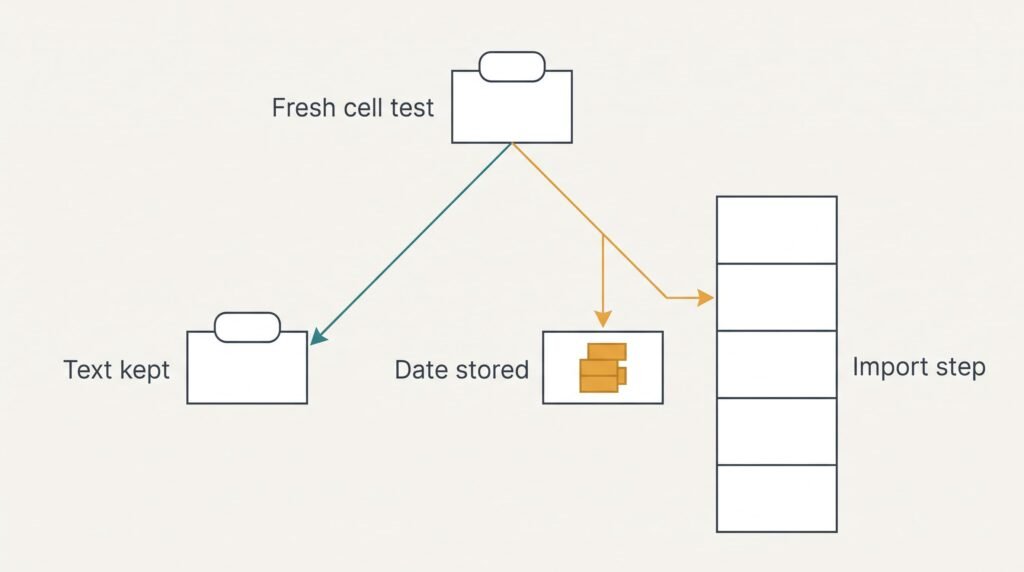
Test one: type 3-4 into a fresh empty cell and press enter. A date means the program is guessing as you type. Unchanged text means the damage came from elsewhere. Jump to test four.
Test two: select a damaged cell and read the value in the bar that shows the stored content. A day count such as 46115 means your characters were replaced. If the bar still reads 3-4, the cell merely displays it as a date, and the repair costs less.
Test three: return the damaged cell to the general format. A five-digit number appears when the cell held a date, which confirms that a conversion took place.
Test four: find out whether the codes arrived by import rather than by typing. A whole column converted when the file opened tells you the fix belongs at the import step, and typing remedies won’t touch it.
Four Fixes From Free to Permanent
Each fix answers one cause. After every step, type a test code afresh, then move on.
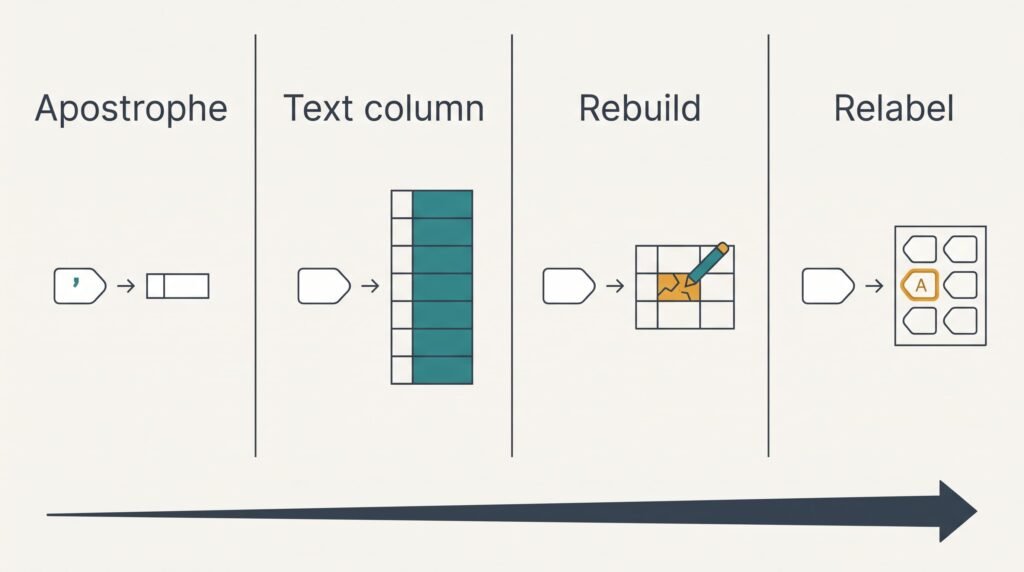
Type an apostrophe first. This answers the guess on entry and costs one keystroke per code. The mark tells the program to keep your characters as text, and it remains hidden in the cell. For 40 new codes the effort is under a minute. You lose consistency, because a single forgotten mark leaves a date among the text. It doesn’t help codes that have already converted, and anyone else adding to the sheet must know the habit, which is easy to forget in a shared file.
Set the column to Text before typing. This answers the guess for every later entry in that column. Around a minute covers the job, and the format makes the program stop testing patterns. What it costs you is arithmetic. A figure typed there counts as text, and a total over the column skips it silently. Reserve such a column for codes alone. Hana set only the column named Shelf and left the quantity column alone. That is the setting that stops a spreadsheet change numbers into dates when a new volunteer types in a hurry.
Rebuild the damaged codes. This answers cells that have already converted. Retyping 40 codes at roughly six seconds each takes four minutes, and you’ll need the paper list or the shelf labels in front of you. A quicker route applies a custom day-hyphen-month display, which brings 3-4 back in two minutes. Check a handful of cells against the labels afterwards, because a code typed 12-5 and one typed 5-12 look alike once they’ve been through the same display. Leading zeros are the casualty, because 03-04 returns as 3-4, and the cell still sorts as a date rather than as a code.
Relabel the codes for good. This answers a code style that will always resemble a date. Swap the hyphen for a letter so that 3-4 becomes 3B4, and no program will read it as a day or a month. The change is permanent and means reprinting 40 shelf labels. Old photographs of the shelves then show the previous codes, and the committee’s printed map needs the same edit. Keep an untouched duplicate of the file before you start. I’d turn to this only after the other three have failed.
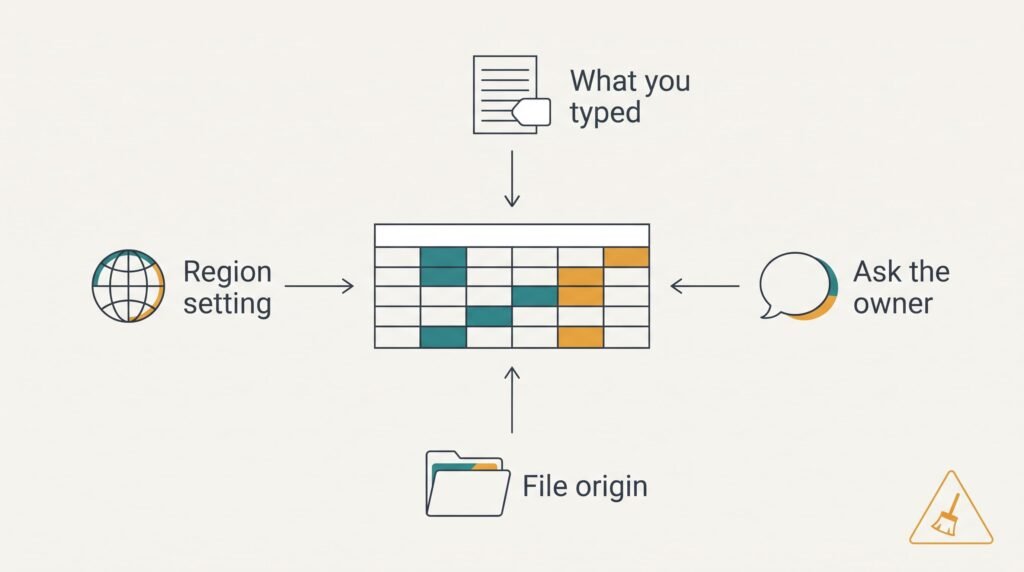
If None of That Worked
Gather evidence before touching anything more. Note exactly what you typed, what the cell now shows and the name of its format. Record the stored content too. Then find the regional setting and the program that produced the file.
A photo of the cell and the bar above it gives the next person something to work from.
Then ask whoever built it. They might have applied a custom format, or the sheet could come from an export that stores every number as a date. A spreadsheet change numbers into dates far more often once a file crosses between regions. Opening it on a second machine is a fair check. Ask, too, whether the file was ever saved by another program, since each one applies its own idea of a date.
One warning about resets: wiping all formatting also strips colours and borders, not only number formats. Duplicate the sheet into a new tab before you try it.
The Fix That Isn’t Worth Doing
Switching every column to Text looks tidy, yet it breaks real dates and sums elsewhere in the sheet. A true delivery date stored as text no longer sorts in order, and a total quietly skips it. When a spreadsheet change numbers into dates in only one column, the repair belongs on that column alone. Hana tried the blanket route at the start, and her loan dates stopped sorting within a week. Mixed columns are the very reason a gentler repair exists, and a quick look at every column’s contents shows which ones really hold codes.
Swapping the hyphen for a dot invites another conversion. The program reads 3.40 as the number 3.4 and drops the final zero, which makes two different bins collapse into one code. Padding with zeros, as in 03-04, still reads as a date.
Begin with test one on an empty cell. Most sheets settle with a Text column and an apostrophe for stray entries. Test again after a few weeks, because a fresh import can bring the guess back. If a shared file keeps doing it, fix the import step once instead of repairing the column monthly. That single change spares every future user the same surprise and takes far less effort than retyping.
Questions and Answers
Can I fix numbers turning into dates at home?
Yes. Both the apostrophe and the Text column are free and quick, a minute each. Rebuilding converted codes takes a few minutes more. Only relabelling is permanent, which is the moment to keep a duplicate. Nothing in the sheet needs replacing, and you won’t buy anything at any step.
Why does the cell show a date but the bar shows a number?
The bar shows the stored day count, such as 46115, while the cell dresses that count in a date format. Both describe one value. Switching to the general format reveals the count, and a custom day-month display brings 3-4 back as plain characters.
Could this mean my computer is failing?
Almost never. A failing machine shows damage everywhere. Flicker or crashes would show up in every window instead of one column. Dates replacing codes in a single column point to the entry guess or a bulk conversion on import. If other files misbehave too, look at the regional setting before anything else.