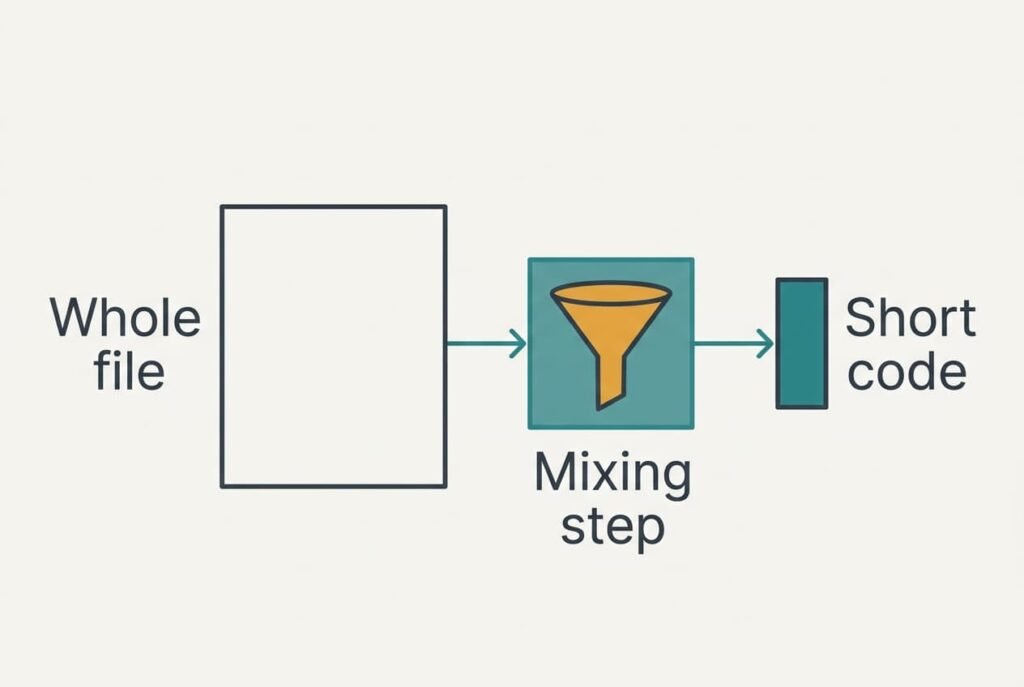
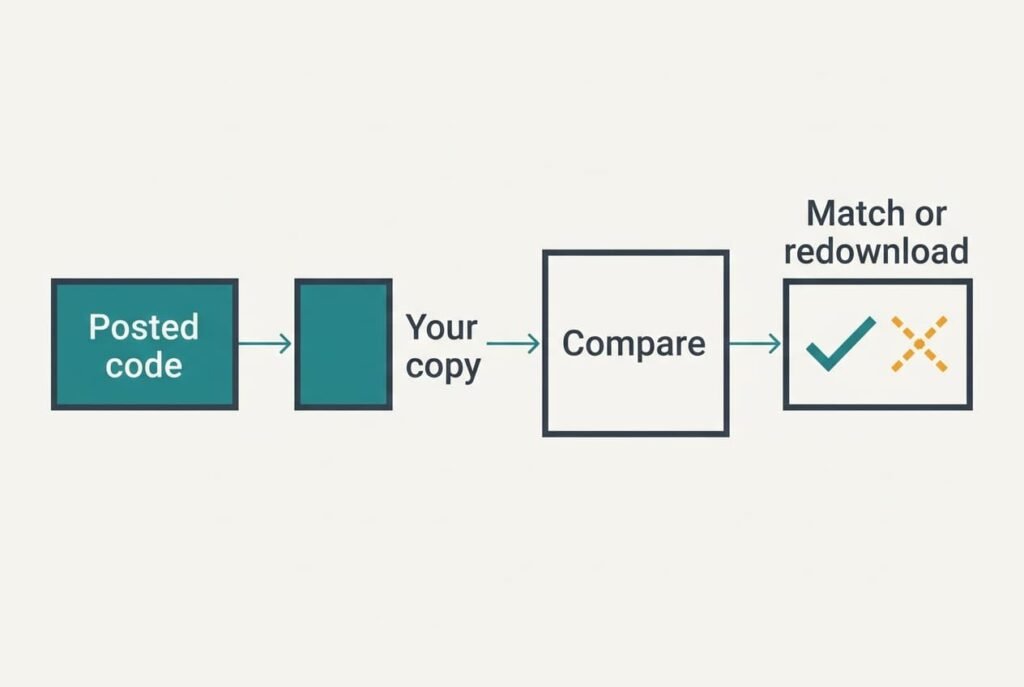
A checksum shows that a downloaded file is intact by squeezing every byte into a short code, which you then compare with the code the publisher posted. Matching codes mean you hold the file they made. A single changed bit makes the codes disagree completely, and no amount of squinting at the file would reveal that. We follow one 650 MB installer from the server to your disk, using round figures for an invented home connection in the United Kingdom, and finish with a plain rule for when the check earns its two minutes. The numbers are samples and yours will differ a little.
How a Checksum Shows That a Downloaded File Is Intact, in Short
A checksum is a fixed-length fingerprint of a file’s contents, and software makers publish one beside each download. The length stays the same whether the file is a tiny script or a huge disc image. A checksum is a short code worked out from every byte of the file. Changing even one byte changes the code. That’s the whole trick. A mismatch is easy to spot because the two strings look nothing alike, and no expertise is needed to read the result. You simply see whether they agree.
That answer omits three details. The code is one-way, which means nobody can rebuild the file from it. Nor does it name who made the file or what the file does. The word also covers two different things: a simple check of 16 or 32 bits that catches accidents, and a long cryptographic hash that also resists deliberate tampering. Modern download pages almost always publish the long kind, and that kind is what we trace below.
Tracing One Downloaded File to Prove It Is Intact
Take an installer of 650,000,000 bytes, which is 5.2 billion bits. Your browser fetches it in packets of about 1,460 bytes, roughly 445,000 of them. The network already checks each packet with a 16-bit code. Most damage is caught in transit and the packet is sent again. But a 16-bit check lets about one damaged packet in 65,536 slip through. Trouble that starts once the packet has landed stays invisible to it, such as a full disk or a download that stopped at 98%.
The publisher therefore runs the finished file through a hash function once and posts the result. The function reads the file in blocks of 64 bytes, which makes 10,156,250 blocks here. Each block is stirred into a running 256-bit state through 64 rounds of mixing. After the last block, the state is written out in hexadecimal: 256 ÷ 4 = 64 characters.
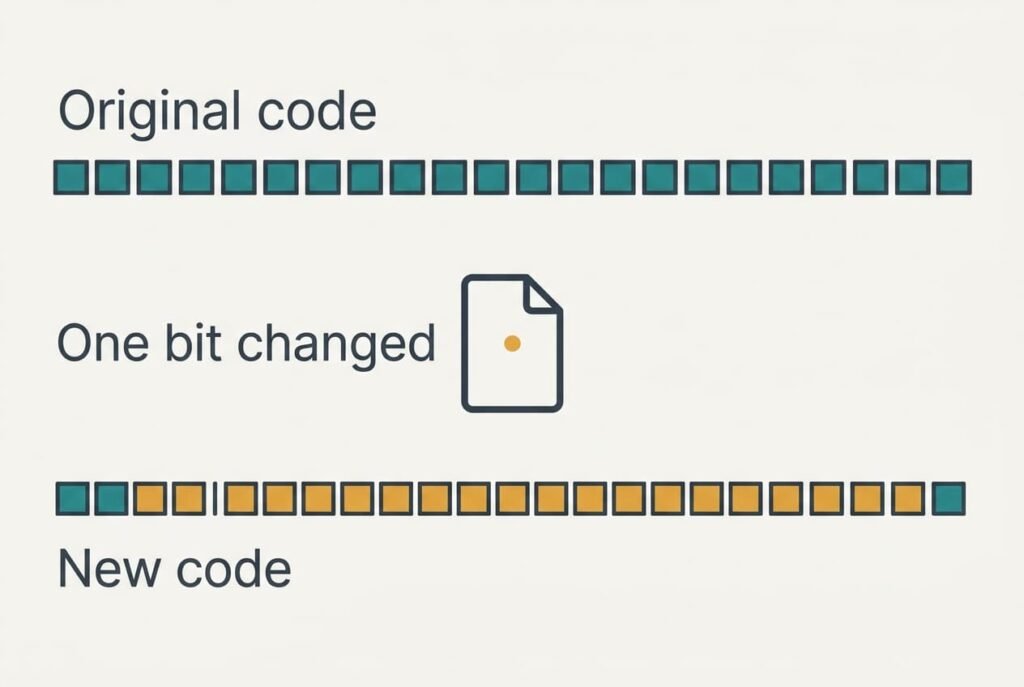
On your side, the same program reads your copy. Suppose one bit flipped while the file was written to disk. The 64 characters you get back look unrelated to the posted ones, and roughly 60 of the 64 differ. A random character matches by luck one time in sixteen. Chance alone would give 64 × 15/16 = 60 differences.
Hashing 650 MB takes about 1.3 s on a fast internal drive reading 500 MB/s. A slow USB stick at 50 MB/s needs about 13 s. You then compare the results by eye or by pasting both strings into a search box on the page.
How careful must the comparison be? Checking only the first 8 and last 8 characters covers 16 characters, which is 64 bits. A damaged file passes that partial check about once in 18 quintillion tries. Looking at the start and end of the string is therefore enough for everyday use.
A Smoothie Recipe and Where It Fails
Picture a smoothie made to a fixed recipe and tasted by a judge who writes down only a score. You can’t rebuild the fruit from the score, and that matches the one-way part of a hash. Two smoothies with the same score were very probably made from the same recipe, which matches the comparison step.
The picture breaks at a single berry. Swap one berry in a smoothie and the score moves a little. A hash doesn’t behave like that. Change one bit and about half of the 256 output bits flip, with no pattern at all. A file that is nearly right gets a code that is completely wrong, and you can’t nudge a damaged file towards the posted code.
What a Matching Checksum Cannot Tell You
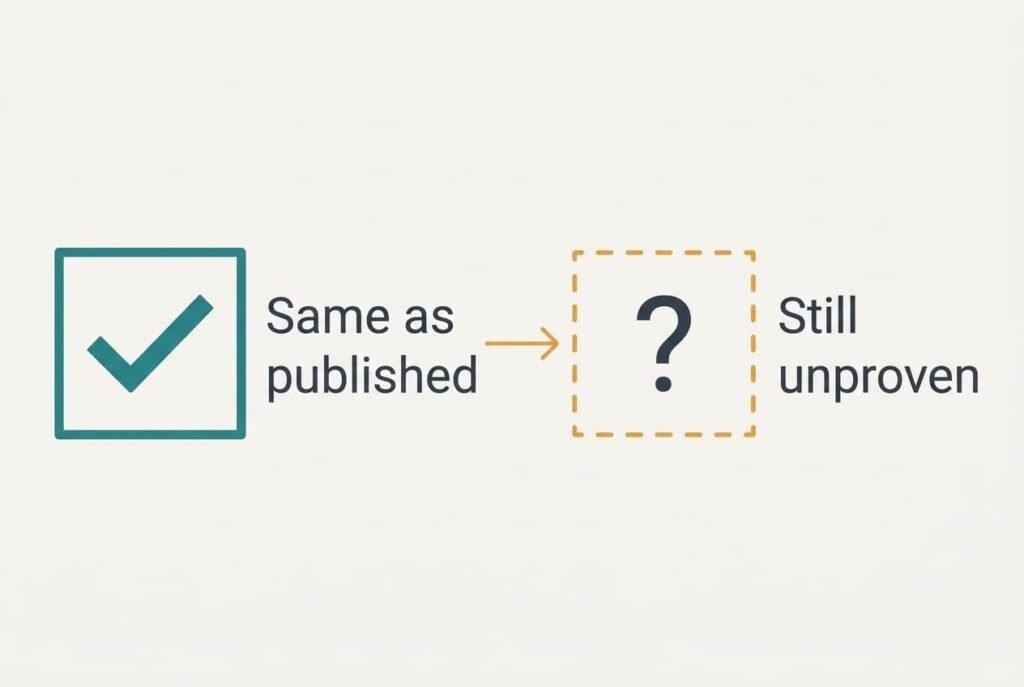
A match proves that your copy equals the one that was hashed, and it can’t say whether that file was ever good or honest. Suppose the page listing the code was altered together with the download. The two then agree, and you’ve learned nothing about whether a downloaded file is intact in the sense you care about, because the original was already wrong. Take the code from the maker’s official page, opened in a separate tab from the download link.
A match isn’t a malware scan either. A harmful program hashes just as neatly as a harmless one, and the check will happily confirm that you hold exactly what the author uploaded. Nor can it repair anything. A mismatch only says that you should download again.
A simple 32-bit check offers only 4,294,967,296 values, which lets a determined attacker build a different file with the same code, and trustworthy pages avoid it for that reason.
Two Wrong Beliefs About Checksums
Many people believe the code is a lock on the file. The belief grows from the word “check” and from the way hashes appear beside encryption in security courses. A checksum protects nothing and hides nothing. Anyone can read the file, and the code is only a label that anyone can recompute from the same bytes.
Another belief says that a file with the right size must be fine.
It forms because size is the number every download window shows. But a corrupted file normally keeps its exact length, since the flipped bits are still there, only wrong. Size can reveal a download that stopped halfway. It won’t catch a single changed bit, and it won’t catch a swapped file of the same length. Only the hash can tell you that a downloaded file is intact, byte for byte.
When a Checksum Is Worth Checking
Run the check whenever a file is large, comes from a mirror rather than the maker’s own server, or will be used to repair or start a computer. Skip it for anything that opens and works straight away, such as a holiday photo or a short document, because a damaged bit would usually have shown itself by now. Running the command and comparing the results takes about two minutes.
Your operating system includes a built-in command for confirming that a downloaded file is intact, and searching its name with the word “hash” shows you how. Paste the posted code next to yours and compare both ends before you run the installer.
A checksum is a small, cheap test with one clear job. It answers whether the copy on your disk matches the copy that was published, and a mismatch only means you should download again from the maker’s own page. The author’s honesty is a separate question, and trust still comes from where you found the file. The check confirms only that nothing changed on the way to you, and that’s a worthwhile thing to know before you run anything large.
Questions Readers Keep Asking
Can a checksum be wrong?
Very rarely. With a 256-bit hash, two different files ending up with one code by accident has odds too small to picture. The bigger risk is a code copied from an untrusted page. If that page was altered, a match proves nothing about where the file came from.
Do I need to check every download?
No. It matters for large installers and system images, plus anything from a third-party mirror. For a photo or document that opens normally, skip it. If a program refuses to install or crashes at once, compare the codes before you blame the computer.
Is comparing file size good enough?
It catches a download that stopped early, but not a flipped bit or a swapped file of the same length. A checksum reads every byte and catches both. Size is the quick first look, and the checksum is the real answer when the stakes are higher.