Mia watches a film on a television 2.5 m from her sofa while the rest of her Manchester flat is quiet. Wired headphones keep the sound locked to the picture. Bluetooth headphones let her walk around. The deciding property is audio delay. The verdict is conditional: choose wired if the TV has a socket and the sofa sits within one cable run. Choose Bluetooth if the TV can match its sound to the headphones. This page compares headphones for watching TV late with one sofa and one film, using the same sums for each side. Replace any figure with your own measurement.
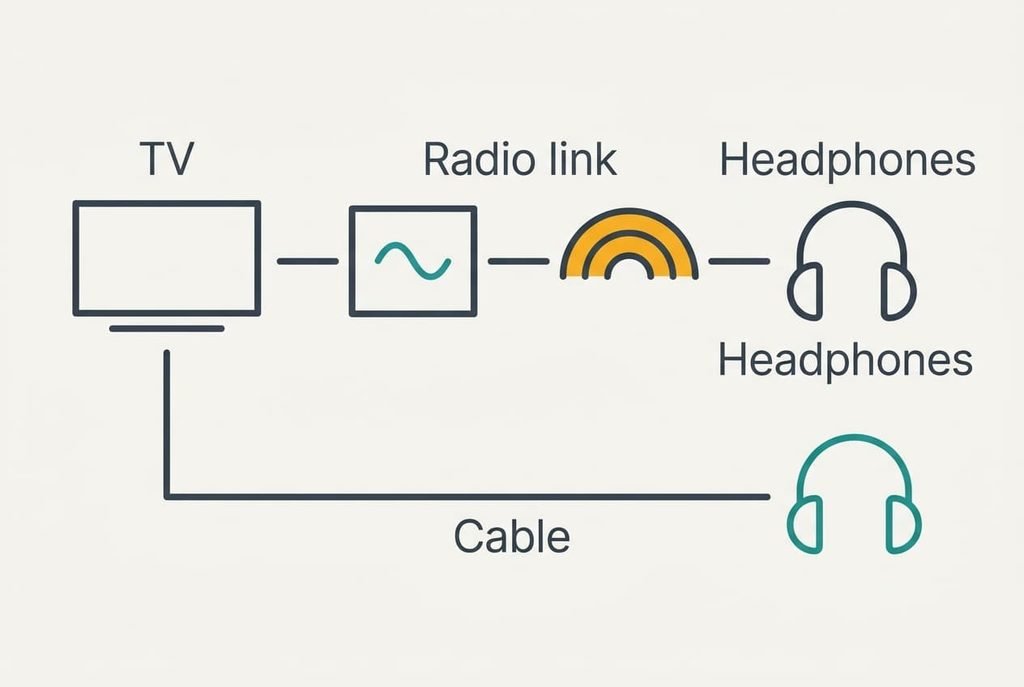
Headphones for Watching TV Come Down to Audio Delay
Sound from a television reaches wired headphones almost instantly, because the signal travels down a cable as electricity. Bluetooth adds a chain of steps. The TV compresses the sound and sends it by radio. The headphones then unpack and play it. Each step takes a few milliseconds, and together they can add up.
Take a common setup with a delay of 200 ms. A film shows 25 frames each second. One frame therefore lasts 40 ms. A delay of 200 ms therefore puts the voice five frames behind the lips. Many viewers notice sound that trails by roughly 100 ms. That’s 2.5 frames, and a plain Bluetooth link can sit past the edge of comfort.
A low-delay mode changes the sum. If both the TV and the headphones support one, the delay can fall to about 40 ms. That’s a single frame, and it no longer shows on speech. Some televisions also offer a setting that shifts their sound earlier or later, and that can cancel part of the lag. Neither feature is universal. That makes one property decide whether Bluetooth feels comfortable or maddening on your set.
Wired headphones sidestep the whole question, because the cable adds no measurable delay and the voice stays with the lips.
Wired and Bluetooth Side by Side
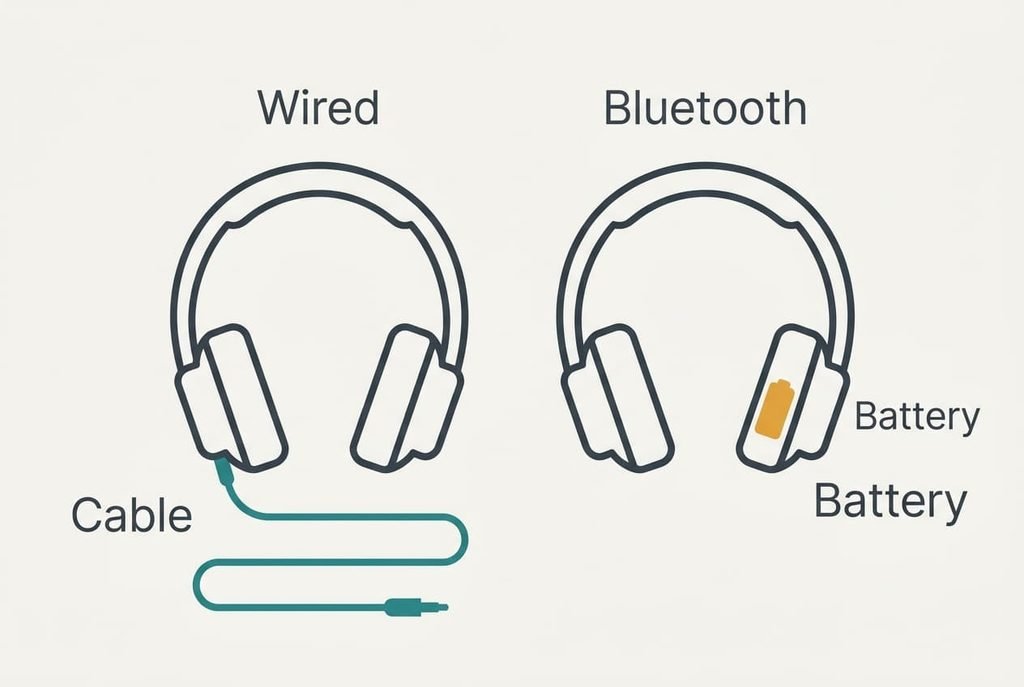
Each row below uses the same sofa and the same film of 2.5 hours. Both columns therefore describe an identical evening, and you can read across without adjusting for anything. The evenings-per-charge figure is simple division: 30 hours ÷ 2.5 hours gives 12, and the same sum works for any battery figure on a box.
| Point | Wired | Bluetooth |
|---|---|---|
| Reach from the TV | cable of 3 m, leaving 0.5 m of slack once plugged in | radio of about 10 m in an open room |
| Power | none | battery, about 30 hours per charge |
| What the TV needs | a headphone socket or an audio output | a Bluetooth output, or a plug-in transmitter |
| Moving about | tied to the sofa | free to cross the room |
| Weakest part | the cable near the plug | the battery, which wears with every charge |
| Evenings per charge | no charging | 12 evenings of 2.5 hours |
| Pairing | none | once, then again after a reset |
The weakest-part row holds the surprise, because headphones for watching TV late seldom fail through their drivers. A worn cable takes a minute to swap, whereas a tired battery usually ends the pair. That gap quietly decides which pair is still in use after three years.
Where Wired Headphones Win for Late Evenings
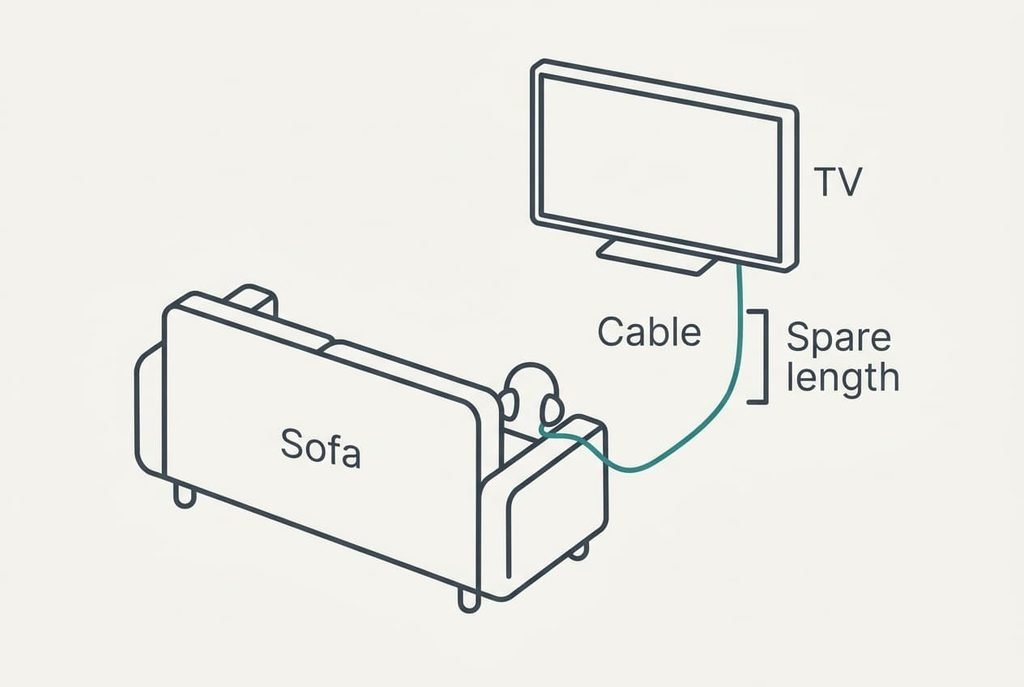
Wired suits a fixed sofa. Mia’s sofa sits 2.5 m from the television in a straight run. A 3 m cable reaches with about 0.5 m spare, which is 17% of its length. That spare length lets her shift in her seat without tugging the plug..
The second advantage is that nothing can run out halfway through the film. A wired pair draws no battery, so a 2.5 hour evening needs no charging beforehand. There’s no pairing menu either, and no moment when the sound drops back to the TV speakers because a link was lost.
The third is the delay itself. With a cable, voices match the picture whatever the codec, which matters most in dialogue-heavy drama. If the TV lacks a headphone socket, a small adapter on its audio output usually fixes the gap. Headphones for watching TV in a quiet corner of the room need nothing more than that.
Routing counts for something. Keep the lead low behind the sofa arm rather than across the walkway, because a lead across a dark room is easy to trip on.
Where Bluetooth Wins for Watching TV
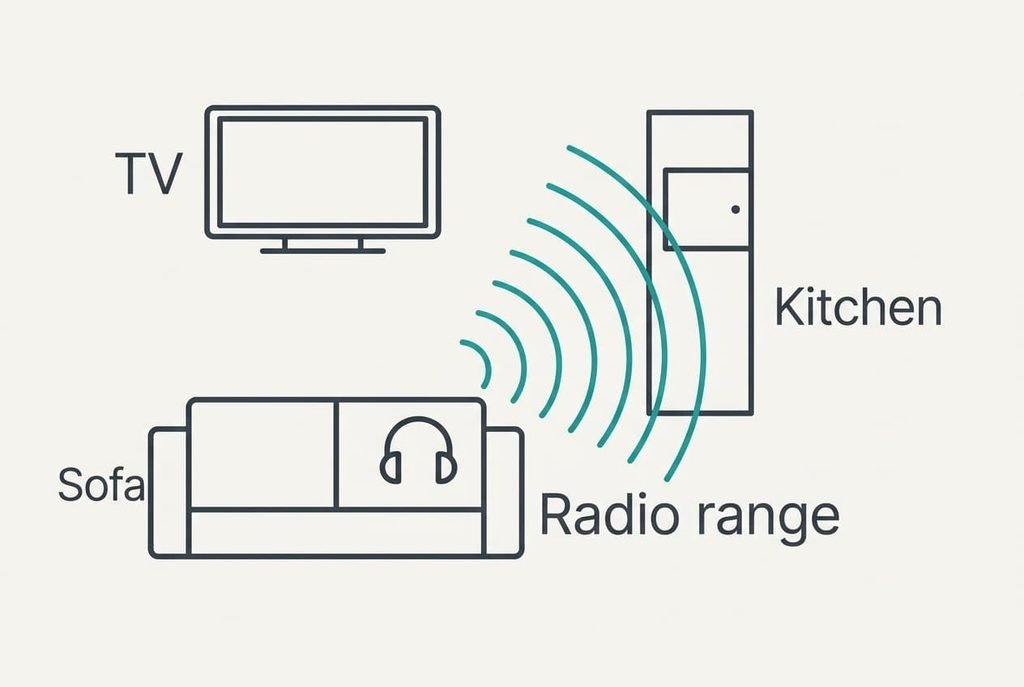
Bluetooth suits a household that moves. Mia can put the kettle on without pausing the film, because an open-plan kitchen sits well within 10 m. A cable of 3 m would pull the headphones off her head at the second step.
The second advantage is the missing cable. Nothing lies across the floor, nothing snags on a coffee table, and she can stretch along the sofa in any direction. A pair that lasts 30 hours per charge covers 12 evenings of 2.5 hours. Charging becomes a weekly habit rather than a daily one.
The third is the low-delay path. If the TV and headphones share a low-delay mode, the 200 ms lag falls to about 40 ms, one frame, which doesn’t show on speech. When the TV has no Bluetooth output, a plug-in transmitter that supports the same mode gives the same result. Check that both ends name the same mode before you buy, because two modes that look alike don’t always work together.
When Neither Is Right for Your Sofa
Sometimes neither works. The TV may lack both a socket and a Bluetooth output, the delay may be intolerable, or you may dislike anything over your ears. A third option is a small speaker beside the sofa, aimed at you. Set it on the sofa arm or a side table at ear height, angled about 30° towards you. At 0.5 m instead of 2.5 m it sits five times closer, so the same level at your ears needs about 14 dB less output.
A near speaker lets the main TV volume drop by roughly 14 dB, which makes the room far quieter for everyone else. Subtitles at low volume cover any dialogue that gets lost. Test the angle at a normal level for one scene before committing to the arrangement.
Headphones for watching TV remain the better choice beside a neighbour’s wall, because a speaker still leaks. Choose the speaker when the sofa sits well away from that wall.
Which to Choose
Two branches cover most sofas, and each starts from one fact about your TV.
If your TV has a headphone socket and the sofa is within 3 m of it, choose wired. You get no delay and no battery to watch, with nothing to pair. The price is being tied to the seat for the whole film, which suits a viewer who rarely gets up.
If you move about during a film and your TV or a plug-in transmitter supports a low-delay mode, choose Bluetooth. A delay near 40 ms, a single frame, keeps dialogue in step. You gain the freedom to cross the room whenever you like.
Before buying either, play a film with plenty of dialogue and count how far the voice trails the lips. If a Bluetooth test trails by more than about two frames, move to the other branch rather than trying another pair of headphones. Delay belongs to the link between TV and headphones, and a new pair usually can’t repair a weak link, however well it is built.
Questions Readers Keep Asking
Which is less effort to run?
Wired is. It’s simply plug in and watch. There’s nothing to charge and nothing to pair. Bluetooth asks for a weekly charge and an occasional re-pair. It also needs both ends to agree on a low-delay mode if you want the lag below one frame.
What usually fails first?
On wired pairs the cable fails first, near the plug where it bends. On Bluetooth pairs the battery fails first, because it wears with charging cycles and usually can’t be swapped. Replacing a cable takes a minute, which is why wired tends to last longer.
Which suits a shared flat with a partner next to me?
If someone sits beside you and watches too, you need a splitter for wired. For Bluetooth you need a TV that supports two connections at once. A single pair suits a solo viewer best. Check how your TV handles two outputs before ordering a second pair.