A phone charger buzz or whine is usually the adapter idling at light load, and lifting it off a hard surface or unplugging it once the phone is full quiets most of them. The sound is a thin tone, a little like a distant mosquito, and it often starts when the phone reaches 100%. This page follows one adapter in a Leeds flat. It is rated at 20 W and sits in a 230 V socket beside a bed. You’ll see why the tone appears, how to tell harmless noise from a fault, and which of four fixes to try first.

Why Does Your Phone Charger Buzz or Whine Near the End
A modern adapter doesn’t pass mains power straight through. It chops the rectified supply on and off about 65,000 times a second, which lets a tiny transformer do the work of a big one. At light load the controller delivers power in short bursts, and the bursts repeat at an audio rate. Assume 4 kHz, a pitch the ear finds loud.
The tone comes from parts that flex. The ferrite core changes shape slightly with each burst, and so do the ceramic capacitors on the board. Four thousand flexes a second make a 4 kHz tone, and a hard surface under the adapter turns a faint tick into a sound that carries across a room.
Now count the load. Our phone has a 17 Wh battery and draws about 15 W up to 80%. The last stretch tapers to around 1 W, and once the phone is full it draws about 0.3 W, which leaves the adapter idling at 1.5% of its rating. If bursts begin below roughly 2 W, or 10% of 20 W, the tone starts in the last ten minutes and continues while the phone stays plugged in.
The noise follows the load, which is why it fades when you use the phone.
Is It Your Phone Charger That Whines or Buzzes? Four Tests
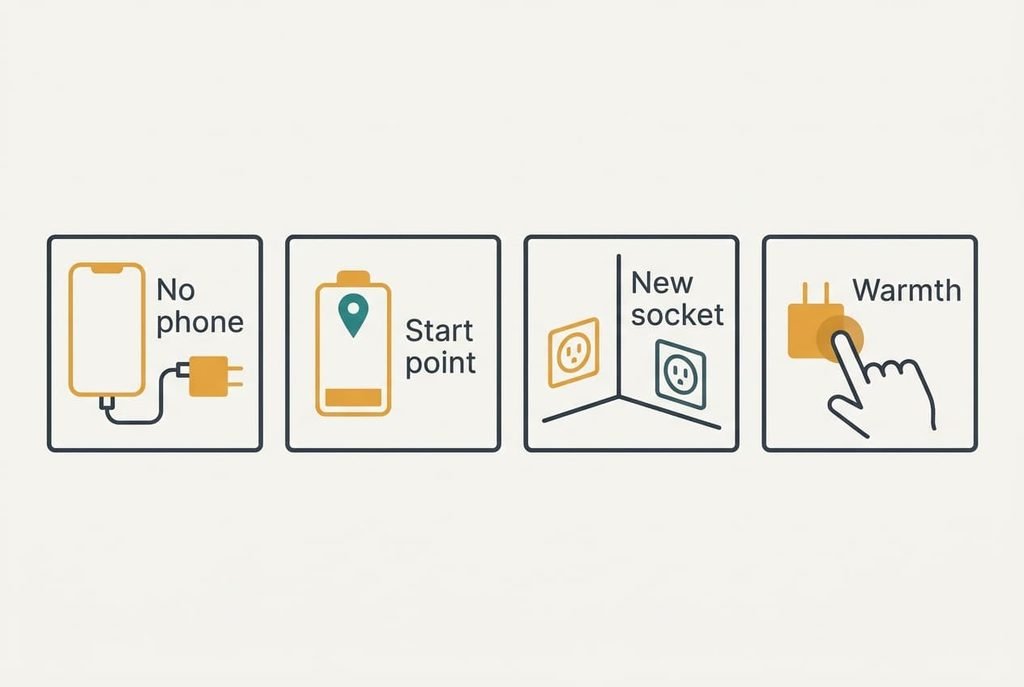
Each test separates one cause from another, and every one is free. Do them on an ordinary evening and jot the result next to each.
Start by unplugging the phone and leaving the adapter in the wall. If the tone carries on, the adapter makes it alone with nothing attached. That’s common and harmless. If the tone stops, it belongs to the charging itself.
Next, note the battery percentage when the tone begins. A start above 95% every night points to light-load bursts. A tone that is loudest between 20% and 80% points to a heavy-load whine, where the parts strain under the full 15 W.
Then plug the adapter into a socket on a different wall, with nothing under it. A clear drop in loudness means the first surface acted as a loudspeaker. A thin tone couples well into furniture.
Last, after half an hour of charging, rest a fingertip on the adapter for a few seconds. Warm like a mug of tea is normal. A case too hot to touch, or any burnt smell, means you should stop using it. Crackling counts as a fault too, and you should treat the unit as failed.
Four Fixes in Order: Free, Setting, Time, Purchase
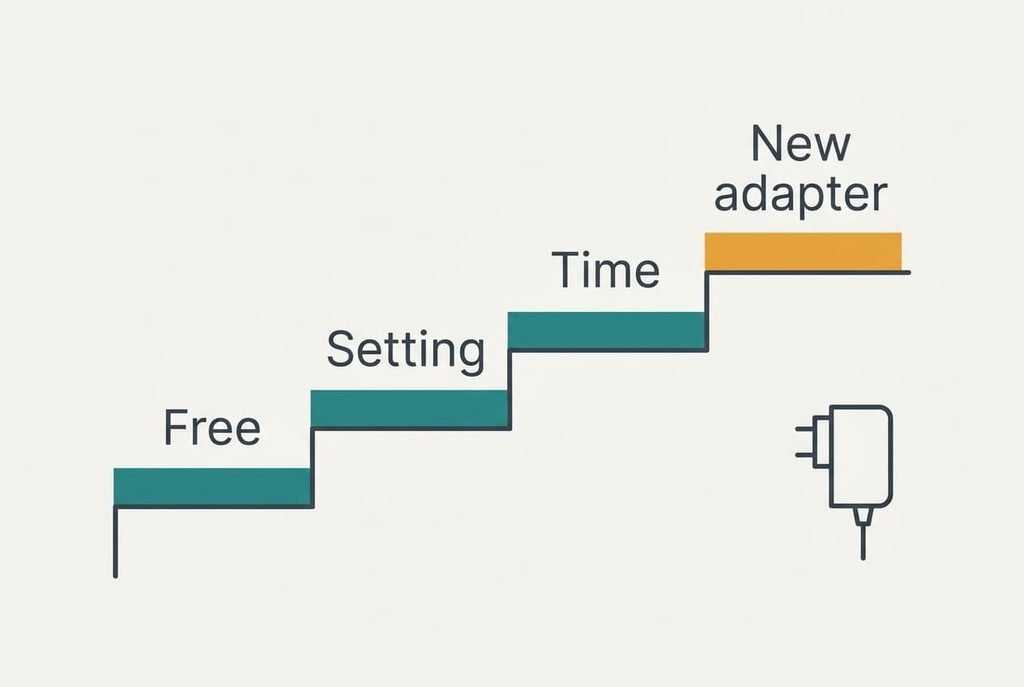
Go through them in sequence until the tone disappears. Every fix answers a separate cause from the tests above, and the phone charger buzz or whine you hear tells you which rung to start on.
Lift it off hard surfaces. This answers surface amplification and the no-load tone. A short extension lead lets the adapter hang free instead of buzzing against a bedside table, and unplugging it when nothing is attached removes the idle tone completely. Hard surfaces such as a wooden headboard amplify the tone most. It’s free and takes about a minute. The loss is the permanently plugged-in socket, because the adapter has to come out whenever the phone is away, and that’s a small chore.
Turn fast charging off. Use this only if your phone offers the choice, and only if the tone is loudest mid-charge. At 5 W the adapter runs at a quarter of its rating and is far less stressed. It costs nothing, but you lose speed: the climb to 80% stretches from about 55 minutes at 15 W to about 2.8 hours at 5 W. That’s fine overnight and a nuisance before a morning departure. Check the tone again after two nights at the lower rate.
Charge earlier, unplug when full. This answers the light-load bursts that begin past 95%. A charge from empty takes roughly 100 minutes in our model, which means plugging in at 10 pm leaves the phone full before midnight. It costs attention instead of money. You lose the overnight top-up and the habit of plugging in and forgetting. A phone left at 100% for hours gains nothing, since the battery is already full. If the tone only appears after that point, this fix removes it entirely.
Replace the adapter. This answers a unit that whines at every load. It also answers one that crackles or overheats. Pick one with a UKCA or CE mark and an output rating that matches your phone’s fast-charge profile. Read the rated power on the label. It has to match or exceed what the phone draws at its fastest, here 15 W. The cost is one adapter. Recycle the old unit if it crackled or ran hot, because a fault in a mains part isn’t worth keeping as a spare.
If the Noise Is Still There After Four Fixes
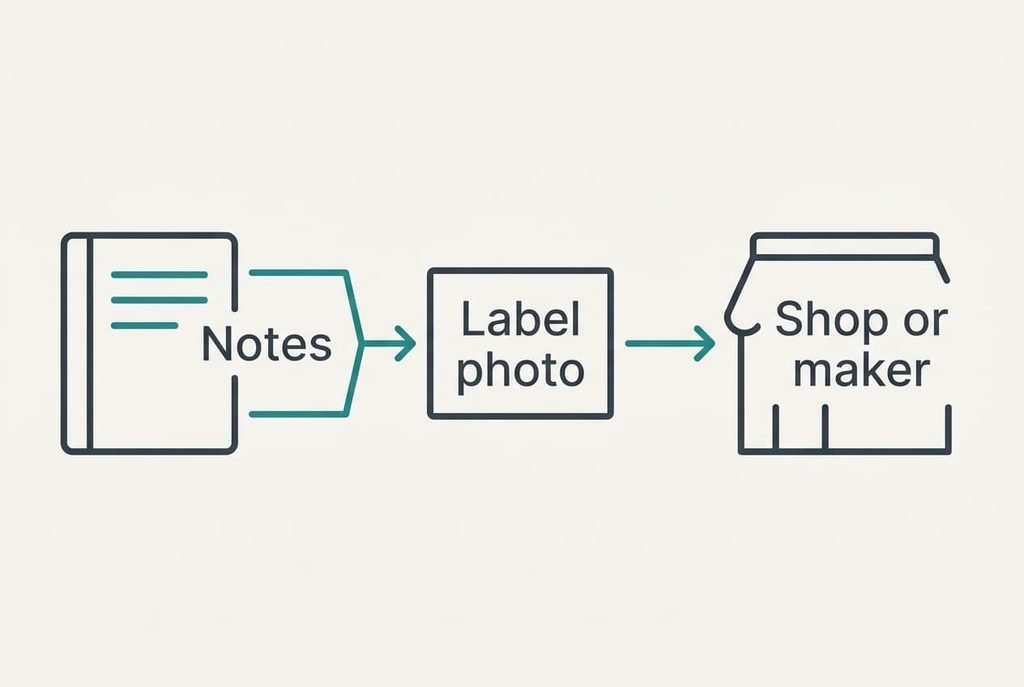
If the phone charger buzz or whine survives every fix, gather notes before you contact anyone. Record the percentage when the tone starts. Note which socket you used, and copy the figure printed on the adapter’s label. Photograph the label and record whether the sound changes with the cable.
Send those notes to the shop or maker, who can compare the unit against others from the same batch. A buzz that follows the adapter to every socket belongs to the adapter. A hum at one socket only is worth showing to an electrician. Leave the adapter unplugged between tests so it can cool, and jot down the room’s warmth if the tone seems to change.
Don’t factory-reset the phone. A reset can’t change a noise made by the adapter, and it erases data you then have to restore. Never open the adapter either, because its capacitors can hold charge after unplugging.
Wrapping the Adapter Is Not Worth It
Foam or cloth round the adapter looks like an easy way to muffle a phone charger buzz or whine, and a few layers of padding do dull the sound a little.
The price is heat. At 90% efficiency a 20 W adapter wastes about 2.2 W as heat, which the plastic case normally sheds into open air. Even a thin cloth over a plugged-in unit is a poor habit, since nobody inspects it. Wrapped, the unit runs hotter. A hot capacitor ages faster, and the warm air stays trapped for the whole charge. The saving is small as well, because the tone also travels through the pins into the wall.
A tighter wrap does worse. Two layers of foam on a unit that already runs warm can push its case past the touch test above, and the tone barely changes because the plug carries it into the wall.
An adapter that must be muffled to be tolerable is an adapter to replace. Try the free steps in turn, then judge the tone at night. Move the adapter off the bedside table if it sits on one. Keep the cable straight and unkinked, since a worn cable can add its own crackle. If the unit ever feels hot or smells wrong, unplug it. Retire it that day.
Questions Readers Keep Asking
Can I fix a buzzing charger at home?
Usually yes. Most whines come from idling at light load or from a surface amplifying the tone, and both respond to simple steps. Lift the adapter off the table and try another socket. Replace the unit only if it crackles or overheats, or if it whines at every load.
What makes a charger whine?
Small parts flex when the adapter delivers power in bursts at an audible rate. The transformer core and ceramic capacitors vibrate with each burst, giving a thin tone near 4 kHz in our model. It appears when the phone draws little power, which is why the noise tends to start once the battery is full.
When does a buzzing charger mean it has failed?
Crackling or a burnt smell means failure. So do discoloured pins and a case too hot to touch for a few seconds. Stop using it at once. A steady thin tone that changes with the battery percentage is normal. A tone that changes unpredictably, or gets louder week by week, deserves a replacement.

