A wireless router for a small flat has one job: to put a usable share of your line speed into the farthest room you work in. Begin with that measurement and ignore the packaging. One measurement settles whether you need a new router at all, and a phone does it in two minutes. Our example is Zainab, who rents a 52 m² one-bedroom flat in Bristol with the provider’s router in a hall cupboard and a desk 9 m away behind two walls. Four checks lead the list, heaviest first. The box claims that mislead come after them. Zainab is invented, which means the readings that count are yours.
What Decides a Wireless Router for a Small Flat
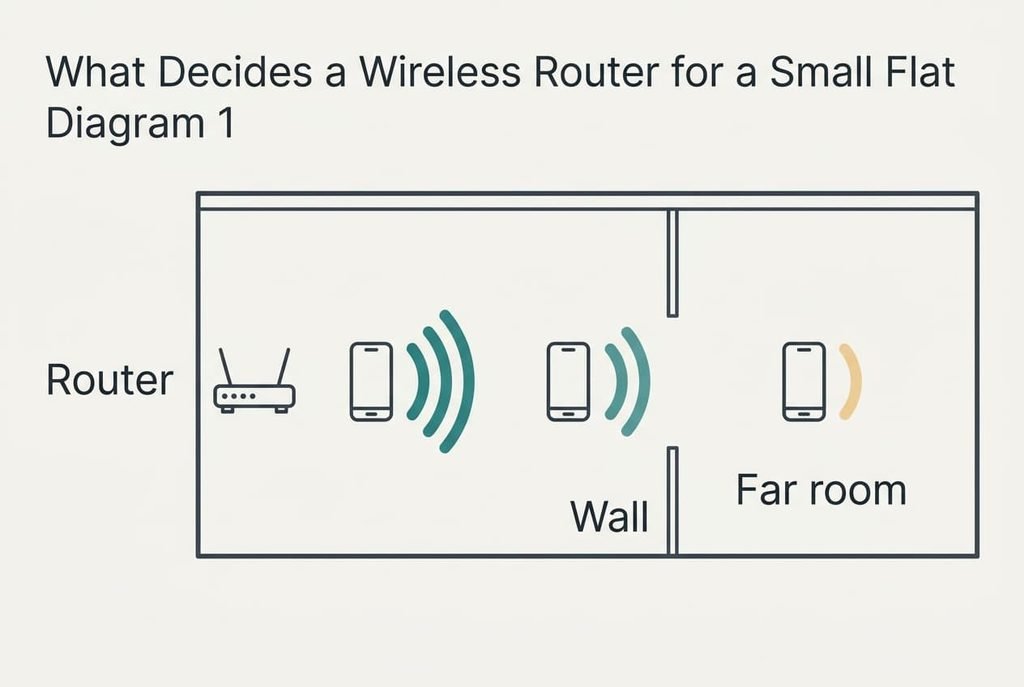
Wireless signal behaves like light through frosted glass. Each wall takes some of it, and the rest arrives weaker. A weaker signal forces the connection down to a slower mode, so your desk gets less speed than the router can give you beside it. That’s why the speed that arrives in the farthest room you use decides everything, and the number on the packaging can’t tell you what it will be.
Run the numbers. Suppose Zainab’s plan delivers 150 Mbit/s. Her phone measures 140 beside the router. In the living room, which sits between the two walls, it reads 95. At the desk it reads 45. The desk gets 45 ÷ 150 = 30% of what she pays for, and the video calls she makes there stutter. A faster router mostly lifts the first figure, which already sits at 93%, and the cure for the desk lies in the walls and the placement. The loss is spread evenly: 45 Mbit/s vanish at the first wall and 50 at the second. Each reading uses the same phone, held at desk height.
Measure the far room before you decide anything else.
Four Checks That Suit a Small Flat and a Wireless Router
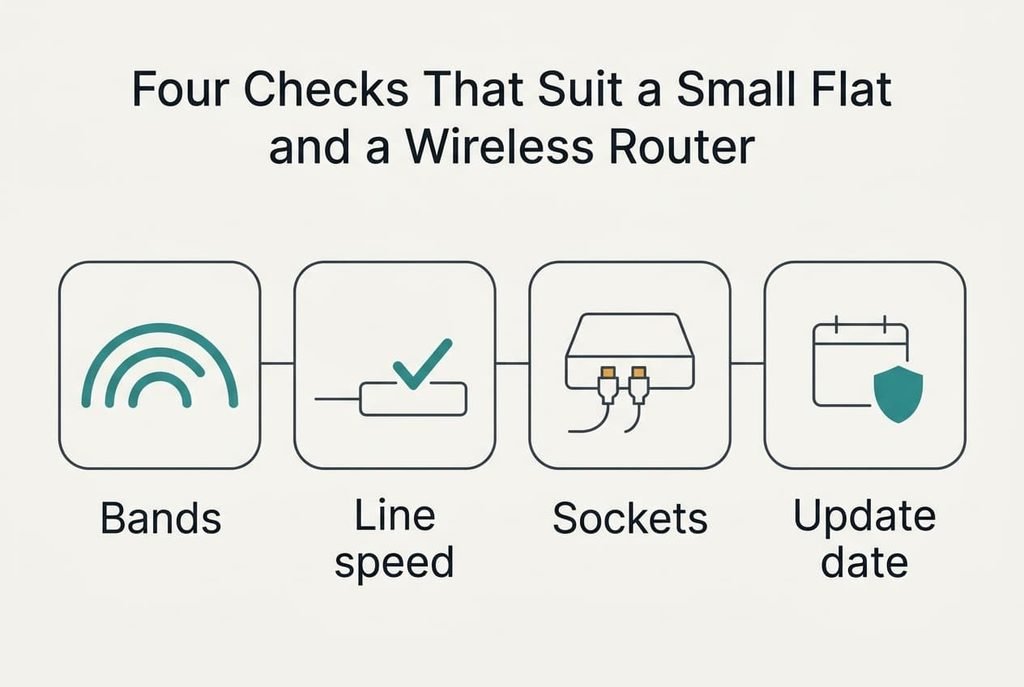
1. Which bands the router offers. A two-band router gives you a fast band for near rooms and a slower band that reaches farther through walls. Zainab’s living room would stream on the first while her desk holds on the second. Look for both bands listed on the box, then confirm after setup that your phone shows both. A single-band router puts every device on one crowded channel shared with the neighbours’ networks, and the desk drops out at busy hours.
2. The speed ceiling of your line. A router rated far above your line can’t make the line faster, because the line sets the ceiling. Zainab’s 150 Mbit/s plan is her ceiling. Read the plan speed on your bill, and read it against the router’s wired rating on the maker’s page. If that page lists only a combined figure, look for the wired port rating instead, since that’s the number a cable carries. Any router that clears the plan will do. Paying for a rating well above it buys headroom for a plan you may never take.
3. Wired sockets that match your cabled devices. A cable beats the air for a box that streams all evening. Zainab’s television box and a games console make two, and a 2 m cable along the skirting reaches both from the cupboard. Count the sockets for devices on the box, leaving out the one that takes the line in. If the count falls short, the extra device goes on the air and competes with the phones.
4. The length of the maker’s promise on security updates. Hardly anyone looks at this, yet it matters for years after unboxing. The router sits between every device in the flat and the internet, so a flaw left unfixed there reaches them all. Go to the maker’s own site, find the support area and search for the date until which updates are promised, then favour the later date. If the page gives none, the model may stop receiving fixes without any warning.
Box Claims That Promise More Than Your Flat Can Use
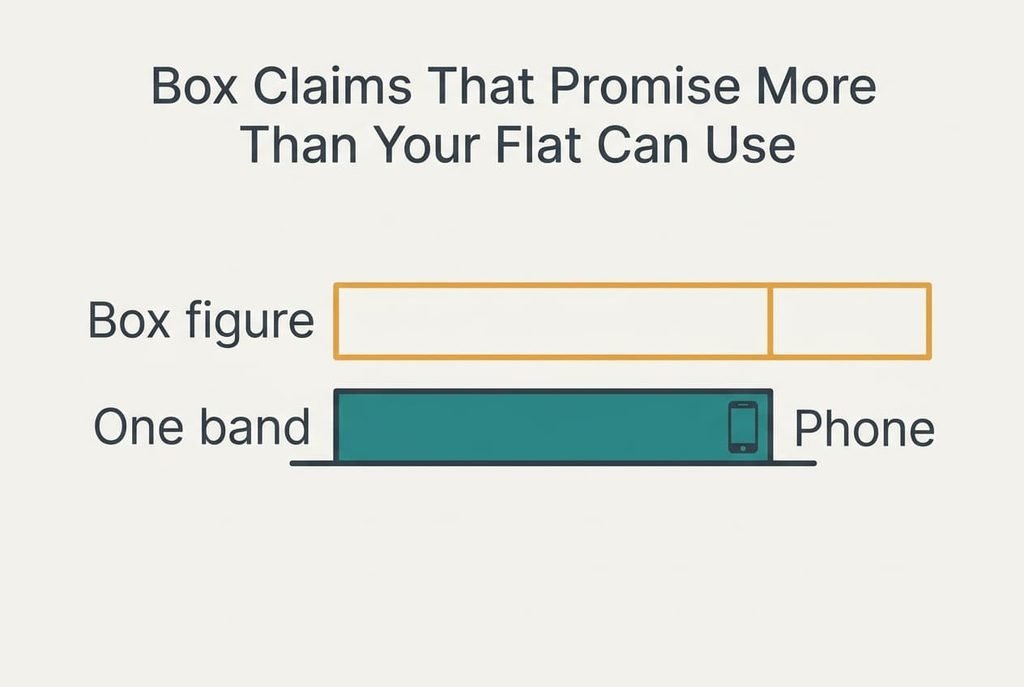
The number printed largest is often the combined speed figure on the box, and it promises far more than a flat can use. It adds up the top speeds of the separate bands. A single phone or laptop talks on one band at a time. Those top speeds are also quoted for close range with no walls in the way. On Zainab’s 150 Mbit/s plan, a figure in the thousands changes nothing at her desk. Makers promote it since a bigger number reads as a better buy.
The antenna count is oversold too. More aerials look powerful, but they reveal little about how a signal copes with two walls. A coverage area in square metres is a third lure, since it describes open space. Your walls aren’t open space.
Treat the combined figure as a ranking aid between models from one maker. If a wireless router for a small flat is on your shortlist, let your own desk decide: a model that gives it two-thirds of the plan beats any banner.
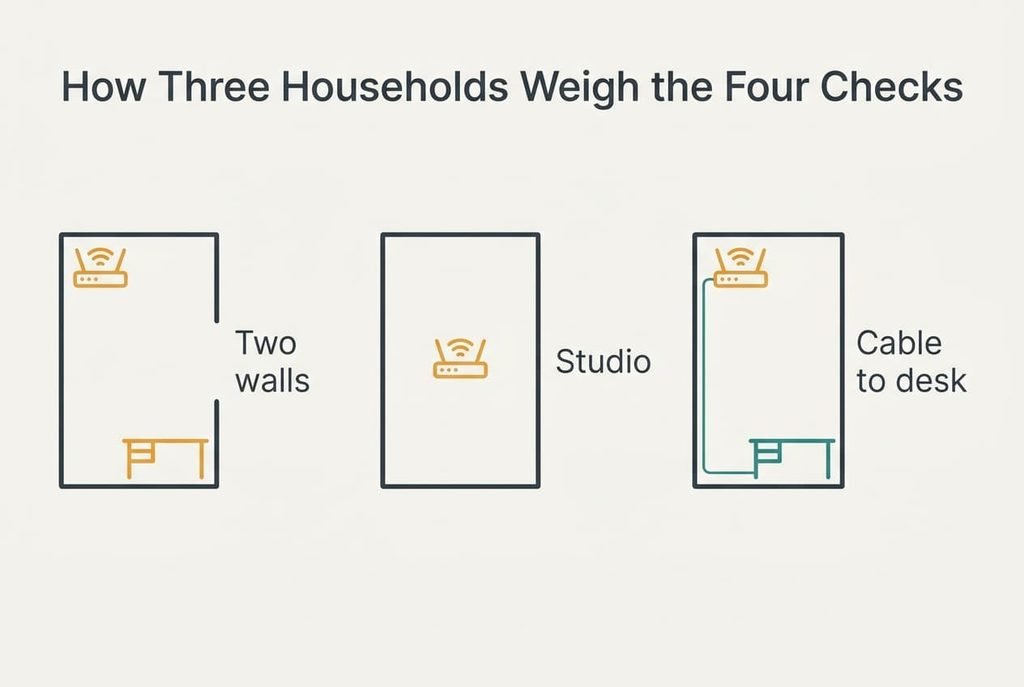
How Three Households Weigh the Four Checks
Zainab has a desk behind two walls, so the bands rise to the top and the update date follows. Her reading of 45 is the problem to fix.
Owen lives in a 30 m² studio where nothing sits more than 5 m from the cupboard, so walls barely matter. The sockets and the update date lead his list. His phone reads 135 in the far corner of a 150 plan, which is 90%, so the provider’s router already does the job.
Mira takes video calls all day and can run a cable of about 6 m along the skirting to her desk, so a wired socket beats any choice of band. The sockets come first for her and the line ceiling second.
No single answer fits every flat.
Routers to Walk Away From
Pass on a model whose maker gives no date for security updates. A promise you can’t check isn’t a promise, and your whole flat sits behind this one device. If the support page is silent, ask the seller directly, then leave if you hear nothing. Pass too on a router that needs an account with the maker before it will switch on, since it then relies on someone else’s service throughout its working life.
Be wary of extra units bought before you’ve measured anything. Each one adds another device to update and another place for a fault. Test a single wireless router for a small flat first, and add a second only if the far room still falls short.
Skip any router you can’t return. Coverage shows up only inside your own walls, and the return period tells you.
A Two-Minute Check Before You Order
Start with the router now in place. Do it in the evening, when neighbours’ networks are busiest. Stand in the farthest room you use, run a speed test on your phone, then run it again beside the router. Write both numbers down. Then see whether the far room reaches two-thirds of your plan, which is 100 Mbit/s on Zainab’s 150.
If it does, the router isn’t the problem and your money stays put. If it falls short, lift the router out of the cupboard onto a higher shelf, then test again before ordering. Only a result that stays low after that move justifies a new box.
Judge a wireless router for a small flat by what reaches the desk, so keep your two readings in one note beside the receipt. Take both readings again after any change of furniture or plan, and a later comparison takes two minutes. A router that passed last year can fail after one rearranged room.
Questions Readers Keep Asking
What speed rating do I need?
Read the speed of your plan on your bill and choose a router whose wired rating clears it. Zainab’s plan is 150 Mbit/s, so any router above that figure is enough. The combined number on the box adds separate bands together and shouldn’t drive the decision. Your far-room reading matters more than any rating.
How much should I spend?
Spend in proportion to the problem you’ve measured. If your far room already reaches two-thirds of the plan, spend nothing. If it falls short after you’ve moved the router, a mid-range model that lists both bands and a dated update promise is enough. A larger sum buys figures that your line can’t use.
How long should a router last?
Plan on as many years as the maker promises security updates, because an unpatched router is the real end of its life. Check the support page for that date before buying and again each year. A model that still works but no longer gets fixes should be replaced, since every device in the flat connects through it.