Buying a new laptop genuinely is the most straightforward way to address a laptop that feels outdated, and there’s nothing wrong with choosing that option – but “most straightforward” and “the only genuinely worthwhile option” are different things, and the gap between them is exactly where the case for an alternative starts to make sense. If your laptop feels outdated and you want to understand what else is genuinely available before committing to a full replacement, the realistic path depends on understanding what “feeling outdated” specifically means in your situation and what each alternative trades away to address it.
What “feeling outdated” is actually pointing to
The phrase “my laptop feels outdated” usually points to one of a few genuinely distinct underlying issues: general slowness during everyday tasks, insufficient capability for specific newer software or demanding tasks, or simply a diminished sense of satisfaction with the device compared to newer options you’ve seen elsewhere. These are meaningfully different problems, and the alternative worth pursuing depends considerably on which one actually applies to your specific situation.
This distinction matters because a laptop genuinely too slow for basic everyday tasks calls for a different response than one that’s perfectly capable for your actual needs but simply feels less exciting than current options, even though both might be described using the same word “outdated.”

The kinds of alternative, and what each costs you
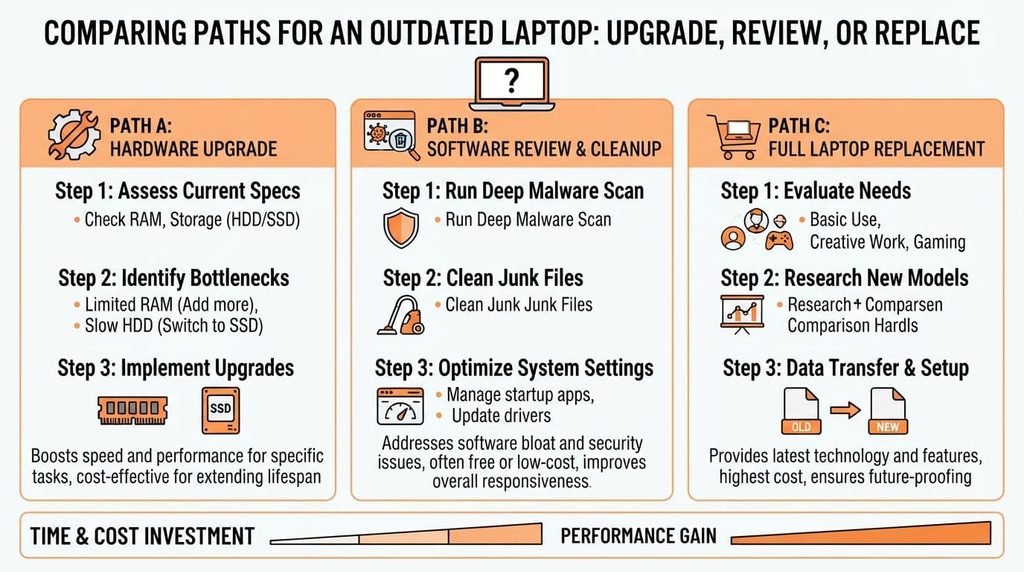
Targeted component upgrades – additional memory, a faster storage drive – if your laptop’s hardware genuinely supports them. This directly addresses genuine performance limitations for considerably less cost than full replacement, since you’re specifically upgrading the actual component causing the limitation rather than replacing an entire system, much of which may still be perfectly adequate. The trade-off: this option is meaningfully limited by whether your specific laptop’s hardware actually supports the upgrade you need, and some newer, thinner laptops have components that aren’t practically upgradeable at all.
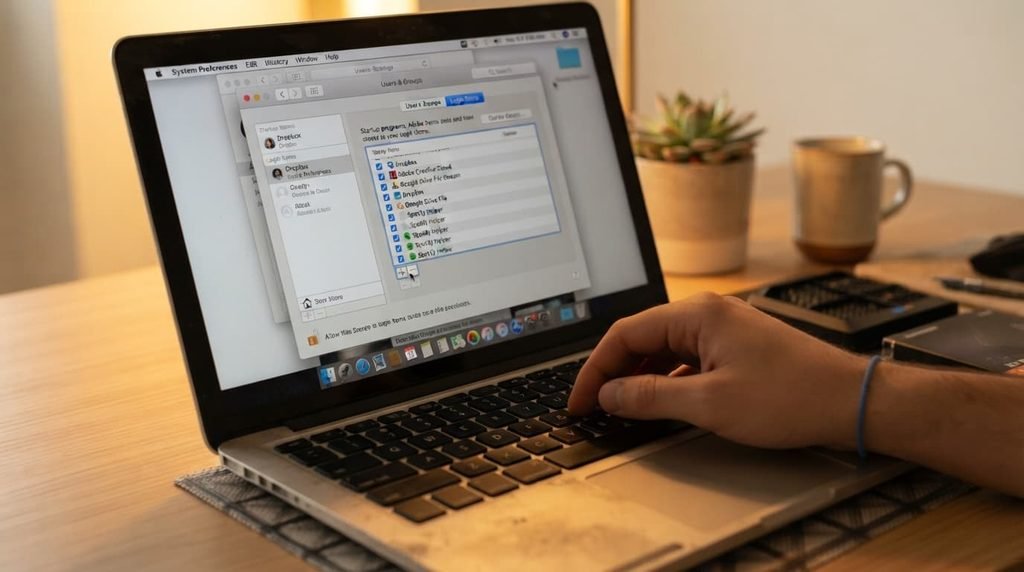
A software and settings review to eliminate accumulated slowdown from unnecessary background processes and startup programs. This addresses the common scenario where a laptop’s hardware genuinely remains adequate but accumulated software clutter has gradually degraded its actual performance over time, often restoring meaningfully more responsiveness than the laptop’s age alone might suggest is possible. The trade-off: this only helps if software accumulation is genuinely a meaningful contributing factor; it won’t meaningfully help a laptop whose hardware itself has become the actual limiting factor for your current needs.
Adjusting your actual expectations and specific use case to match what your current laptop genuinely handles well, rather than assuming it needs to match the newest available capability. This costs nothing financially and directly addresses the scenario where your laptop remains perfectly capable for your actual regular tasks, with “outdated” reflecting comparison to newer options rather than any genuine functional limitation in your own daily use. The trade-off: this doesn’t help if you genuinely do need capability your current laptop structurally can’t provide, regardless of how you frame your expectations around it.
The trade-off nobody warns you about
The cost that shows up mid-decision isn’t the money saved by not replacing your laptop – it’s discovering how much of your sense that it’s “outdated” was actually about comparison to newer options rather than any genuine functional problem with your own actual daily use.
Most advice about extending a laptop’s life focuses entirely on the technical steps involved. Nobody mentions clearly enough that a meaningful portion of “outdated” feelings stem from awareness of newer options existing, rather than your current laptop genuinely failing at your actual regular tasks, and recognising which category your specific situation falls into changes which alternative is actually worth pursuing.
How to decide without replacing anything yet
Identify specifically which of the three underlying issues covered above actually describes your situation, rather than assuming general “outdatedness” requires a single universal response, since the genuinely appropriate next step differs considerably depending on which one applies.
Try the targeted, lower-cost alternatives first – a software review, considering a component upgrade if your hardware supports it – before assuming full replacement is genuinely necessary, since these options address a meaningful portion of typical “outdated” complaints for considerably less cost and disruption.
Give yourself a defined period using your current laptop after implementing any of these alternatives before making a final decision about replacement, since immediate judgment right after a change doesn’t always reflect how the improvement actually holds up during genuine ongoing daily use.

When replacement remains the reasonable choice
If your laptop’s actual hardware limitations genuinely can’t be addressed through upgrades – an unsupported upgrade path, a processor that’s become the clear limiting factor for tasks you genuinely need to do – replacement remains a reasonable, meaningfully justified choice specifically for that situation, rather than something to feel obligated to avoid indefinitely.
I’ll say this plainly: an old but still-functional laptop gets recommended for replacement more readily than the actual situation often justifies, particularly when the underlying issue is genuinely addressable through one of the alternatives above rather than a fundamental hardware limitation. The push toward replacement is often driven by general “upgrade culture” awareness rather than a specific, confirmed functional problem your current laptop actually has for your specific regular use.
The one check worth doing before you replace
Before committing to a full replacement, honestly assess whether your laptop genuinely fails at tasks you actually need to do regularly, rather than simply comparing it unfavourably to newer options you’ve seen or heard about.
This one check prevents unnecessarily replacing a laptop that’s still genuinely serving your actual needs well, focusing the decision specifically on confirmed functional limitations rather than a general sense of comparison-driven dissatisfaction that a lower-cost alternative might actually address just as effectively.
Questions readers keep asking
How do I know if my laptop’s slowness is fixable or a genuine sign it needs replacing?
Working through the software and settings review first genuinely helps clarify this – if performance improves meaningfully afterward, accumulated software clutter was likely a significant factor; if it doesn’t, this points more toward a genuine hardware limitation worth addressing through upgrade or replacement instead.
Is it worth upgrading an old laptop if I’ll likely want to replace it within a year or two anyway?
This depends on the specific upgrade’s cost relative to how much longer you genuinely expect to use the laptop – a low-cost, straightforward upgrade can still be worthwhile even for a shorter remaining period, while a more expensive upgrade may not be, if replacement is already reasonably close on your own horizon regardless.
Does the environmental impact of laptop replacement factor into this decision?
For some people, yes, genuinely – extending a functional laptop’s usable life through upgrades or software optimisation rather than replacement reduces electronic waste, which is a reasonable additional consideration alongside the cost and functionality factors covered above, particularly if your laptop is otherwise still genuinely serving your actual needs well.
Can adjusting my expectations really make a laptop feel less outdated without any actual change?
To a meaningful degree, yes – much of “feeling outdated” stems from comparison to newer options rather than genuine functional failure, so recognising that your laptop still capably handles your actual regular tasks can genuinely shift how satisfied you feel with it, without requiring any technical change at all.