Callers tell you that you sound muffled on phone calls through earbuds, even though your music stays crisp. The likely culprit is the Bluetooth link dropping into a narrow call mode, and speaking into the phone’s own microphone often cures it. A microphone opening covered by hair or a hood produces a similar dullness. So does a stem hanging too far from your mouth. Short tests separate these causes, then four remedies come cheapest first. Each states what it gives up. The numbers are rough samples for a commuter’s pair; let your ears overrule them.
Why You Sound Muffled on Phone Calls Only With Earbuds
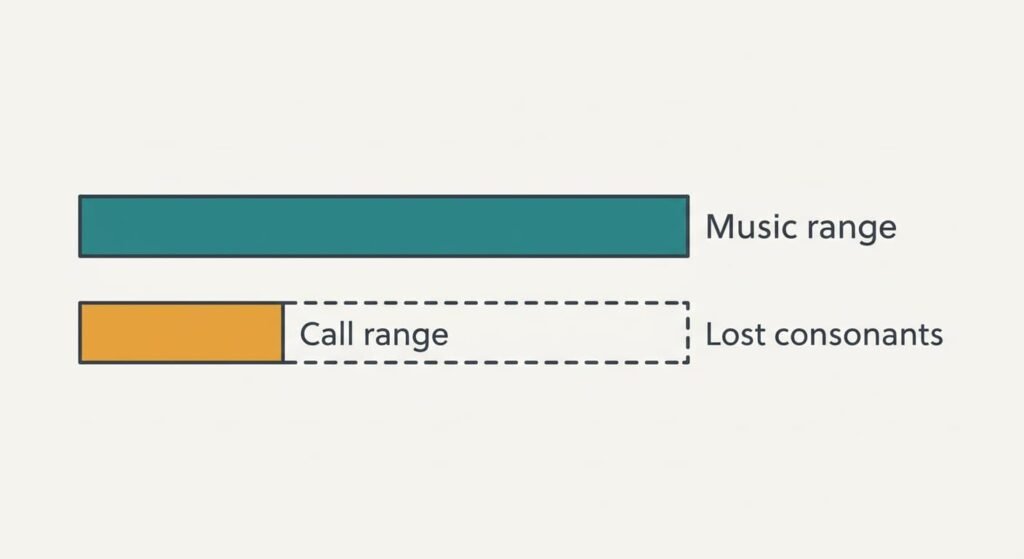
Music travels one way, from phone to ear, over a generous link that carries pitches up to roughly 20 kHz. A call needs traffic in both directions, since your voice has to get back to the phone. Many pairs then fall into a basic call mode that carries only about 4 kHz. That keeps 4 ÷ 20 = 20% of the range your ears enjoyed a second earlier. Newer wideband call modes reach about 8 kHz, or 40%.
Speech gets its crispness from hissing consonants that live in the 4 to 8 kHz band. Cut the range at 4 kHz and they vanish. The caller receives round vowels and has to guess the rest, then reports a muffled voice.
Distance adds a second loss. An earbud microphone sits about 12 cm from your mouth, compared with 6 cm when you hold the phone. Each doubling of distance lowers the level by roughly 6 dB, which means the earbud hears you at half the strength.
Most people blame the earbuds’ quality, yet the same pair that sounds rich for music is forced into a narrow mode the moment a call begins. That explains why the dullness appears so suddenly.
Tests That Show Where the Muffling Starts
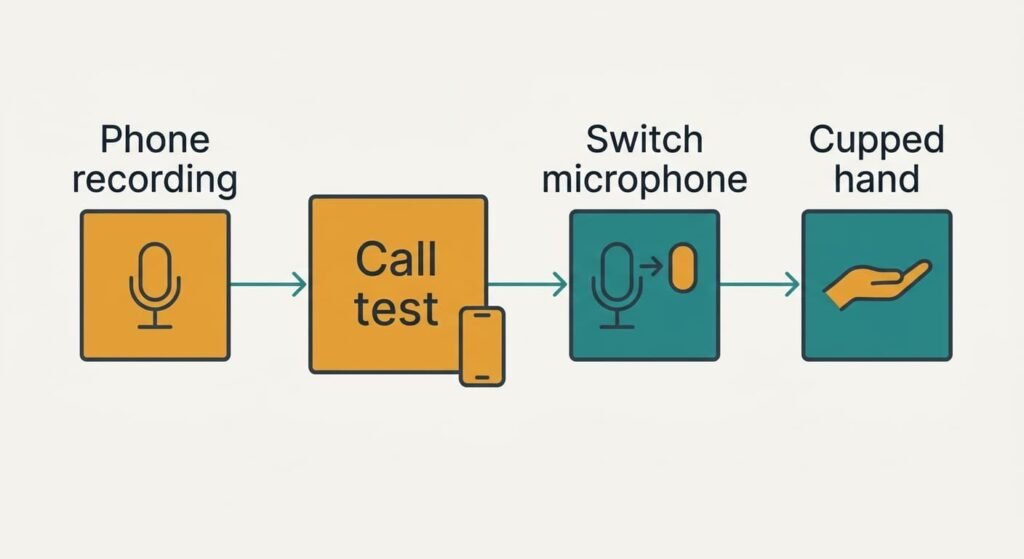
Record 30 seconds of your voice with the phone’s own microphone, then play it back. A clear recording clears the phone, and the trouble lies on the earbud route. If you sound muffled on phone calls and in that recording too, look at the phone’s microphone opening, which a case may be blocking.
Ring a friend with the earbuds in and ask how you sound. Then switch the call to the phone’s microphone while you keep listening through the earbuds. A voice that turns clear straight after the switch reveals the Bluetooth call mode. A voice that stays dull points back at the phone.
Notice what happens to the music when a call begins. When the incoming voice turns thin at the same moment, the link has dropped to its narrow mode. This test confirms the mechanism with your own ears.
Cup a hand lightly near the earbud microphone and speak. A louder, clearer voice shows that the microphone was too far away or partly covered.
Run all four tests before changing anything.
Four Fixes for Sounding Muffled on Phone Calls
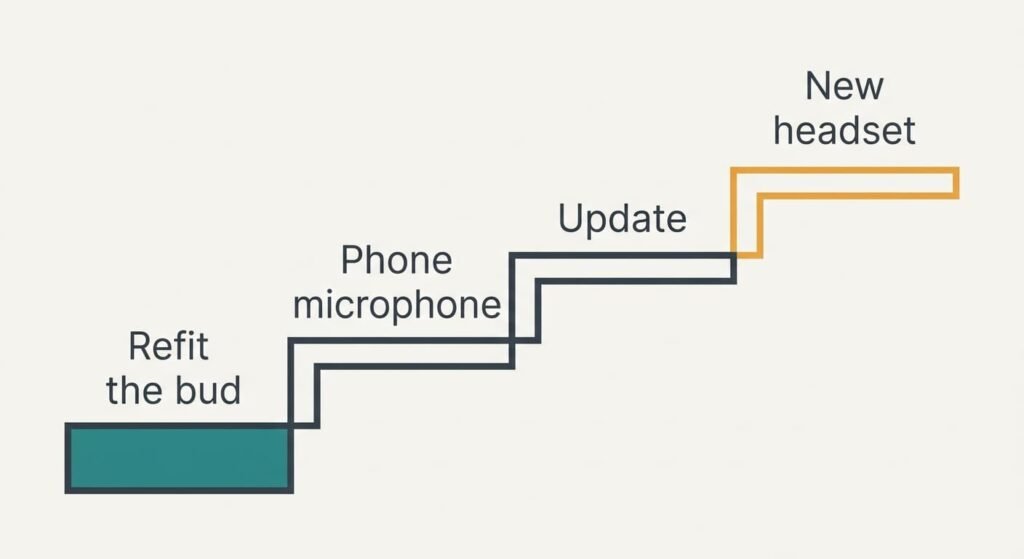
Clear the microphone opening and refit the bud, because a hood or a loose fit pushes the microphone away from your mouth. Tilt the stem towards your chin and press the bud in until it seats. Nothing is spent here, and the cupped-hand test acts as your check. Gaining a few centimetres recovers up to 6 dB if you sound muffled on phone calls only outdoors, where collars get in the way. A deeper fit tires the ear after an hour, and it can’t widen a narrow call mode. Treat it as the cheapest thing to rule out. If the voice stays dull, move on.
Switch the call microphone to the phone’s own, because the earbuds then handle listening while your voice takes the phone’s wider route. The option sits in the call or sound controls, and you will find it within a minute. Your voice clears at once, because the phone’s route isn’t squeezed into the narrow band. The loss is convenience: you must keep the phone close to your face, and it hears more street noise than an earbud stem does on a quiet pavement. Keep the earbuds in for the other person’s voice, and try it on one call before relying on it.
Update the earbuds and the phone, because newer software may offer the wideband call mode that older versions can’t negotiate. Allow about 20 minutes, with both devices charged. Keep them side by side. Nothing needs buying. The only cost is time, and a feature you like may change once the new version arrives. Some older earbuds never receive a wideband update, in which case the call mode stays as it was. Make a short call afterwards and listen to your voice in the recording from your test.
Replace the earbuds with a headset that has a boom microphone or wideband support, because it addresses distance and bandwidth together. Money is spent here, and there’s no going back, as the old pair turns into a spare. You give up pocket size: a boom sits near your mouth, and a wired model adds a cable to untangle on the train. Compare the call specification of two models before choosing, and read whether wideband is stated.
If None of the Four Fixes Worked
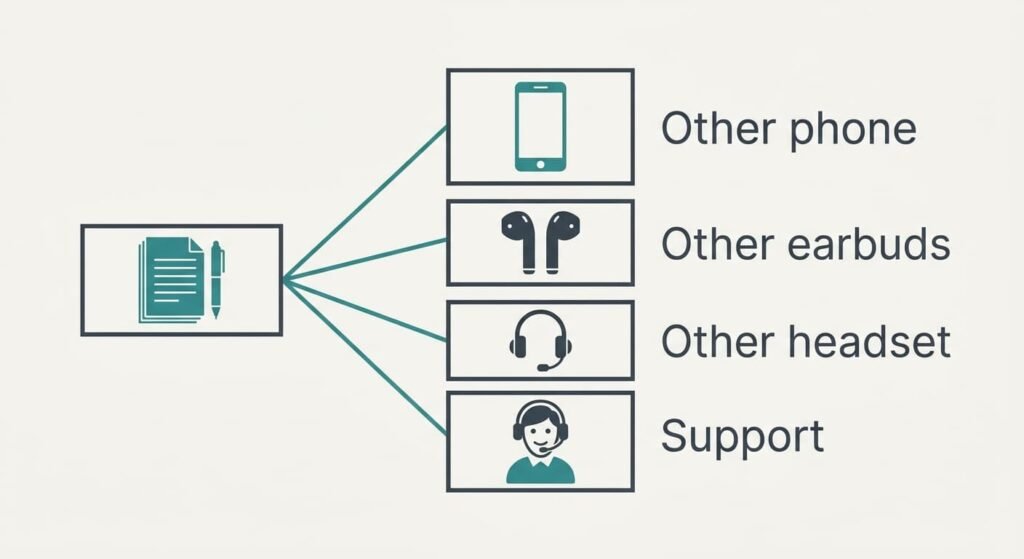
Collect the evidence before spending a penny. Note whether the muffling occurs on every call or only inside one app. Ask a caller to record a short clip so you can hear what they hear. Try another phone with the same earbuds, then the same phone with another pair. When the fault follows the earbuds, you’ve isolated the pair. When it stays with the phone, the phone is to blame.
Take those notes to the maker’s support, and ask whether a wideband call mode is supported.
Resetting comes last, with a warning attached. It wipes the pairing with every device, and you’ll need to connect the earbuds again one by one.
If a different pair also sounds dull on this phone, suspect the phone’s microphone first. That’s a repair or settings question, and answering it first saves a pointless purchase.
The Fix That Isn’t Worth Doing
Many people try turning up the call volume, and the caller notices nothing at all. The volume control sets what you hear. The muffling happens on the way out, before your voice reaches the other end; nothing you hear can undo it. Shouting makes things worse, because it adds distortion to a band that was already thin. Your voice then sounds harsh as well as dull.
Shouting also tires your voice within a few calls, and the person beside you on the train hears every word. A quieter, closer voice beats a louder, distant one every time. If you sound muffled on phone calls, move the microphone towards your mouth instead of raising your voice. Even a 6 cm gain does more than doubling the effort in your throat, and it spares your neighbours as well.
Another tempting idea is a dearer pair of earbuds chosen for music quality, perhaps on the strength of a glowing review. Music and calls use different modes. Better drivers can leave the call exactly as thin as before. Read the call specification before buying, because that’s the figure that counts for you. When the maker never mentions a wideband call mode, assume the basic 4 kHz one applies.
Questions Readers Keep Asking
Can I fix muffled calls at home?
Usually yes. Clearing the microphone opening and switching the call to the phone’s own microphone take a minute each and need no money. Updating both devices takes about 20 minutes. Only the final option costs money, and the free fixes often make a better headset unnecessary.
Why do my earbuds sound fine for music but muffled on calls?
Music uses a wide one-way link, whereas a call forces a two-way link that carries only about 4 kHz in its basic form. Speech loses the consonants between 4 and 8 kHz, and the voice turns dull. The earbuds haven’t changed. Only the mode has.
Does muffled sound mean the earbuds are faulty?
Rarely. A hardware fault more often brings crackling or dropouts. If every test and fix leaves a dull voice, and a second phone gives the same result, then the microphone may be failing. A repair or replacement is reasonable at that point.